


When you get stuck in a game and pick up your iPhone to look up the guide, trying to pass the level step by step based on other people’s experiences and tips, you will always encounter the iPhone screen dimming or automatically sleeping, and you have to re-unlock it every time so you can continue reading the steps below. So how do you stop your iPhone from automatically locking? There is a simple method you can try.
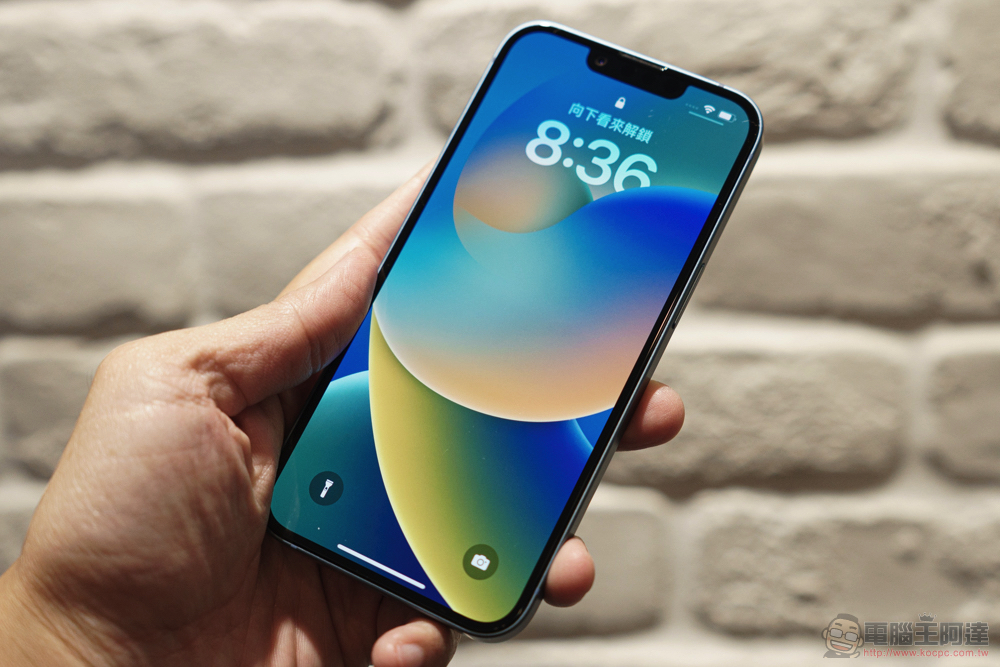
How to stop iPhone screen from turning off automatically?
The reason why the iPhone screen keeps dimming and turning off is due to the “Auto-Lock” feature, which automatically switches the iPhone to sleep mode after a specified period of inactivity. Screen dimming reduces the screen brightness by half when the idle time exceeds 2/3 of the specified time. To stop this automatic behavior, you must turn off this feature.
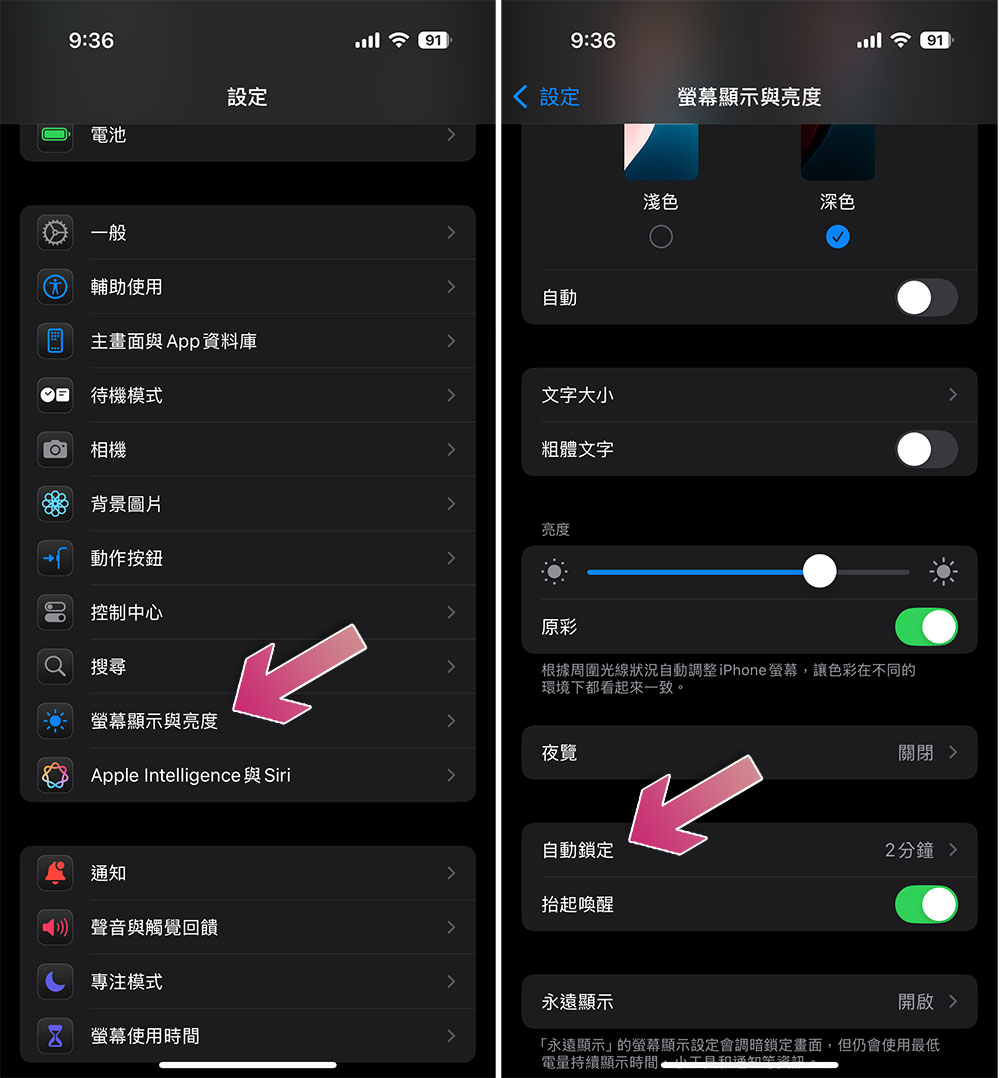
- Open the Settings app.
- Click “Screen display and brightness”.
- Scroll down to find “Auto-Lock”.
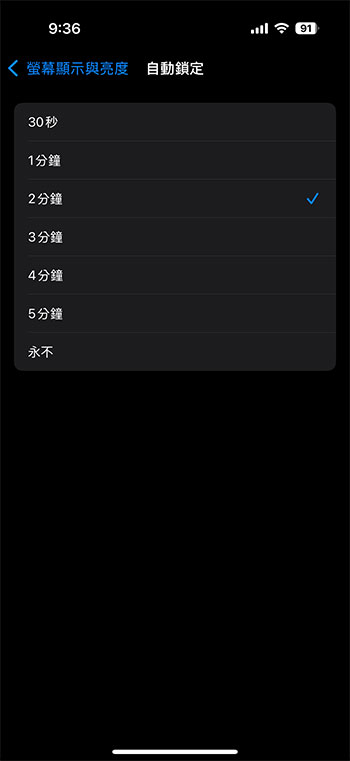
- In the Auto-Lock settings, you’ll see a list of times to choose from, which determine how long your iPhone screen stays on before turning off and entering sleep lock mode. If you want to prevent it from automatically sleeping at all, select Never. It’s important to note that if Doze is enabled, auto-lock is automatically set to 30 seconds and cannot be changed.
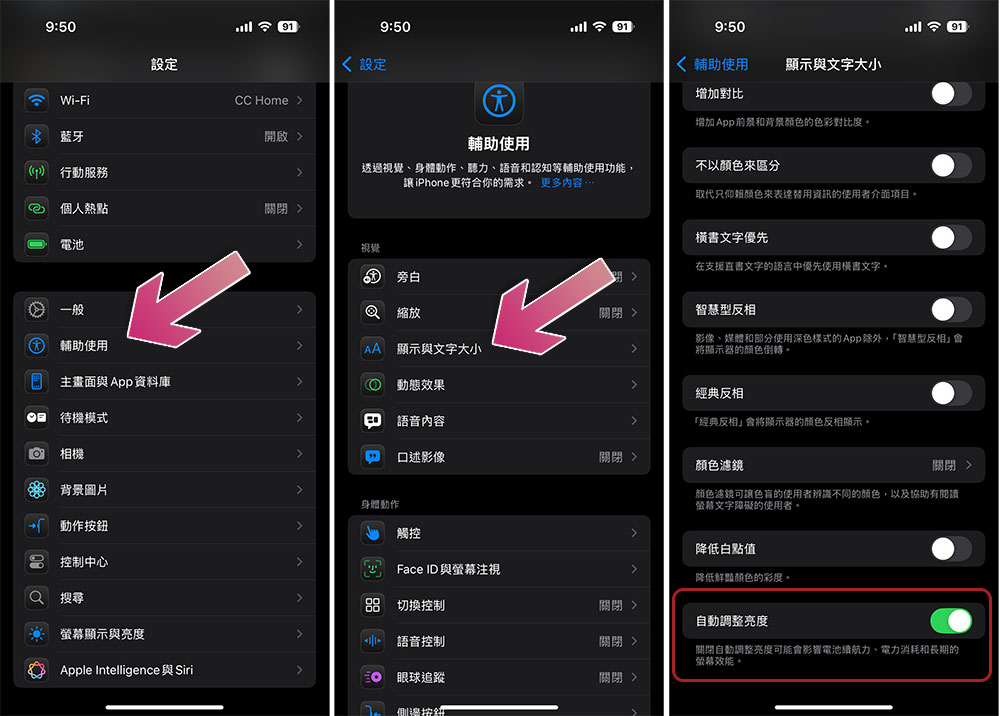
If you still encounter the problem of dimming the screen after turning off automatic lock, it may be that automatic brightness adjustment is enabled. You can turn it off as follows:
- Open the Settings app.
- Click “Accessibility”.
- Select “Display and text size”.
- Scroll to the bottom and turn off “Automatically adjust brightness”.
While turning off automatic screen lock is sometimes helpful, there are some drawbacks. The most obvious one is battery life. If your iPhone keeps the screen on all the time, it will quickly run out of power. After all, the iPhone screen is one of the most power-consuming parts. Secondly, there is the security issue. If you leave your iPhone on, it will not automatically lock. Anyone can use it before you manually lock it, which is a trouble for personal privacy. Therefore, be sure to re-enable the auto-lock function when you don’t need it. You can follow the above instructions to choose the most reasonable auto-lock time limit instead of always using “Never”.
Source: KOCPC Chinese