


Although the screen of Apple Watch is small, in some situations, its convenience exceeds that of iPhone, especially when you need to quickly look up information. Traditional smart watch functions mainly focus on notifications and health tracking, while “Browser Watch”, a browser tool designed specifically for Apple Watch, takes this wearable device to a higher level and becomes a powerful tool for on-the-go searches.

Browser Watch App: Apple Watch browser, the watch can also directly check online information
Although the larger screen of the iPhone is more suitable for long-term browsing, being able to search quickly from your wrist at any time does make life more convenient. “Browser Watch” breaks through the traditional limitations of smart watches, allowing users to browse the web and search for information directly on Apple Watch. Through this app, users can even add the Google search engine and use voice input or a small keyboard for quick queries, making searches instant and intuitive.
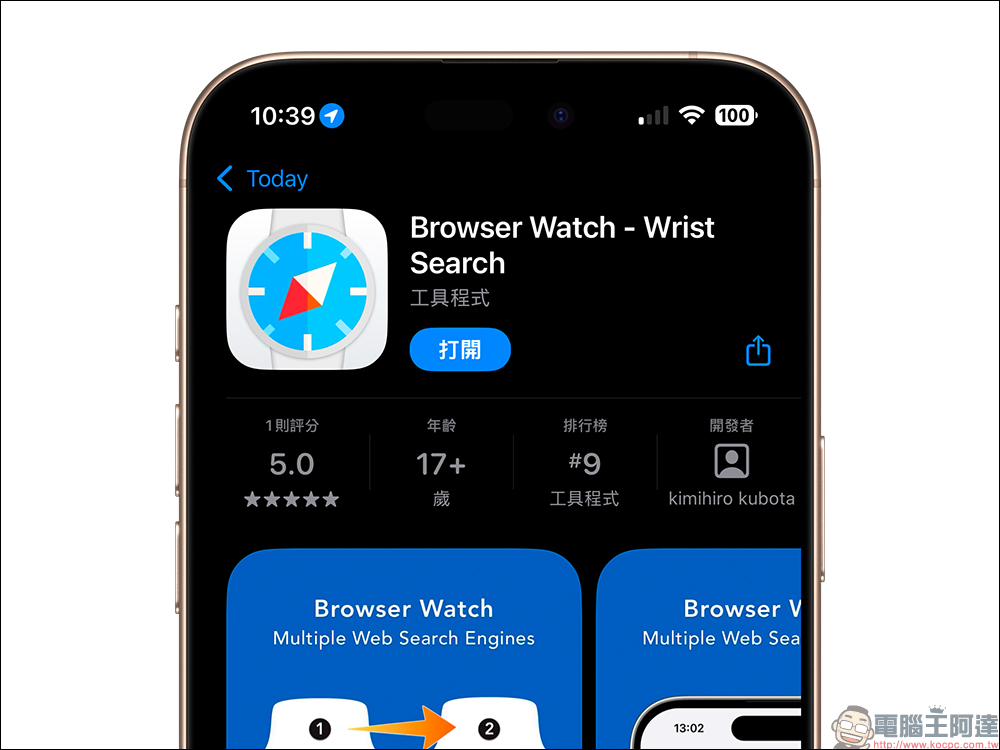
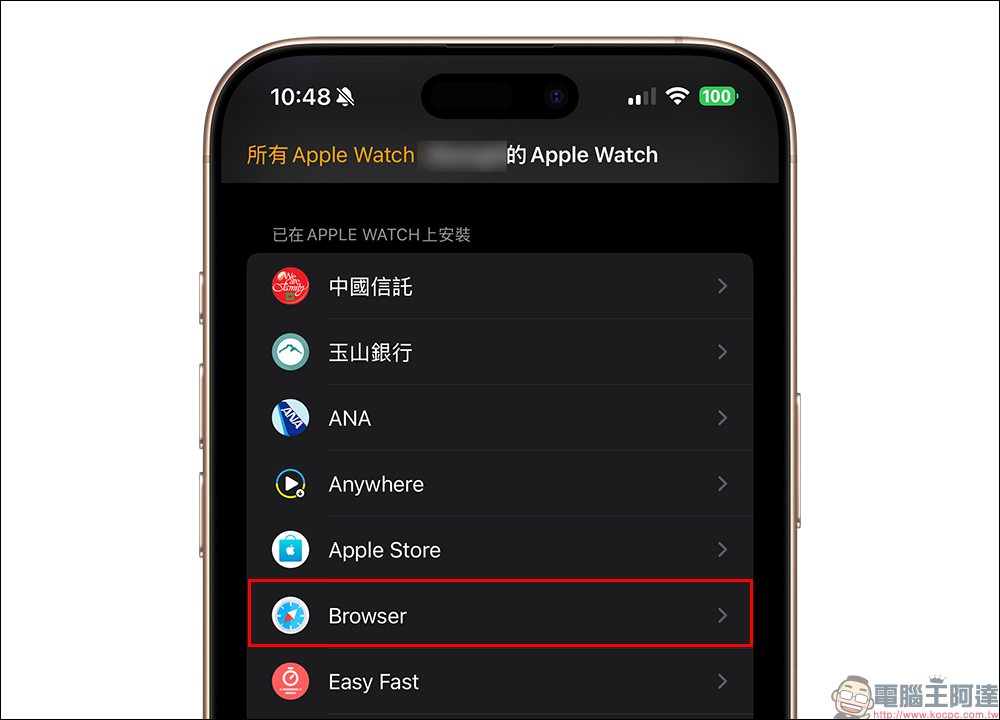
To use “Browser Watch”, you first need to install it on your iPhone. After the installation is complete, the Apple Watch will automatically display the app simultaneously, and you can use it directly without complicated settings.
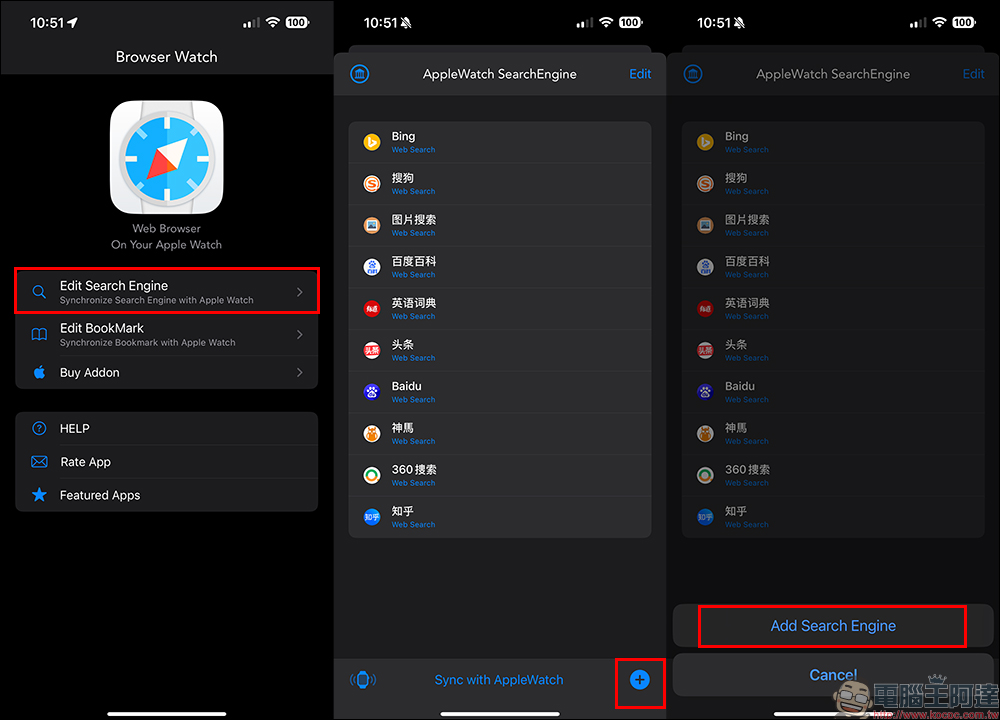
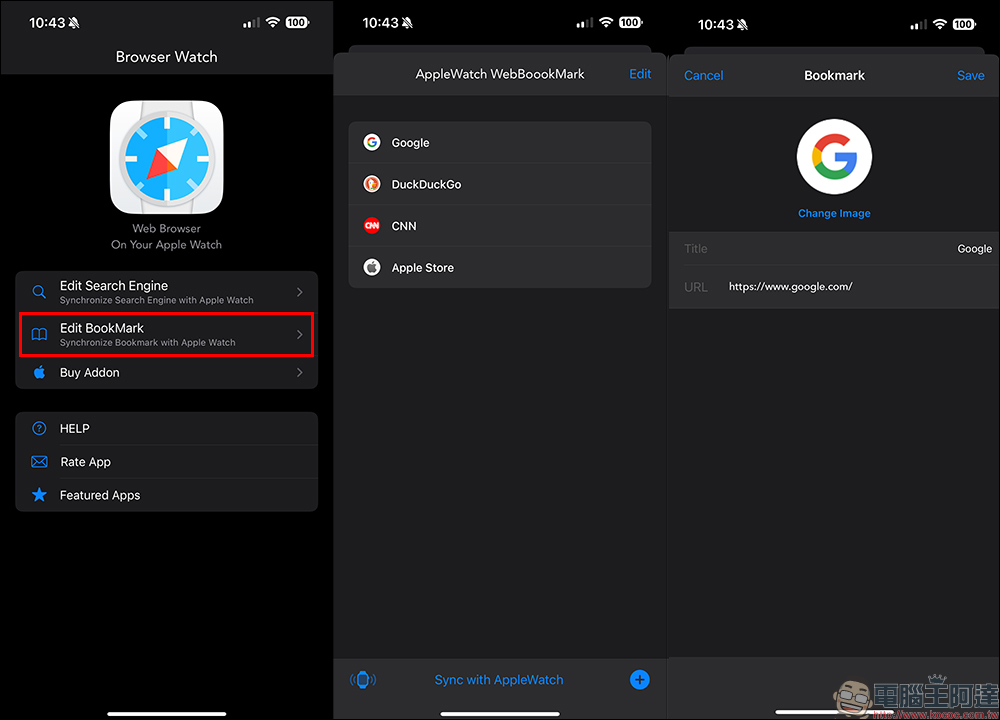
Although “Browser Watch” has some built-in search engines, for users who are familiar with Google or Yahoo, it is more suitable to add these commonly used engines by themselves. First, click “Edit Search Engine” in the App, then click the “+” sign in the lower right corner to add a new search engine.
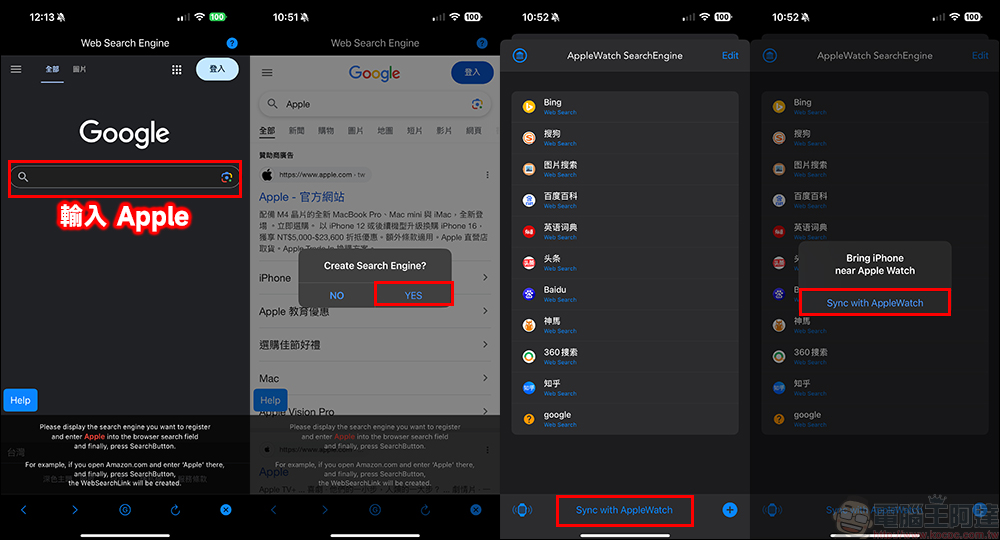
Enter the keyword “Apple” in the search box that pops up, press Search and click “Yes”. Finally, click “Save” in the upper right corner to add Google to the search engine list. After completing the settings, be sure to press “Sync with Apple Watch” to synchronize the updated search engine to the watch.
In addition to basic search functions, “Browser Watch” also supports user-defined search engines and website bookmarks, further improving operational efficiency. Users can add frequently used web pages to favorites through “Edit Bookmark”, so that they can quickly open their favorite websites on Apple Watch with one click, saving search time.
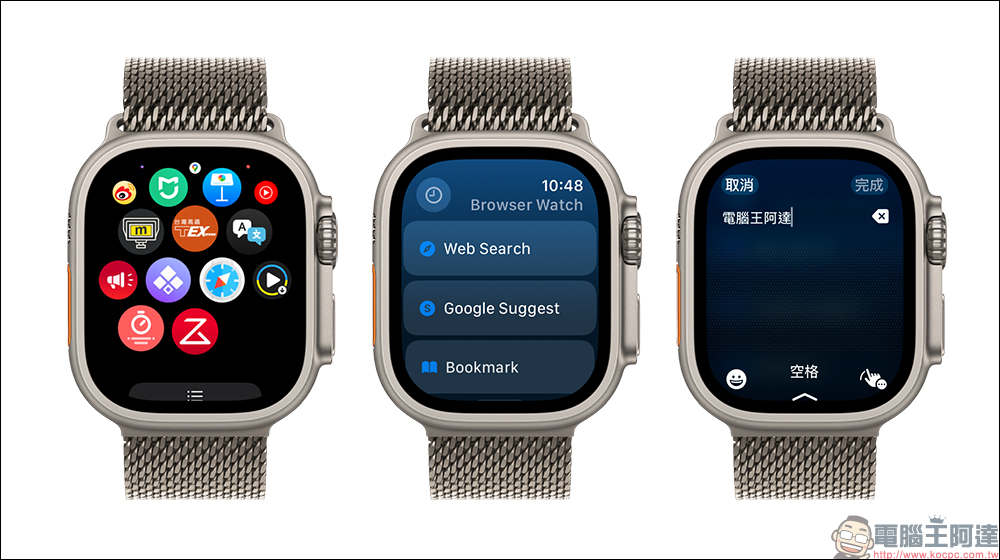
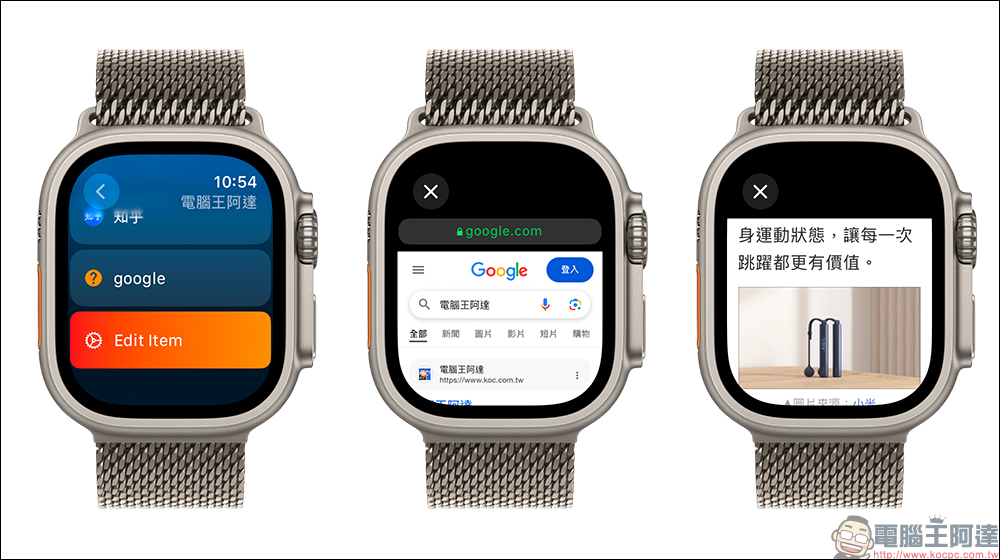
Open “Browser Watch” on Apple Watch, select the “Web Search” function, then enter the content you want to query, select your preferred search engine, and you can immediately view the query results. “Browser Watch” has a simple interface and smooth operation, which is especially suitable for users who need to obtain information in real time.
If you need to quickly review previous search content, “Browser Watch” also provides a search history function. By clicking on the clock icon in the upper left corner, users can easily find previously searched keywords and results for easy viewing again.
Browser Watch App Download (App Store)
Source: KOCPC Chinese