


Years ago, LINE has supported various text effects in the computer version of the app, and recently, LINE has quietly added corresponding functions to the mobile version of the app! After the LINE 14.12.0 version update this time, users will be able to use these text effects, including bold, italics, strikethrough, text outlines, red text and other effects. Today I will explain in detail how to enter correct grammar to activate these functions!
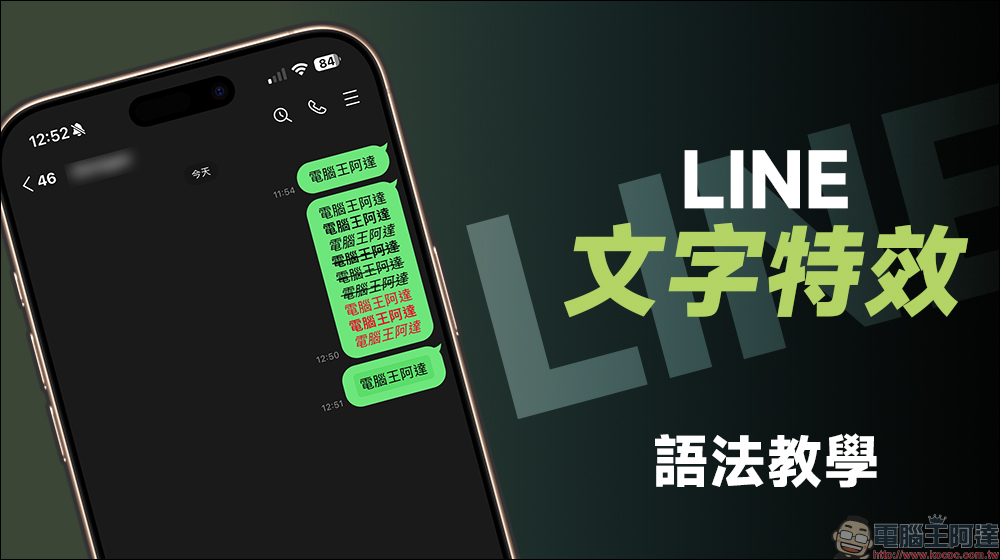
LINE mobile version text effects grammar teaching: learn 9 combination effects of bold, italics, strikethrough, red text, and outline!
Recently, LINE released version 14.20.0 update. In addition to “fixing errors and improving functions” mentioned in the app store description, it actually also silently supports text formatting effects! After the update, users can display relevant text effects on their mobile phones as long as they add the corresponding grammar when entering text in the chat room.
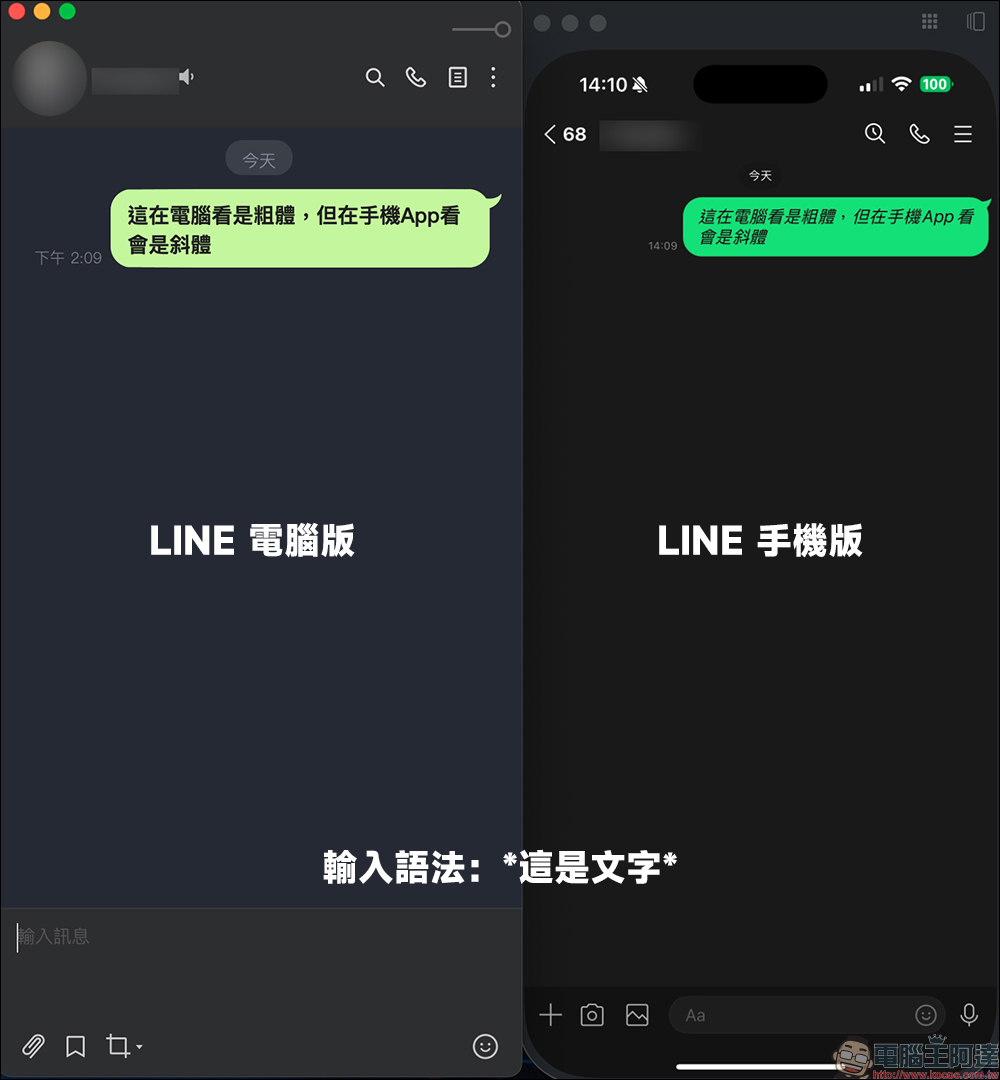
Before the article begins, let me emphasize that the text effects this time are changes in text format, and the current syntax of the mobile version is different from the computer version, so what you see in the mobile App will be different from the computer version. I also look forward to the LINE team being able to unify the text effects (formatting) syntax of different systems as soon as possible in the future!
bold text
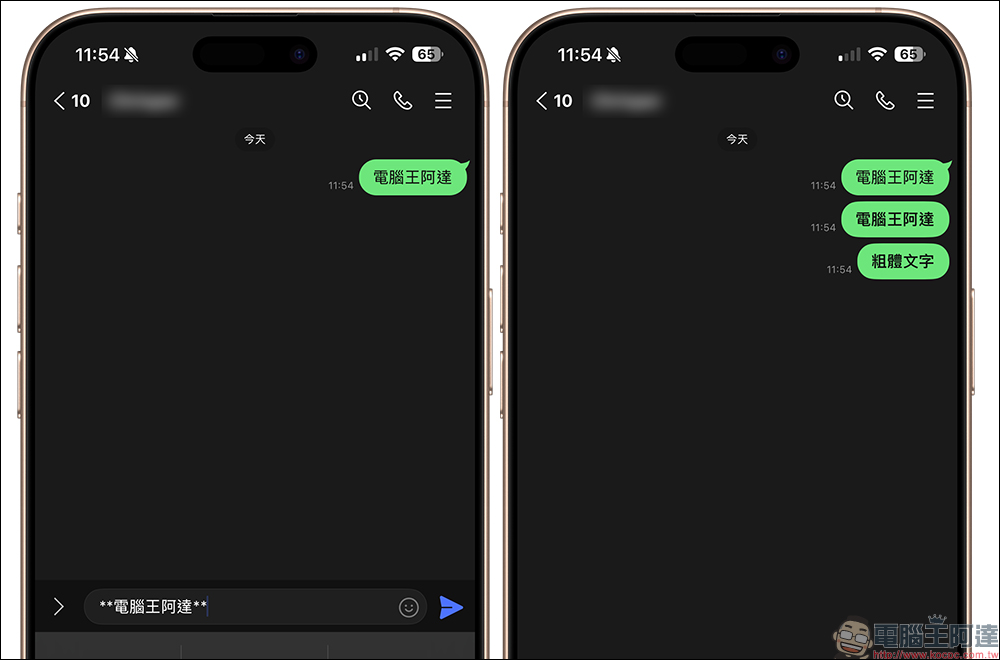
First of all, the function that everyone uses most often is the function of bold text, right? Bold specific words in a paragraph can have an emphasis effect. If you want to use the “bold” text format, you can enter the following syntax:
**text**
italicized text
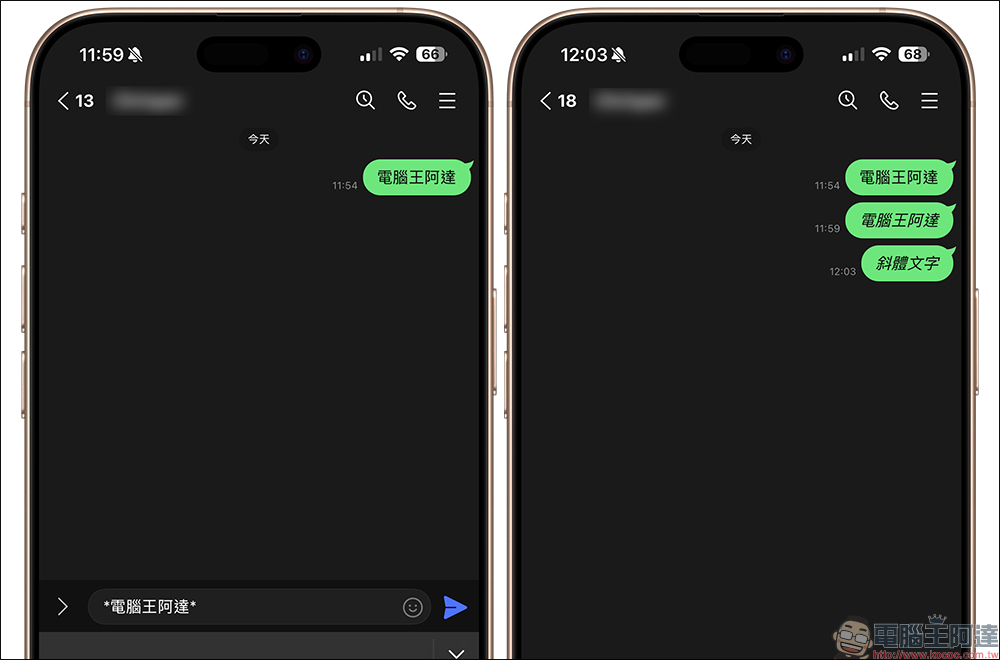
To change text to italics, enter the following syntax:
*text*
strikethrough
To strikethrough specific text, enter the following syntax:
~~Text~~
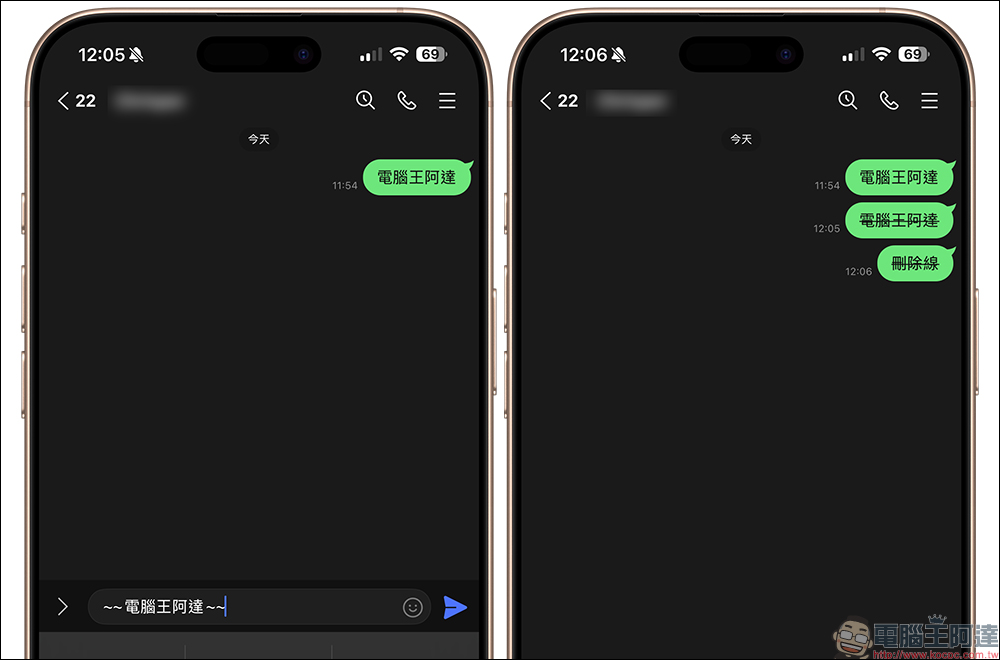
Bold with strikethrough
Combining bold and strikethrough, the corresponding syntax is:
**~~Text~~**
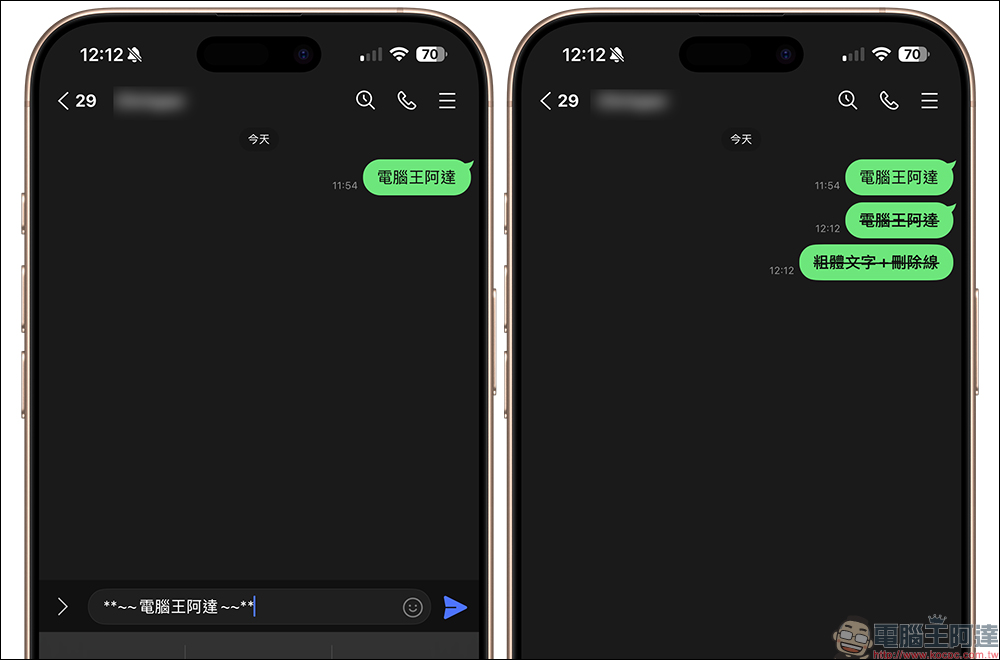
Italics with strikethrough
To pair italics with strikethrough, enter the syntax:
*~~Text~~*
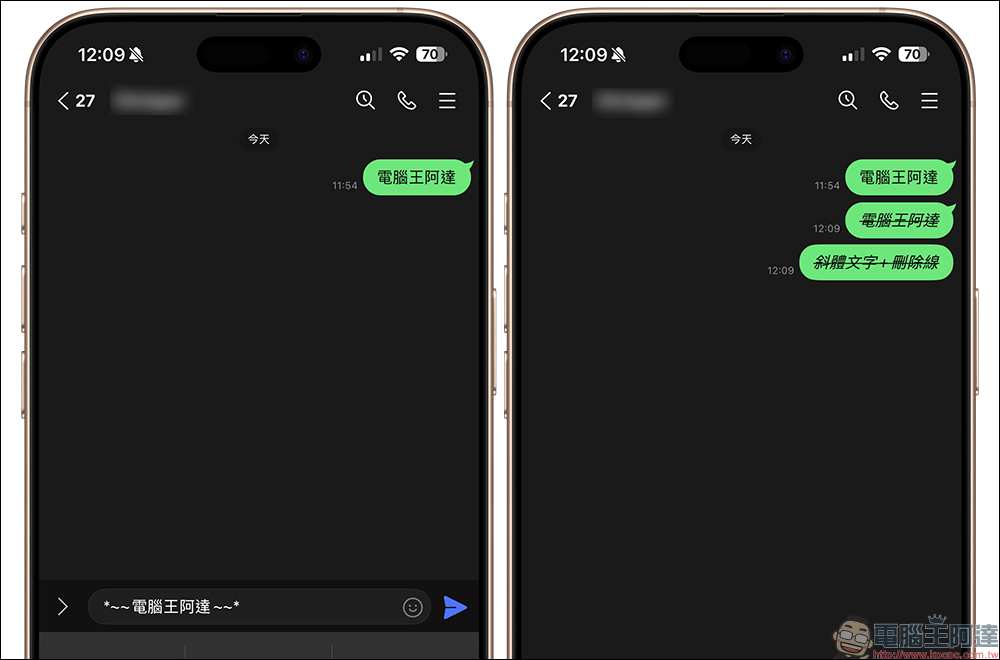
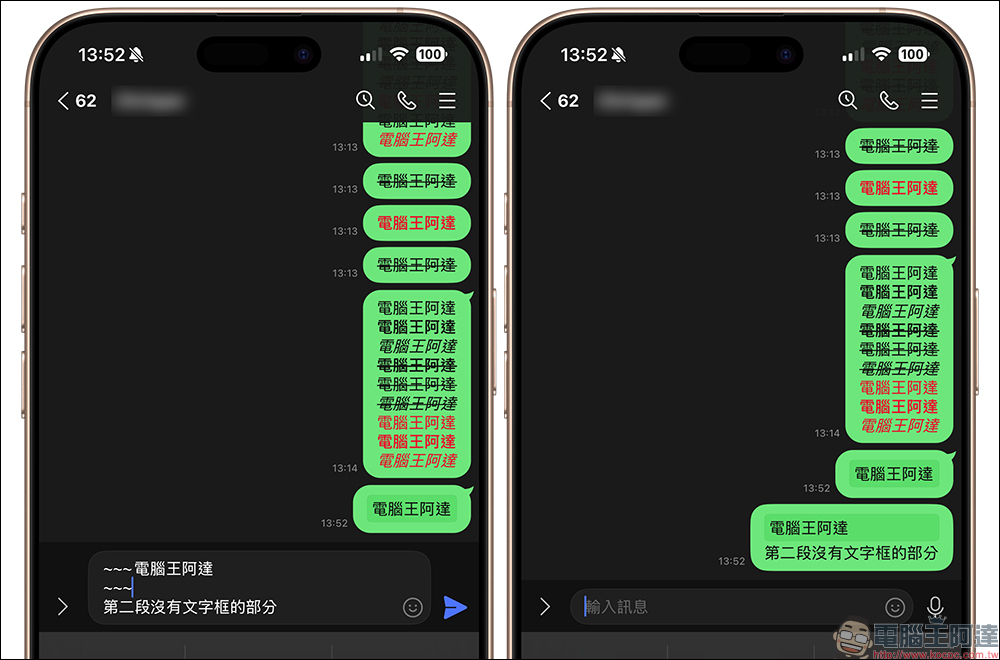
Text outline (paragraph box)
This text frame is actually a paragraph frame, which will wrap the text behind the grammar in an outer frame. If the entire paragraph needs to be added with a text frame, the input syntax is:
~~~Text
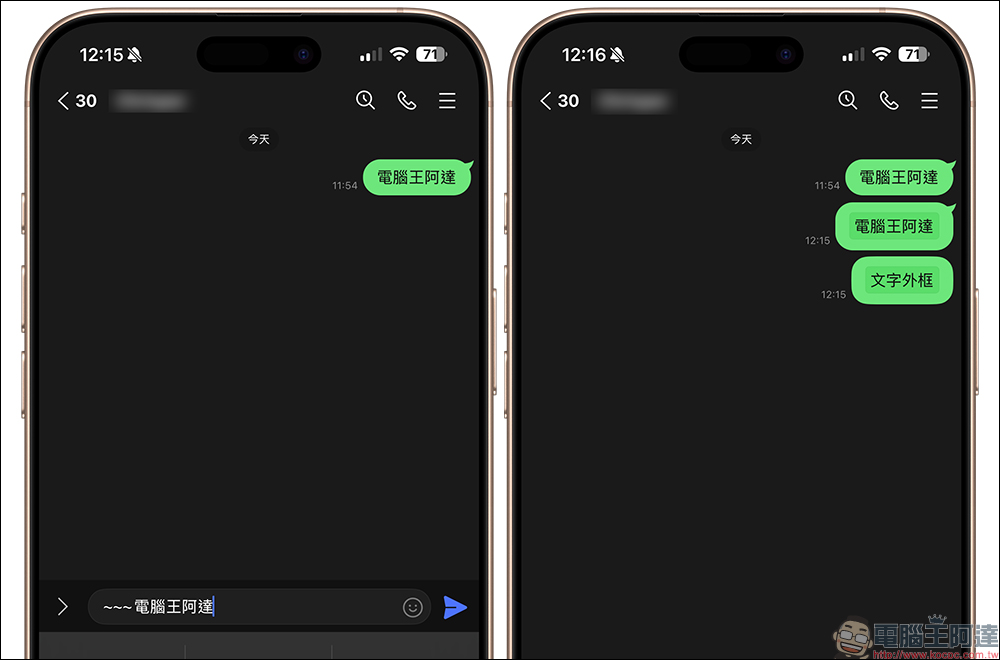
But in fact, the more correct way to use the text frame (paragraph frame) is to segment the text in different paragraphs. The above syntax will add the entire text content into a paragraph box, thus losing the original meaning. If you use text boxes (paragraph boxes) to distinguish text in different paragraphs, then the correct syntax should be entered:
~~~Text
~~~
You must “break” at the end of the paragraph box, then enter “~~~” first, and then enter other text in the third paragraph. This way, only part of the text within a single message can be text boxes (paragraph boxes).
color changing text
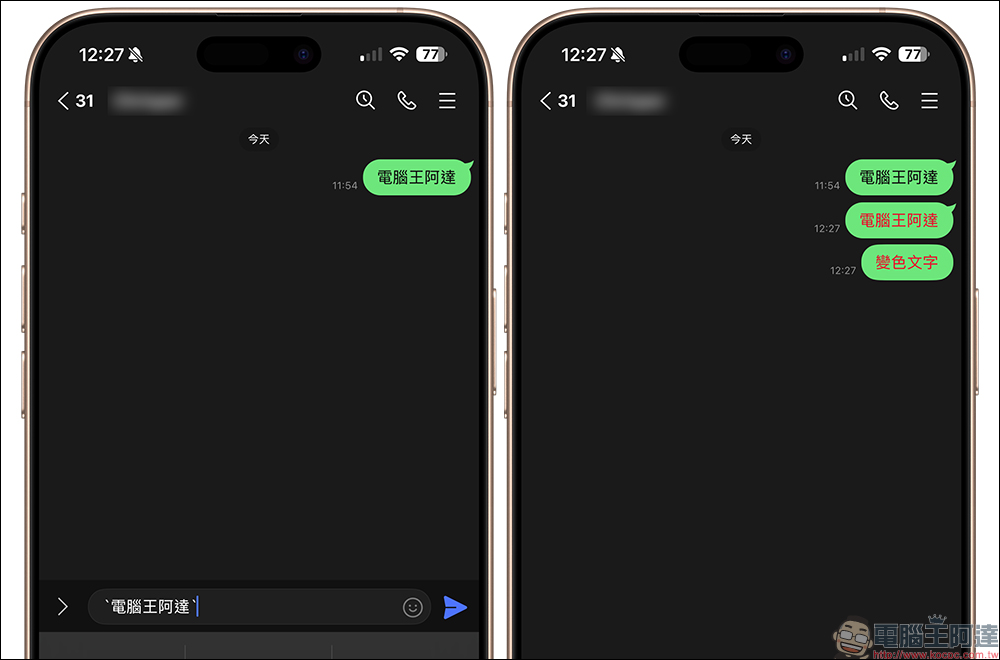
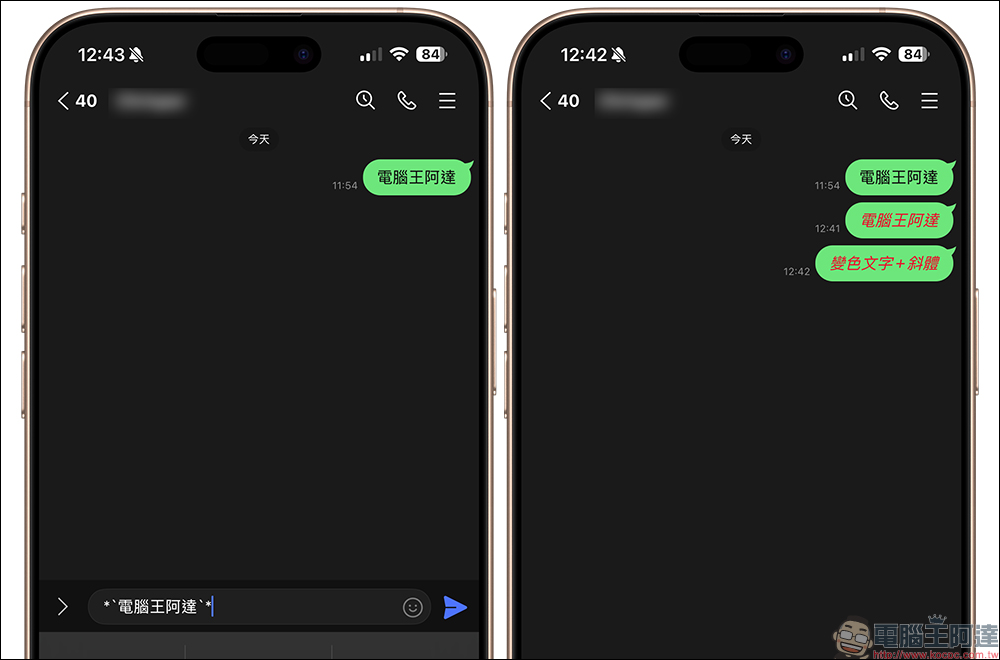
The color-changing text will be displayed slightly differently depending on the LINE theme used by the user. Some themes are displayed as “red text” and some are “blue (or other)” colors. The syntax can be entered:
`text`
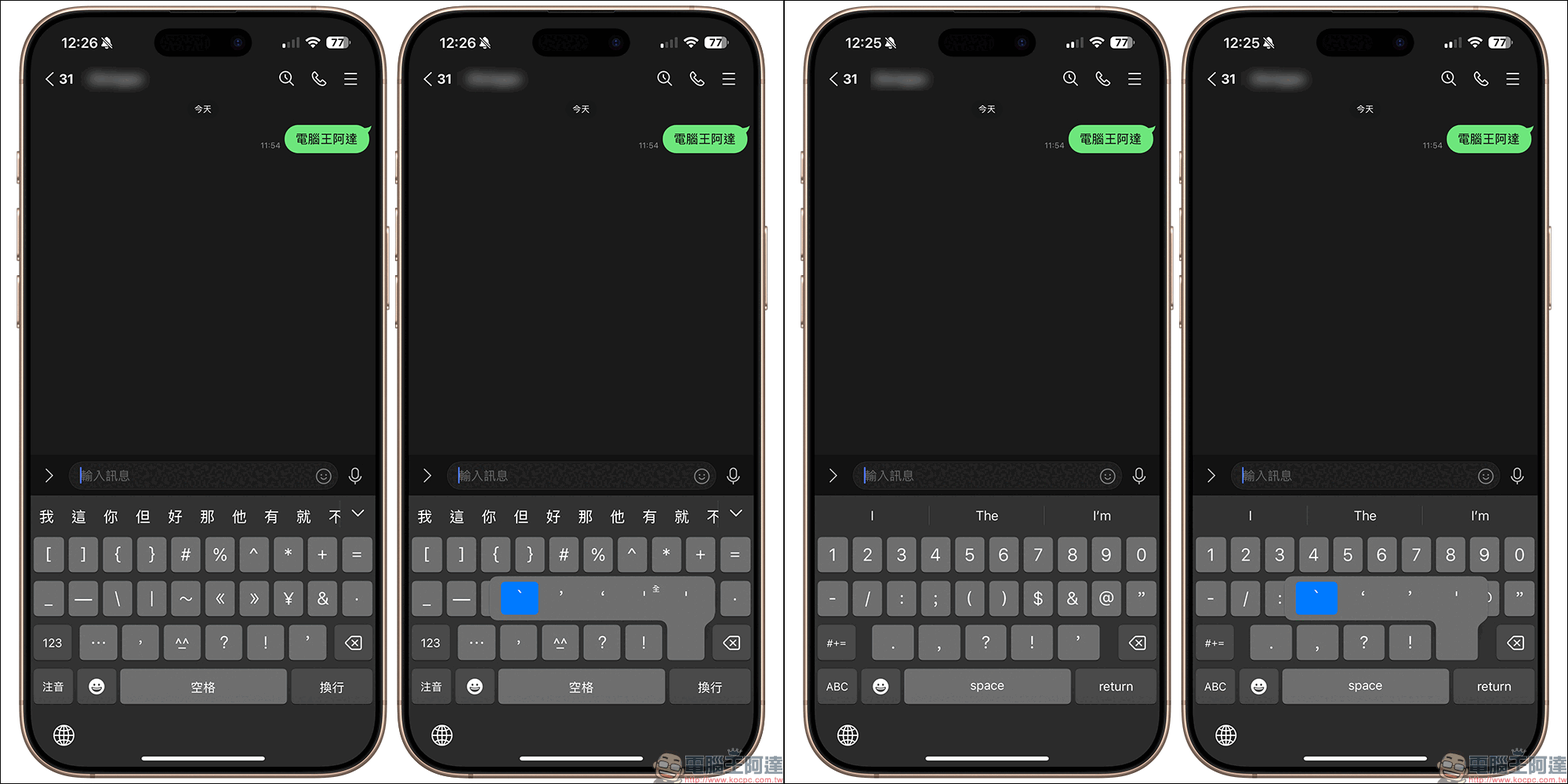
Take the iPhone keyboard as an example. To input “`”, you can switch to the numeric keyboard page in the phonetic or English keyboard mode and find the single quotation mark “‘”. Press and hold to select:
Color-changing text with bold font
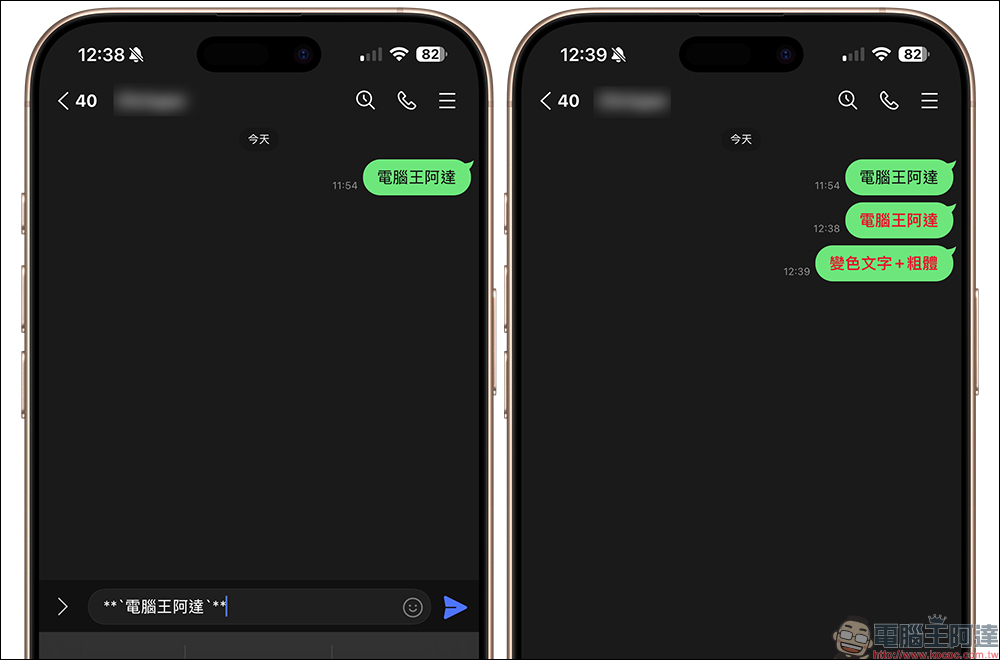
If you want to use red text with a bold effect, you can enter the text syntax:
**`Text`**
Color-changing text with italics
If it is red text with italics, please enter the syntax:
*`Text`*
Featured in the same scene: LINE text effects syntax compilation
Finally, I will also help you sort out the text format syntax differences between the current mobile version of LINE and the computer version. What should be noted is that the syntax of the current mobile version of LINE and the computer version are different, so the display effect will not be supported and the effects will be different on different devices. The outer frame mentioned in the article is actually a paragraph frame, which will add all text within the grammatical scope into the same frame.
| Effect | Mobile version of grammar | Grammar for PC | Shortcut keys (PC version) |
| Bold | **text** | *text* |
|
| italics | *text* | _text_ |
|
| ~~~Text~~~ | ~text~ |
|
|
| **~~Text~~** | None yet | ||
| *~~Text~~* | None yet | ||
| scarlet letter | `text` | None yet | |
| Red + bold | **`Text`** | None yet | |
| Red letters + italics | *`Text`* | None yet | |
| Text outline (paragraph box) | ~~~Text ~~~ |
“`Text”` |
|
| scarlet letter+Text frame (paragraph frame) | None yet | `text` |
|
For example, the syntax of “italic” in the mobile version is “*text*”, but this will be displayed as “bold” in the computer version. In addition, effects such as red text currently only support the format of matching outer frames (paragraph boxes) in the computer version, unlike the mobile version where red text can be added to text alone.
Further reading:
YouTube mobile app update supports fine-tuning of playback speed, giving you more freedom in playback settings!

Source: KOCPC Chinese