


In the digital age, LINE has become an indispensable tool for people’s daily communication. However, many people may not be aware of the potential personal information risks when setting up a LINE ID. Whether it is for the convenience of memory or because of negligence, setting a phone number or other sensitive information as an ID may cause unnecessary trouble in the future. In this article, we will share how to avoid these pitfalls and create a safe and interesting ID for your LINE account. We will also provide you with detailed steps to change your ID when necessary to help you fully protect your personal information.

3 things you must know when setting up LINE ID to protect personal information security
LINE is not only a bridge for communication, but also an important symbol of personal digital identity. However, have you ever been troubled by accidentally setting an inappropriate LINE ID, or worried about the friend function exposing your privacy? Don’t worry, this article will give you answers, teach you how to avoid common taboos in LINE ID settings, and provide a variety of easy and safe ways to add friends, helping you enjoy convenience while also easily protecting your personal data, taking your LINE experience to the next level!
1. LINE ID name, avoid personal privacy content
When you set up a LINE ID, be sure not to set personal information as a LINE ID, and do not reveal personal private information just to make it easy for you to remember, such as:
- telephone number
- ID card font size
- Birthday (birth year, month, day)
Setting a “phone number” as an ID is not only easy to reveal some personal privacy, but also intentional people may use this phone number for improper use, or cause yourself to be harassed by strangers. In addition, it is not recommended to use some hidden personal information directly to avoid inconvenience in use. When setting up a LINE ID, you may wish to choose an ID that does not contain your own private information and is easy to remember and interesting.
2. You can only reset your LINE ID once, so use it with caution.
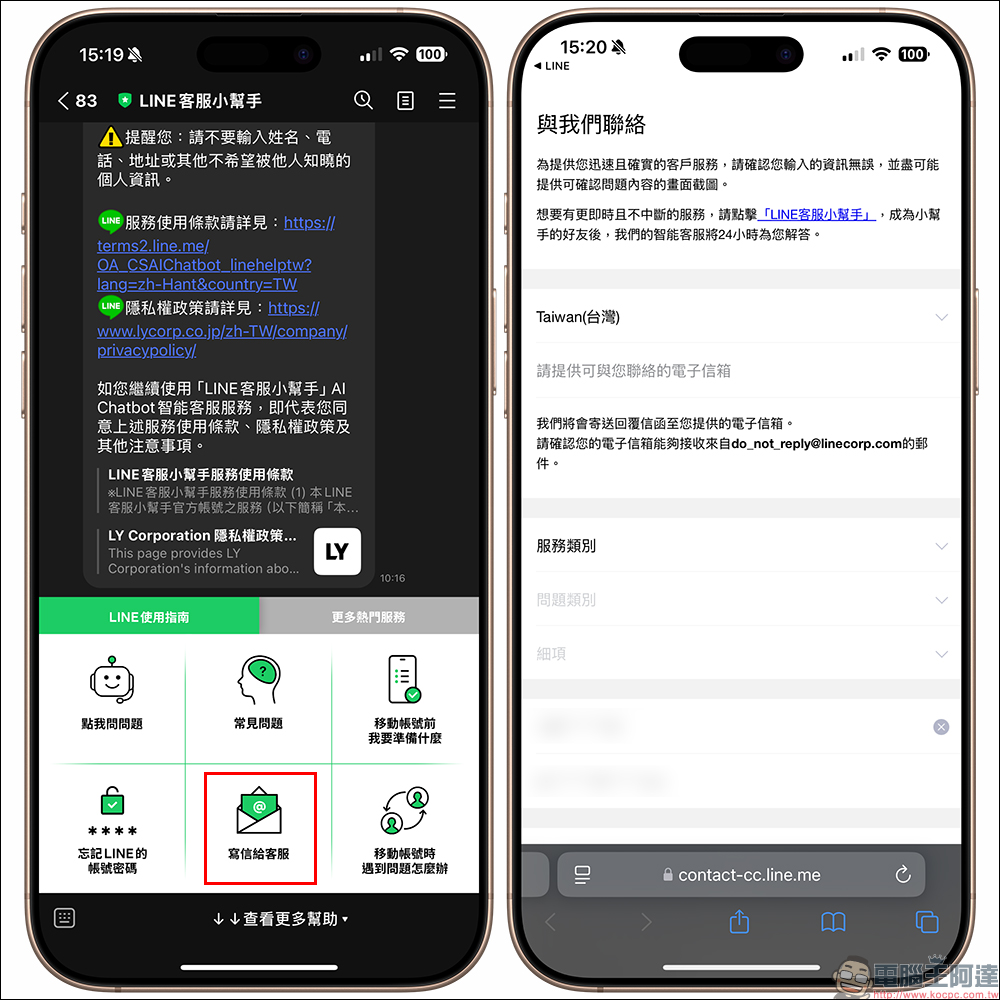
If you have accidentally set your phone number or other private information as a LINE ID in the past, or if you set the name incorrectly and have trouble using LINE, LINE still provides users with one opportunity to reset each account, but you must seek help from customer service. Here are the steps to reset LINE ID:
- If the LINE ID contains a phone number, ID number, or date of birth, when contacting LINE customer service, please provide relevant information about the LINE ID that is currently in use and contains personal information.
- Clearly describe the reason for “wanting to change LINE ID” to facilitate customer service confirmation of eligibility.
If you have LINE ID reset or other LINE usage needs, you can add the official account of “LINE Customer Service Helper” as a friend, which provides assistance with various issues:
“LINE Customer Service Helper” official account (LINE ID: @linehelptw)
3. Are you worried about strangers adding you as friends directly using your LINE ID? Let’s turn this setting off first.
If you have no chance to change your LINE ID, or you are worried that your LINE ID will be easily searched, you might as well turn off the “Allow ID to be used to join friends” setting first! The setting process is as follows:
“LINE Homepage” > “Settings” > “Profile” > Turn off “Allow friends to be added using ID”.
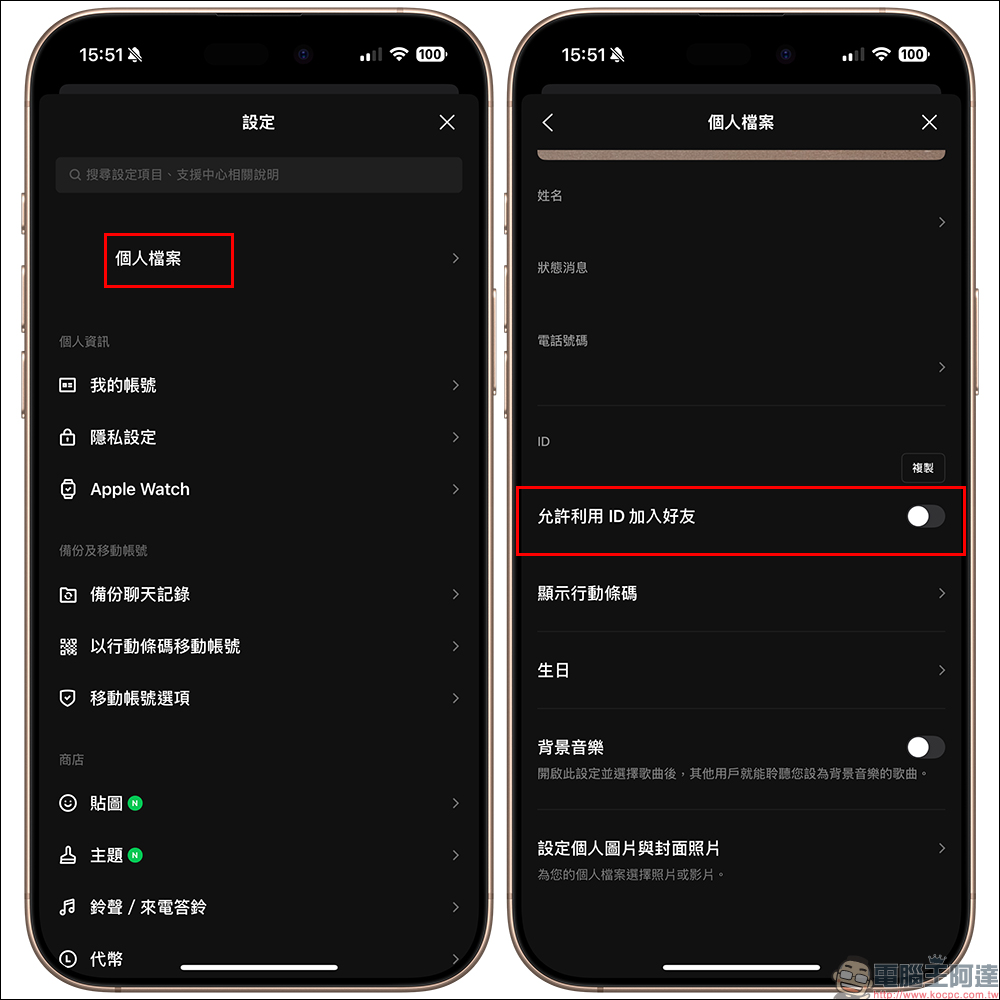
Even if the “Allow adding friends by ID” function is turned off, others can still add friends in the following ways.
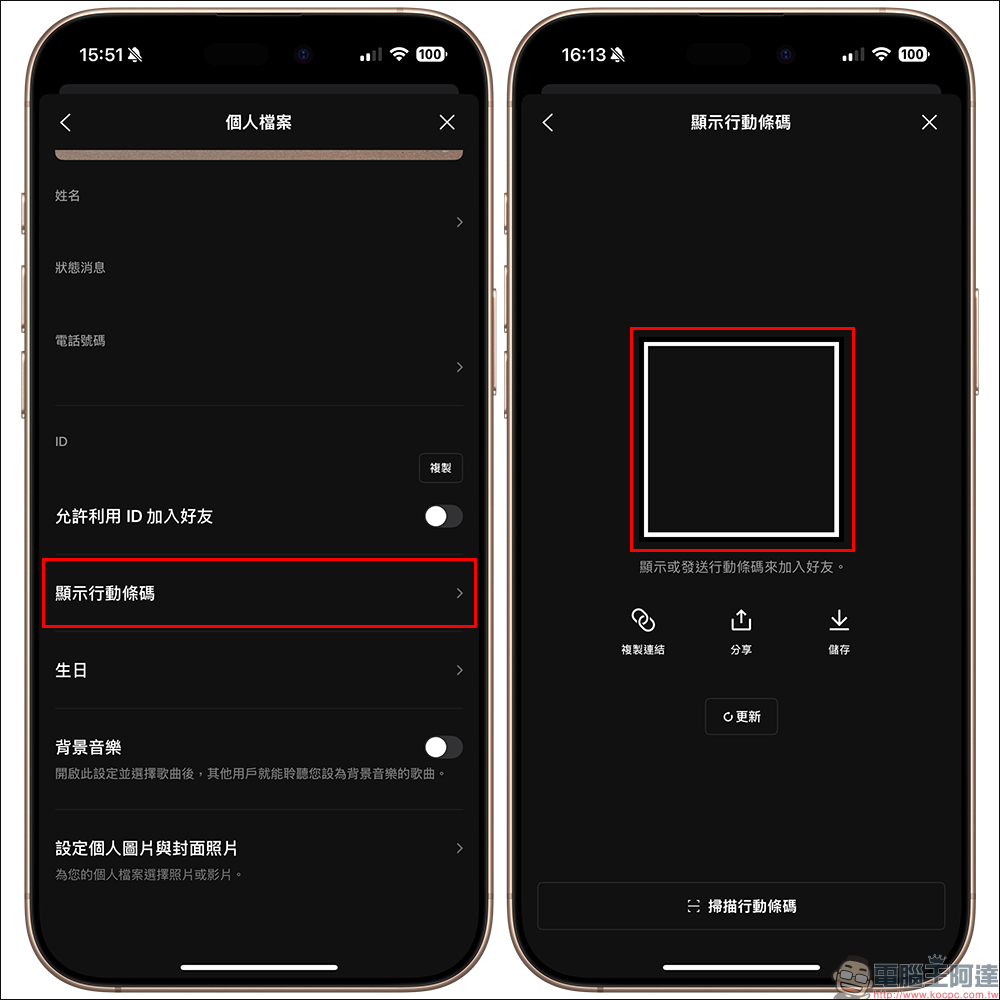
- Scan “QR Code”:
Click “Show Mobile QR Code” on your LINE profile to open a QR Code that allows others to add you as a friend. Users can also click “Copy Link” below to send it as a link in emails, social media and other platforms, or save it for easy opening in the future.
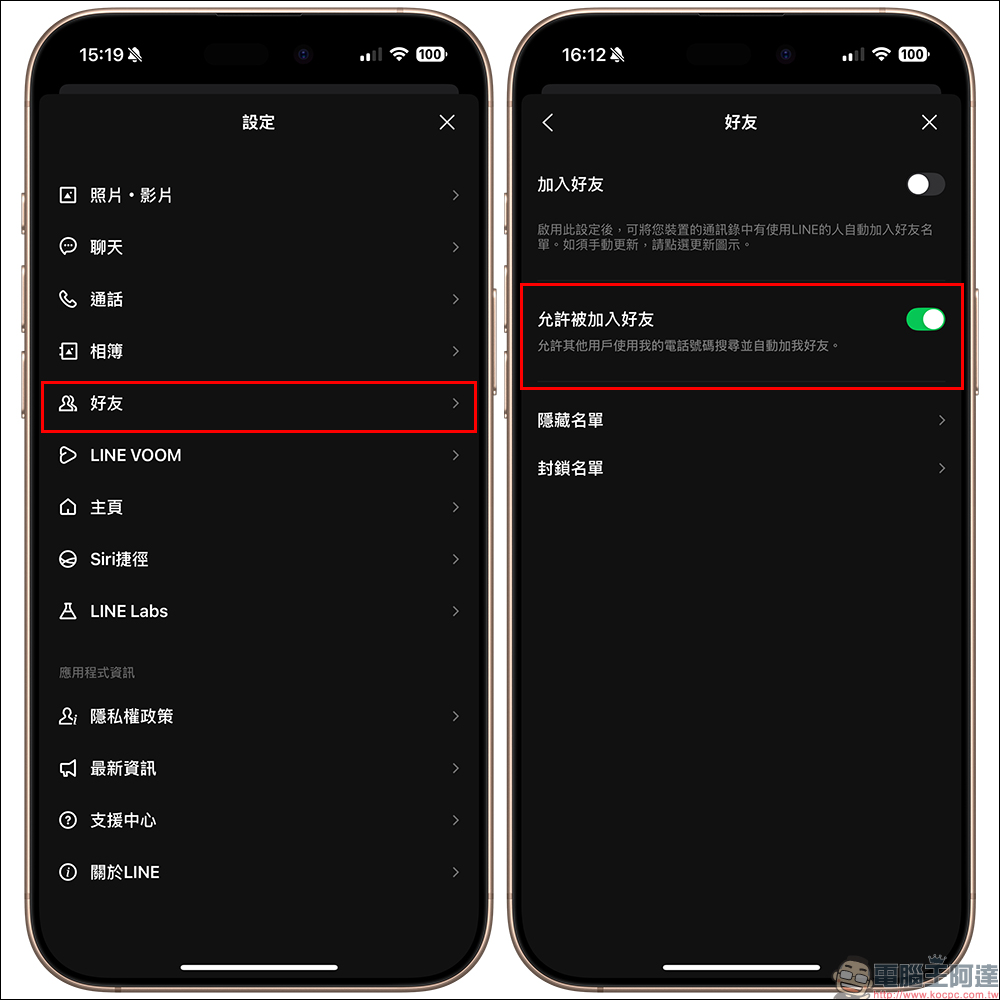
- Mobile phone number search:
If the key uses this method, first go to “Settings” > “Friends” > turn on “Allow being added as a friend”. In this way, others can add you as a friend through your mobile phone number.
Further reading:
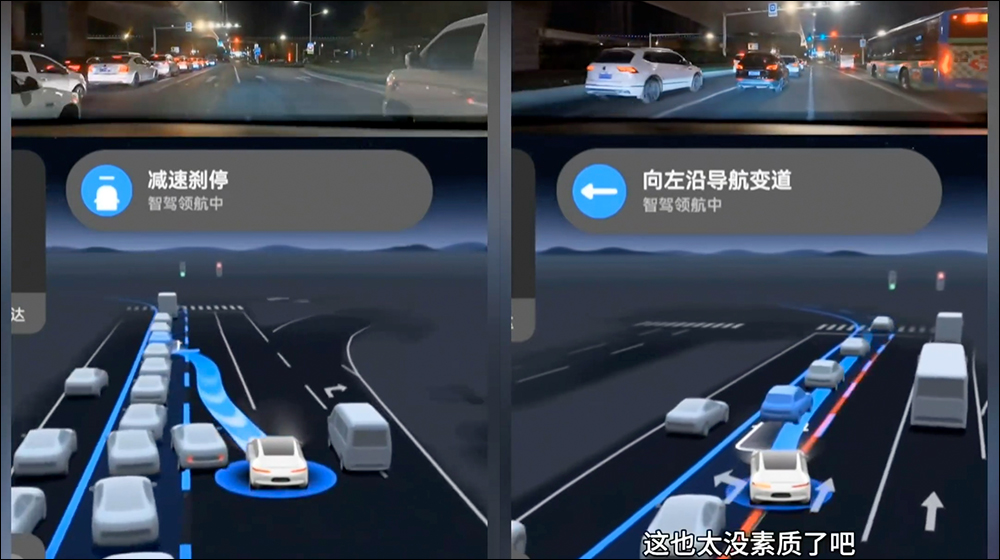
Huawei Smart Driving is the three treasures on the road, cutting in line and cutting lanes at will
Source: KOCPC Chinese