


Now it seems that Threads will give all users a surprise upgrade before the end of the year. This allows you to better find the information you want in the vast sea of published articles through their search engine. Continue reading for a more practical Threads new search engine has arrived. Please read the text of this report to find out what new features are available and how to use them.
▲Picture source for this article: Threads
The more practical Threads new search engine has arrived. Please read this article on how to use the new features.
Although when Threads was first launched, its functions were indeed quite immature, and even gave people a half-finished feeling – remember that there was no Tag at the beginning, but it could be used to transfer text to pictures to Instagram? (XD)
But as time goes by. This social service was intended to be directly aimed at Twitter (now called The popularity is also gradually giving people a tendency to surpass Facebook.
But if you carefully inspect the Threads service, it should not be difficult to find that there are still many functions that are still not perfect. Now it seems that Threads officials also feel that more improvements should be made.
If you have used the search function of Threads, you should feel that they basically “have this function”. However, if you really want to find what you are looking for, you may have to spend time rummaging slowly to find it more easily.
In terms of function options, if the word you are looking for is not precise enough, you can basically only search for content from the three items including “Popular”, “Recent” and “Personal Files”, and pray that the “Crisp/Threads” article you are looking for can be found quickly.
But now it seems that Threads will give all users a surprise upgrade before the end of the year. This allows you to better find the information you want in the vast sea of published articles through their search engine.

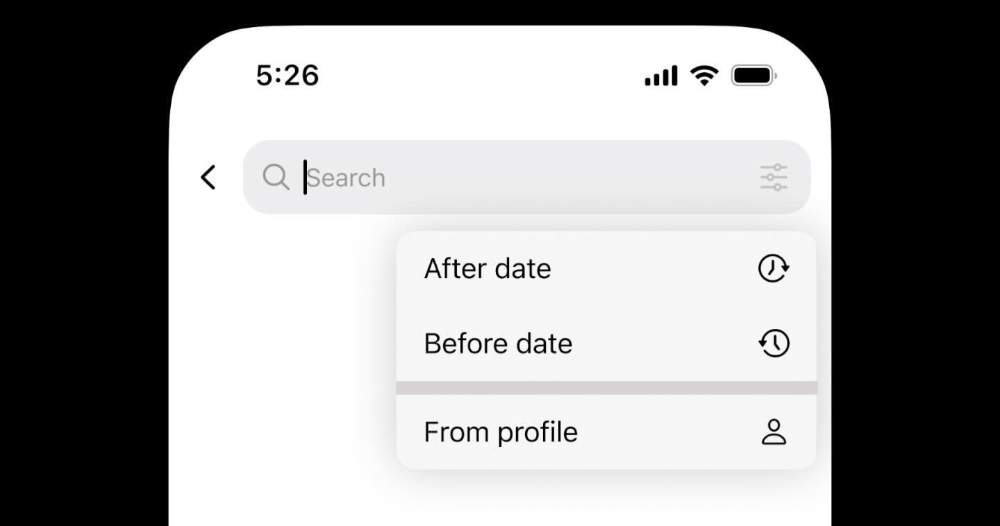
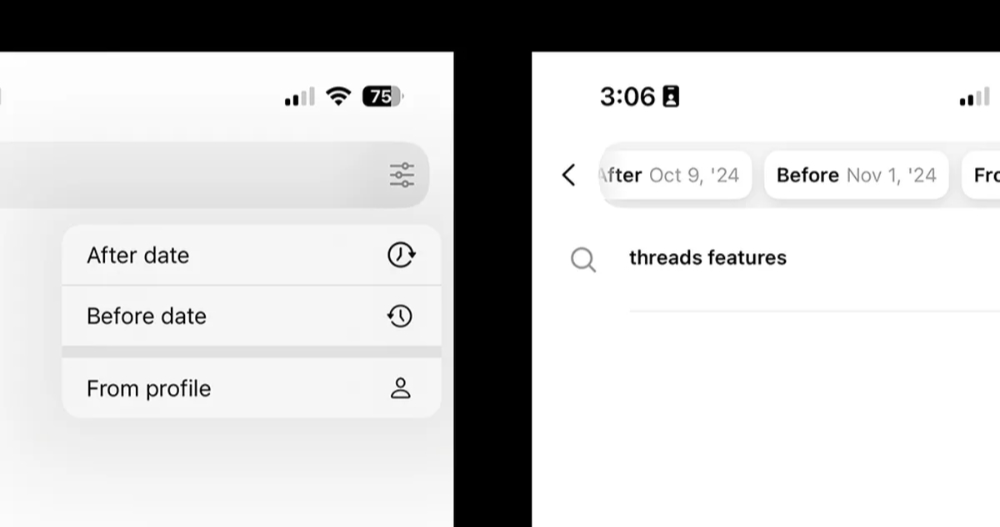
Regarding the search function, the official trailer has revealed that an extended setting option similar to a sandwich button will be added to the right side of the search bar in the new version. After clicking on it, the filtering items for Threads posts will pop up – currently supporting three items, namely “After date” and “Before date” that can set the time range. You can also choose to limit the “From profile” conditions of a specific account.
When you set these filter conditions one by one, the search bar of Threads will also display these conditions in a capsule form – although it feels a bit full of the search bar, when it comes to actually entering text, these conditions will be reduced to simple numbers on the left side of the sandwich button. It means that the search results here are filtered by more conditions.
The final display results will also be listed in the three tabs of “Popular”, “Recent” and “Personal Files”.

According to an official post, this more precise search feature will be rolled out globally in the coming weeks. So don’t worry if you haven’t seen it yet, it should suddenly appear in your Threads service in the near future.
Quote sources:Threads|Via:The Verge|
Further reading:
Apple Vision Pro will be officially launched in Taiwan on December 17, priced from NT$119,900

Source: KOCPC Chinese