


Recently, in addition to the release of Gemini 3 Flash, a new feature has been added for “NotebookLM notebook” sources, meaning you can now perform various operations in Gemini on your organized NotebookLM notes, such as creating presentations with editable text, generating images, or even turning them into programs and webpages. The free version can use it too.
Gemini has also integrated NotebookLM! You can add note sources you’ve already organized, ask questions, create images, presentations, and more.
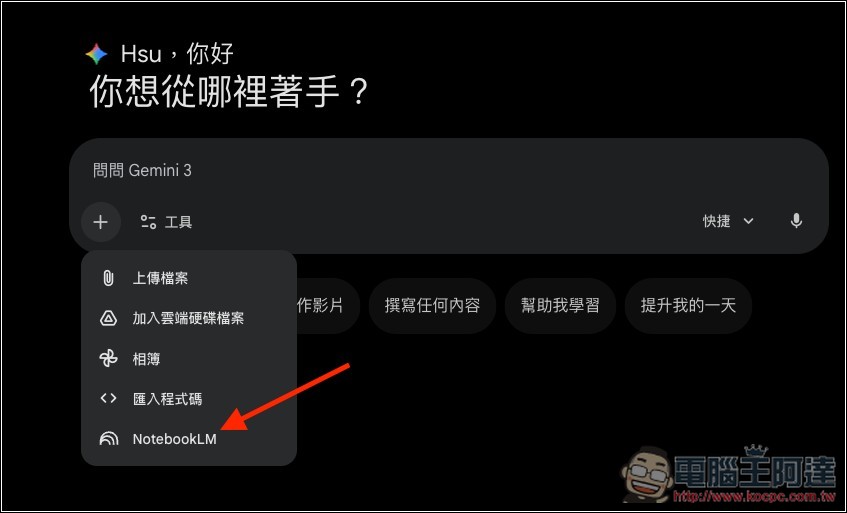
Now when you open Gemini, you’ll see the newly added “NotebookLM” source feature in the + menu below the chat box:
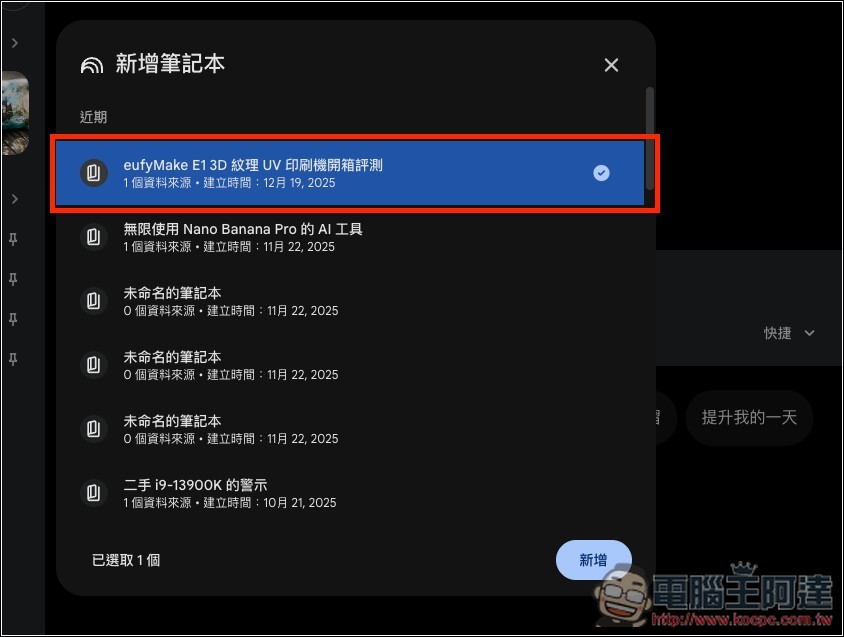
After clicking, the screen will list all the notebook sources in NotebookLM for this Google account. Select the notebook you want to use, then click “Add” below. You can also select multiple notebooks at once.
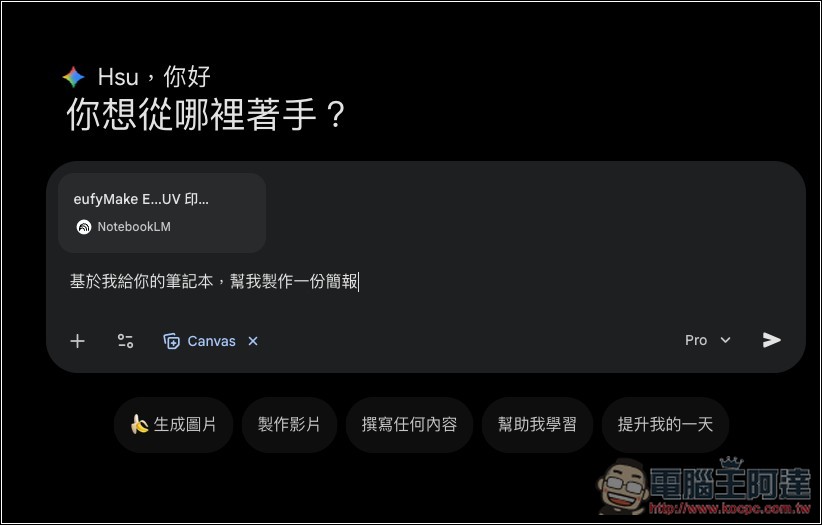
The NotebookLM notebook source you just selected will appear above the chat box, and you can then start asking questions, creating images, presentations, or any other content you want:
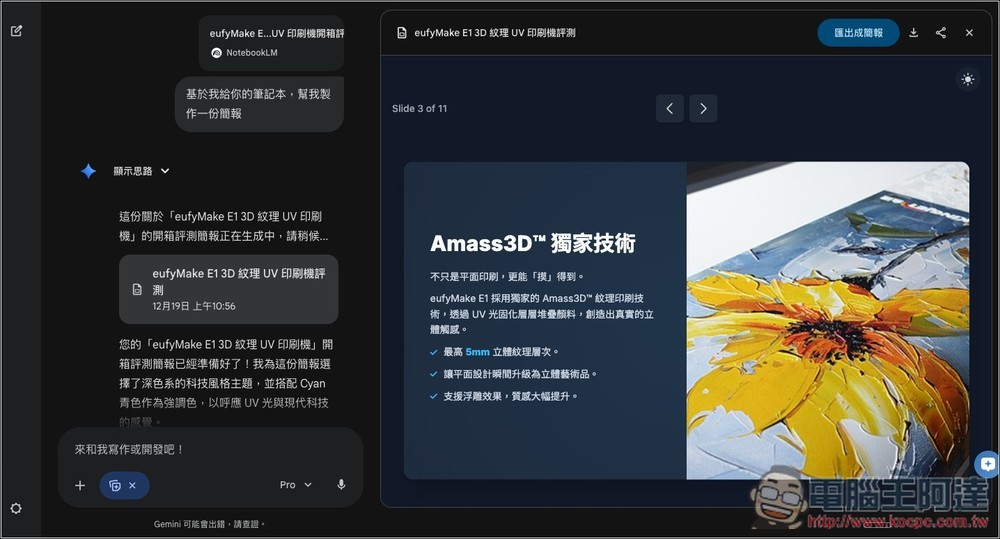
With Gemini Canvas, you can create editable presentation files. Of course, the technology it uses is different from NotebookLM — NotebookLM generates presentations through Nano Banana Pro, so there’s still a difference in overall quality.
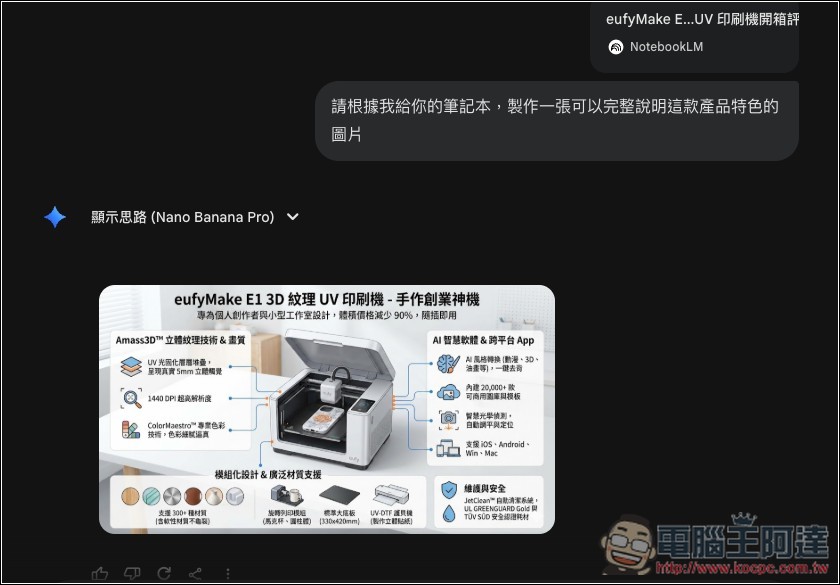
By selecting the Pro model and enabling image generation, you can use Nano Banana Pro to generate images for this notebook’s content, for example, I requested an image that fully explains the features of this product.
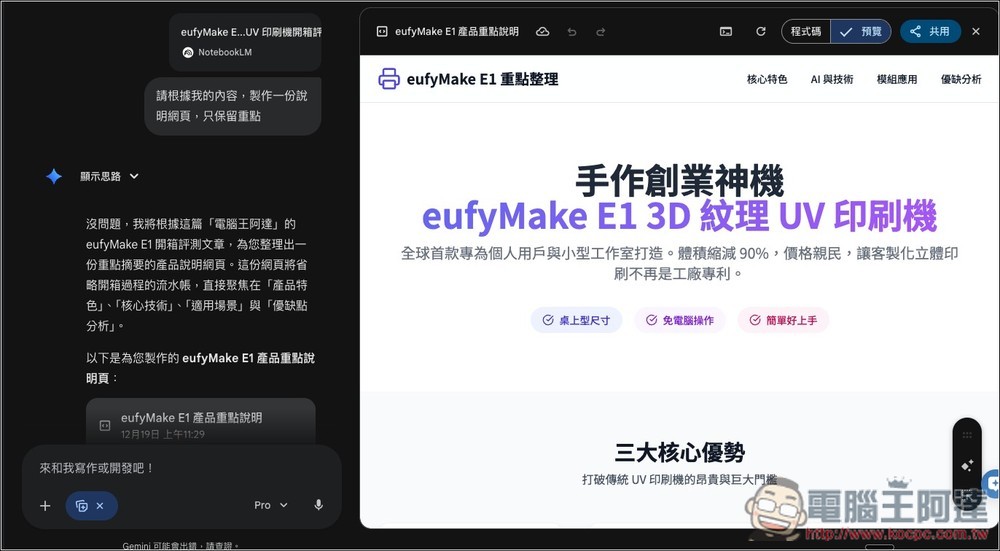
You can also turn NotebookLM notebooks into webpages. With Gemini, many things that were previously impossible in NotebookLM can now be achieved:
Apart from that, Google has also recently updatedGemini apps usage limits and Google AI plan upgradeThe explanation of “」”.
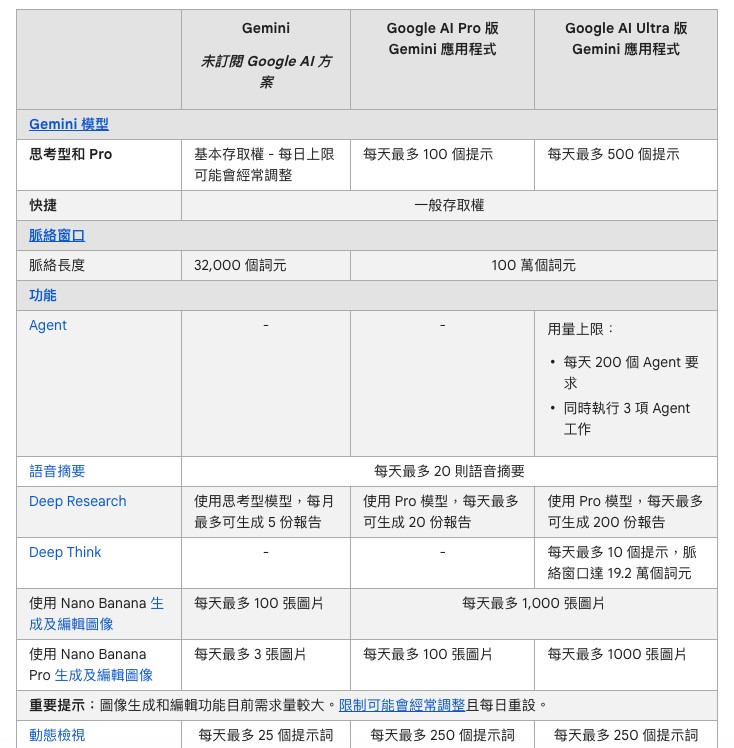
For Gemini models, the free version provides basic access to “Thinking and Pro,” and the daily limits may be adjusted frequently, meaning there is no fixed quota; how much you can use is determined by the current usage load. Google AI Pro offers up to 100 prompts per day, while Google AI Ultra offers up to 500 prompts per day.
Meanwhile, “Quick (Gemini 3 Flash)” has no restrictions; both free and paid versions have general access and can be used without limits.
For the Deep Search feature, free-tier users can use the thinking model to generate reports, but are limited to a maximum of 5 reports per month. Google AI Pro users can generate up to 20 reports per day when using the Pro model. Google AI Ultra allows for 200 reports.
As for Nano Banana Pro, which many people care most about, there’s no change: the free version gets up to 3 images per day, AI Pro gets up to 100 per day, and AI Ultra gets up to 1000 per day.
Source: KOCPC Chinese