


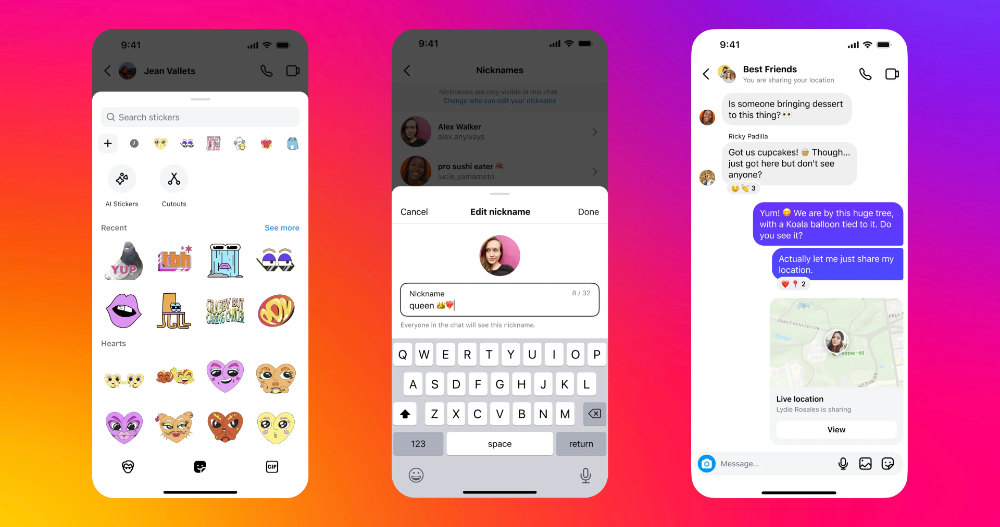
As Instagram and Threads, which are already widely used, complement each other, the various functions of the former are becoming more and more complete. In the past few days, Instagram’s small box private messaging function has added many fun, useful and interesting new features overnight. This time, for the Instagram private message function, the official first added 17 sticker packs with more than 300 new stickers. And a new function is added to add favorites directly when you see the stickers you like in the chat room. In addition, interesting functions such as sharing personal location for one hour and naming each other in the private messaging space have been added. Continue reading Instagram’s “Little Box” private message adds real-time location and custom nickname functions. This article teaches you how to use report content.
▲Picture source: Instagram
Instagram’s “Little Box” private message adds real-time location and custom nickname functions. This article teaches you how to use it.
As Instagram and Threads, which are already widely used, complement each other, the various functions of the former are becoming more and more complete. In the past few days, Instagram’s small box private messaging function has added many fun, useful and interesting new features overnight – although… many of them should be a tribute to the feeling of Facebook Messenger (well, some people still remember the original small boxAlmost merged with Facebook MessengerSomething? ).
This time, for the Instagram private message function, the official first added 17 sticker packs with more than 300 new stickers. And a new function is added to add favorites directly when you see the stickers you like in the chat room. In addition, interesting functions such as sharing personal location for one hour and naming each other in the private message space have been added – below we will also share how to use these two functions.
How to send Instagram live location DMs
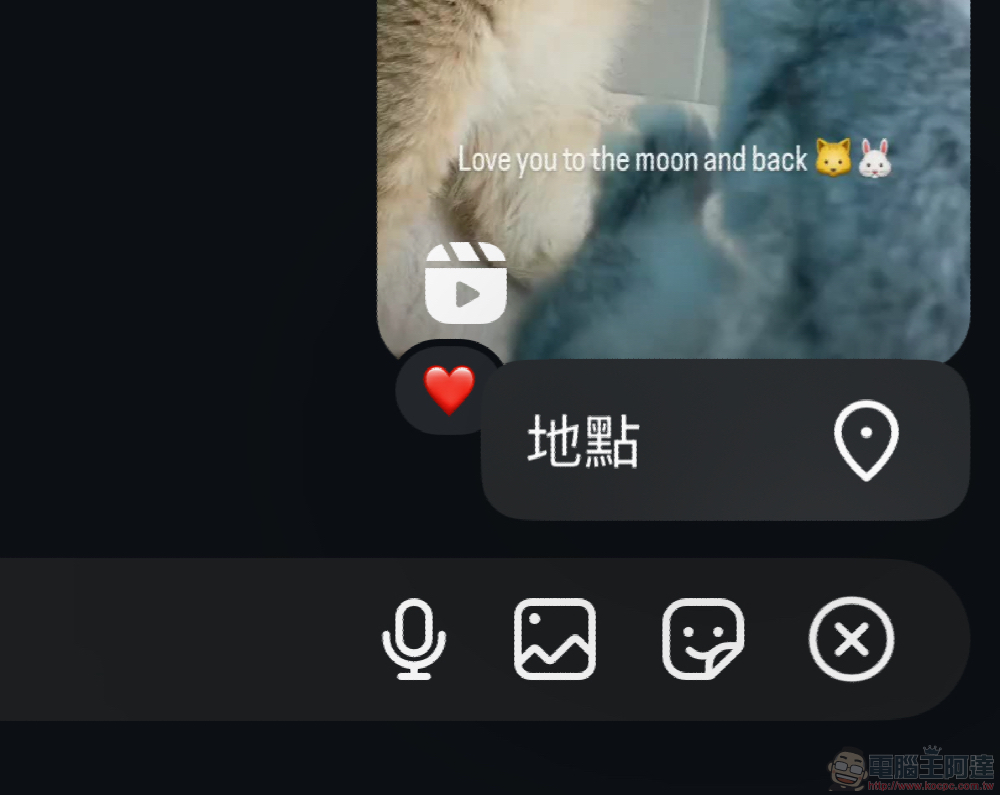
This function can be found at the “+” on the right side of the function bar on the messaging screen – in the editor’s own account, only the newly added “location” can be selected this time.
When using the page for the first time, there will be a confirmation function. After clicking “Continue”, you will enter the confirmation interface for sharing the location.
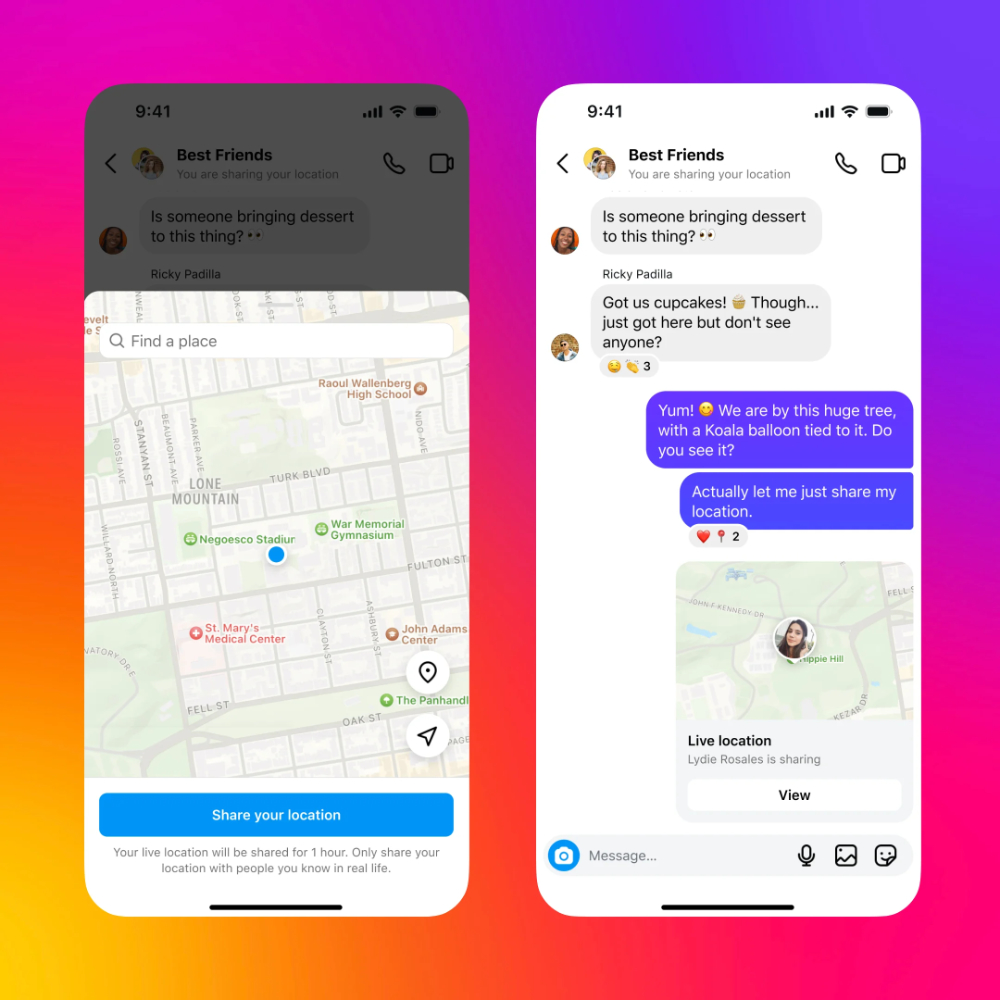
When “Share your location” is turned on, your location will be shared in the chat room for 1 hour. Meta also reminds, “Please be sure to only share your location with people you know in real life.” to avoid possible problems and situations.
How to set Instagram chat nickname
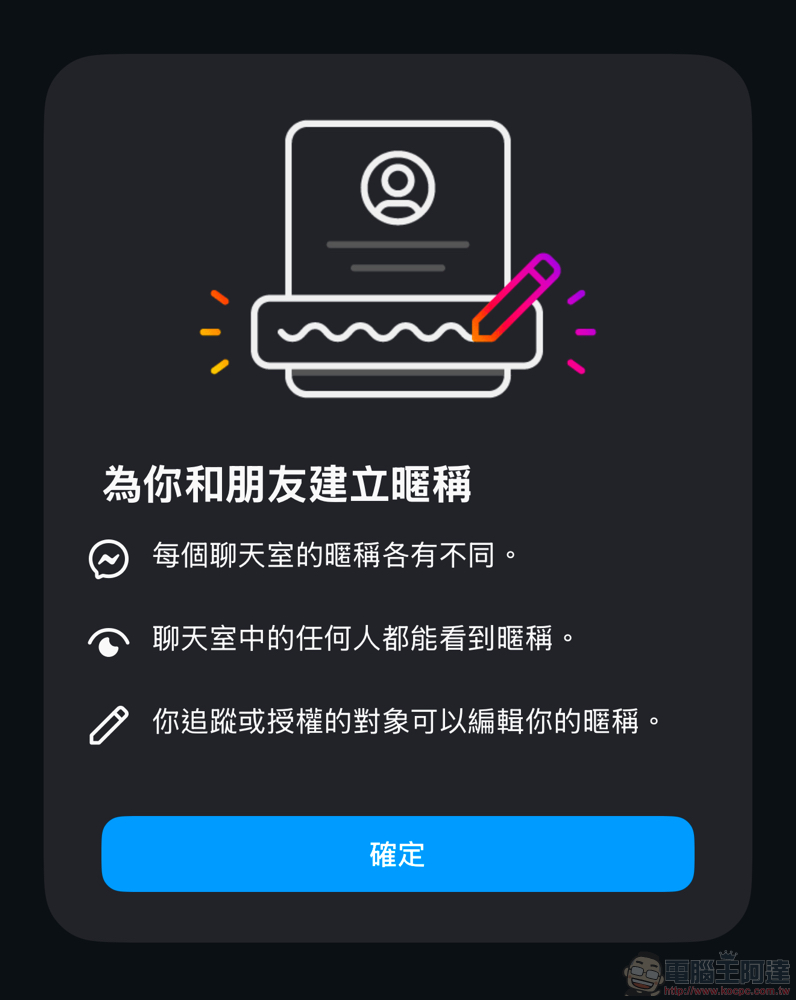
If you want to set the nickname of a member in the chat room, you can click on the name above the chat room and select “Nickname”. You can change the nickname of each person in the chat room person list.
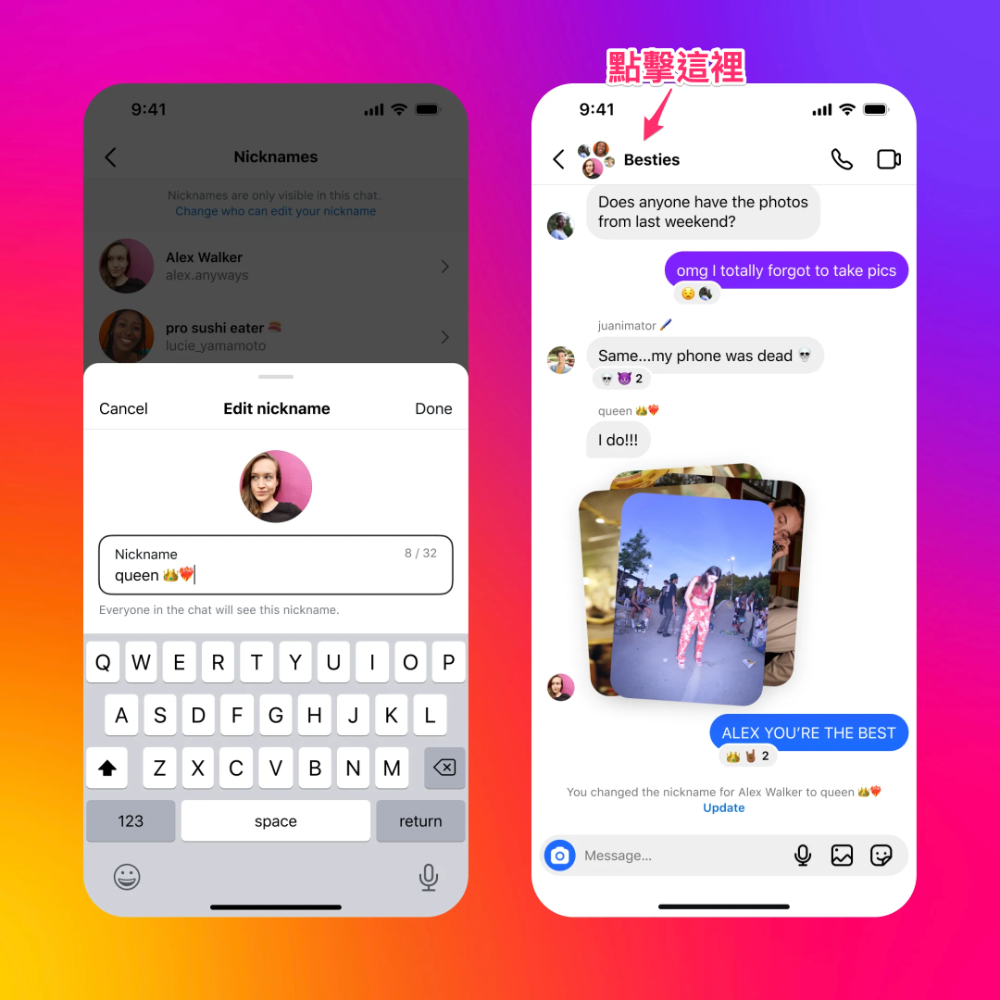
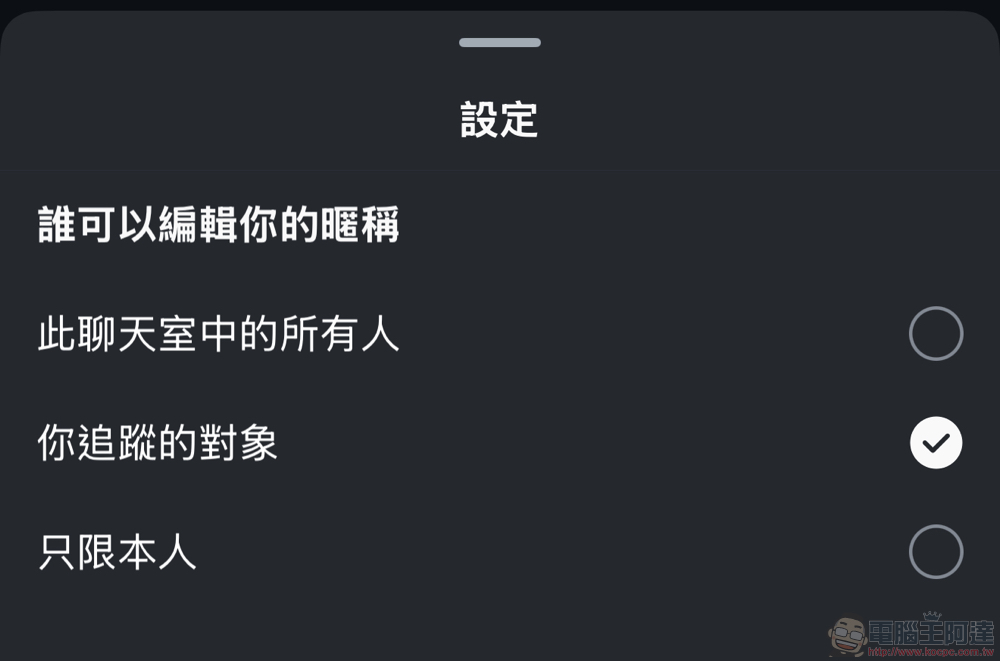
It should be noted that the nickname of each chat room will be different, and anyone in the chat room can see the nickname you set. People you track or authorize can edit your nickname – if you want to set permissions yourself, you can find the text “Change who can edit your nickname” at the top of the “Nickname” settings. After clicking it, the settings below will appear, and then select according to your needs.
Quote sources:Instagram|Via:PhoneArena|
Further reading:
The Beauty of Efficiency, Interview with Apple iPhone 16 Series Product Design Original Factory
Source: KOCPC Chinese