


You may not have even installed a few games or apps before you find that Apple’s expensive SSD storage space will soon give way and become insufficient. Now it seems that Apple has noticed that many people are prone to this problem. In the system update of macOS Sequoia 15.1, a somewhat considerate automatic function is provided. Large applications will be automatically installed on the external hard drive – this can be specified. This article will teach you how to enable this setting. Continue reading macOS Sequoia supports the automatic function of directly installing large apps to external hard drives. This article teaches you how to set up report content.
macOS Sequoia supports the automatic function of directly installing large apps to external hard drives. This article teaches you how to set it up.
As Apple’s self-developed chip Mac product series has entered the M4 generation with better performance, it has also simultaneously upgraded the unified memory to specifications starting from 16GB RAM. Presumably many people will begin to want to install some large-scale applications to challenge the performance limits of the new devices in their hands, right?
But what I didn’t expect was. You may not have installed a few games or applications before you will be surprised to find that Apple’s expensive SSD storage space will soon give up and become insufficient.
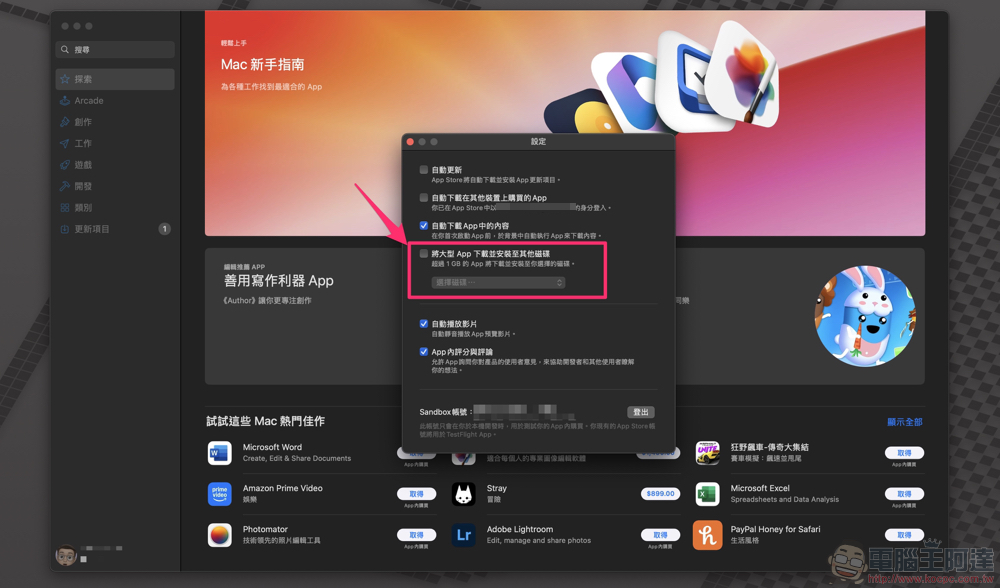
Now it seems that Apple has noticed that many people are prone to such troubles. In the system update of macOS Sequoia 15.1, a somewhat considerate automatic function is provided. Large applications will be automatically installed on the external hard drive – you can also specify it! Reduce the chance of running out of local storage space (at least it can extend the time). This article will teach you how to enable this setting.
macOS download and install large apps to other disks automatic function setting tutorial
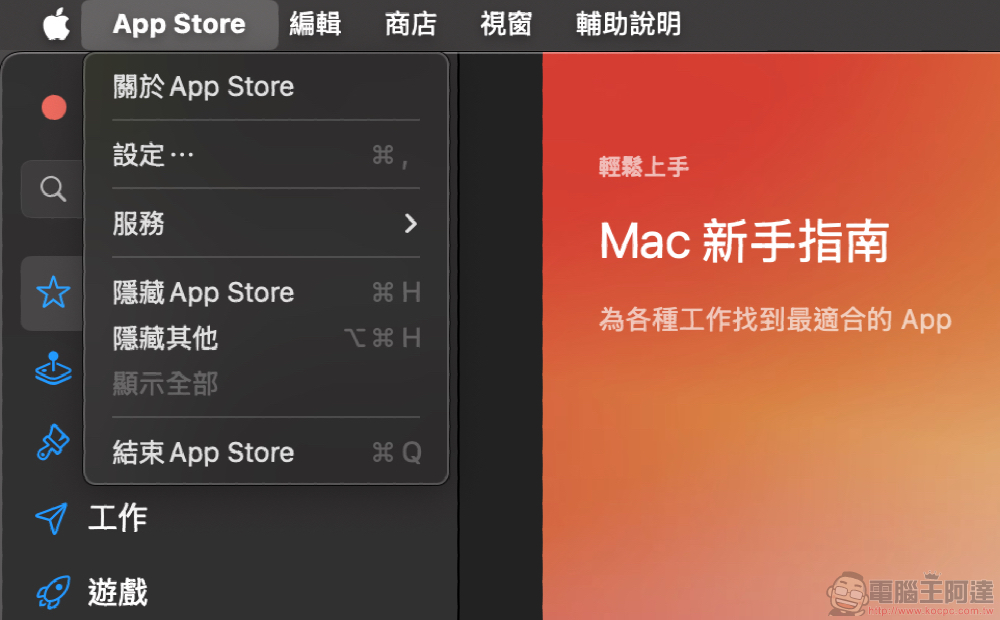
This new App Store feature will be found in the App Store settings. Directly check “Download and install large apps to other disks” and use “Select Disk” below to specify which hard drive you want to install the large apps on.
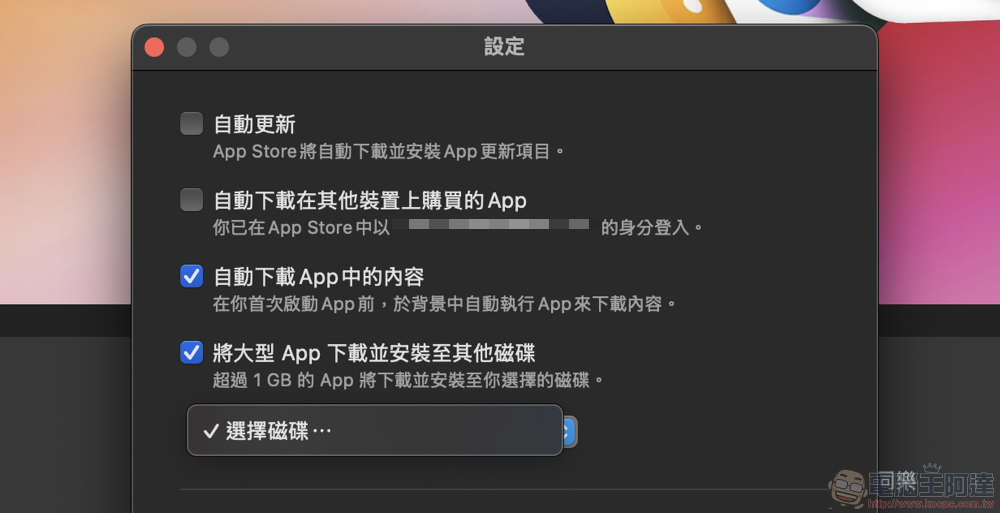
You may be curious about what is the definition of a so-called large App? The description of the option also mentions the automatic function of downloading and installing large apps to other disks. When you need to download an app that exceeds 1GB, it will automatically download and install it to the disk of your choice. It should be noted that the format of the external hard drive is mentioned in the foreign media information, and it must be formatted as APFS to be properly supported.

Although macOS has already supported the manual transfer of applications to external hard drives in the past – of course, it is recommended to use a stable and high-speed SSD to store large files of applications. Then some files will still be stored on the local machine (probably mainly system files), so not all files will be placed on the external hard drive, and they will still occupy more or less the storage space on the local machine.
So if you are really very sensitive to the remaining space of your machine, either it is completelyStart using external system. Otherwise, just be obedient and add a little more disk space when buying a Mac.
This time, “download and install large apps to other disks” is mainly to provide a more considerate and automatic function of actively installing to external hard drives. Friends in need can check if there is this option in the settings of the App Store app after updating to macOS Sequoia 15.1.
via:MacRumors
Further reading:
Source: KOCPC Chinese