


The latest Gmail app experience has finally brought a more traditional search arrangement to the Email search experience. Continue reading Searching for emails in the Gmail app will finally allow you to find the best results in a more organized way. Let’s turn on this new option! Report text.
▲Image source: Android Police
Searching for emails in the Gmail app will finally allow you to find the best results in a more organized way, so turn on this new option!
Perhaps because of the pride (?) of Google Search, their industry, they are very insistent on the “search” function.
Basically, if you have used the mobile app version of Gmail, you will probably feel a little… confused about searching emails through the app? This part does not mean that the search bar at the top of the app will first display as “Gmail” and then switch to “Search Mail” through animation, which may make it difficult to find the search function in the first place.
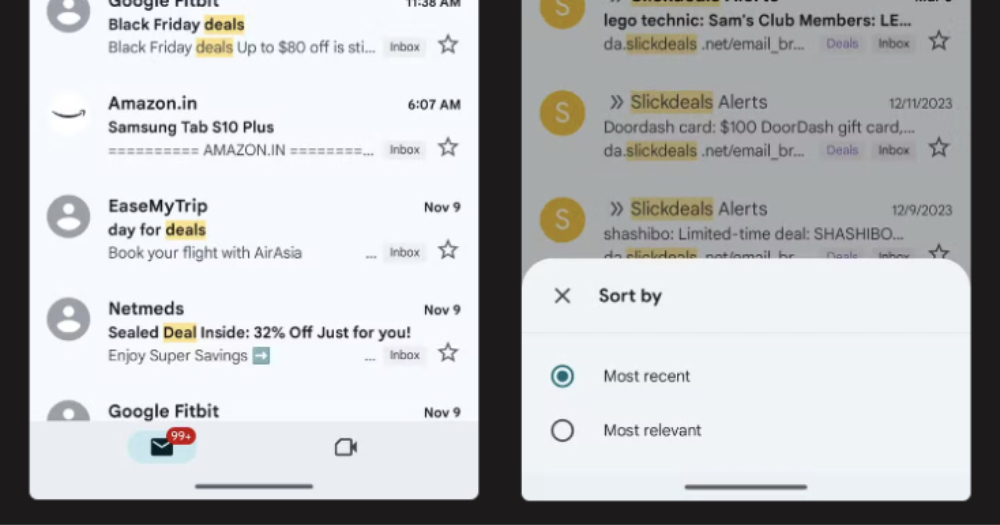
But when searching, Google seems to be very self-independent, forcing you to give you a two-stage display of “popular search results” followed by “all search results in email”. It seems a bit confusing and confusing?
▲Image source: Android Police
Now it seems that even Google feels that it should start improving this experience. In the latest Gmail app experience (foreign media found it in the Android version), it was discovered that it has finally brought a more traditional search arrangement method to the email search experience.
The latest Gmail search and retrieval function tutorial
After searching through the Gmail app. In the past arrangement, there were only “popular search results” and “all search results in mail”. In fact, there are filtering options at the top including “Label”, “Sender”, “Recipient”, “Attachment”, “Date”, “Unread” and “Exclude Calendar Notifications”.
▲Image source: Android Police
For those who want to sort simply by date, they previously thought that such a function could be achieved through “date”. Little did they know that after pressing it, all the options that appeared were about the time range – and even if this condition was added, it still didn’t appear in the search results. uninvited guest “Popular search results”.
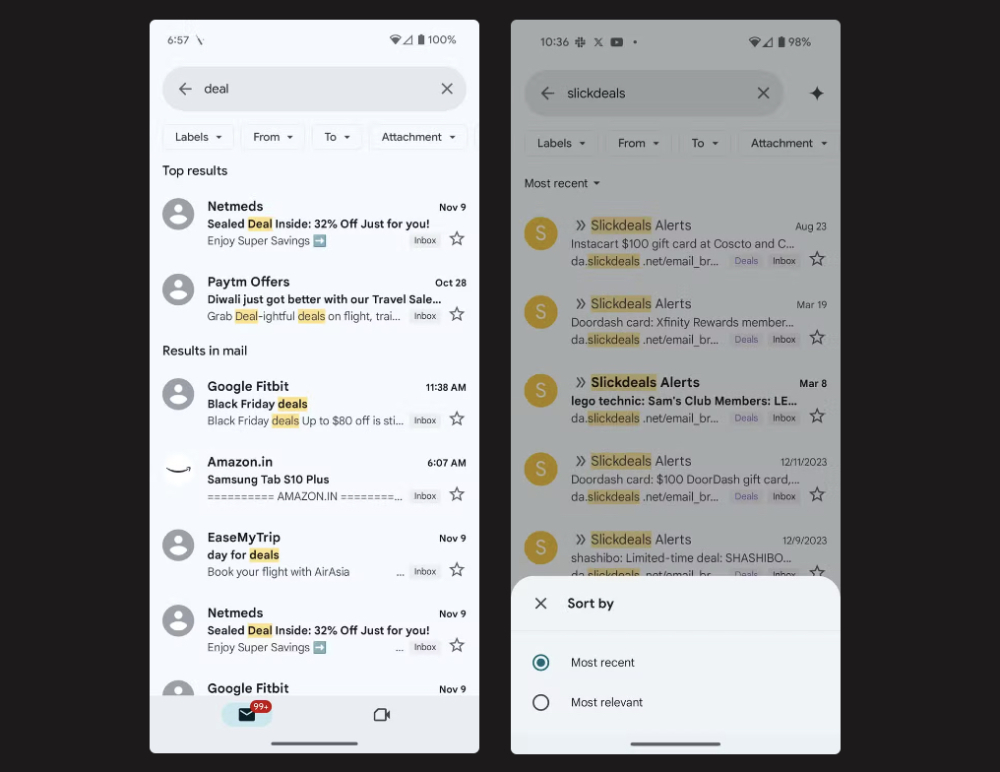
▲Picture: The picture on the right shows the latest search experience (Source: Android Police).
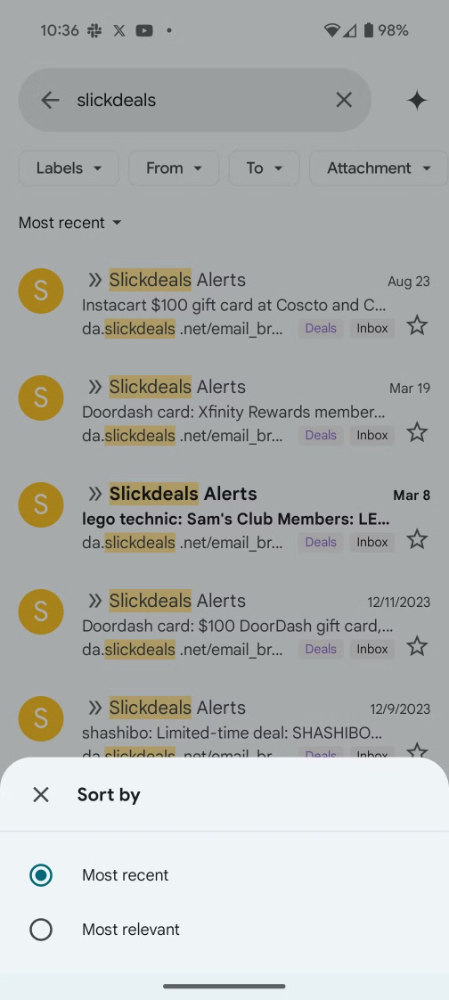
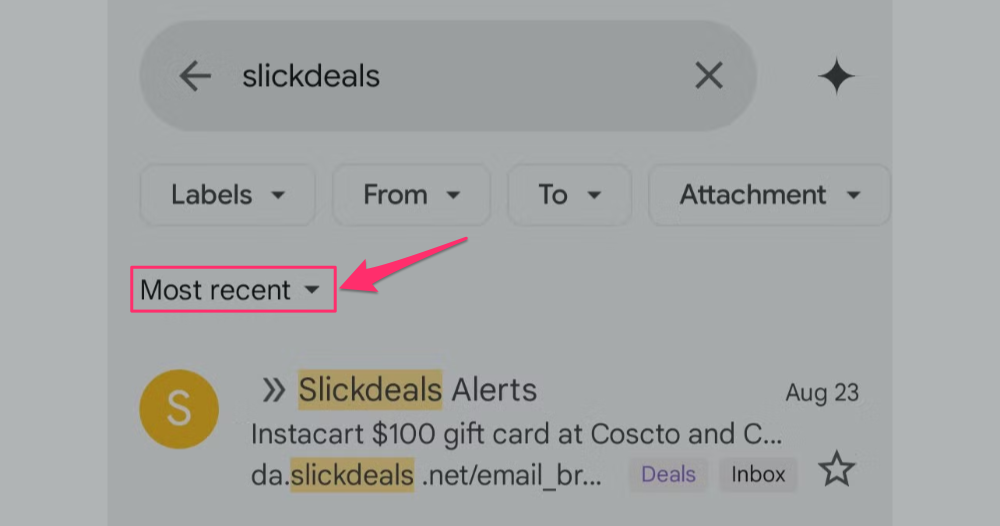
In the Gmail app experience that should be added recently, Google has silently added a “Most recent” button under the filter options of these capsule buttons. In short, it allows you to specify whether to sort search results by “most relevant” or “recent” – and a menu will pop up from the bottom for you to choose.
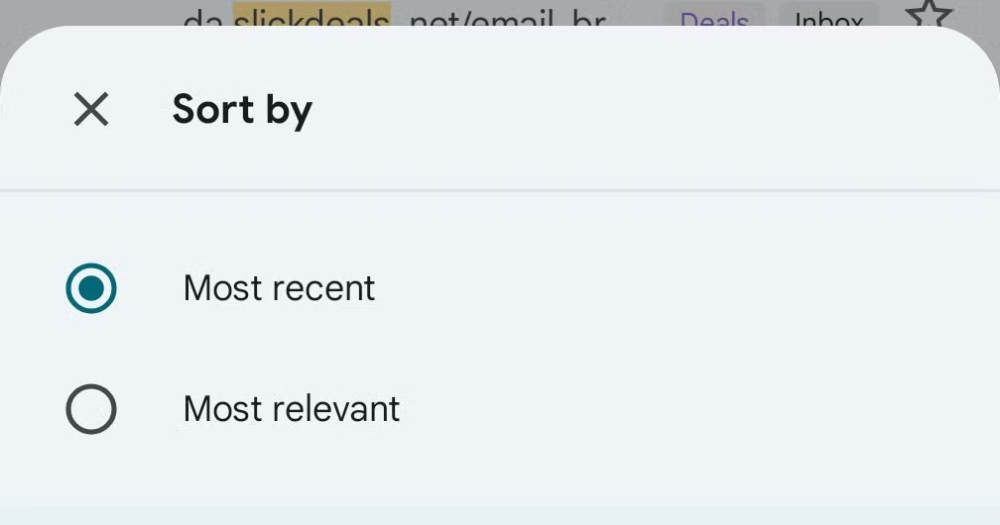
▲Image source: Android Police
Although it seems that the “newest” and “oldest” options currently do not appear in the desktop web version – the sort order seems to be designated as newest first. But compared to the previous sorting method that forced you to see relevant results at the top, this latest Gmail search and retrieval method can be regarded as providing a clearer user experience.
This change was previously discovered in APK disassembly. Now, according to foreign media, this change can be seen at least in the mobile web version, and it is expected to be gradually added to the Android version experience. I wonder if you have received it?
Quote sources:Android Police|
Further reading:

Source: KOCPC Chinese