


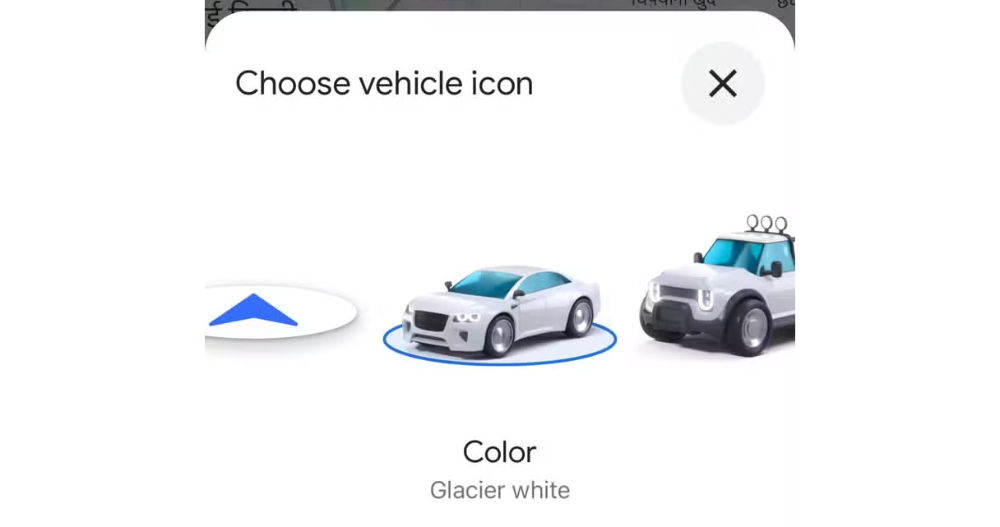
Fun trivia: Back around the beginning of 2020, Google Maps already had the ability to change navigation icons to other car graphics. It wasn’t until recently that I saw on a social platform that someone had changed the navigation car to look like a Tesla model, and then I discovered that the latest Google Maps test function actually brought new models including: sedans, SUVs, jeeps, hatchbacks, etc.! Continue reading The latest test feature that makes Google Maps navigation closer to reality (or a dream?) is here – navigation can choose from a variety of “virtual” car models, and you can even customize the car color! Teach you how to use it to report content.
▲Image source: Android Police
The latest test feature that makes Google Maps navigation more realistic (or a dream come true?) is here – the navigation can choose from a variety of “virtual” car models, and you can even customize the car color! teach you how to use it
Interesting trivia (at least for me): Back around the beginning of 2020, Google Maps already had the ability toThe function to change the navigation icon to another car pattern。
However, the three options provided are really not to my taste (too… cheap cute), so I quickly switched back to the original default icon, and then forgot about the existence of this function.
It wasn’t until I recently saw on a social platform that someone had changed the navigation car to look like a Tesla model that I discovered that the latest Google Maps test function actually brought new models including: sedans, SUVs, jeeps, hatchbacks and other models.
▲Image source: Android Police
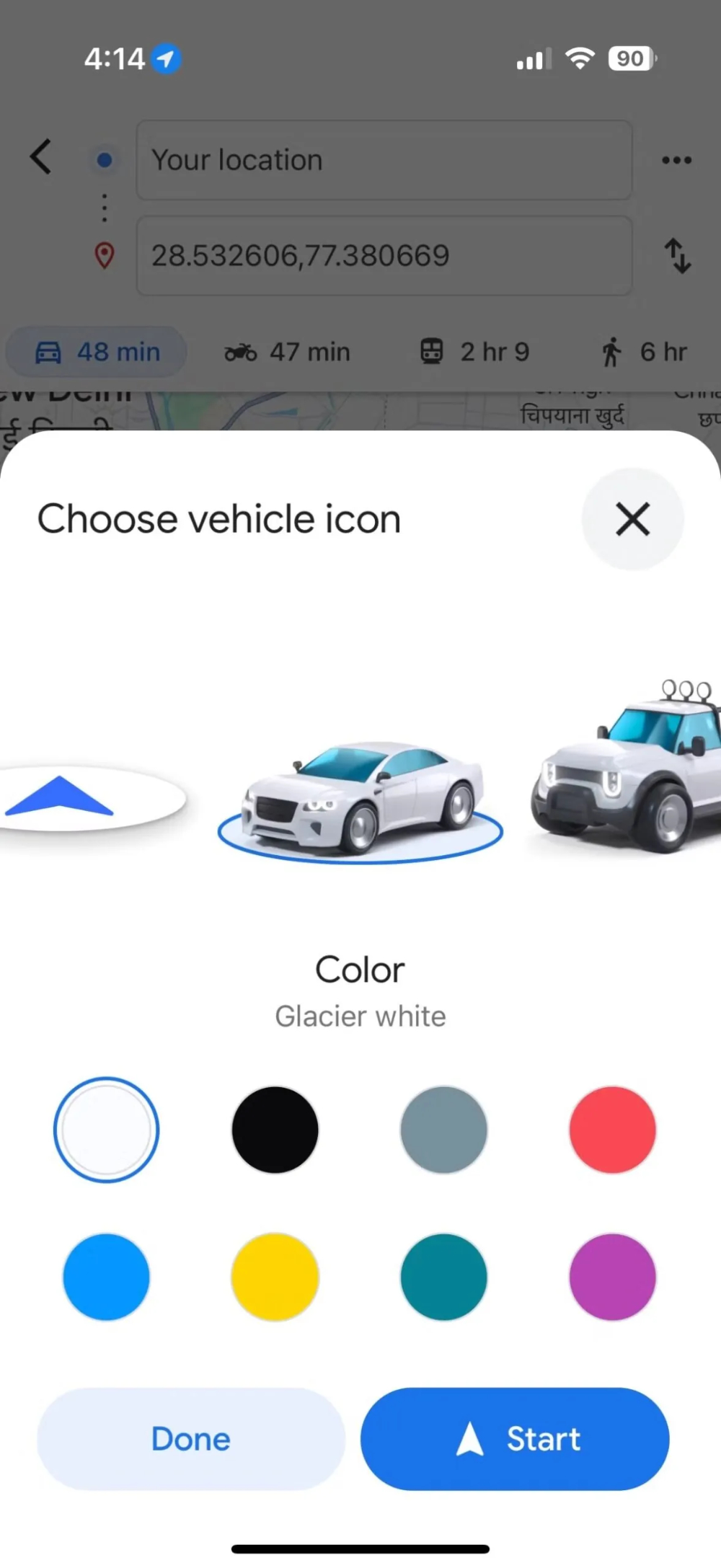
The point is, not only can you choose up to 8 colors, but you don’t need to spend money to gamble on blind draws – Google’s magical powers have been revealed for you to choose. (PS: Although it is only available in single color and I don’t like the previous car model, the original car model also has a color selection interface. Maybe the color can be changed in the future?)
The only problem is that it is currently only available for iOS, and only those with test qualifications can play it first (the editor cried). If you want to confirm whether you are lucky enough to qualify for the test, or if you read this article later and want to open it, we will teach you how to confirm and use this new navigation icon.
How to use the latest Google Maps car navigation icons
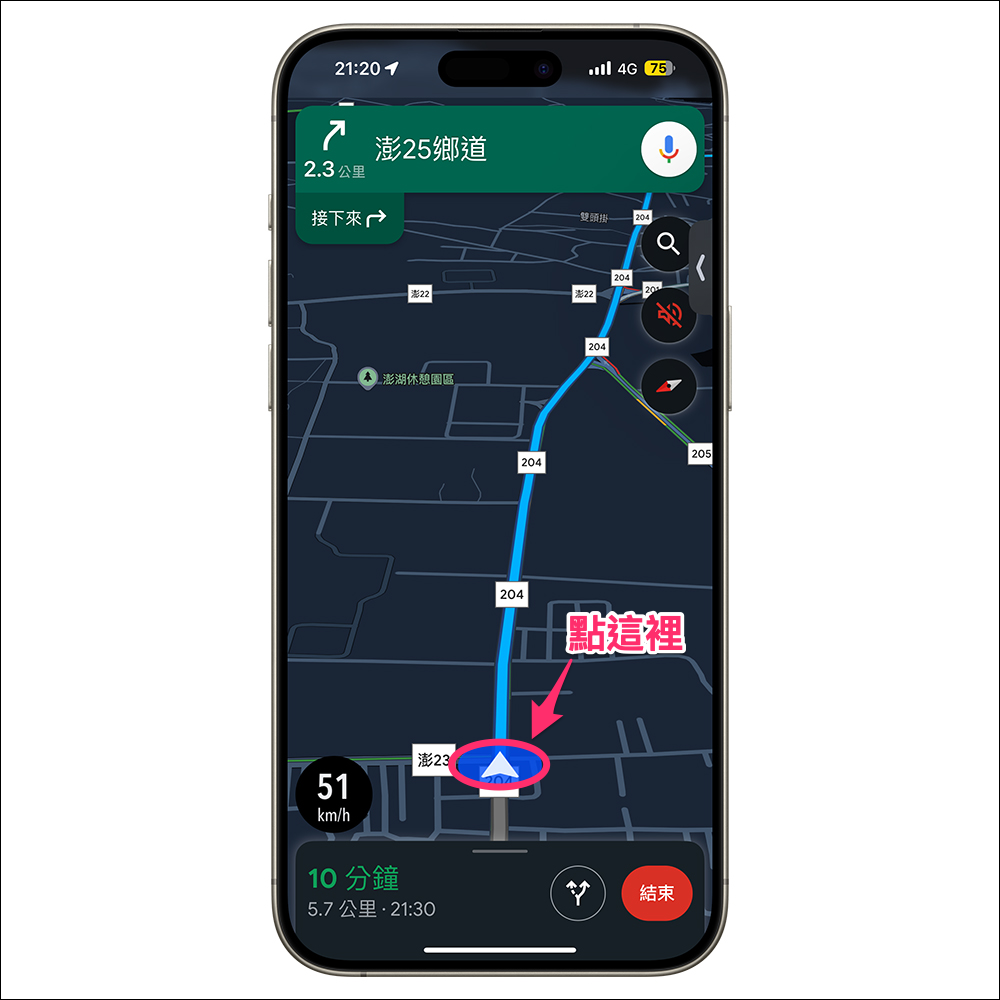
Want to confirm whether you have received the latest Google Maps navigation car icons. It’s very simple. You just need to click on the navigation anchor point when entering the navigation state – the default is a disk-shaped direction icon. The selection window for car navigation icons will open.
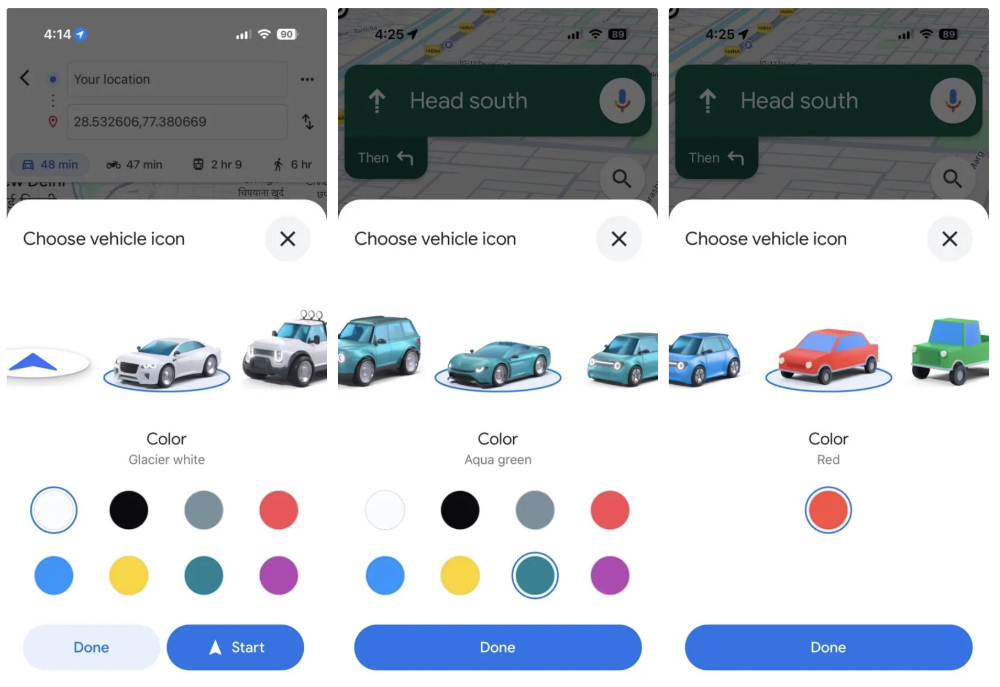
Once you come to the vehicle selection screen, you can choose how the car you want to display in Google Maps navigation.
▲Image source: Android Police
In addition to the illustrations that are closer to real-life cars, the fat car inside should look like a small car such as the Honda e. However, I actually think of Google’s original super cute self-driving car design, as shown below.
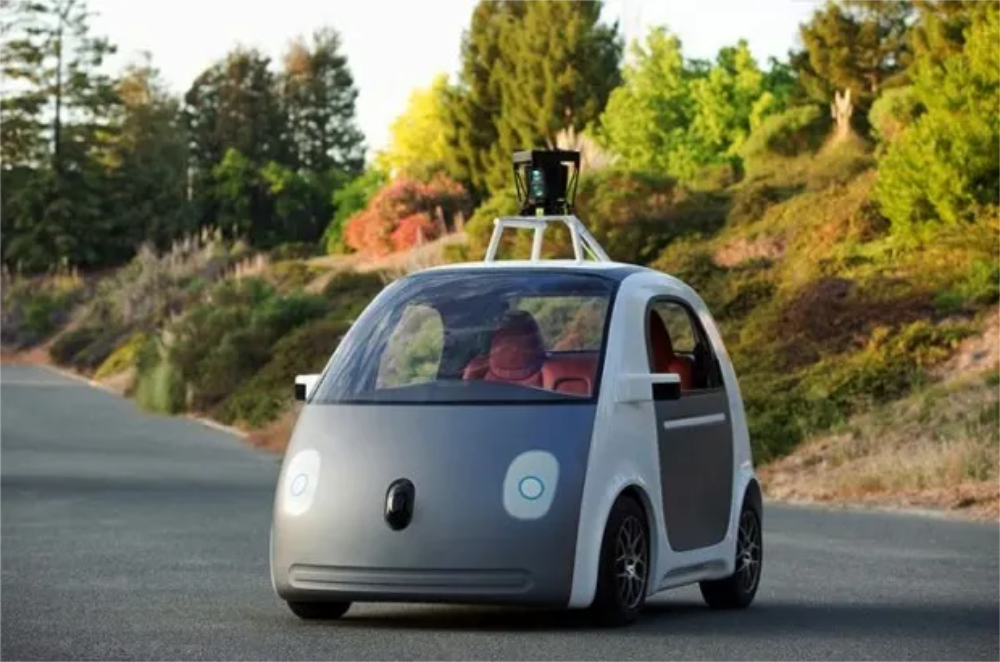
I wonder if after receiving this update, you will want to change the navigation icon to one that is very close to the car you drive, or to change it to the look of your dream car? Can you share your choice?
Quote sources:Android Police|
Further reading:

Source: KOCPC Chinese