


With new features, it is inevitable that there will be some minor bugs. In recent days, some playback issues have begun to be reported on Reddit forums – and there are more than one, and they all seem to be biased towards O-blocking issues. Continue reading YouTube updates are coming out one after another, and bugs are occurring in both the latest mini player and normal playback of the Android version (see here for temporary solutions).
YouTube updates are coming out one after another, and bugs are occurring in the latest mini player and normal playback of the Android version (see here for temporary solutions)

The mobile app version of YouTube has been updated frequently recently. It not only introduces the latest speed slider experience that can be quickly adjusted to as low as 0.05 times (yes, two decimal places), but you can also try the useful PiP floating playback window function without subscribing to Premium – although it is only limited to the YouTube app (it is free after all).
However, with new features, it is inevitable that there will be some minor bugs. In recent days, some playback issues have begun to be reported on Reddit forums – and there are more than one, and they all seem to be biased towards O-blocking issues.
▲Image source: a1200i (Reddit)
First, there are issues related to the newly introduced mini player experience.
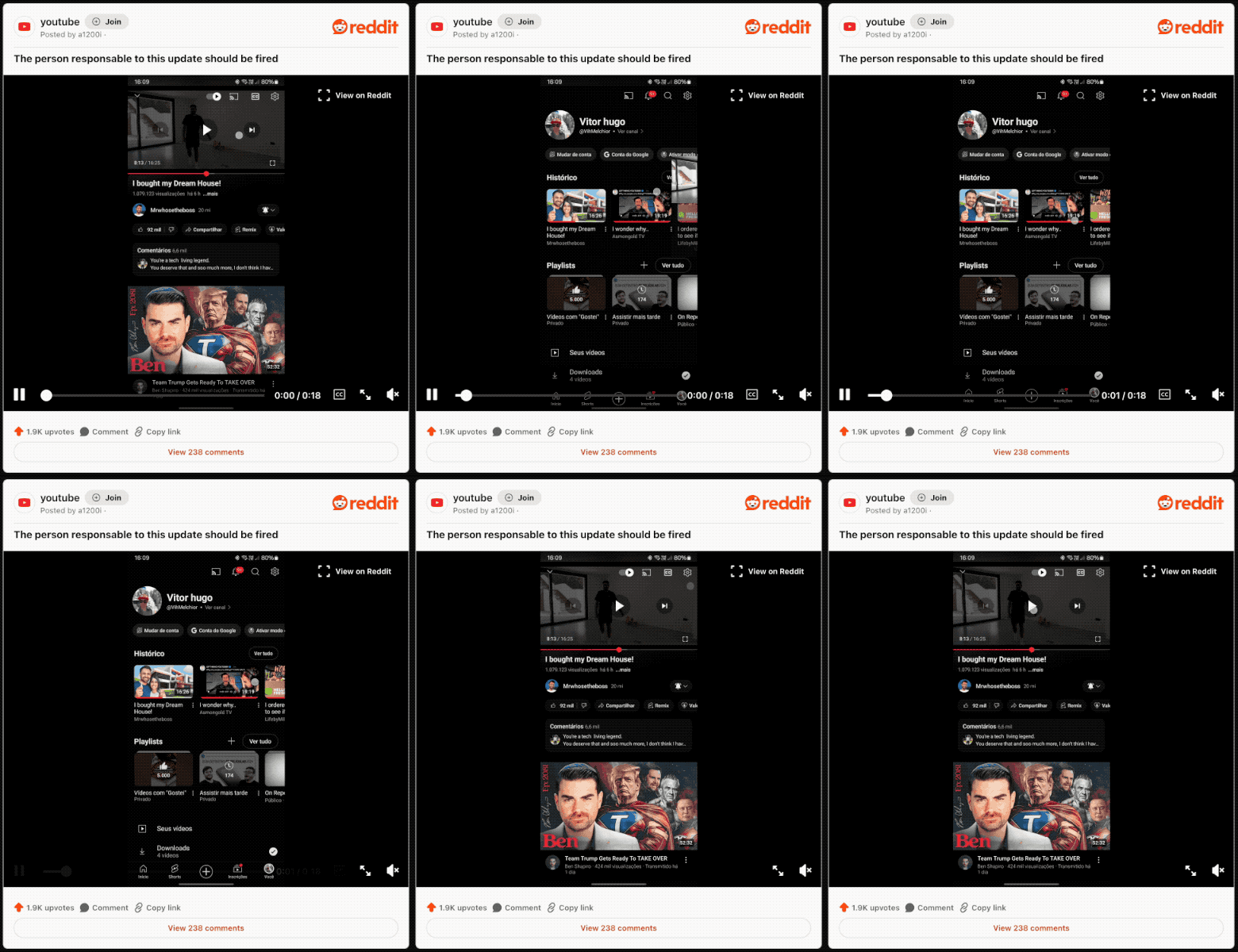
New features, new weather, and new bugs. According to reports from Reddit users, when you use the latest mini player in the latest Android version of the YouTube app. If you slide down the video screen to launch the mini player, it will silently slide to the right side of the screen and disappear, just like the video below, making it impossible to display.
It seems that the netizen who encountered this bug with a1200i is already familiar with this part (?) and will know not to let go of the touch control hand before the video is directly brushed away. At this time, you can still pull a pole Rescue the video; if you have gone to the mysterious space, you have to find the video in the video playlist to restore the normal playback window.
Youtube mobile won’t let me watch videos outside of full-screen view
byu/zomby_c inyoutube
The second question is more mysterious. Because even though netizen zomby_c has a video that provides rewards, you can’t actually tell the truth by watching the video directly.
Basically, this situation is that when you choose to enter full-screen viewing in portrait mode and then return to the normal video list playback interface, in addition to automatically pausing playback (first problem), there is no way to continue playback (second problem).
So you can see that in zombie_c’s video, he is trying hard to keep clicking the play button, but YouTube still ignores his desperate situation – choosing this infinite loop video should also be to show his helplessness of endless beatings, right?
Solution
For those who have encountered this situation, it is currently generally recommended to temporarily return to the previous version by installing the APK before the official release of the correction. The bugs were reportedly discovered after the November 7 update came out. I also hope that the official can come up with a revised version soon – after all, the new mini player experience is really good.
Quote sources:Reddit (1)、(2)|Via:Android Police|
Further reading:

Source: KOCPC Chinese