


Apple released the iOS 18.1 update on 10/29. We have also written an article to introduce the detailed update content. Readers can refer to this article ( please click me ). Although most of the functions of Apple Intelligence are currently not available in the Chinese region, this iOS 18.1 update has added a more practical and usable AI function called “Clean Up”.
In the “Clean Up” function newly added to iOS 18.1, you can quickly remove clutter and people in photos with one click. You don’t need to use other professional software to do this. It means that Apple figured out this feature a little late. Other Android brands have already launched mobile phones for a long time. But will Apple’s feature be more powerful than Android’s? Let’s actually play it once and show you the effect:

iOS 18.1 new feature Clean Up
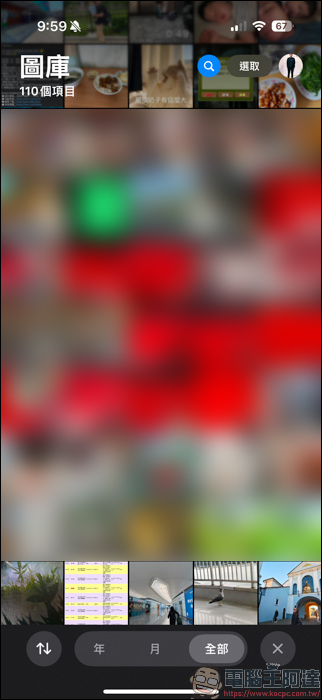
First open the photo album:
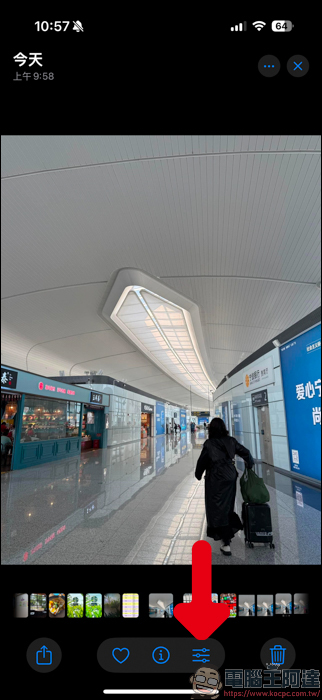
Select a photo you want to process and click on the adjustment options below:
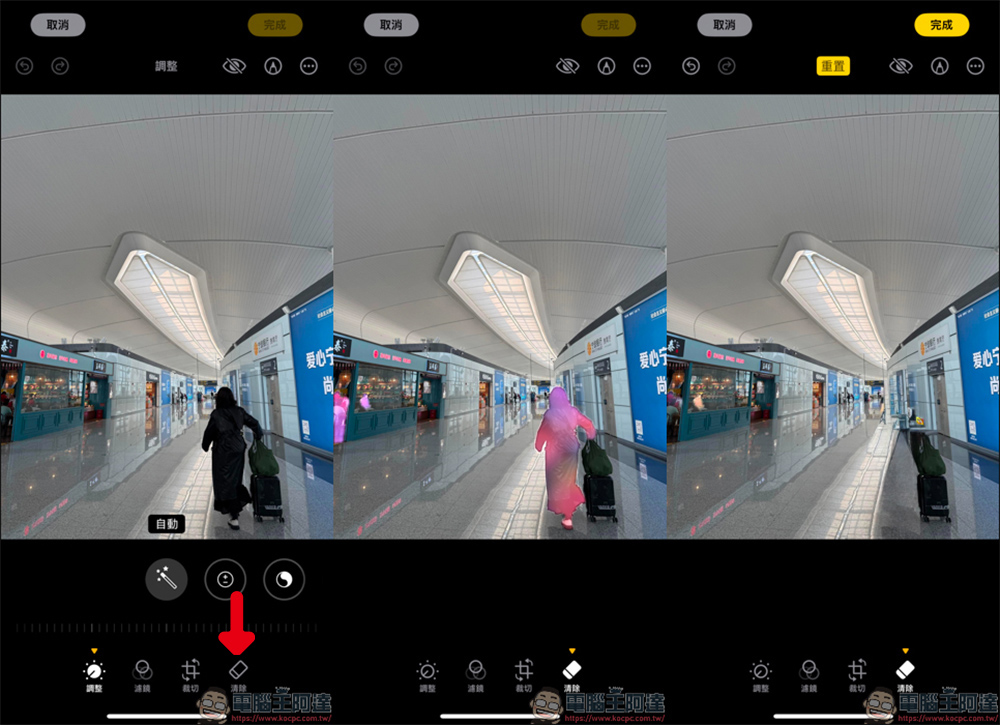
After entering the adjustment function, you can see the latest clearing function below. When using it for the first time, it will be downloaded first and you need to wait for a while. After downloading, the system will first suggest which things in the screen need to be removed, and the screen will appear pink (you can also ignore it). At this time, just tap the pink block and the system will automatically remove it for you:
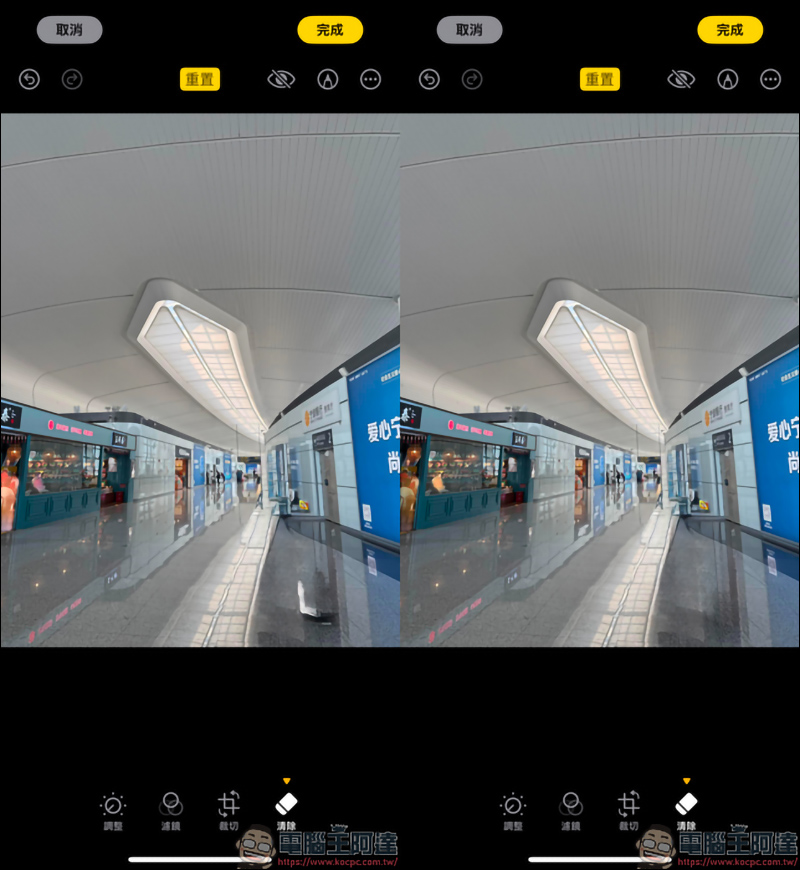
Are there any clutter you want to remove? Just swipe the objects or people you want to remove, and the system will automatically help you eliminate them. If the elimination situation is not ideal, you can get pretty good results by swiping a second time:
I’m afraid readers won’t understand it with pictures, so here we also use screen recording as a demonstration. In the Clean Up function, as long as the system correctly identifies the screen that can be removed, it will directly display the pink block, and you can easily remove it with one click. If you want to remove unwanted clutter or people by yourself, just draw the area you want to remove in the photo and you can easily remove it. It’s very simple:
The finished product obtained by using the Clean Up function is as shown below. It can be said that there are no flaws in the processing. If you don’t zoom in and take a closer look, you can’t see any clues:
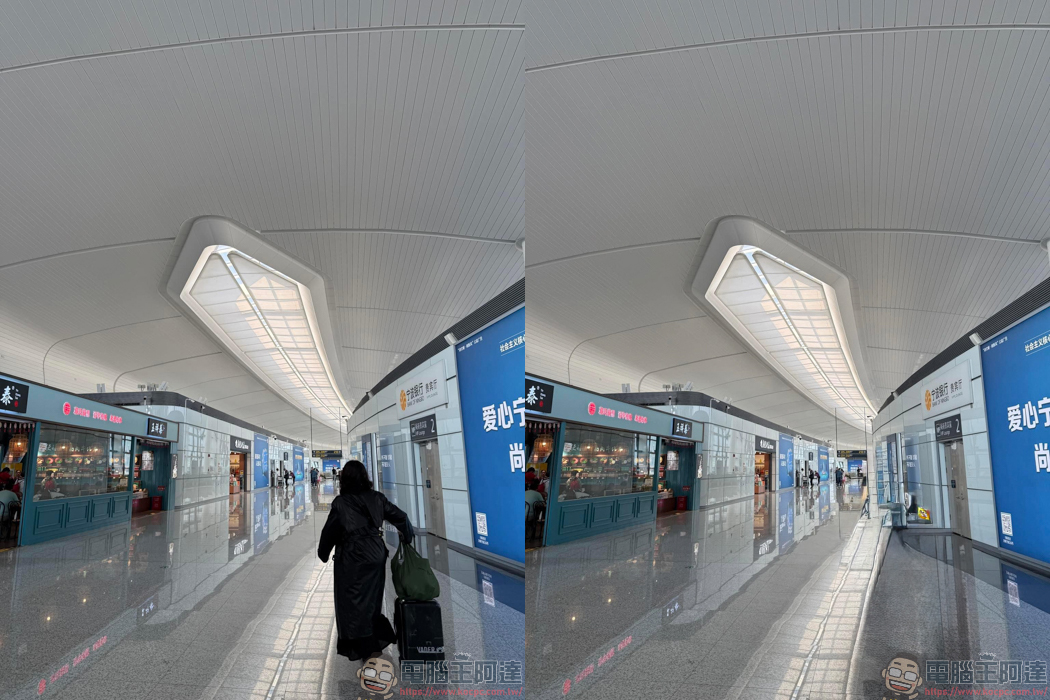
With the Clean Up function, iPhone users can painlessly remove people and debris from photos directly in the photo album with one click, and the generation method is quite natural, with almost no flaws:

Situations like non-characters can also be removed using Clean Up, and the removal effect is also very clean:
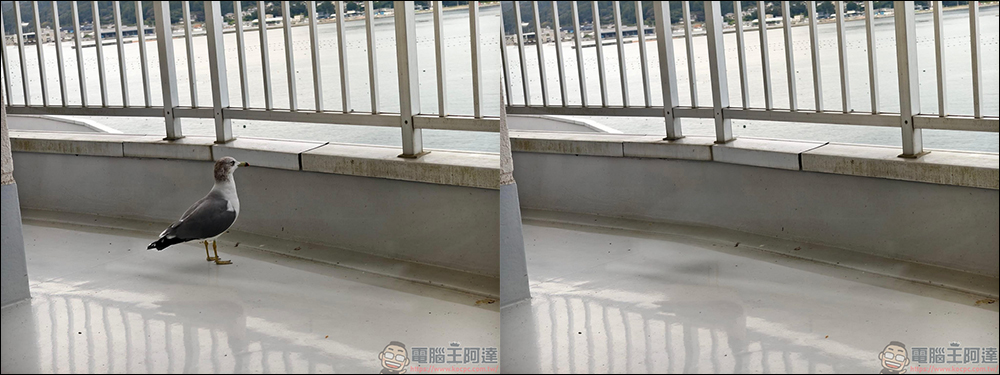
It’s easy to regret and want to restore it later. After clicking on the photo, there will be a red text saying reply at the top. You can restore the original photo with just one click. It’s very easy!
Source: KOCPC Chinese