


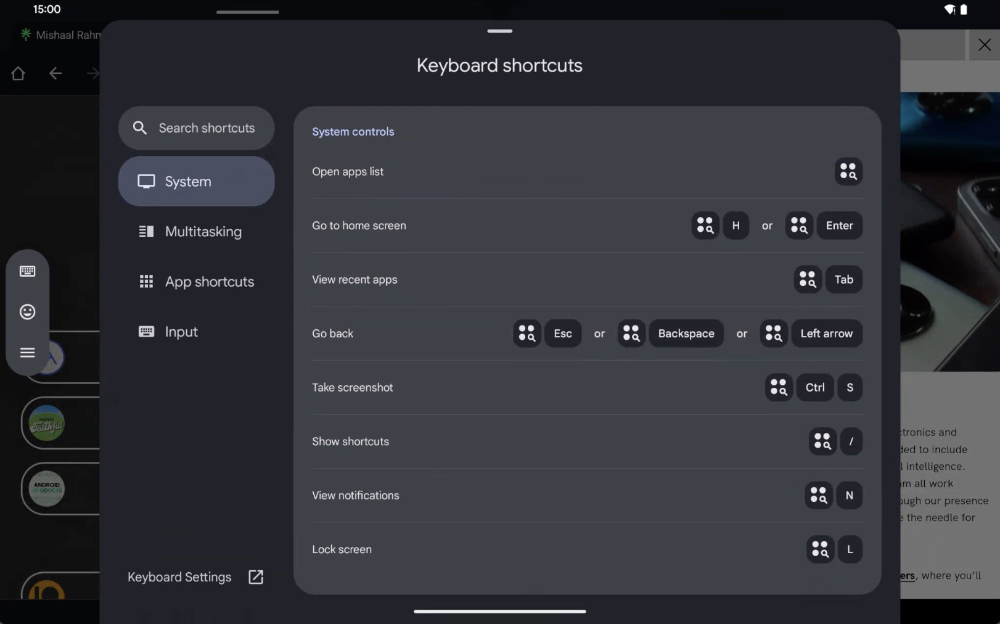
Times are changing, and mobile devices are becoming more professional (eh… almost all are named Pro, right?). Many professional uses are also implemented on mobile devices, and some people even directly connect Android devices to various devices for work – tablets with external keyboards are also very easy to use! In order to cope with this situation, Google thought it was time to innovate the efficiency of the mobile system when using mobile phones and tablets with keyboards. In the latest beta version of Android 15, foreign media discovered that there will be new keyboard shortcuts to preview and try out. Continue reading the preview report of Android 15’s new keyboard shortcuts.
▲Image source: Android Authority
Preview of Android 15’s new keyboard shortcuts, let’s speed up work efficiency together!
Times are changing, and mobile devices are becoming more professional (eh… almost all are named Pro, right?). Many professional uses are also implemented on mobile devices, and some people even directly connect Android devices to various devices for work – tablets with external keyboards are also very easy to use!
In order to cope with this situation, Google thought it was time to innovate the efficiency of the mobile system when using mobile phones and tablets with keyboards. In the latest beta version of Android 15, foreign media discovered that there will be new keyboard shortcuts to preview and try out.
▲Image source: Android Authority
This new keyboard shortcut preview experience is actually somewhat similar to the one on iPadOS – it will be called when you press and hold the system button. But seriously, the preview page for shortcut keys that can be seen in the Android system has actually existed before, but the shortcut keys that were previously considered to open this shortcut key preview page (so tongue-twisting) are not easy to press.
However, after enabling the new shortcut key preview interface in this Android 15 system. Not only is it less disruptive to the user experience than iPadOS (just… there will be no screen blocking when pressing CMD). On the other hand, it makes it easier to find the page and more user-friendly to learn how to use the shortcut keys.
▲Image source: Android Authority
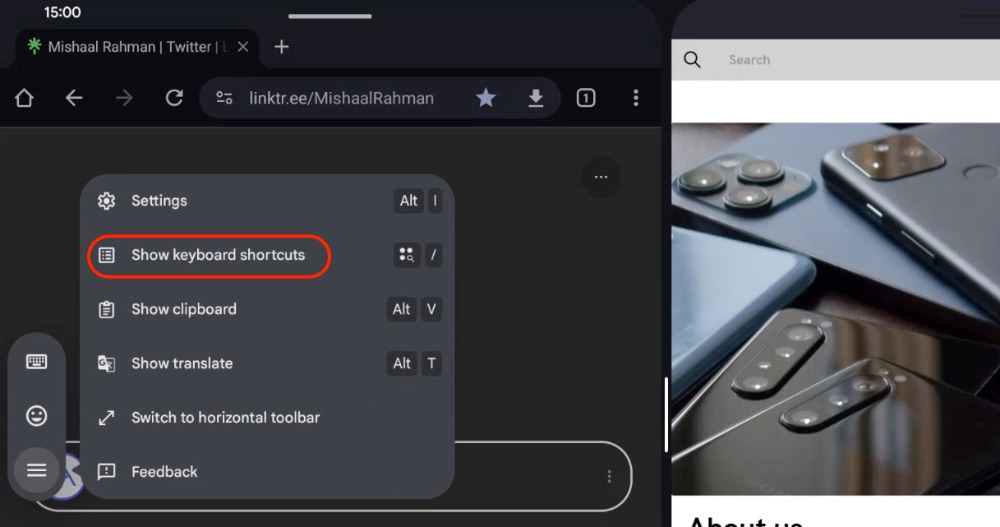
Foreign media Android Authority demonstrates the process of quickly accessing the keyboard shortcut preview interface after enabling this interface. Basically, when you click on the text box on the external keyboard and want to enter text. In the menu that pops up at the edge of the screen, you can click the sandwich button inside and find the “Show keyboard shortcuts” button to pop up a preview of all keyboard shortcuts.
▲Image source: Android Authority
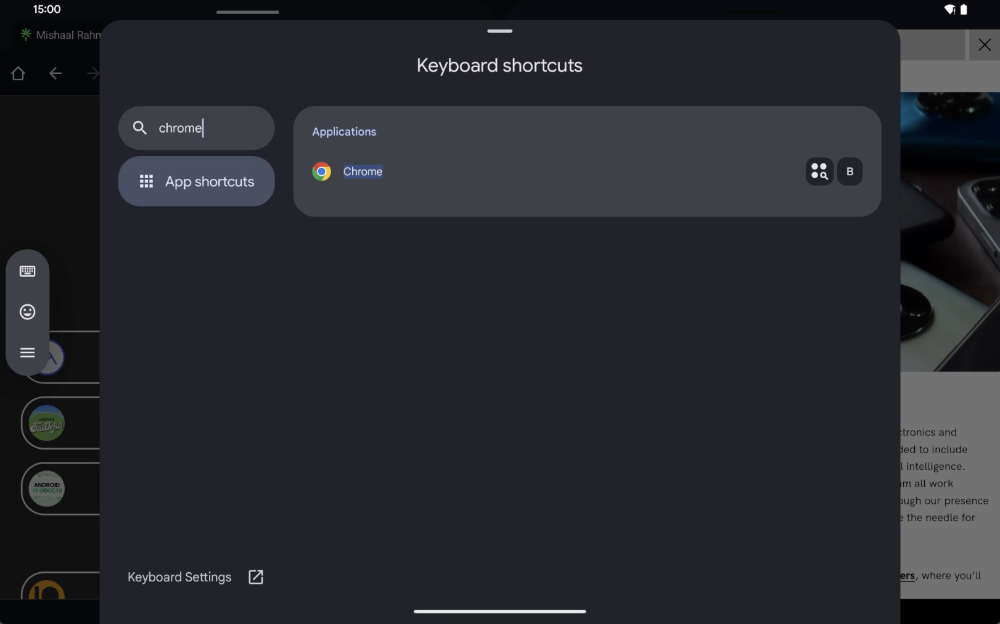
This interface will be roughly classified according to “system”, “multitasking”, “application” and “input”. Not only can you search for the function names of shortcut keys, but within a single application, you can also search to find the application and view it.
It should be noted that this function is currently in the testing stage, so it cannot be activated in the usual way. However, foreign media estimate that the function preview interface of keyboard shortcuts should have a chance to be released in the future Android 15 update.
Quote sources:Android Authority|
Further reading:

Source: KOCPC Chinese