


Over the years, iCloud has gradually introduced many new features to the web version, making this interface that can basically log in and use functions including notes, mailboxes, and even access iCloud photos through a browser, as if it is already an operating system on the cloud. Recently, iCloud.com has also quietly updated itself with several new features and improvements. Continue reading the web version of iCloud has a theme function, teach you how to enable it (see here for new features) report content.
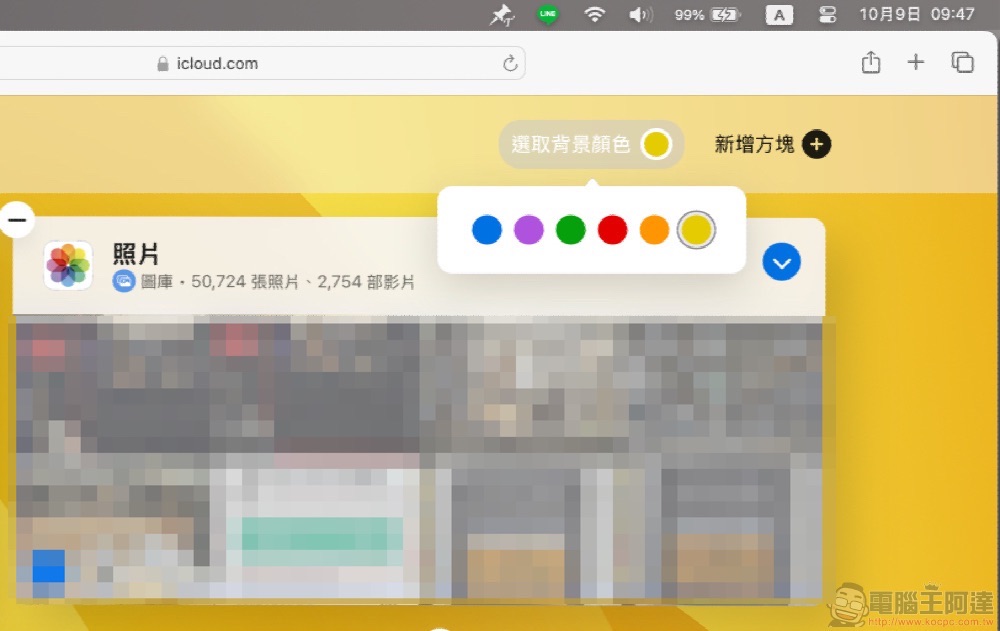
The web version of iCloud now has a theme function, teach you how to enable it (see here for new features)
Over the years, iCloud has gradually introduced many new features to the web version, making this interface that can basically log in and use functions including notes, mailboxes, and even access iCloud photos through a browser, as if it is already an operating system on the cloud.
recently,iCloud.com I have also quietly updated myself with several new features and improvements. Among them, the biggest change in appearance is the change in functions related to the theme and scenery. This article will also teach you how to quickly set up the iCloud cloud interface to make it more in line with your personal taste. This article will also teach you how to set it up.
iCloud theme color switching
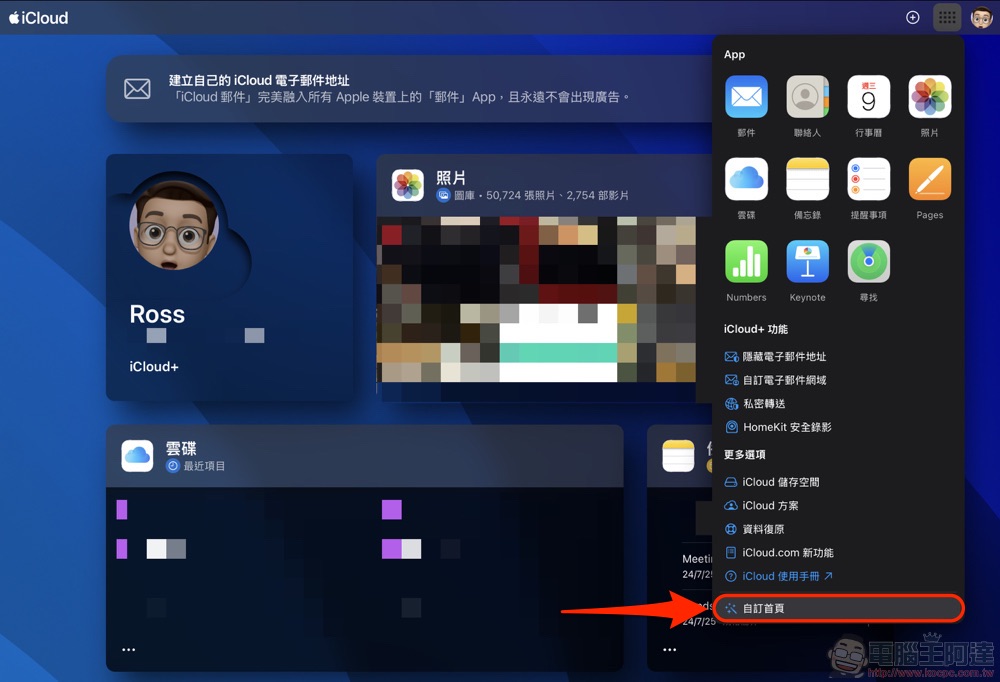
After logging in to your iCloud account, select the function page in the upper right corner and select “Customize Home Page”:
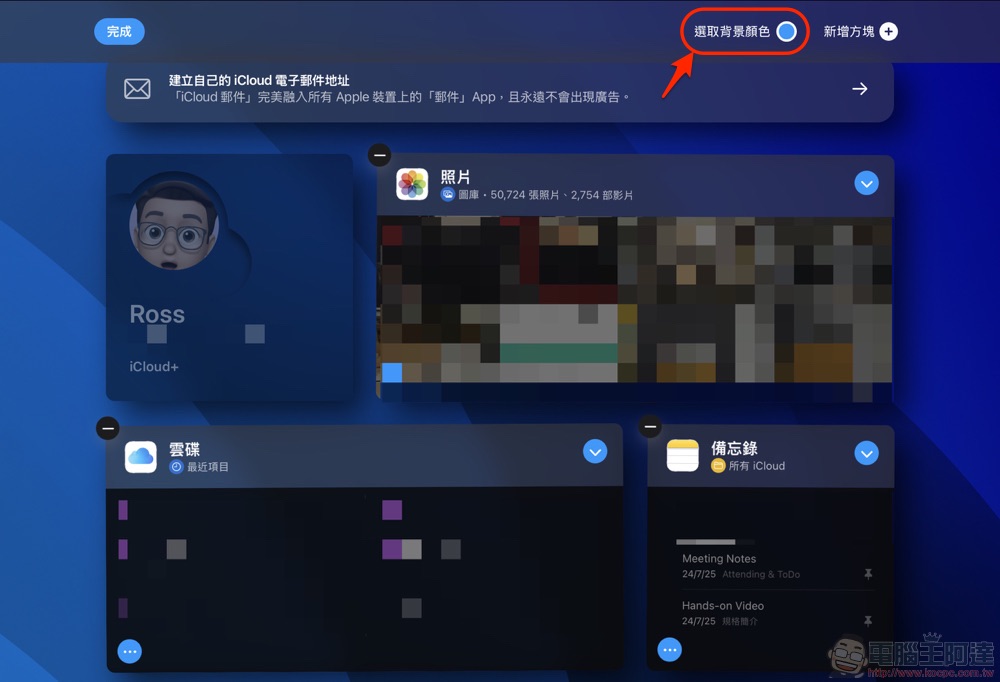
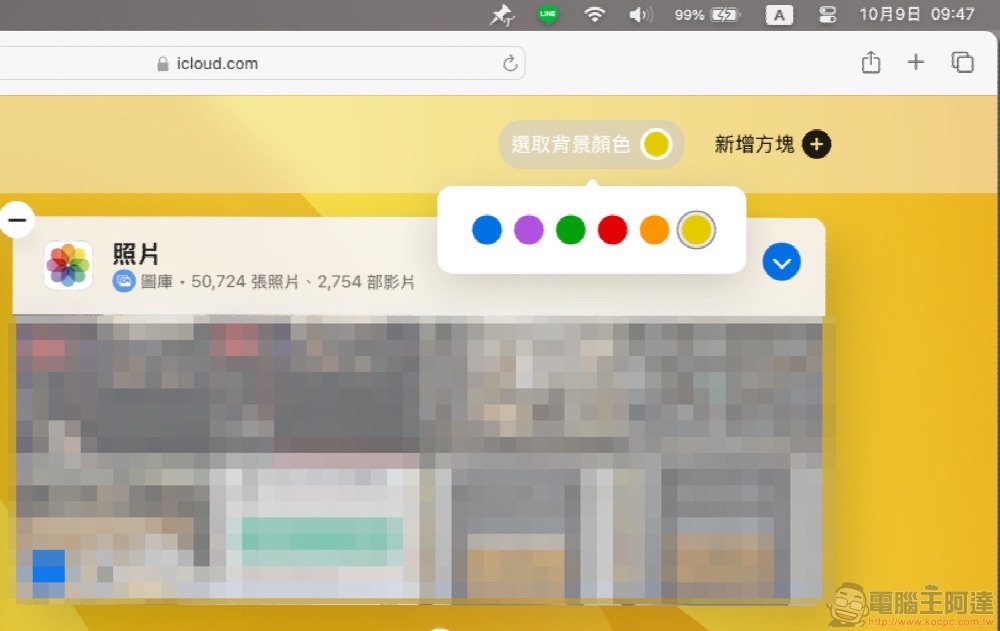
In the customized homepage screen where the square starts to “shake”, you can see the “Select Background Color” function in the upper right corner:
After clicking in, you can freely switch between multiple background colors:
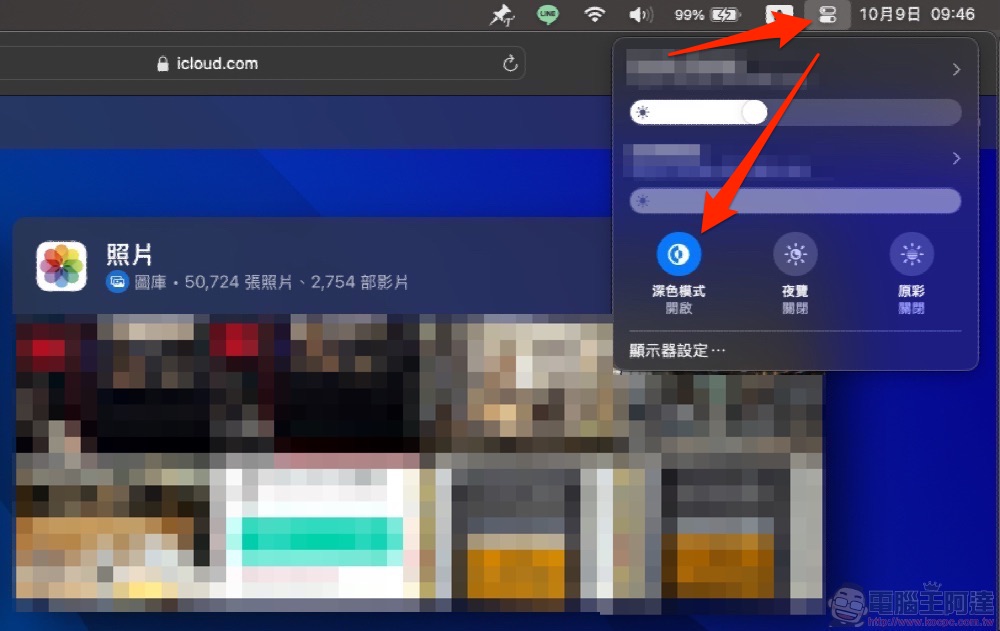
Here I also share a small detail of One More Thing, that is, this set of backgrounds also supports dark switching in dark mode. Simply use the system’s dark mode switch to switch between light and dark backgrounds:
Rest of the list of new iCloud features
Finally, we have also compiled a list of the latest new features of the iCloud web version in 2024. You can also play with them!

General functions
dark mode
To match your device settings, iCloud.com will automatically apply the Light Mode or Dark Mode color scheme.
Custom background
Choose from a variety of colors on the home page. To choose a new background, scroll to the bottom of the homepage and click Customize Homepage.
iCloud Calendar
Calendar support and updated design
Support for the Islamic calendar and updated the design of the entire app.
iCloud cloud drive
How to display shared files
On the “View shared files as” tab, view files shared with you.
iCloud Photos
Quick tour
Click on the calendar image to quickly travel to a month or year in the gallery.
Modify date, time or location
Edit the photo’s date, time, and location in the info panel.
New block options
You can now display photo albums in the Photos box on your homepage.
memorandum
Pin the memo
Pin important notes to the top of the list for easy access. Right-click (or Control + Mouse on Mac) to edit note pinning settings. You can also choose to display the pinned memo in the “Memos” box on the homepage or directly pin a new memo.
Reminders
More ways to stay organized
Create reminder lists to organize tasks and mark repeating reminders as complete.
Further reading:

Source: KOCPC Chinese