


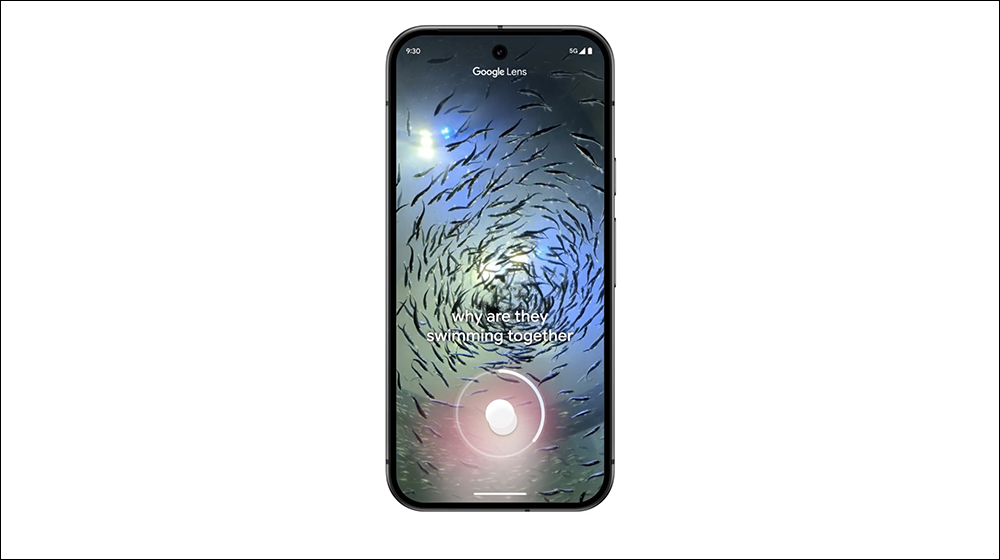
Major upgrade of Google Lens smart lens: new voice and video search functions are available!
Google today (4th) announced a number of updates to the Google Lens smart lens search function and will bring them to the iOS version of Google App. In addition to the voice input and video search functions previously announced at I/O 2024, Google has also made more detailed enhancements to these functions, allowing users to have a more comprehensive and convenient experience when searching with Google Lens. This update not only enhances users’ search capabilities for image and video content, but also takes visual search to a higher level, reaching more than 20 billion uses per month.
Video search|Dynamic information is easier to grasp
The most eye-catching update from Google this time is voice search support for video searches. This feature allows users to ask questions about the video they are watching and get information about dynamic objects in the video. For example, when you are watching fish in an aquarium, you can use Google Lens to record a short video and ask questions such as “What kind of fish is this?” or “What are the characteristics of this fish?” Google Lens will analyze videos and questions, provide an overview of AI, and provide relevant web links so you can quickly learn more information. This search method greatly increases the practicality, whether it is used to explore unknown things or obtain real-time video-related answers, it is very convenient.
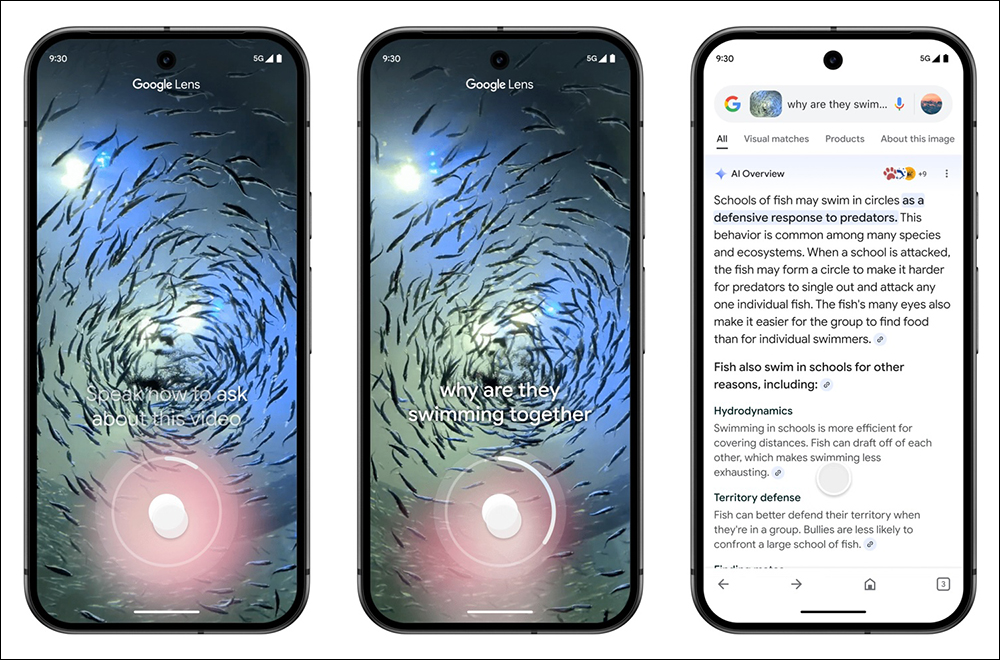
To use this feature, just turn on Lens in the Google App for iOS or Android, press and hold the shutter button to record a video of up to 20 seconds, and dictate your question at the same time. Google Lens will upload and process videos and voices simultaneously, providing users with complete and fast AI search results. The heart function this time has been launched on Android and iOS platforms. The author tried it successfully on iPhone this morning, but it will not be available for the time being. You might as well give it a try! If it is not available now, it may be available in the next few days.
Voice input: Say your question without typing
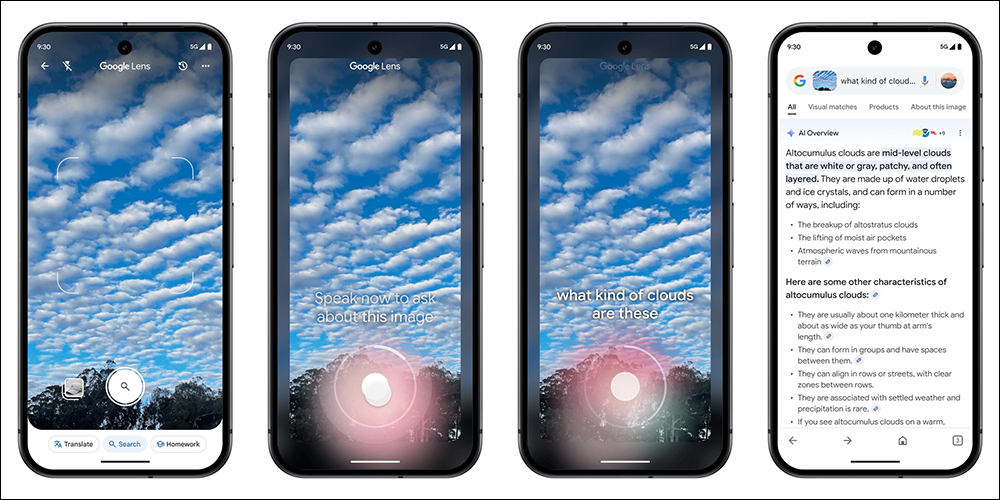
In addition to video search, Google Lens also introduces voice input capabilities. When users take an image with Lens, they can press and hold the shutter button and speak their question, and Google Lens will then convert those voices into text and search based on the content of the image. This voice input method replaces the cumbersome operation of manually inputting text in the past. Especially when the user cannot accurately describe the content in the picture, voice input undoubtedly provides a more intuitive and faster solution. This feature is currently available for English searches worldwide.
Shopping search upgrade: more price information and shopping suggestions
This update also provides more useful features for users who frequently use Google Lens for shopping searches. When users use Lens or Circle to Search to identify products, search results will be “significantly more useful” and can include product reviews, retail prices, supplier availability, current discount information, and relevant shopping ads. This allows shoppers to find the best deals faster and connect them directly to the purchase channel, saving a lot of search time and effort.
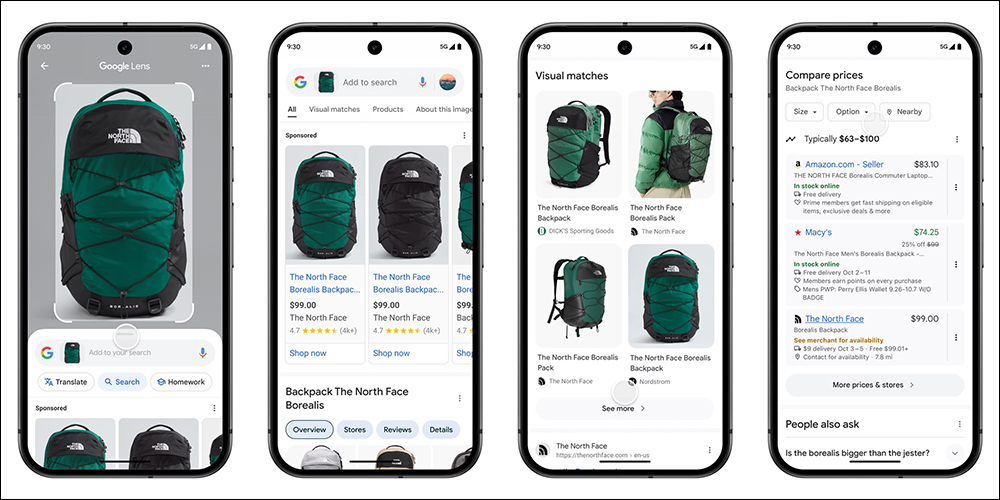
Google specifically notes that the new experience will initially roll out on Android and iOS devices in select countries, and will start with popular holiday shopping categories like toys, electronics, and beauty.
At the same time, the new AI overview design will also support the display of highlighted links on web pages in the results, along with text explanations, allowing users to quickly locate relevant web resources. Google said that such updates can better direct traffic to supporting websites and allow users to obtain richer reference materials from AI results.
It is worth mentioning that Google will also add ads to the AI overview, saying that such ads will help users quickly connect to relevant businesses, products and services and improve search efficiency.
Further reading:
Can your AirPods be upgraded to USB-C? Make your old AirPods look like new again with this case in just 10 seconds
Source: KOCPC Chinese