


Everyone knows that when chatting with ChatGPT and other AI tools, if the prompt (or prompt word) is set well, the answers obtained will be more accurate and richer, but what is the best way? Even experts who have researched Prompt have to try many times before they can slowly try it out. For most people, it is unlikely that they have the time to slowly try it out.
And in this time OpenAI DevDay During the event, OpenAI can be said to have provided many practical functions. In addition to the new generation of AI that we have reported Whisper large-v3-turbo modelIn addition, a prompt improvement tool is also launched. Just give a simple sentence and it will generate a more structured and complete prompt to help you get higher-quality answers.
More importantly, this tool is completely free now. I am not sure whether it will be charged in the future. Please try it now.
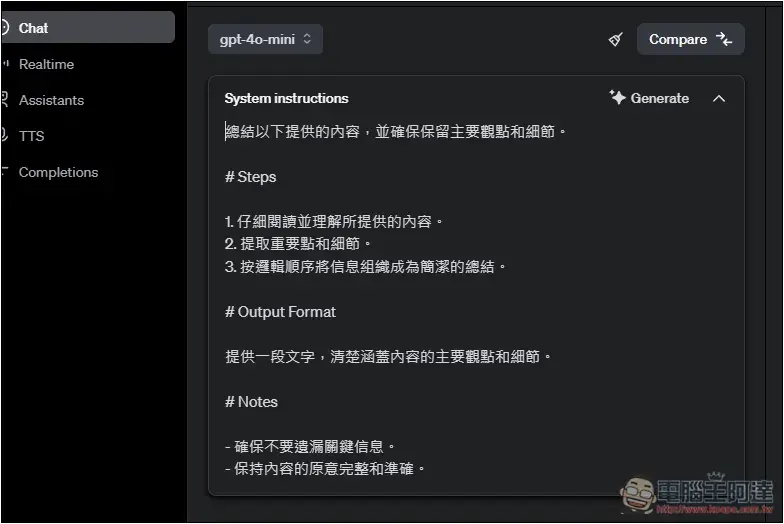
How to use OpenAI’s latest prompt to boost free tools
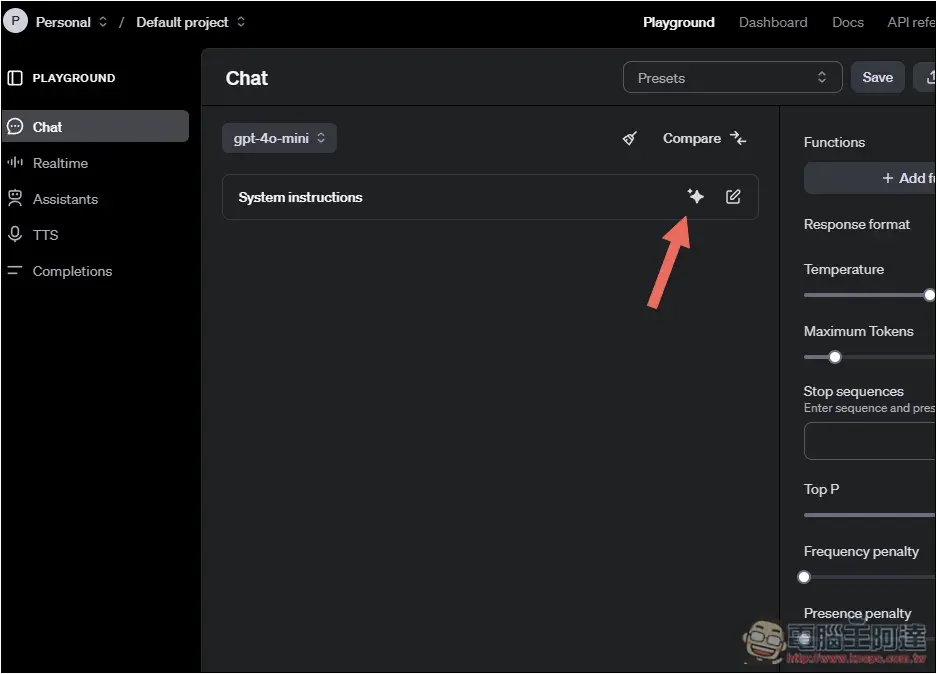
You don’t need to be a ChatGPT Plus member to use this new tool, just go to OpenAI’s Chat Playground.
After entering, remember to log in to your OpenAI account, and then click on the star-like icon on the screen:
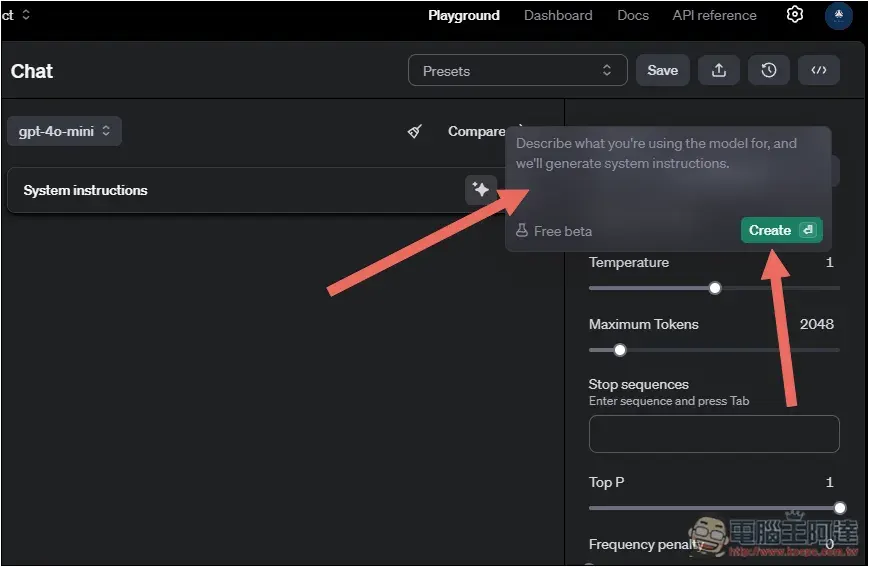
This is the Prompt promotion tool. Enter your Prompt above and press Create to start creating. In addition, you can notice that Free beta is written on the left, which means that it is currently free, but it is a beta version:
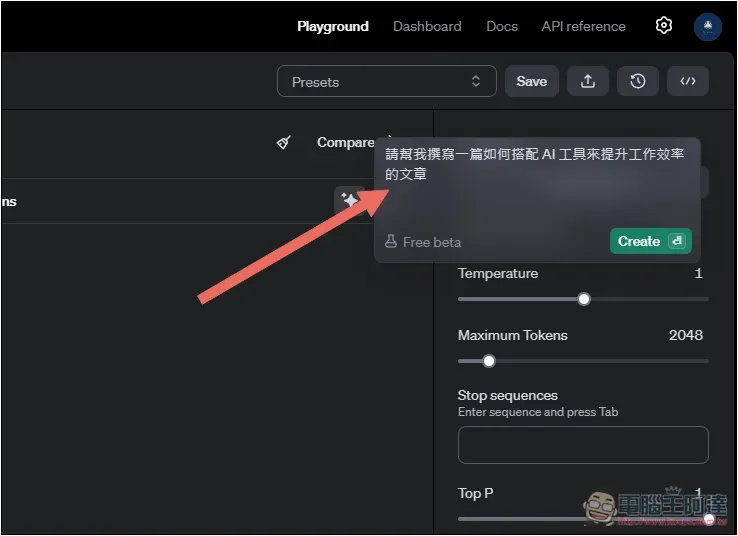
I typed “Please help me write an article about how to use AI tools to improve work efficiency.” Many people asked that ChatGPT should be like this. Just give it a short sentence, and then add other content after you get the answer:
Although you can get acceptable answers this way, the content may not be what you want, or it may be too broad.
When I pressed it, the Prompt, which originally had only one sentence, immediately became super long and super complete, as shown below:
撰寫一篇有關如何使用 AI 工具提升工作效率的文章。
本文的目的是探討不同的 AI 工具如何能夠協助提高工作效率,從而在工作流程中節省時間並提高生產力。文章應該具體介紹各類 AI 工具的功能及其在不同工作情境中的應用。最終,提供具體建議,幫助讀者選擇合適的工具,以符合他們的需求。
# Steps
1. **介紹 AI 工具的基本概念:**
- 解釋何謂 AI 工具及其在現代工作場景中的重要性。
2. **常見 AI 工具類型及功能:**
- 描述各類AI工具,例如語音識別、數據分析、自動化管理工具等。
- 提供每個工具的核心功能和潛在的應用範圍。
3. **具體應用及案例分析:**
- 使用實際的工作場景例子展示這些工具如何提升效率。
- 分析這些例子中的效果和收益。
4. **如何選擇合適的 AI 工具:**
- 提供指導,幫助讀者根據自身需求和工作性質選擇最合適的AI工具。
5. **總結與建議:**
- 重點強調搜尋和實施合適工具的重要性。
- 建議逐步整合AI工具以最大化帶來的好處。
# Output Format
文章應該以一篇簡潔明瞭的中文文章格式呈現。字數控制在 1200 到 1500 字之間,以確保內容詳盡而不冗長。
# Examples [optional]
示例部分不一定要包含在你的作品中,但如果需要引導讀者,請考慮以下結構:
- *AI 工具概述*:[
"AI工具是機器學習和算法的一種應用,它們可以自動化任務,協助分析數據,並提供創意建議。"
]
- *用例分析*: [
"如某家公司使用 AI 進行跨部門的日程自動化,減少了工作時間的浪費並精簡了會議安排。"
]
# Notes
- 留意讀者的潛在興趣和知識水平,以引起共鳴及有效溝通。
- 強調 AI 工具的實際應用效果與限制,不要過於理想化。
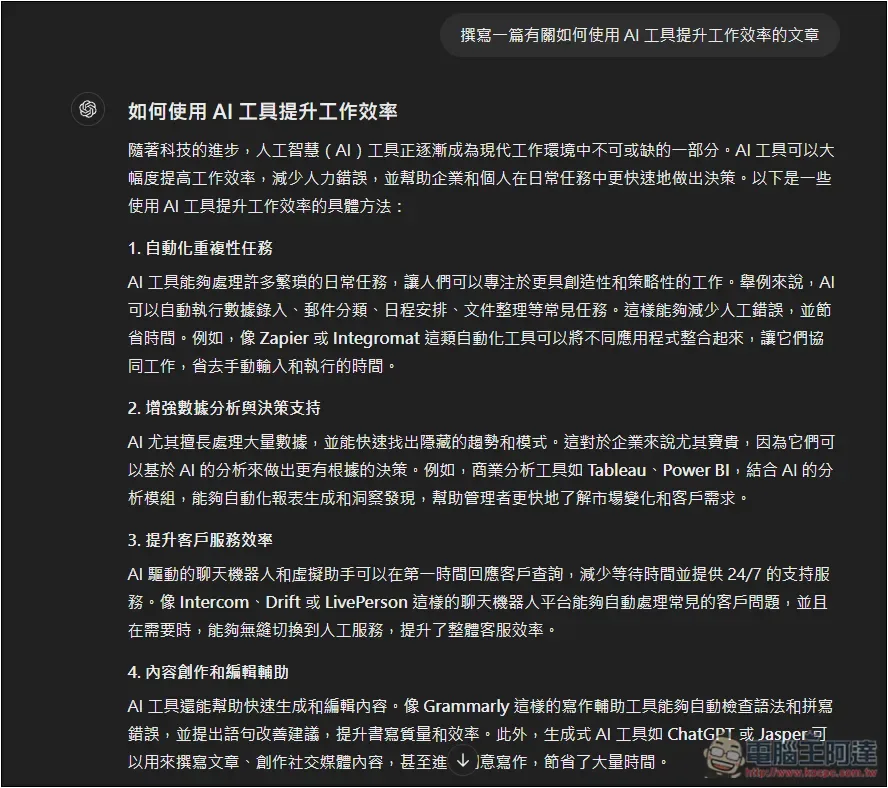
If I use the original simplest Prompt, the article I get is very simple. It will only introduce “Using AI to improve work efficiency”. Each H2 will not have more branch descriptions:
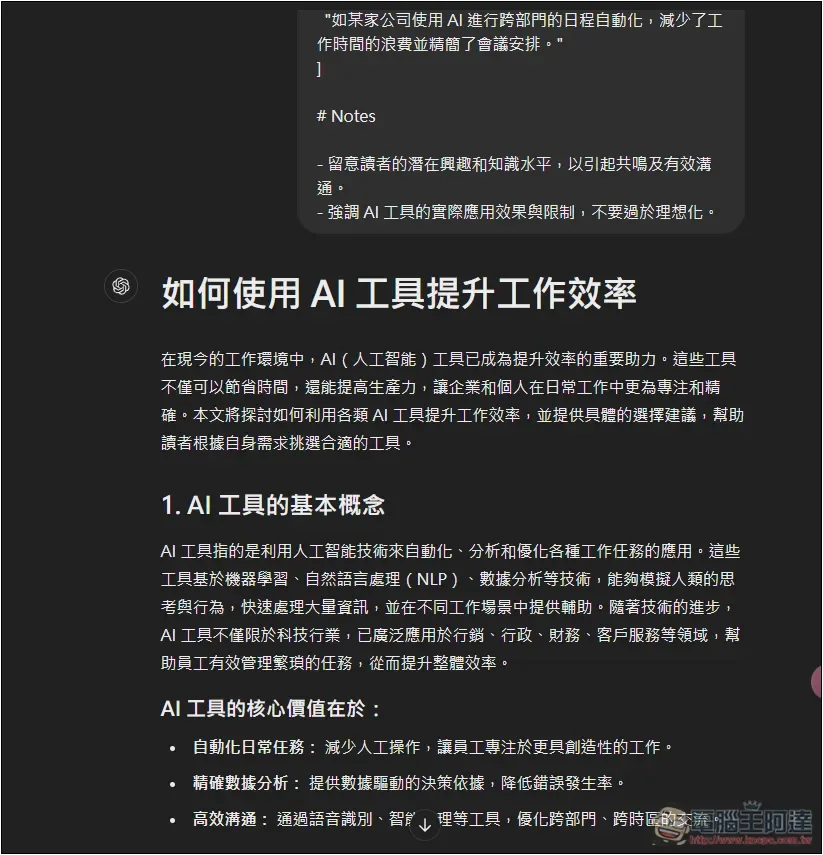
After switching to the optimized prompt given by OpenAI, the article content becomes super rich and will be divided into five H2 topics, each of which will be split into multiple H3 details:
Is there a prompt promotion tool in ChatGPT?
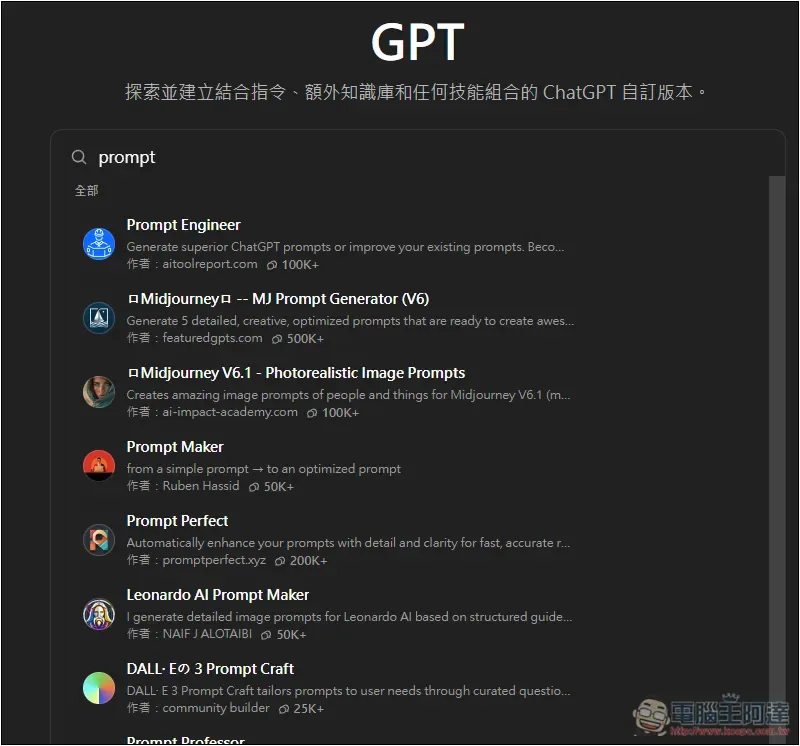
There is no official version of OpenAI, but there is Prompt GPT made by netizens. If you are really too lazy to use Chat Playgrand, you can go to the GPT store and enter Prompt to find many related GPTs.
However, I don’t think these Prompt GPTs are as good as OpenAI.
Source: KOCPC Chinese