


The impression should be that it is a fast card experience derived from Google search. Gmail can not only intelligently parse the content of letters and add calendars, but in recent years, it can also support the display of summary information including restaurant reservations and flight information directly in the top position.
Now, Google is further upgrading this experience, bringing new summary cards that are more beautiful and more functional. Continue reading Gmail’s latest summary cards are here! Beautifully displays a collection of travel, bill, calendar and other information, as well as quick action buttons to report content.

▲Photo source of this article: Google
Gmail’s latest summary card is here! Beautifully displays travel, bill, calendar and other information collection, as well as quick action buttons
Very similar to the previous pinned card information, the summary card experience also automatically detects the information in the letter, providing an experience where shopping, event calendar, bill and travel-related information is compiled into a card.
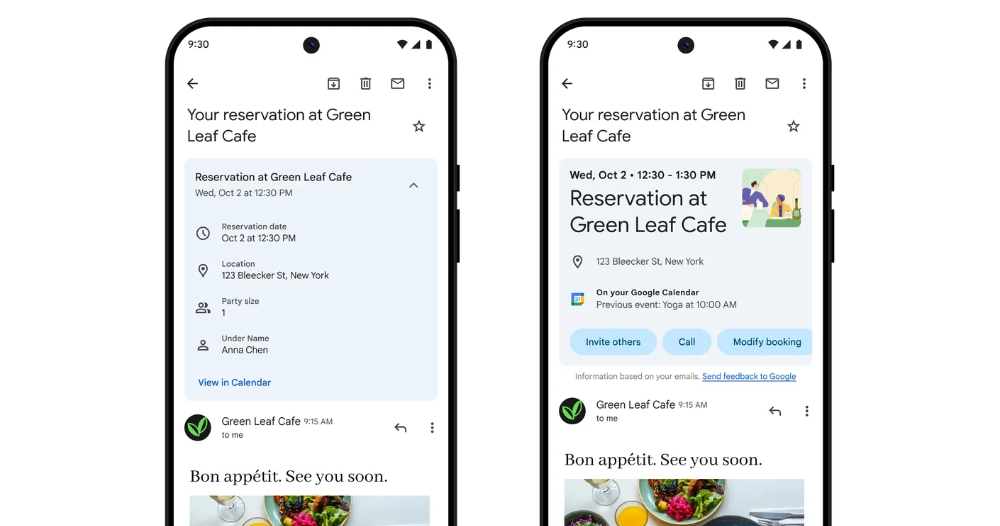
▲Picture: Comparison of summary cards between the old and new versions (left: old version, right: new version).
On the interface, we can see that for different types of information, cute pictures may be added to the summary cards. In addition, it also consolidates the content that was originally tended to be displayed in a text list into a graphic screen similar to real-time progress – if possible, after all, only activity and time information can be displayed in summary cards such as tickets XD.
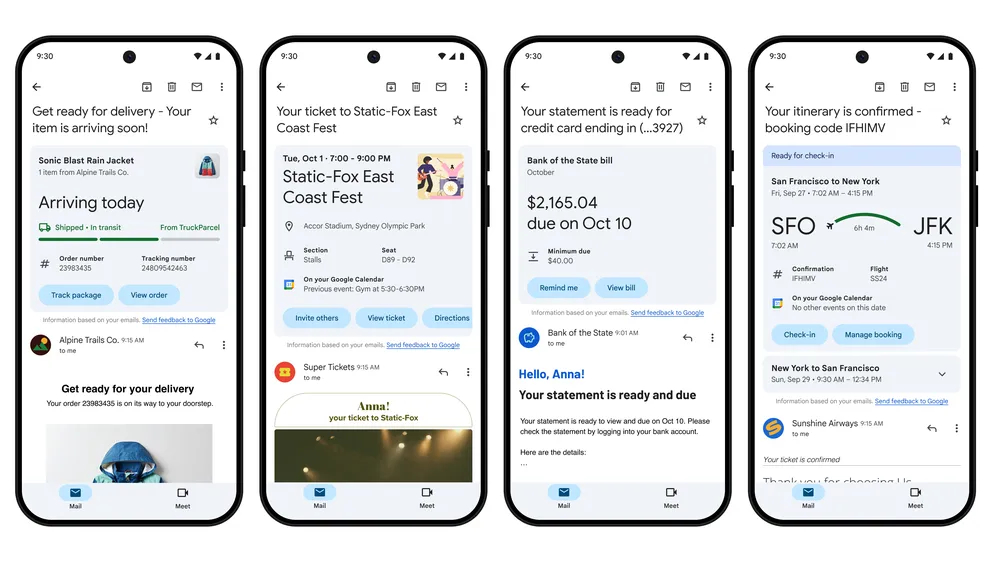
The main support projects officially listed in this new summary card are as follows:
.Shopping: Track packages, view order details, and easily find your purchases so you know exactly when your birthday gift will be delivered.
.Activity: No more missed dinner appointments or forgotten concert tickets. Easily view or add upcoming events to your calendar, invite others or find directions.
.bill: View and pay your bill, or remind yourself to pay later and add due dates in Google Tasks.
.travel: Manage reservations, check-in, and view important travel details like hotel check-out times so you can travel with confidence from booking to boarding.
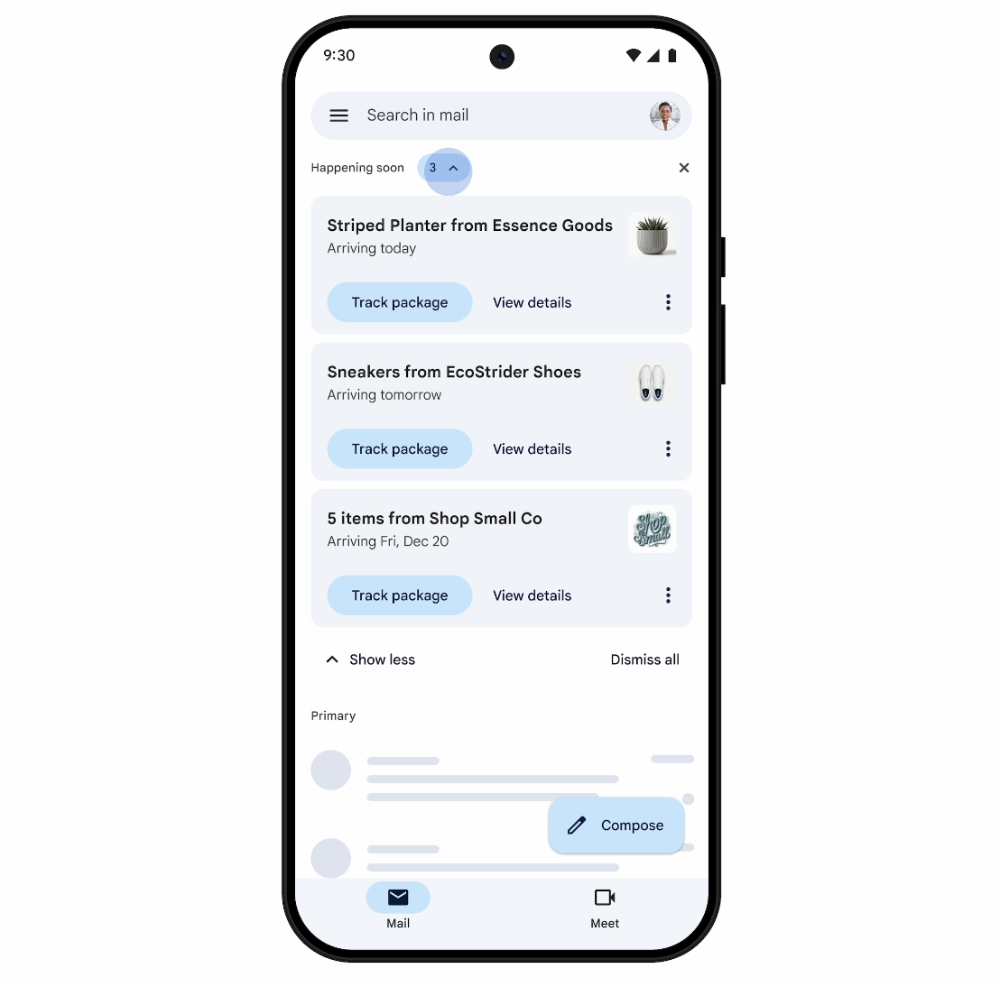
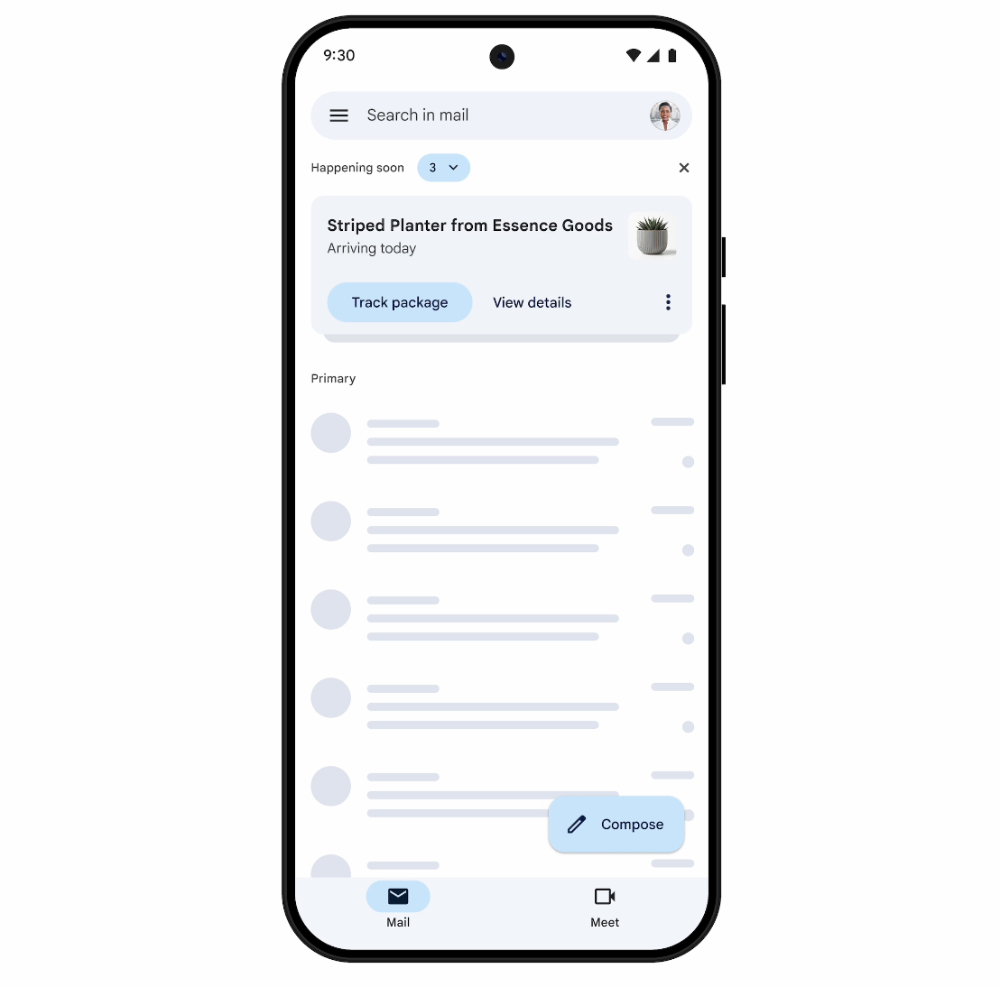
The official also announced that “upcoming” Gmail summary cards may be imported into the inbox and search interface. Provides another level of event reminder notification.
In addition, in addition to the new interface that can better grasp information quickly, this summary card will also provide capsule-shaped quick action buttons at the bottom. It will proactively suggest action reminders including obtaining navigation routes and inviting others. The following are the key features of this summary card:
.Quickly grasp details: You can see the summary at a glance, so you can see important information at a glance without having to search through multiple emails.
.Take action easily: “Get directions”, “Invite others”, “Track package”, “Register”, “Remind me” or “Mark as paid” and other related actions are at your fingertips, no more searching for buried links.
.View latest status: Cards are dynamic, keeping you updated even as events, deliveries and deadlines change.
I have to say, this new summary card looks really easy to use! After all, many times when we look back for letters, we really want to quickly dig out these key information. Now it is easier to see and even helps us think about the next action one step earlier. It is indeed a very considerate feature update!
According to official information, this feature will be gradually rolled out to personal accounts in the Gmail app on iOS and Android; the summary interface for upcoming events will be rolled out in the next few months.
Quote sources:Google|Via:MacRumors|
Further reading:
Can’t be underestimated! Obsidian Black Apple Watch Series 10 Unboxing Test
Source: KOCPC Chinese