


There have been a lot of reports about Android malware, and now a new type of virus infection has emerged. existKaspersky SecureList Report, the antivirus vendor highlights a new Necro Trojan that has quietly infiltrated tens of millions of Android devices via a malicious supply chain attack via a compromised advertising SDK.
Necro Trojan malware infects tens of millions of Android devices via two Google Play apps
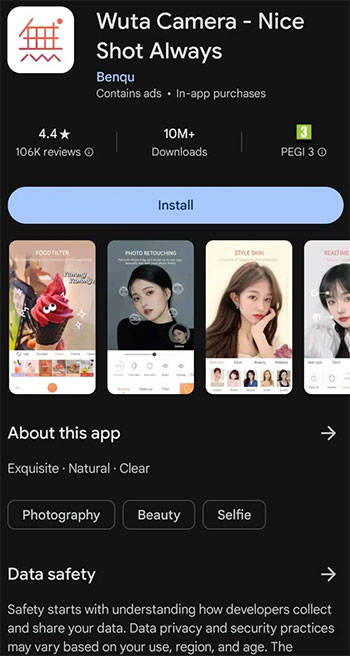
Necro Trojans were discovered in two Play Store apps, Benqu’s Wuta Camera and the now-deleted Max Browser. The former has been downloaded more than 10 million times, ranging from version 6.3.2.148 on July 18 to version 6.3.6.148 on August 20.Bleeping Computer The latter Max Browser was downloaded more than 1 million times before it was removed from the Play Store, and its latest version 1.2.0 still contains the malware, it said.
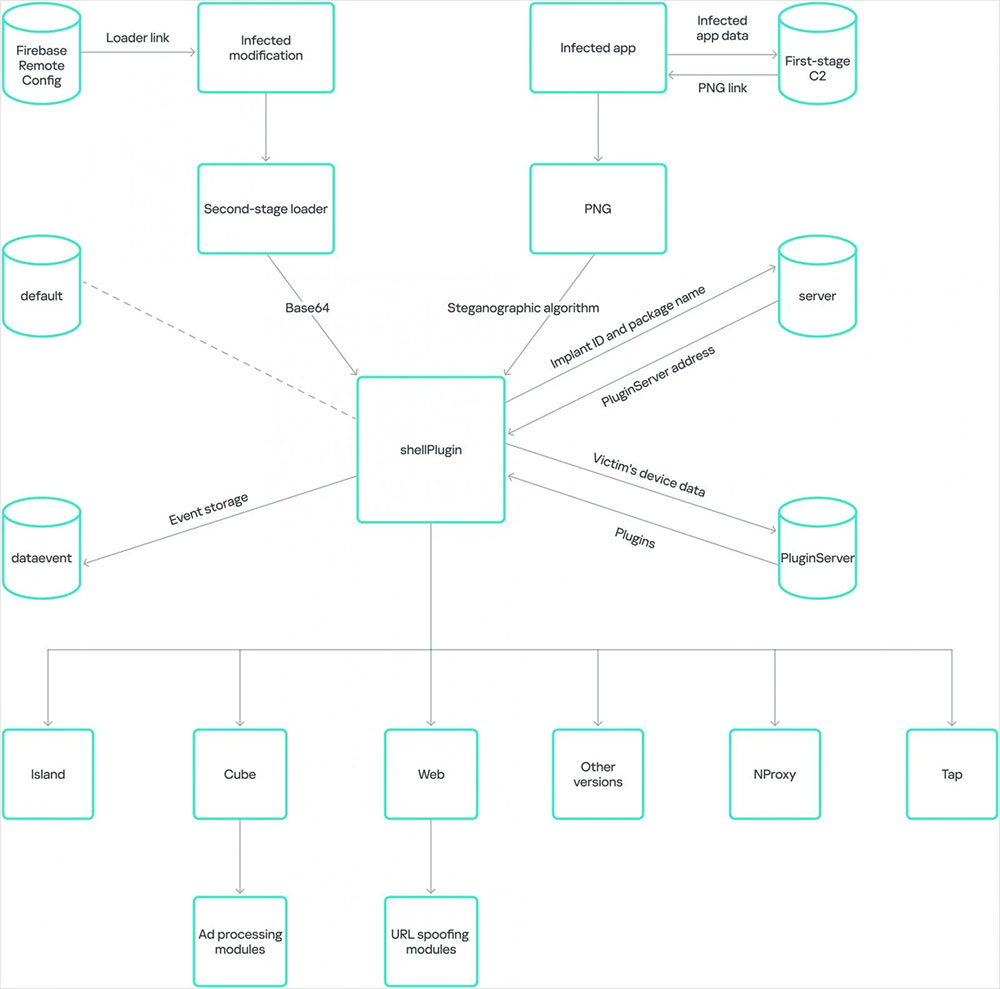
Necro’s influence has also spread to other places, and it can be seen in modified versions of some major applications circulating on the Internet, such as WhatsApp, Spotify, and Minecraft. These apps are often distributed through unofficial websites and app stores, so their impact cannot be quantified.

What does the Necro Trojan do?
The main way the Necro Trojan affects a device is by installing adware on the device, which loads websites through an invisible WebView window, essentially earning advertising revenue for the attacker at your expense. It also downloads and executes arbitrary code on infected devices, facilitates subscription fraud and abuses malicious traffic, making it more difficult to trace its origin. Bleeping Computer stated that Google is aware of the Trojan and the application containing it and is currently investigating the issue. For users, this means knowing more about the apps they download. If you download one of the infected apps, use caution and quickly uninstall the app and scan your device with reputable antivirus software. It’s also wise to change important passwords, even if the Trojan doesn’t appear to be compromising user accounts.
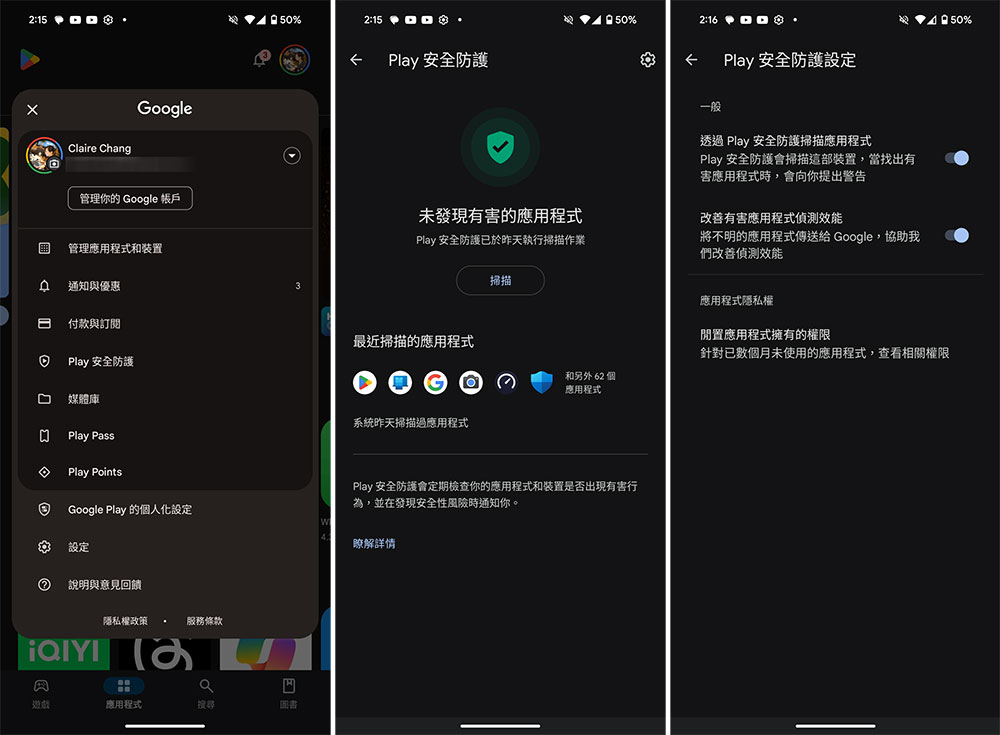
The Play Security feature in the App Store, which essentially runs a security check before installing an app, is a lifesaver in situations like this and you should always keep it enabled. The tool can also scan your device after harmful apps are downloaded and installed, while also sending you alerts about apps that may be accessing personal information. Regardless of whether you previously disabled it for any reason, Play Safety can always be enabled using the following method:
- Open the Play Store and click on your profile picture in the upper right corner.
- Click “Play Security”.
- Scanning is available on the inner pages. If you want to check whether it is closed, you can click the gear in the upper right corner to open it.
◎ Data source:Bleeping Computer
Source: KOCPC Chinese