


When planning to goTravelWhen it comes to this, many people will arrange their itinerary in advance. Although plain text is easy to understand and there are no issues with it, now Nano Banana Pro It can understand text more deeply and generate perfect Chinese characters. I’d highly recommend handing it over to Gemini Create beautiful travel guide graphics that are a joy for you to look at, and when you share them with others, they’ll think you went above and beyond. Here’s how to do it.
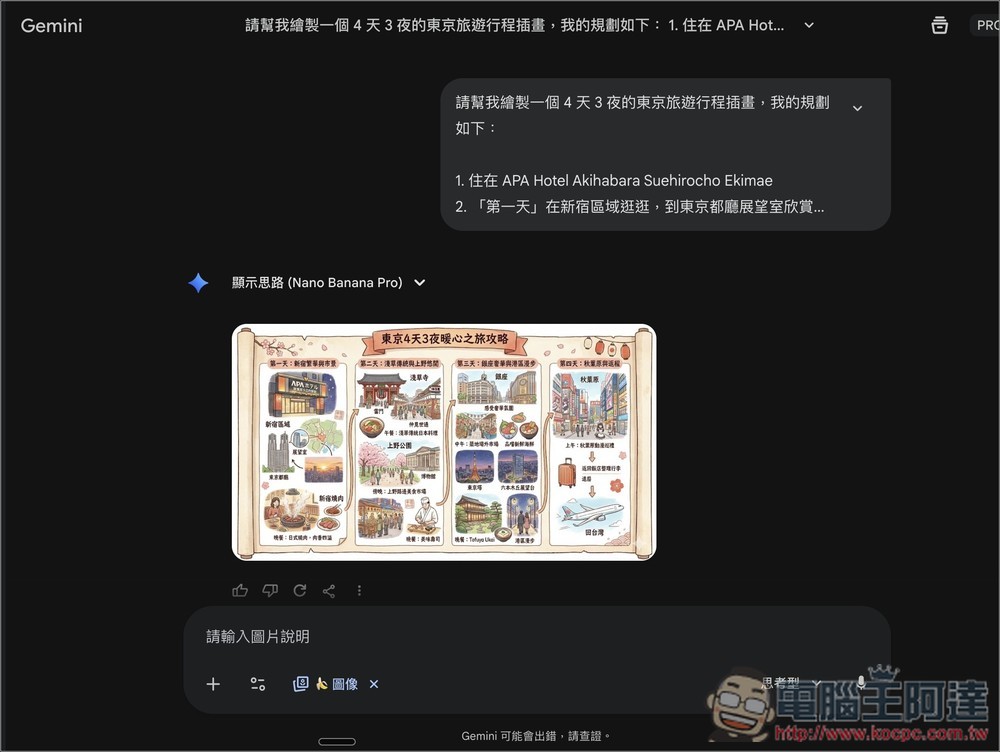
Using Nano Banana Pro to generate exquisite “travel guide images” is super easy—this article teaches you how.
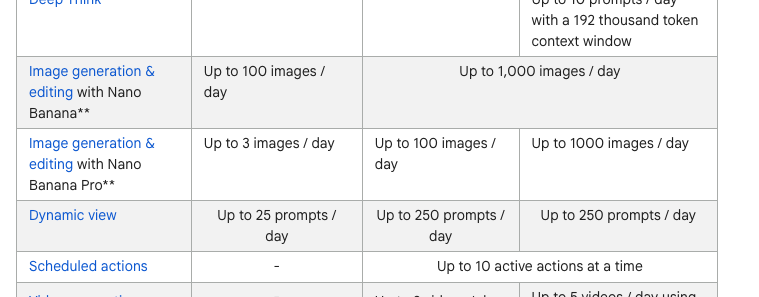
Google’s latest Nano Banana Pro image generation model is available for both free and paid Gemini users, though the daily image limits differ. Free users only get 3 images per day, while AI Pro gets up to 100, and AI Ultra goes even higher at 1,000. This means free users will most likely run out. But there’s no need to worry, because many services are currently offering limited-time unlimited free access to Nano Banana Pro, such as FELO.AI、Lovart AI and YouMindTherefore, you can also try generating multiple travel guide images on these services first, until the prompt is adjusted to perfection, then return to Gemini to generate, so you won’t have to worry about wasting credits:
The more detailed your travel itinerary suggestions are, the richer the resulting travel guide image will be. Of course, a simple itinerary works too—it just depends on how detailed you want the image to be.
The following is a prompt for a travel guide map. The part you need to modify is the middle itinerary content (1~5); the rest can be kept:
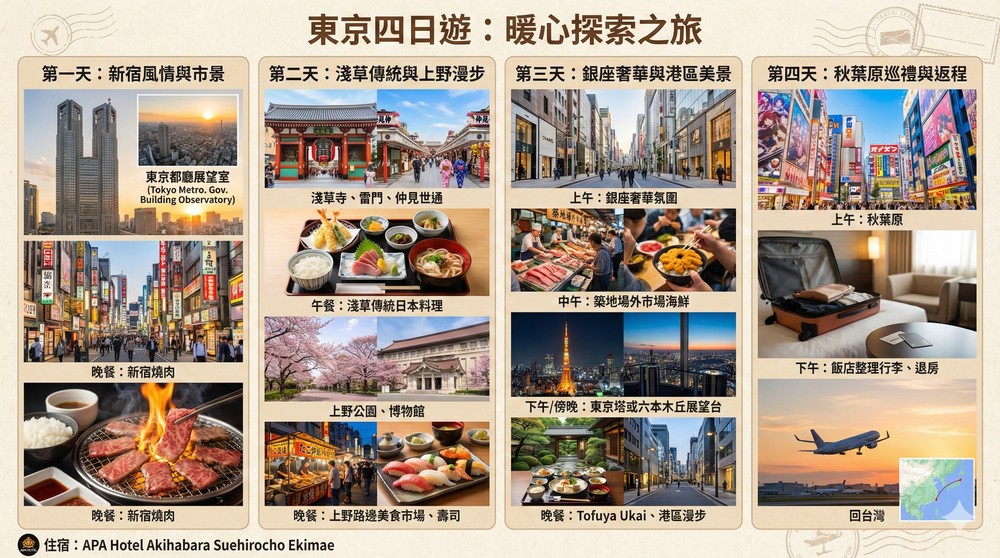
請幫我繪製一個 4 天 3 夜的東京旅遊行程插畫,我的規劃如下:
1. 住在 APA Hotel Akihabara Suehirocho Ekimae
2. 「第一天」在新宿區域逛逛,到東京都廳展望室欣賞東京市景。晚餐在新宿吃燒肉。
3. 「第二天」上午前往淺草寺,漫步雷門、仲見世通,感受傳統東京風情。中午在淺草附近享用傳統日本料理。下午到上野公園散步、看看博物館。傍晚到上野找些路邊美食市場或小餐館。晚餐吃壽司。
4. 「第三天」上午前往銀座,感受奢華氛圍。中午到築地場外市場品嚐新鮮海鮮。下午可轉至東京塔或六本木丘展望台欣賞城市景觀。晚餐吃 Tofuya Ukai、然後到港區漫步。
5. 「第四天」上午前往秋葉原,下午返回飯店整理行李、退房,回台灣。請根據我的行程規劃,加入適當的細節,然後根據我安排的行程,依序畫成一張日式插畫的旅遊攻略圖,我提到的地點、環境、景觀、食物、餐廳,都要在圖中提到,且儘可能的擬真。插圖的比例為 16:9,整體要給人溫暖的氛圍,並確保內容都是繁體中文
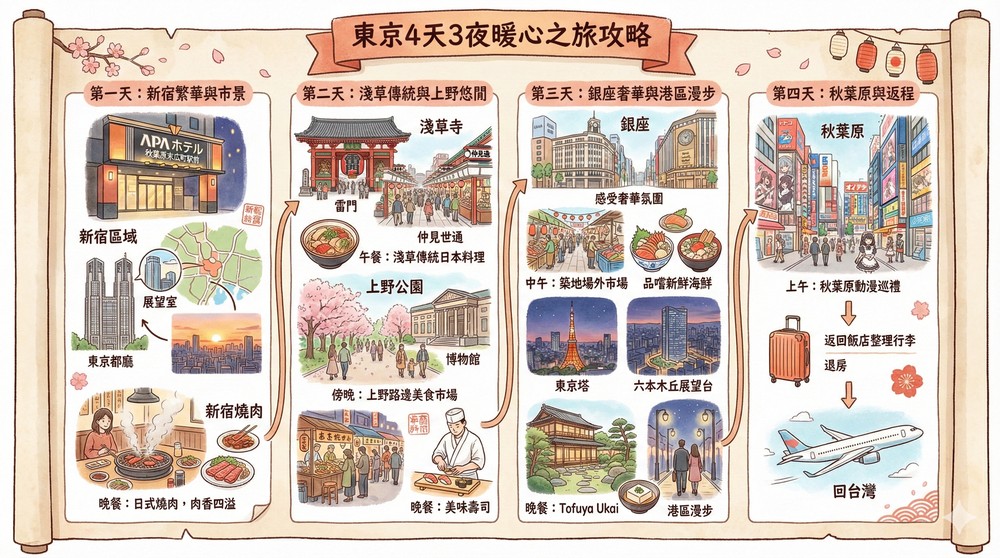
And this is the result generated by Nano Banana Pro. You can see that not only are there titles, but each attraction and food has beautiful images, and there are even arrows showing how the itinerary goes:
If you want AI to help you plan your itinerary and generate the image directly, it’s also very simple. Just enter the prompt and change the location yourself:
Considering the location and transportation order for planning the itinerary, please help me draw a 5 Day 4 Night tours and food itineraries for famous attractions in Osaka, Kyoto, and Nara, with accommodation in Shinsaibashi.
Then continue using this set of prompts as the opening, and add the AI-planned itinerary afterward (it’s best to smooth it out yourself).
「Please add appropriate details based on my itinerary plan, then draw a Japanese-style illustrated travel guide in sequence according to my arranged schedule. All the places, environments, landscapes, food, and restaurants I mentioned should be included in the illustration, and should be as realistic as possible. The illustration ratio is 16:9, with an overall warm atmosphere, and make sure all content is in Traditional Chinese.」
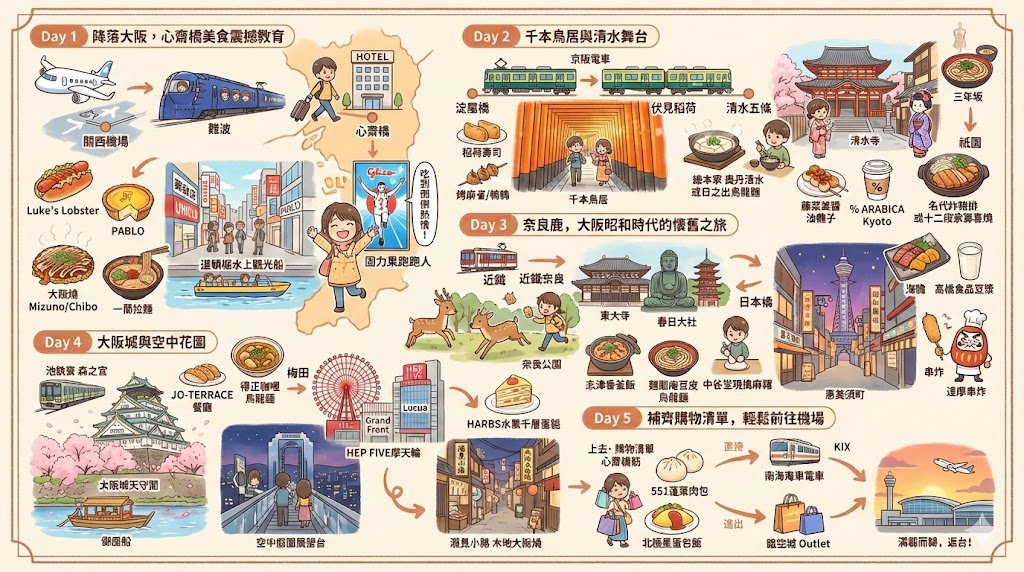
If you don’t like this style and want something more realistic, change the “Japanese illustration” at the end of the prompt to “realistic style” or even “Chiikawa” style, and it will turn into what’s shown below. Also, sometimes AI still makes mistakes, like in the image below where “Goodnight: Shinjuku Yakiniku” appears twice on the first day, so if there’s an error in the image, you can regenerate it, or slightly adjust the prompt:
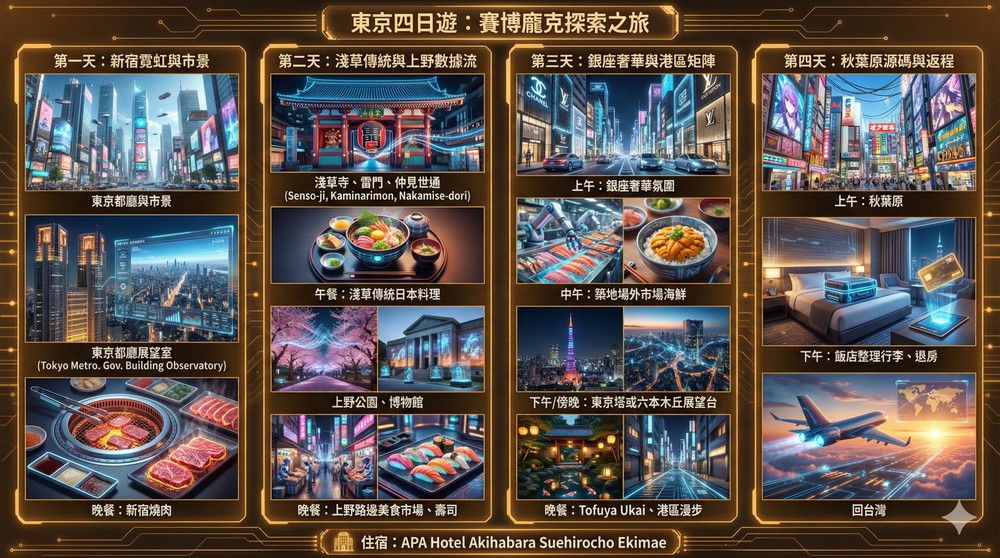
Even cyberpunk style works too:
Source: KOCPC Chinese