


Along with Google launch Nano Banana Pro, I believe many people are playing it every day now. For free version users, we have also compiled a few services that are currently available for unlimited experience, such as FELO.AI、Lovart AI and YouMind etc. Additionally, there are many other good prompt websites, such as:Nano Banana Pro Prompts、Nano Banana Prompt GalleryBesides that, the seven usage tips Google released recently are also worth learning, as they can help you get the most out of the Nano Banana Pro.
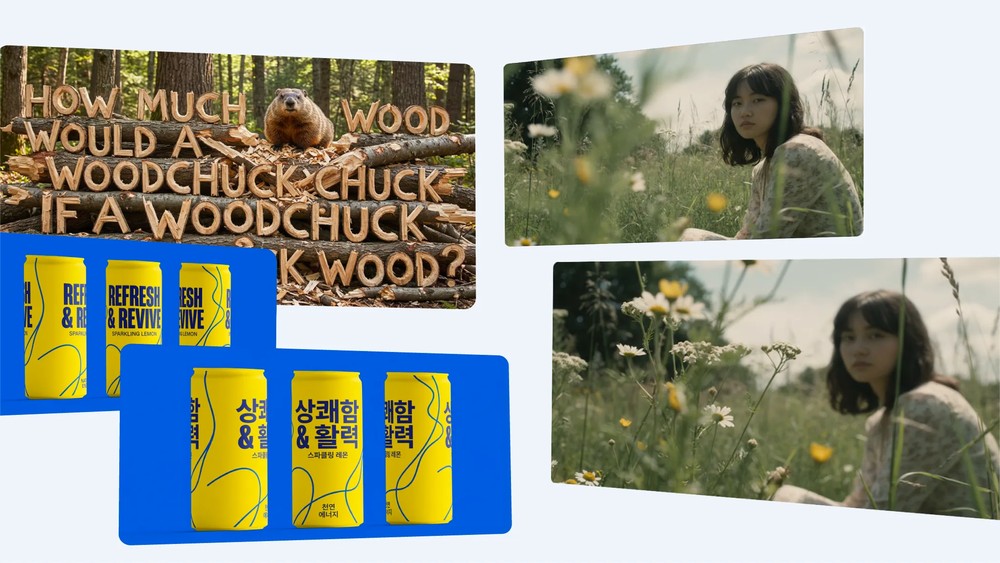
Google officially releases 7 tips for using Nano Banana Pro
Google says Nano Banana Pro is the most advanced image model built on Gemini 3, capable of easily turning creative ideas into professional-grade work. For users who aren’t quite sure how to use it, the tips below can help you quickly master professional-level prompt writing.
1. Establish a clear visual vision: story, protagonist, and style
Google recommends that if you want to get the best and most complete results, it is suggested to add the following elements to the prompt:
- Subject: What is the person or object in the image? The more specific, the more precise the generated image will be. For example: a robot barista with blue eyes, a calico cat wearing a tiny magic hat.
- Composition: camera perspective or lens type. E.g., extreme close-up, wide angle, low angle, portrait mode.
- Action: What is happening in the image. For example: brewing coffee, casting magic, running across a meadow
- Scene: The place where the story takes place. For example: a futuristic café on Mars, a cluttered alchemist’s library.
- Style: What aesthetic do you want it to have? For example: 3D animation, film noir, watercolor style, 90s product photography, photorealistic style.
- For image editing instructions, describe the changes directly and clearly if you’re editing an existing image. For example: change the man’s tie to green, remove the car in the background.
Basically, as long as you describe this step well, you’ll get quite good generation results.
2. Advanced Details: Lens, Lighting, and Image Format Settings
Although simple prompts can also produce decent content, if you want to elevate to professional-level work, consider adding the following details:
- Composition and Aspect Ratio: 9:16 Vertical Poster, 21:9 Cinematic Composition
- Lens and Lighting: “Low angle, shallow depth of field f/1.8”, “Backlit, dusk, long shadows”, “Cinematic color grading with a teal-green tint”
- Text display requirement: Display ‘URBAN EXPLORER’ in bold white at the top of the screen.
- Scientific or factual accuracy: “Needs scientifically accurate cross-section diagrams,” “Content must conform to the Victorian-era historical setting”
- How to use multiple image references: “Image A determines the character’s pose, Image B serves as the art style, Image C is the background”
3. Prompt Usage Examples
Nano Banana Pro can generate many different styles of images. Here are three that Google officially recommends trying.
- High-quality text generation: create posters, product mockups, fine text, infographics, and more.
- Generate content using world knowledge: Leveraging Gemini 3 Pro’s powerful background knowledge to produce images with accurate details.
- Translate: Translate the text in the image into multiple languages while maintaining the original style. For example, translate the English on a beverage can into Chinese, keeping all other parts unchanged.
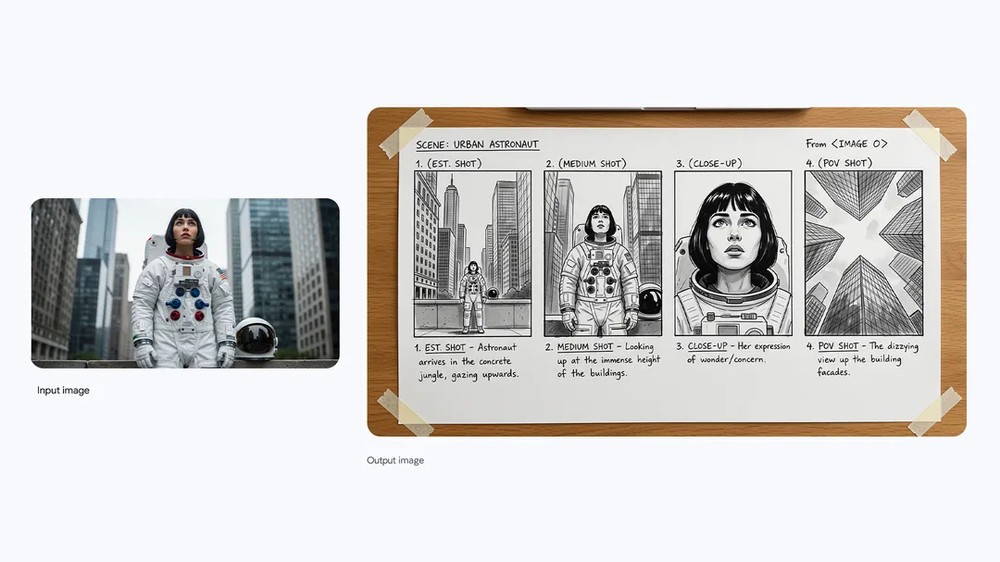
Google also provides several examples, like the prompt in the image below: “Create a storyboard for this scene”:
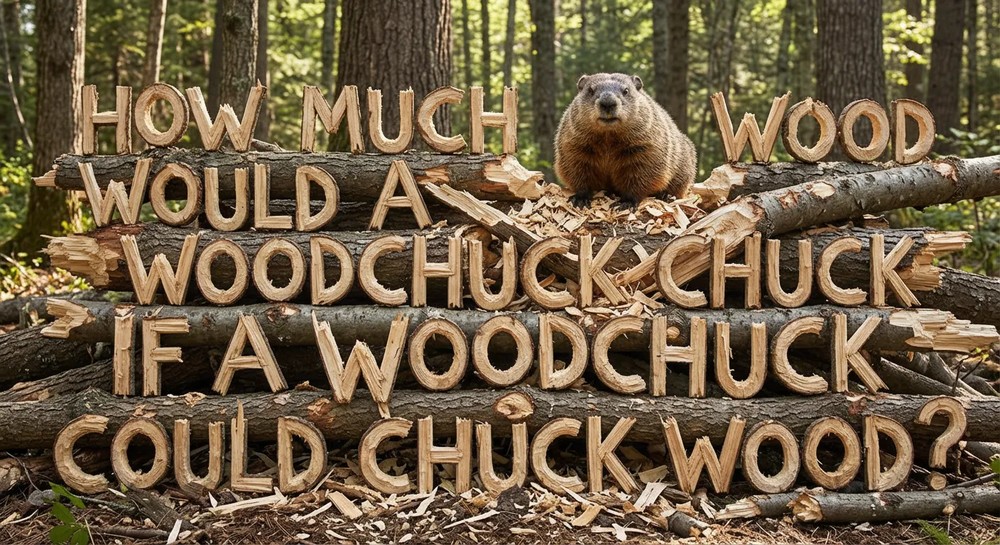
Prompt: “Create an image that spells out the sentence ‘How much wood would a woodchuck chuck if a woodchuck could chuck wood’ using wood that has been gnawed on by a woodchuck.”
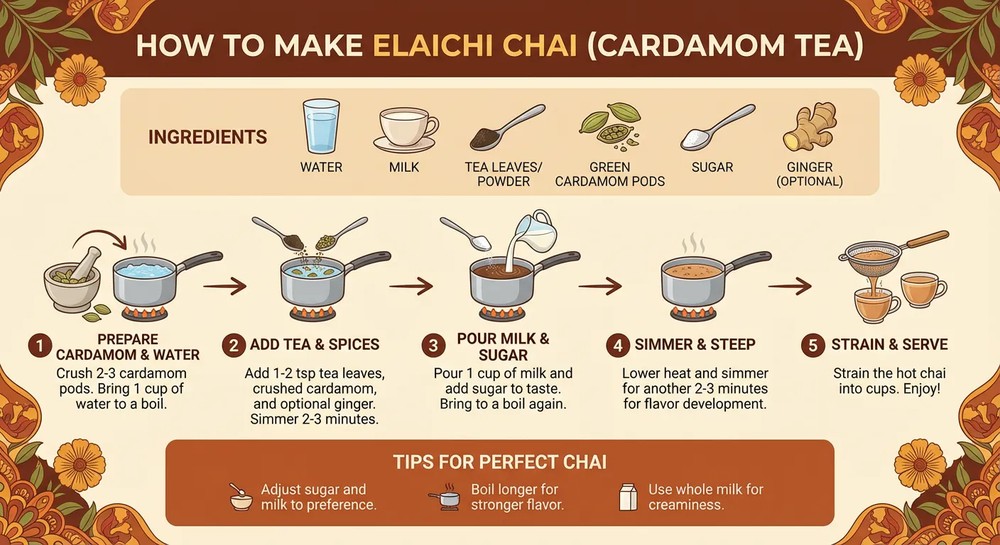
Create an infographic on how to make cardamom milk tea (Elaichi Chai).
4. Use the same professional controls as studio photography.
You can use more detailed controls to achieve professional-level image adjustments, including:
- Light direction, brightness
- Lens angle, focal length
- Color grading and filters
- Atmosphere and material
5. Precisely Adjust Image Size
You can generate multiple resolutions like 1K, 2K, or 4K based on your needs, and freely adjust the aspect ratio to fit different platform requirements. You just need to include it in the prompt.
6. Maintain multi-image consistency
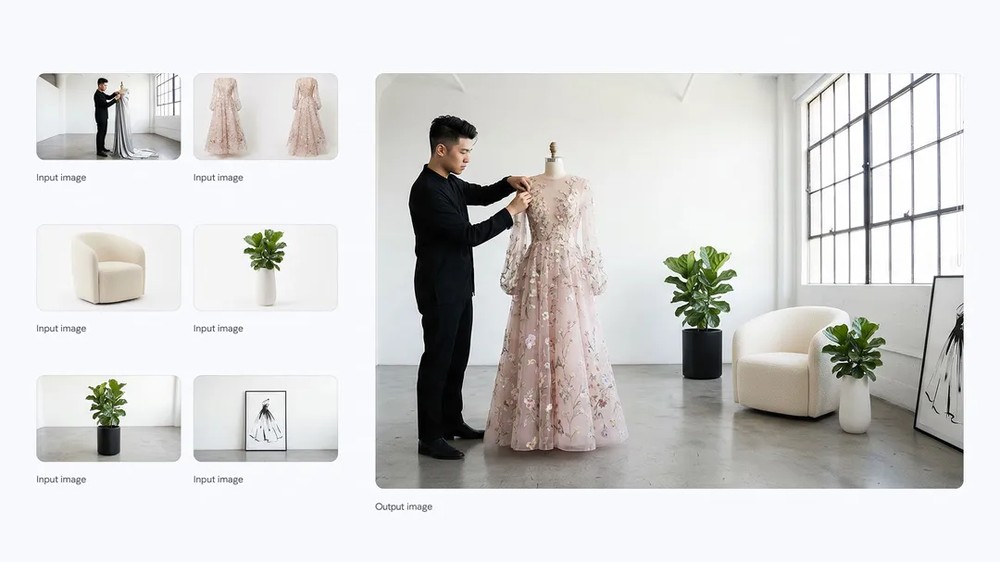
Nano Banana Pro can import 6 to 14 completely unrelated images and automatically maintain: consistent character appearance, consistent style, coherent story narrative, and even merge multiple images into new works.
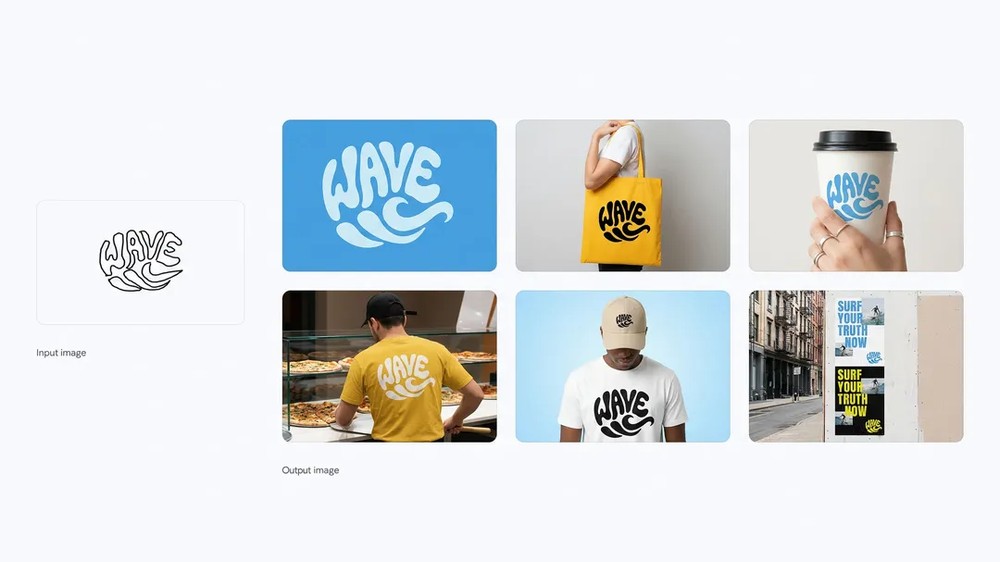
7. You can also easily maintain a consistent brand image.
Nano Banana Pro is great for product packaging mockups, advertising visuals, posters, and more, because it can consistently render brand typography, brand colors, logos, patterns, materials, and product appearance with lighting.
Finally, Google added that although Nano Banana Pro has been greatly improved, it still has some limitations:
- Small or detailed text sometimes doesn’t render perfectly.
- For data and factual content, you need to verify the accuracy yourself.
- Multilingual translation may produce grammatical errors.
- Complex image blending or lighting changes may occasionally produce unnatural artifacts.
- Character consistency is mostly good, but there can still be deviations in certain situations.
Now we can create unlimited 4K images here:
Source: KOCPC Chinese