


Modern people have a lot of troubles in their lives. Low battery or even no battery on the mobile phone is the most troublesome thing, so you will do your best to save consumption. Your iPhone and iPad can tell you which apps are draining battery power, whether they are active or running in the background. You can use this information to reduce usage or completely delete unnecessary but wasted apps to save battery.
Teach you to check the power-consuming apps on your iPhone or iPad and fundamentally solve the problem of excessive power consumption
View apps by battery usage
Battery information can be viewed through the settings menu of your iPhone or iPad:
- Open the Settings app and tap “Battery”.
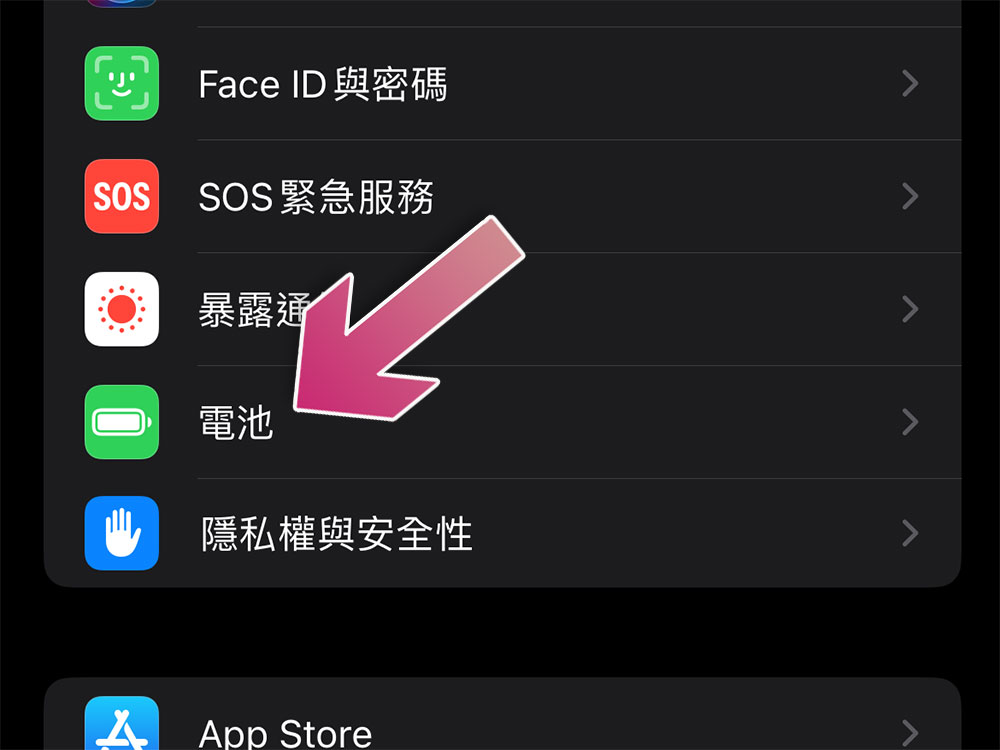
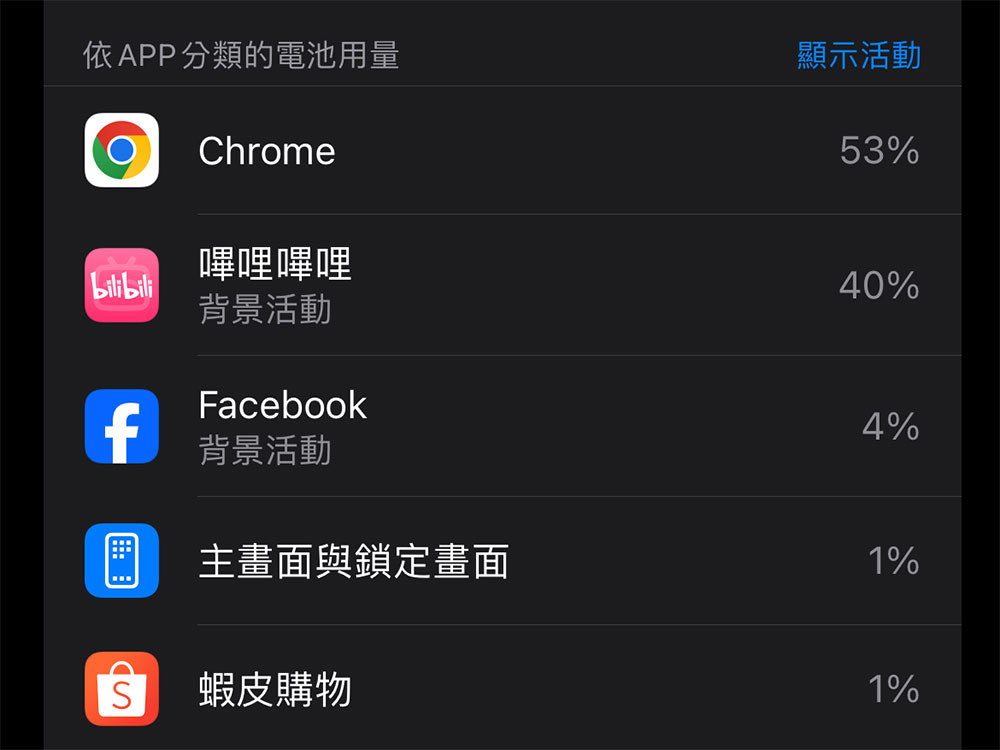
- First, you will see the percentage occupied by each application that is currently consuming power. The one that uses the most power is ranked higher.
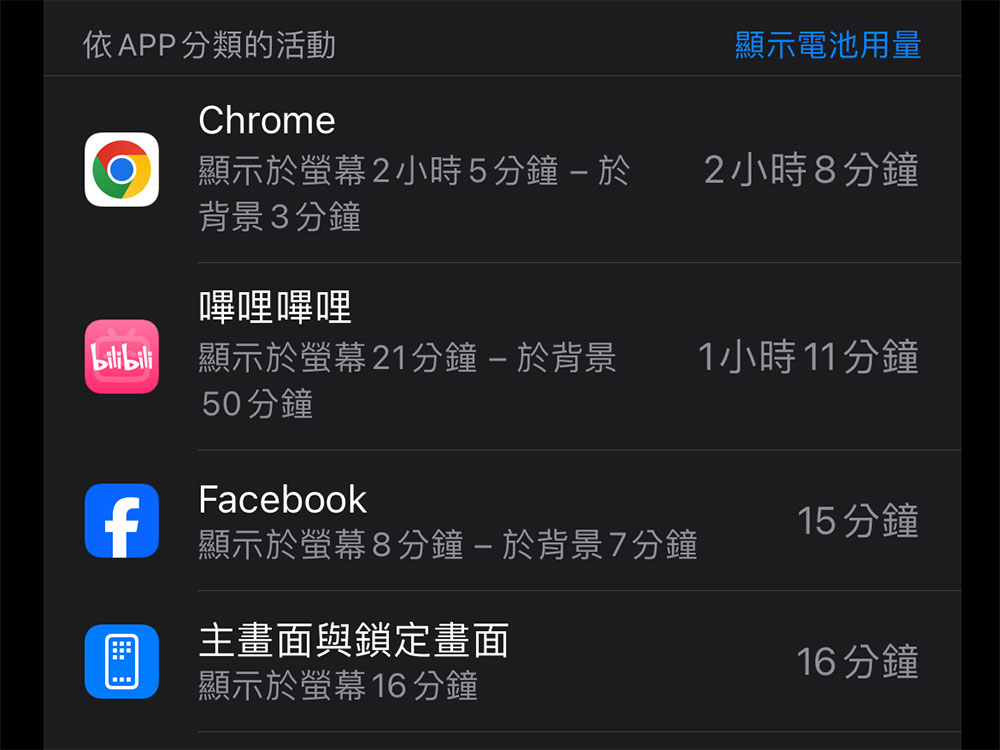
- Clicking the blue “Show Activity” text will show you the number of minutes each app has been active on the screen, in the background, or both. You can also click on the application name to display activity time information for all applications.
Understand battery usage
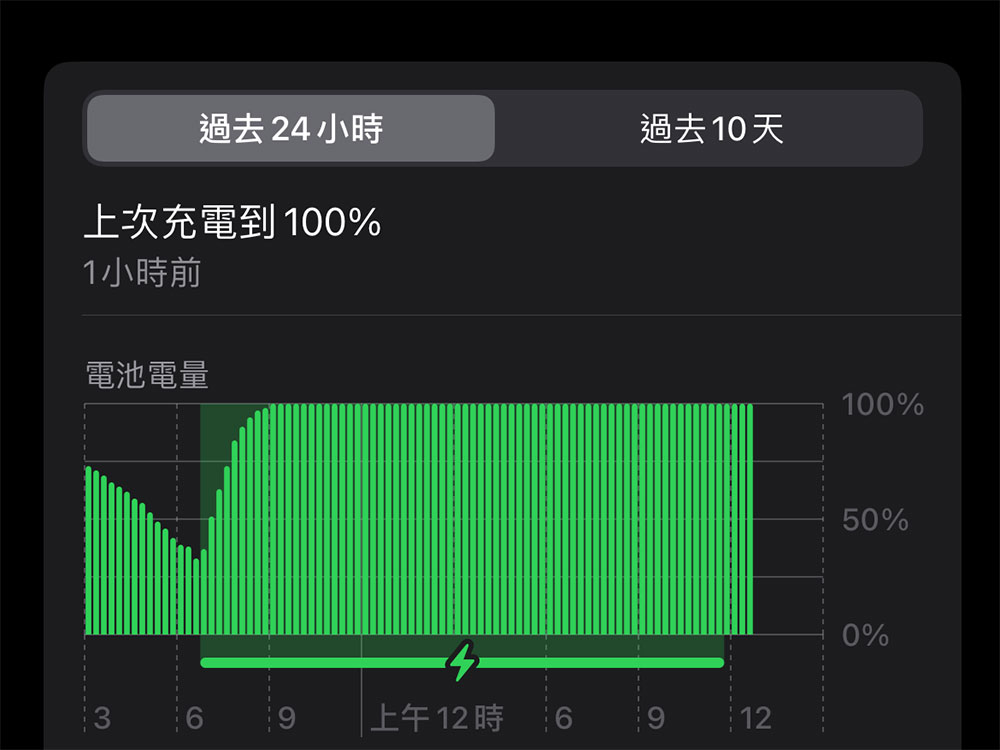
There are two different paginations available in the battery usage list. You can view an app’s battery usage over the past 24 hours or a specific time period (such as the past 10 days) by clicking on any tab to see the list. Below you can see when the battery was last charged and the percentage of charge.
Below there is an activity diagram. A long blue bar appears indicating how long the screen has been active in minutes over the past 24 hours. The long blue bar shows the situation when the screen is on, and the light blue bar shows the situation when the screen is off. You can also view the total time of screen on and screen off below the chart.
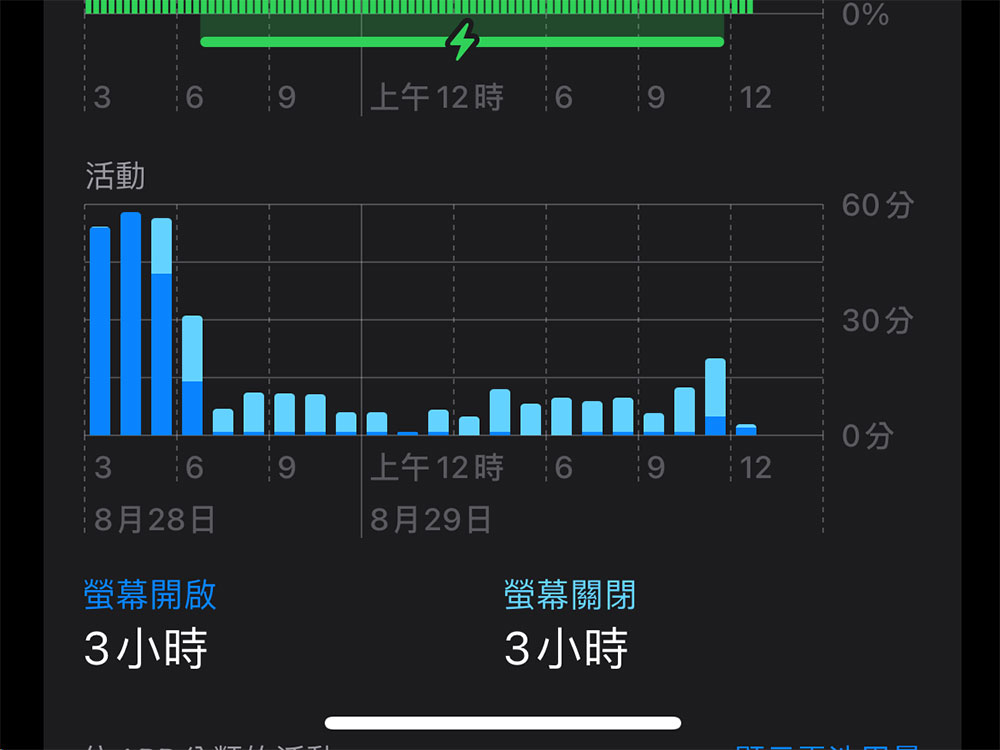
You can’t take any action from this specific screen. As we mentioned before, clicking on the app’s name will display the minutes on the screen and in the background. iPhone and iPad screen power consumption information works differently from Android. When you fully charge the device, Android’s data is reset, so the screen always displays data from the last full charge cycle. On iOS, it always shows battery usage over a specific period of time, such as 24 hours or days. For example, if you use your device frequently and charge it three times a day, the Last 24 Hours list will show battery usage for the last three charges.
Let apps consume less battery power
In most cases, the apps shown in the list are draining your phone’s battery because you have the device turned on and are actively using the app. So if you see Chrome at the top here, it’s because you spend a lot of time using Chrome on your device. That doesn’t mean you shouldn’t use Chrome, as indicators help you understand the direction of your power consumption. Of course, not all apps use the same amount of power. Graphics-intensive games can use up more battery life in 10 minutes than Chrome or other basic apps, and they can also make your iOS device warm.
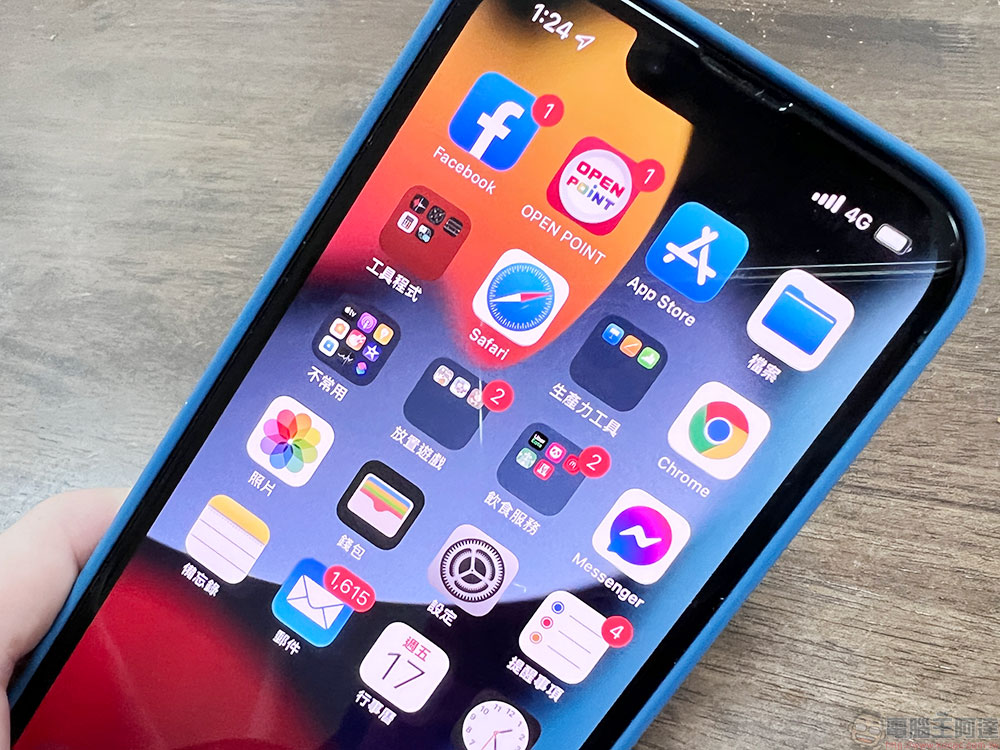
For most of the apps listed on the power consumption list, there’s not much you can do to proactively reduce your power usage other than reducing your usage. If you see a game consuming a lot of battery, take note of how much that game consumes while you play it. If you want to play some games to pass the time but want to use less, consider focusing on less graphically intensive games.
Apps that limit background activity
Some apps in the power consumption list have a background activity flag, which means the app consumes power by running in the background. For example, the mail application automatically fetches new messages in the background.
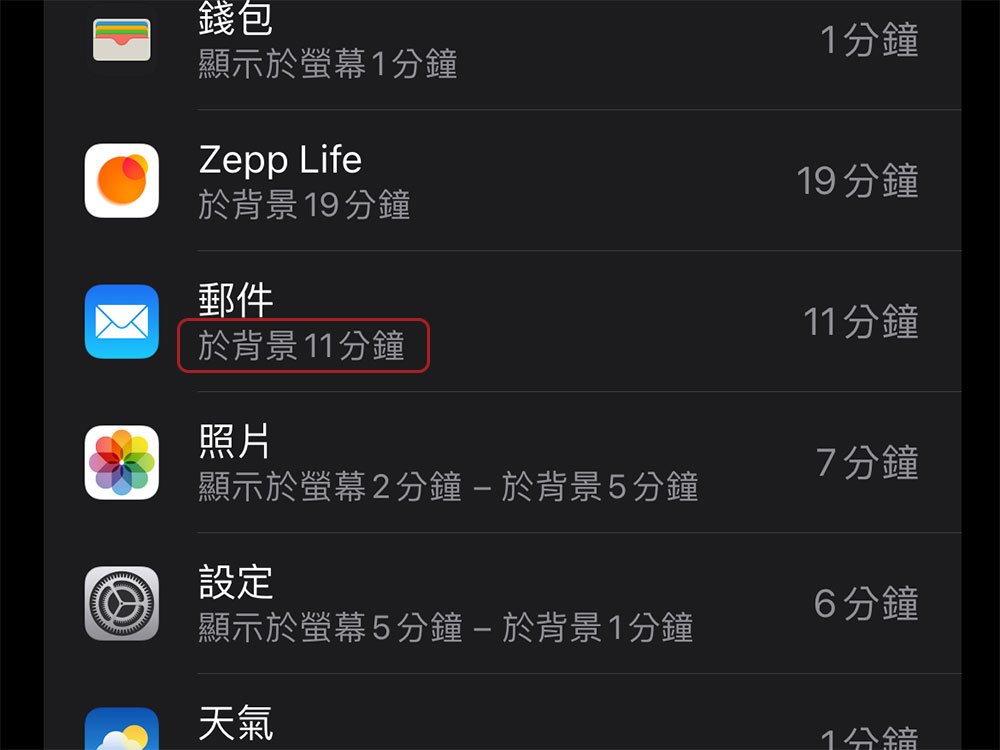
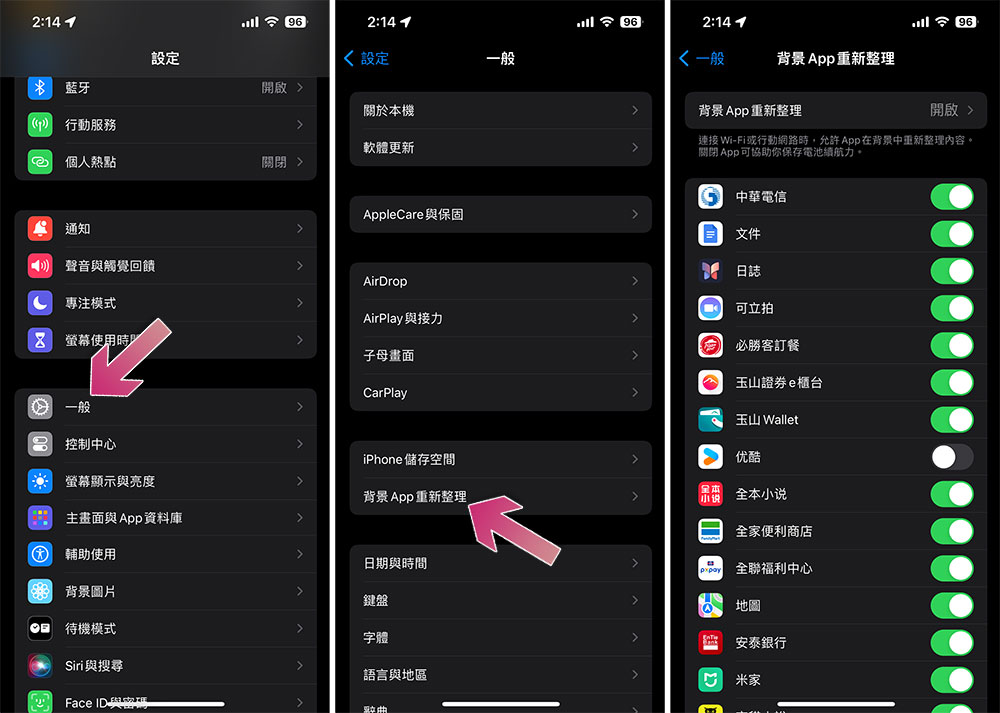
To prevent apps from running in the background, go to “Settings >> General >> Background App Refresh”. By closing these apps, you can stop background updates of power-consuming apps here, which prevents these apps from updating information in the background.
Keep in mind that other factors can shorten your device’s battery life. For example, displays use a lot of power (so turn down your display brightness for longer battery life), as do push notifications, location, Bluetooth, and other features. If your battery usage remains normal but your device is draining quickly, you should look for ways to extend the battery life of your iPhone or iPad. If that doesn’t work, it may be time to replace your iOS device’s battery.
Source: KOCPC Chinese