


In the latest version update provided by the Windows Insider Program of the Windows 11 Developer Channel, new Energy Saver power saving features and related experience improvements are further provided. Continue reading Windows 11 begins testing the new Energy Saver power-saving feature.
▲Photo source for this article: Windows Insider Blog
Windows 11 starts testing new Energy Saver power saving feature
Qualcomm’s latest ARM processor Snapdragon It seems that Microsoft is also planning to make more optimization adjustments to its own Windows system to more effectively extend battery life.
In the latest version 24H2 (26120.1340, KB5040557) update provided by the Windows Insider Program on the Windows 11 Developer Channel, new Energy Saver power saving features and related experience improvements are further provided.
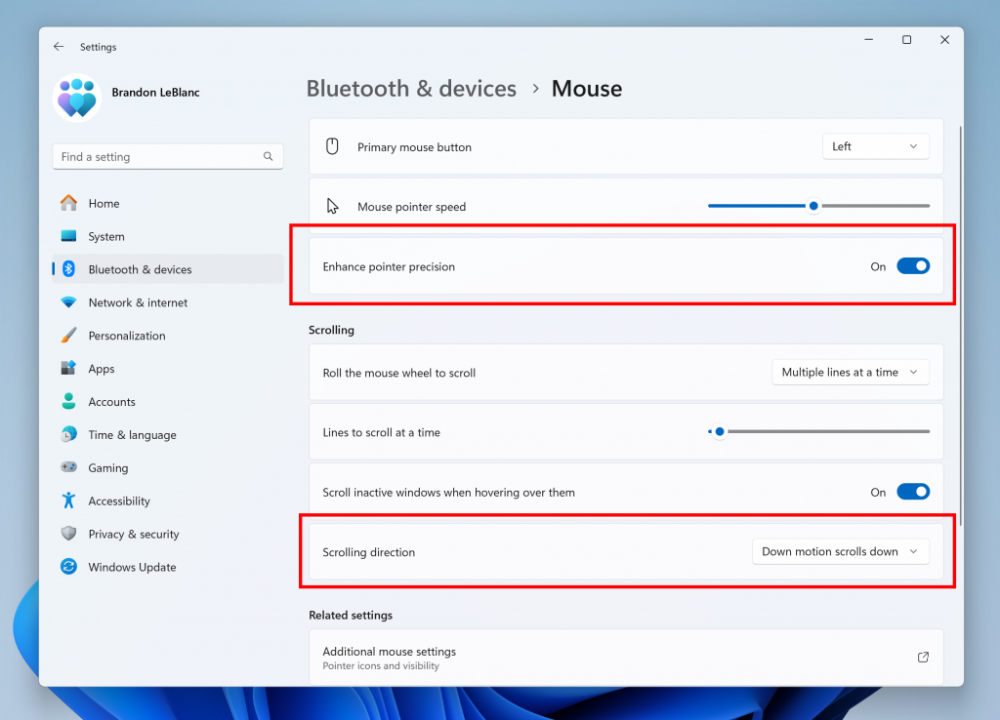
According to the official Windows Insider Blog. In this latest Dev Channel offering. They first provided a turn-off function corresponding to the enhanced mouse pointer accuracy setting option (in “Settings > Bluetooth & Devices > Mouse”). In addition, multiple settings can be made for the mouse scroll direction.
In addition, for the Voice Access voice control function, the spelling and correction performance of this function has been improved. Not only is it more fully enabled, the spelling experience is also faster and offers more editing flexibility.
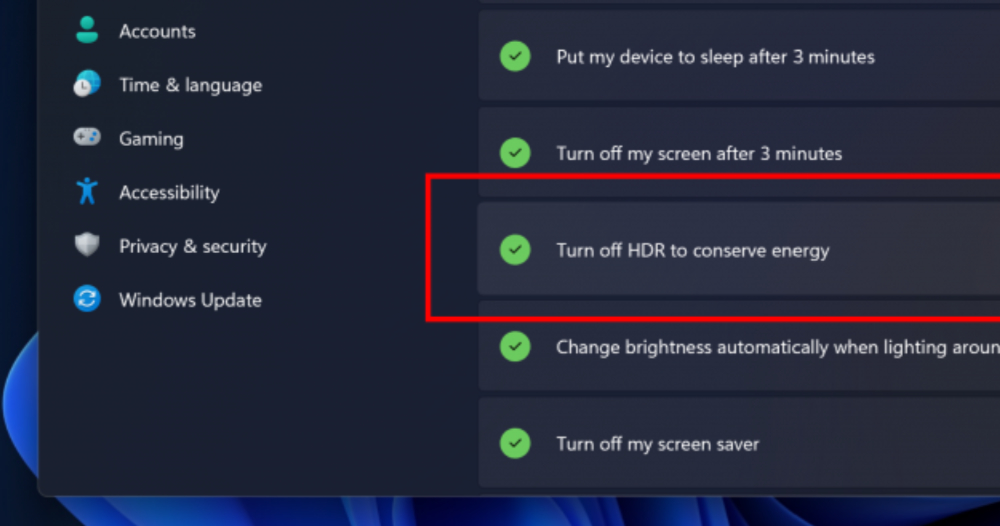
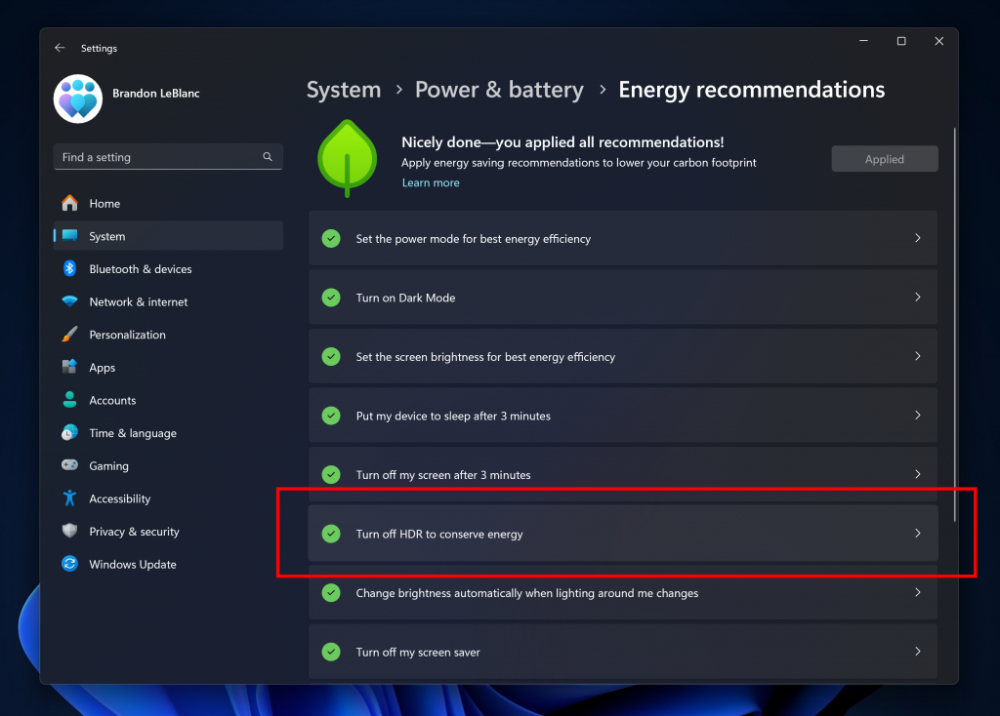
Come to the Energy Saver section. Microsoft has added a new switch option setting for the HDR display function in the detailed settings of “Settings > Power & Battery > Energy Saving Recommendations”. Users who want to have further control over the Energy Saver power saving mode can choose whether to temporarily cancel this function in the power saving mode for PCs with HDR display capabilities – are you accustomed to the HDR display effect or need to confirm the image through such display specifications? I believe there are some people who do not even want to turn off the power saving mode?
In addition, after installing this update, Windows 11 will also issue a notification to remind you to remember to plug in the power cord when the power is less than 20% for laptop users who always activate the Energy Saver power saving mode – obviously to avoid the problem of the computer being silent and being completely out of power/shutdown protection without noticing.
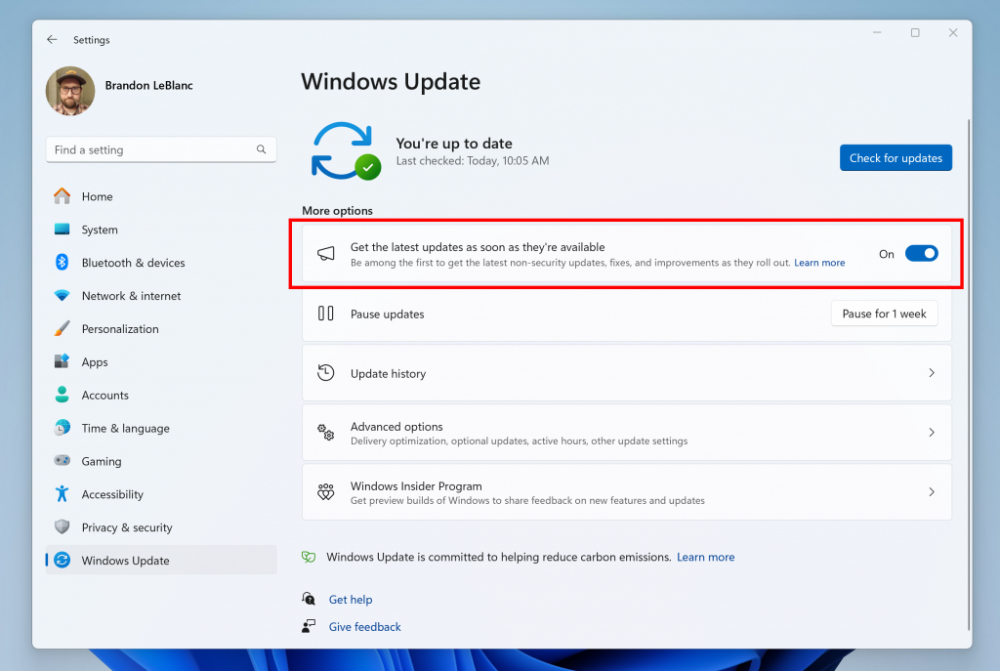
Since the above functions are basically still provided in the developer channel, it may take some time before the official version update provides these new functions. So if you want to enjoy these new features early, you may have to follow the instructions on the official blog to obtain test qualifications. This is also the key point to pay attention to.
Quote sources:Windows Insider Blog|Via:Neowin|
Further reading:

Source: KOCPC Chinese