


current AI It’s honestly a bit exaggerated—it just keeps getting better, even tutorial articles work. In the past, writing tutorials always took a lot of time. Besides trial and error, I had to take screenshots of each step and finally add the text. But now with this “Smart Writing Flow,”toolAI can help you create basic instructional articles, and not only with images and text, but also video demonstrations.
The only thing you might care about is that the “Smart Writing Process” isChinaThe tool was developed by the company, so text written by AI will be in Simplified Chinese, and you’ll need to manually convert it to Traditional Chinese afterward.
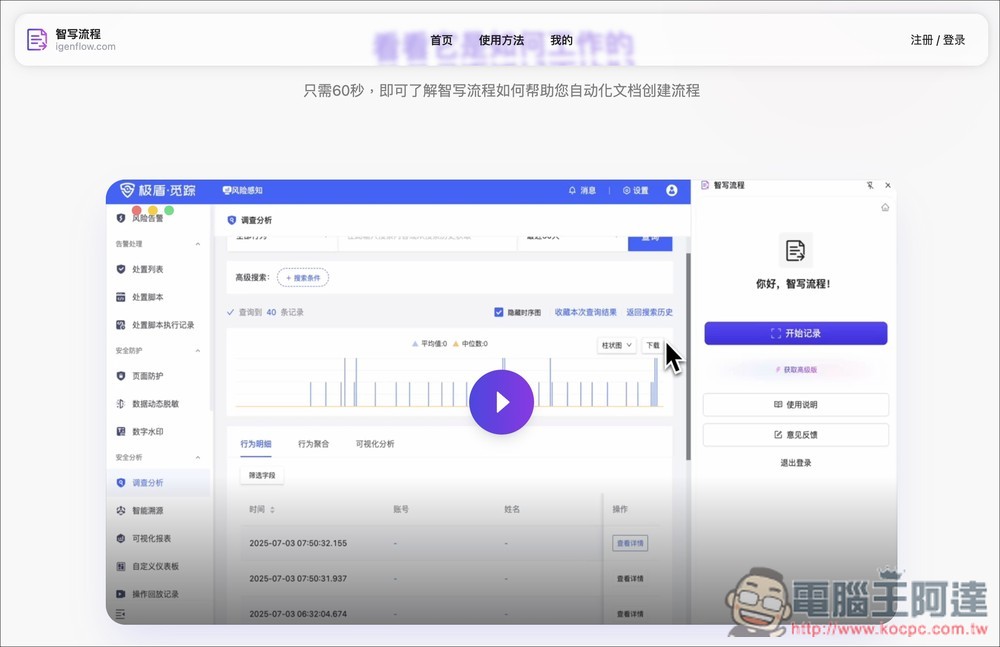
The “Smart Writing Flow” uses AI to automatically generate instructional articles, video demonstration introductions, and operation tutorials.
Smart Writing Flow is an AI automation tool specifically designed for creating operational instruction documents. Its biggest highlight is that it automatically records every action you take while operating a website, including mouse clicks, keyboard input, page navigation, and more, then generates a flow document with images and text. This means that the workflow that previously required you to take screenshots, paste images, and write steps yourself can now be easily completed by simply pressing the record button.
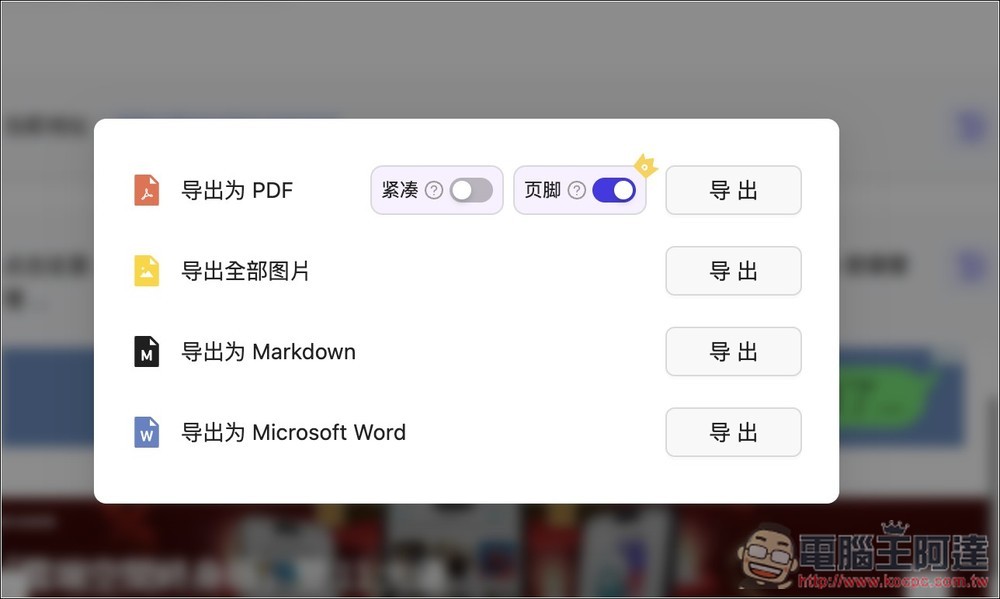
Of course, the generated content can also be freely edited, including adjusting the order of steps, adding or modifying text, deleting unneeded steps, or adding clearer explanations. Once finished, you can directly share a link or export it in formats such as PDF, Word, and Markdown.
Key features
- Automatically record operation behavior: automatically capture mouse, keyboard, and page navigation actions.
- Automatically generate illustrated tutorial workflows: each step includes screenshots and descriptions.
- Editable and adjustable content: supports adding or deleting steps, modifying text, and supplementing details.
- Multiple export formats: Supports common formats such as PDF, Word, and Markdown.
- One-click sharing: generates an online link to share with the team.
- Boost Efficiency: Officially claimed to improve document creation efficiency by up to 85%.
Go to the Smart Writing Process
After clicking the link above to go to the official Smart Writing Flow page, choose the version you want to use. It offers “Offline Installation,” “Chrome Web Store,” and “Edge Add-ons Center.” I use the Chrome extension:
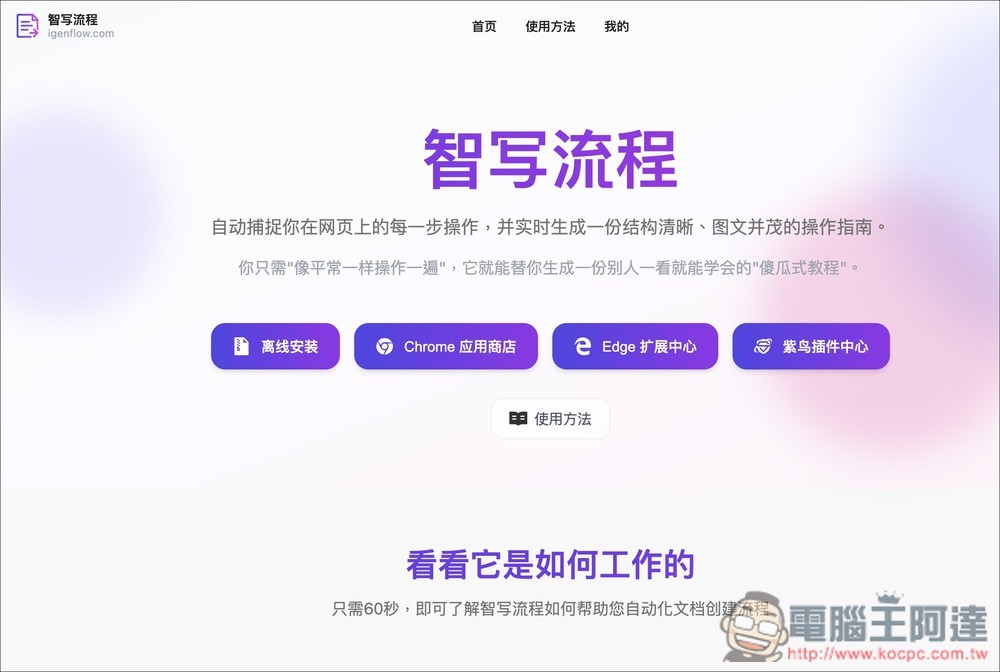
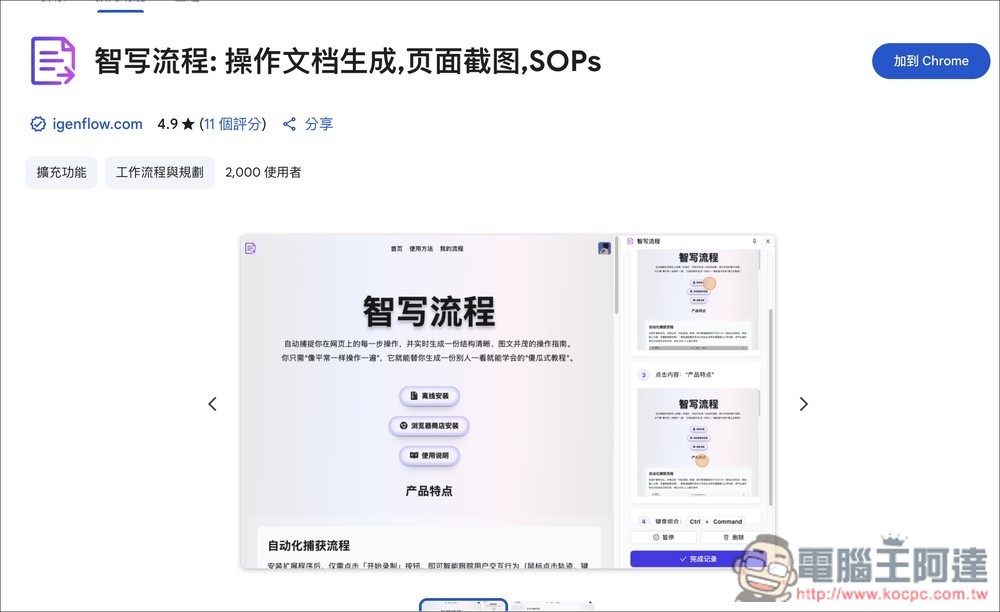
Clicking will open the store page, then click Add to Chrome at the top right:
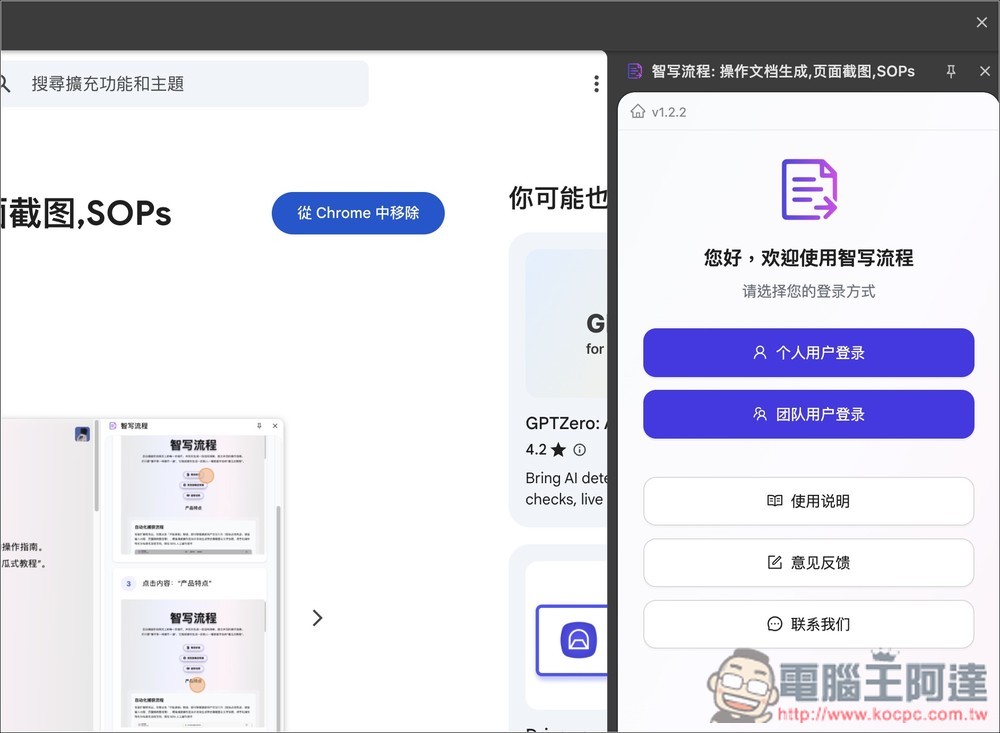
After installation is complete, the Smart Writing feature will appear on the right side of the browser. You’ll need to log in to your account to use it. Note that personal user login currently only supports WeChat—no other login or registration methods are available.
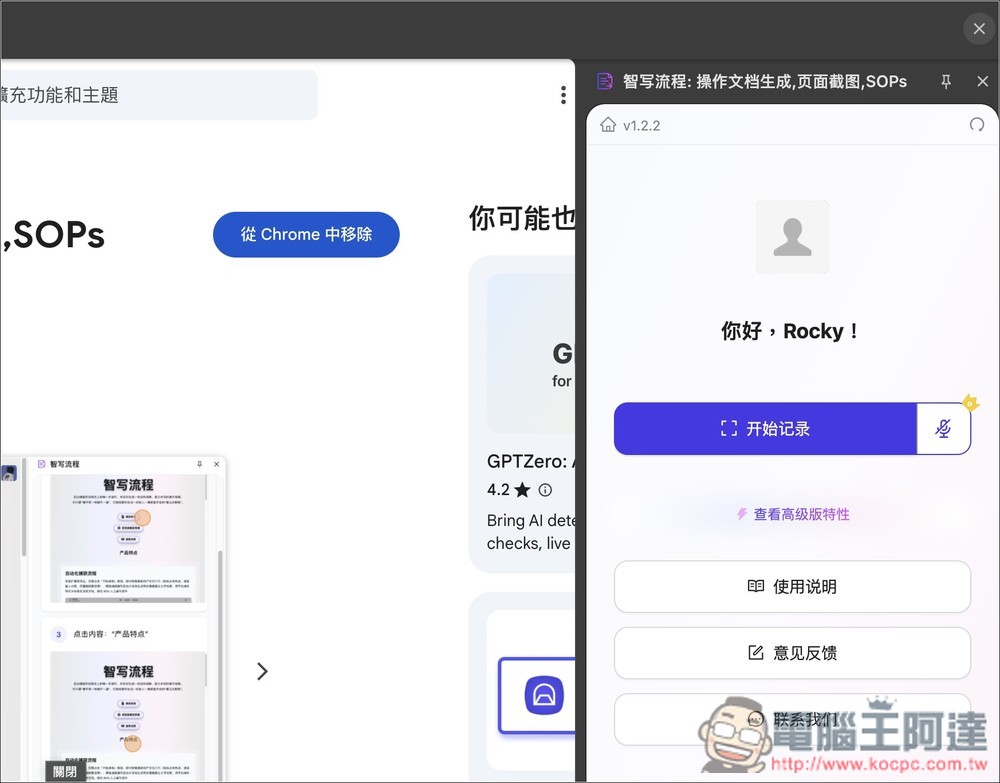
After logging in successfully, click “Start Recording” on the right, and the AI will start recording and writing documentation without needing to set up anything:
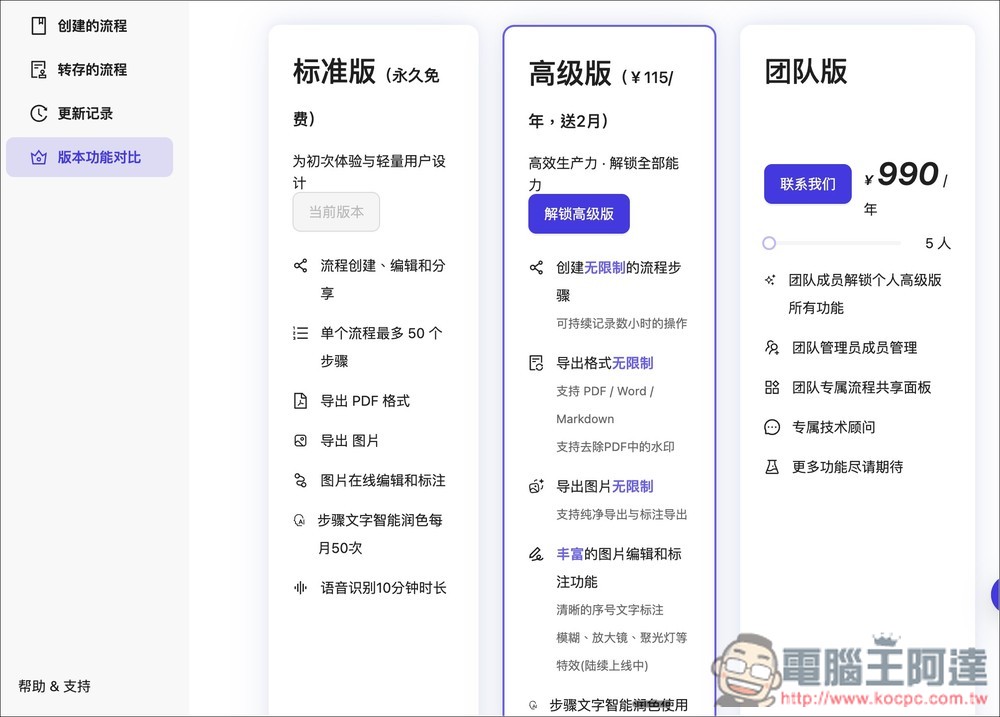
Additionally, this tool also has a free version and a paid version. For general use, the permanently free standard version is more than enough. Each recording supports up to 50 steps, and you can also share links and export PDF format:
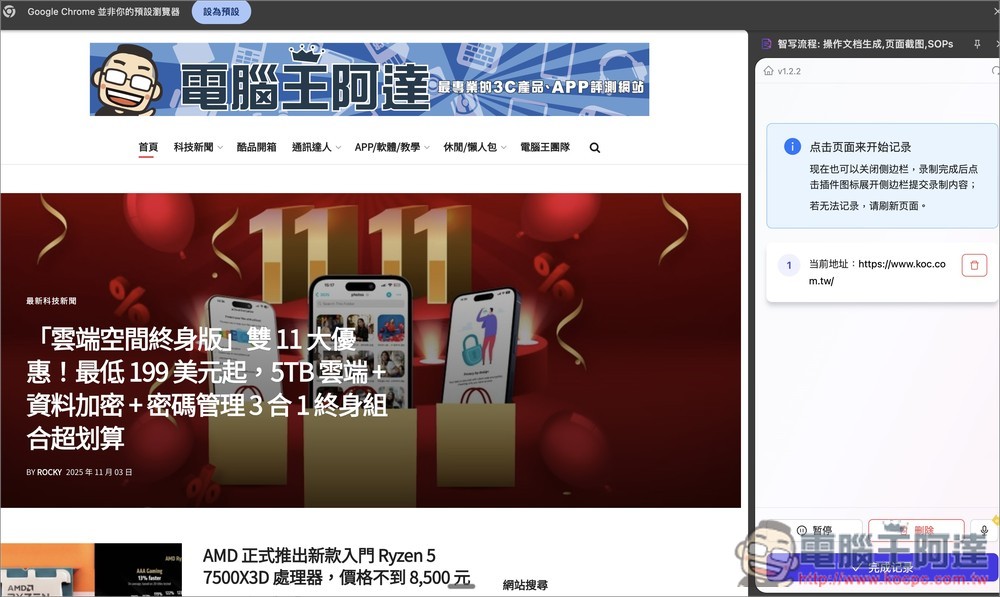
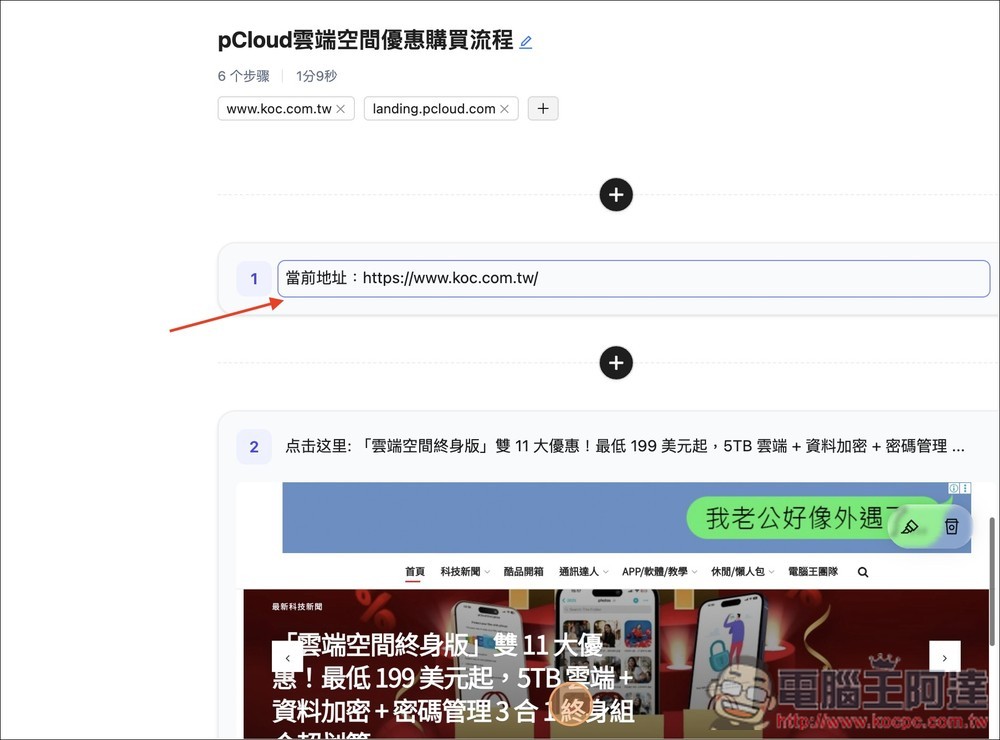
When starting a recording, the first step is always to note down the current URL. The right side will display real-time recording and generation status:
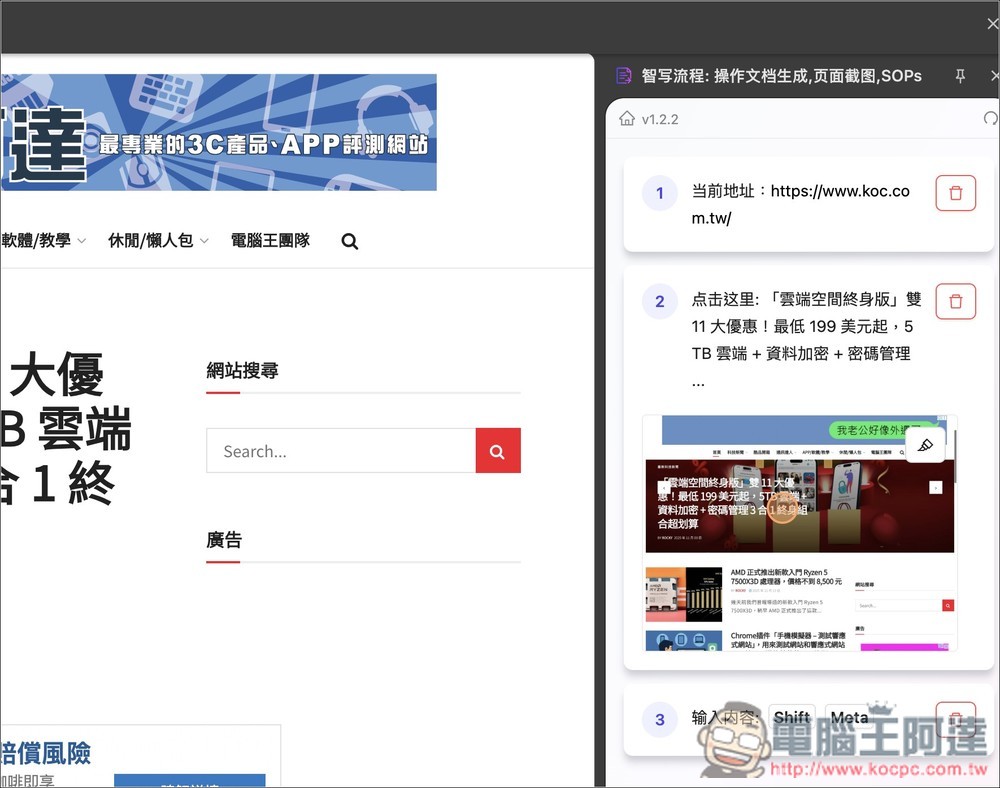
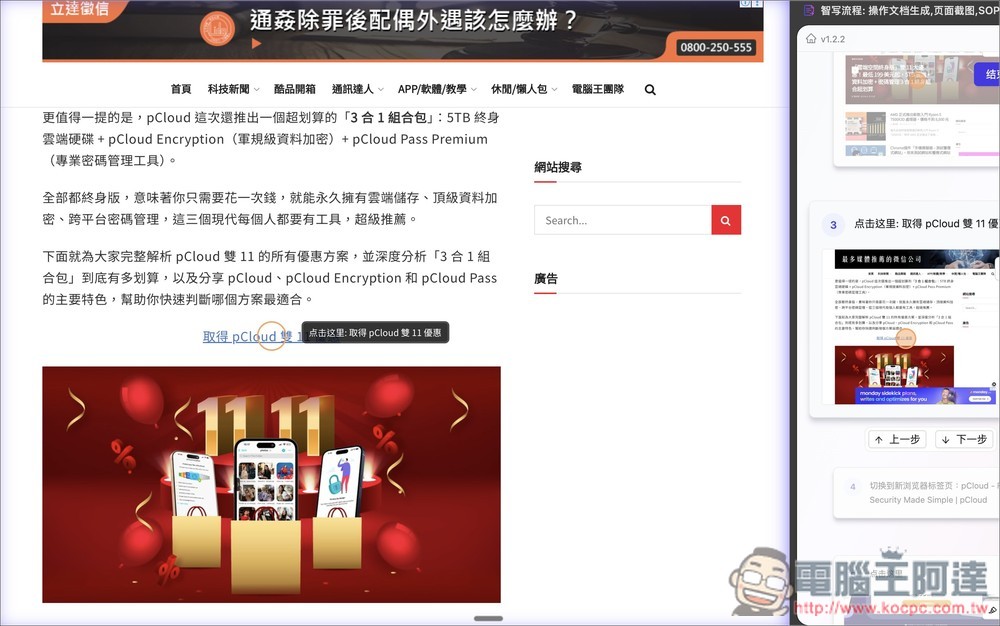
For example, when I click on the pCloud Double 11 promotional article on the webpage, the AI automatically takes a screenshot for me, circles the spot I clicked, and then generates the text “click here…”.
When switching to another browser tab, it also records “switched to a new browser tab.” These texts are all automatically generated by AI:

Then I finished clicking through all the operations, and the smart writing process was successfully recorded step by step. Finally, I clicked the “Complete Recording” button below.
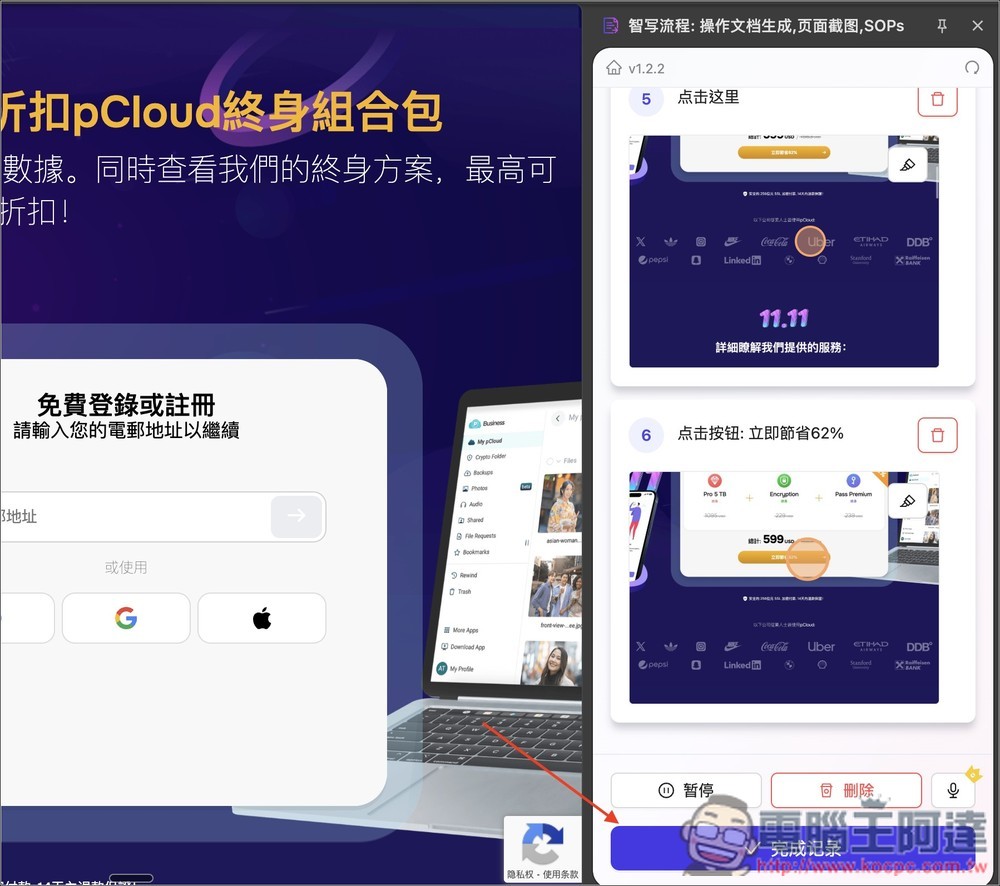
This will open this screen, displaying all the processes just recorded. If you find any that are redundant or incorrect, you can manually delete or edit them:
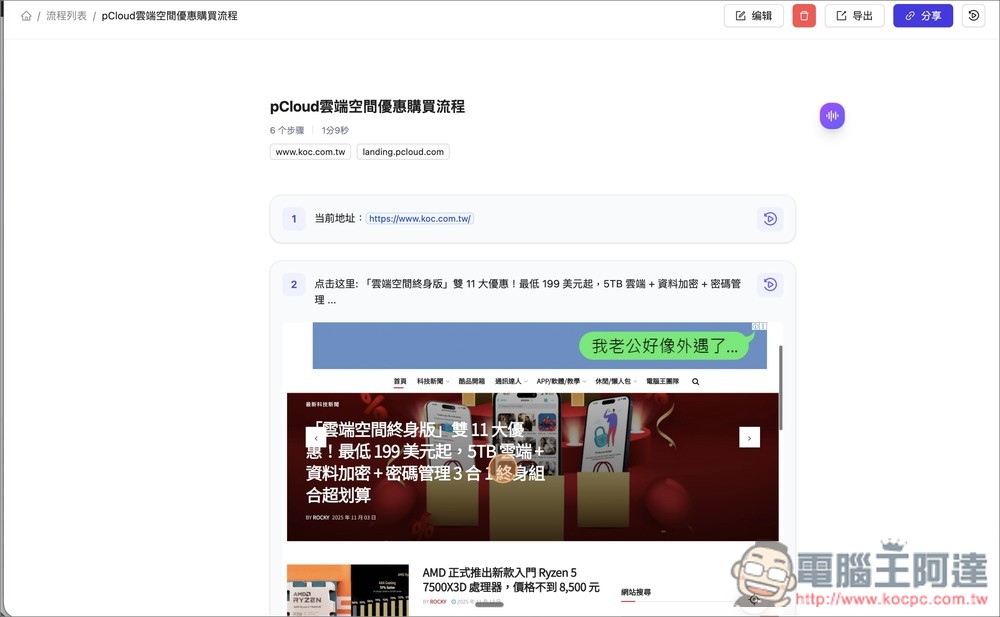
Like converting all the Simplified Chinese into Traditional Chinese.
Additionally, there is a play icon to the right of each step; clicking it will play a video demonstrating that step:
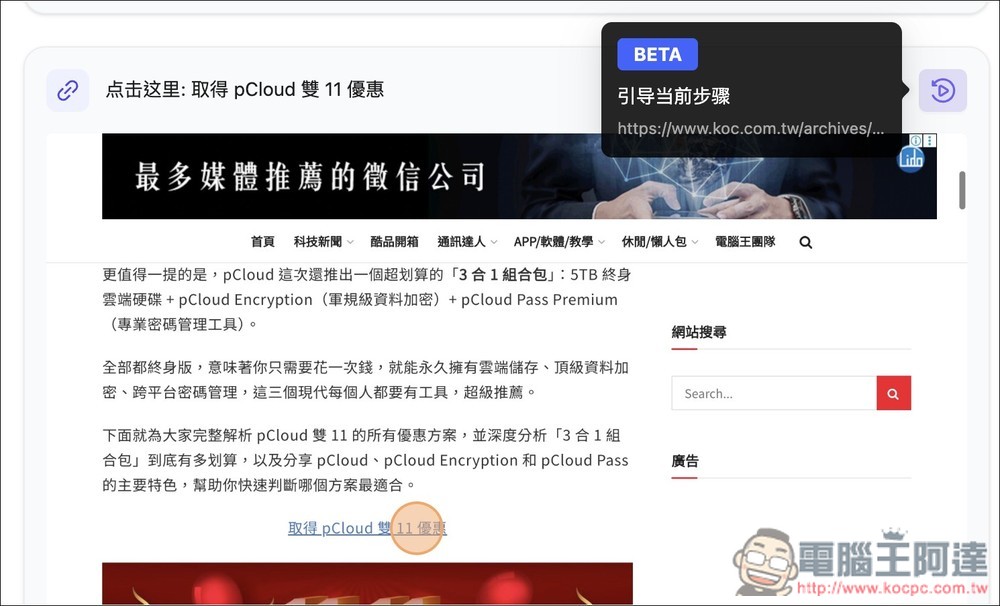
It will be demonstrated on the left side of the screen. With this video demonstration, even if the other party cannot understand the written instructions, they can quickly understand exactly how to operate it:
Supports exporting the following four formats:
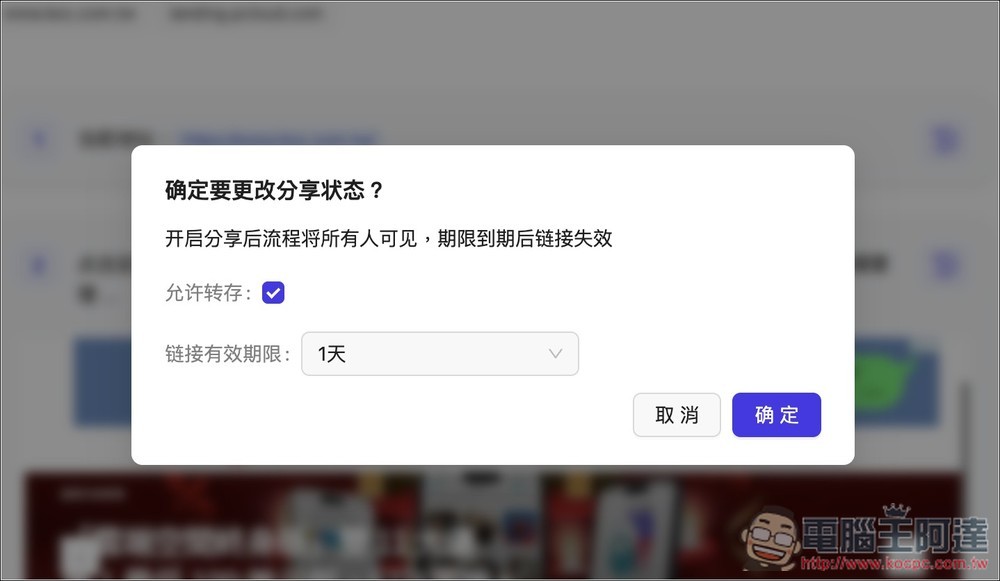
You can also directly share the link to this page with others, and you can set an expiration date for the link:
Source: KOCPC Chinese