


Some time ago, I introduced to you a computer app that supports iOS home screen widgets.desktop calculator”, this time I would like to recommend another Calculator Key computer main screen gadget app that can also support the main screen gadget, and can even use dynamic islands and real-time dynamics. For people who often need to use computer functions, this App can provide more diverse ways to open the computer. Come and see how to use it!
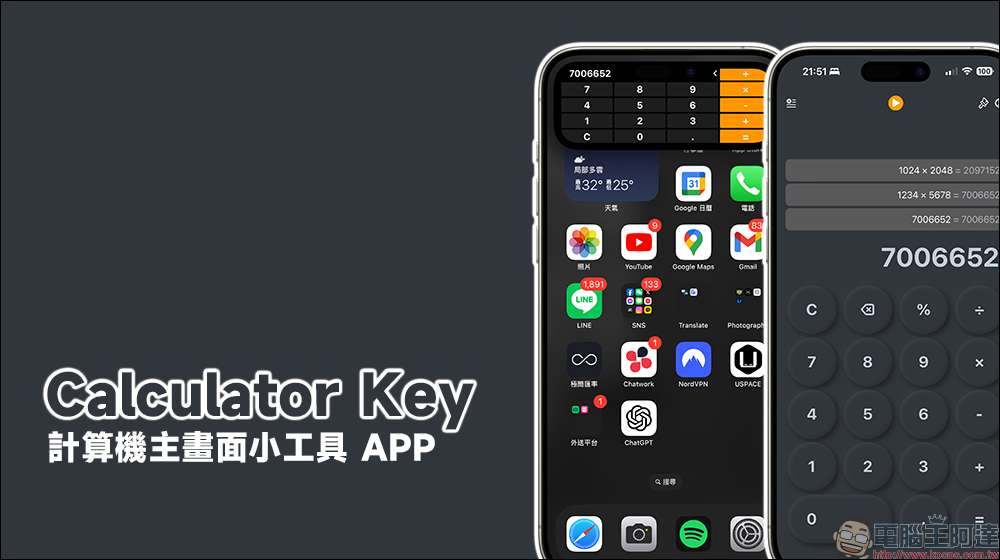
Calculator Key computer home screen gadget APP, also supports dynamic island computer
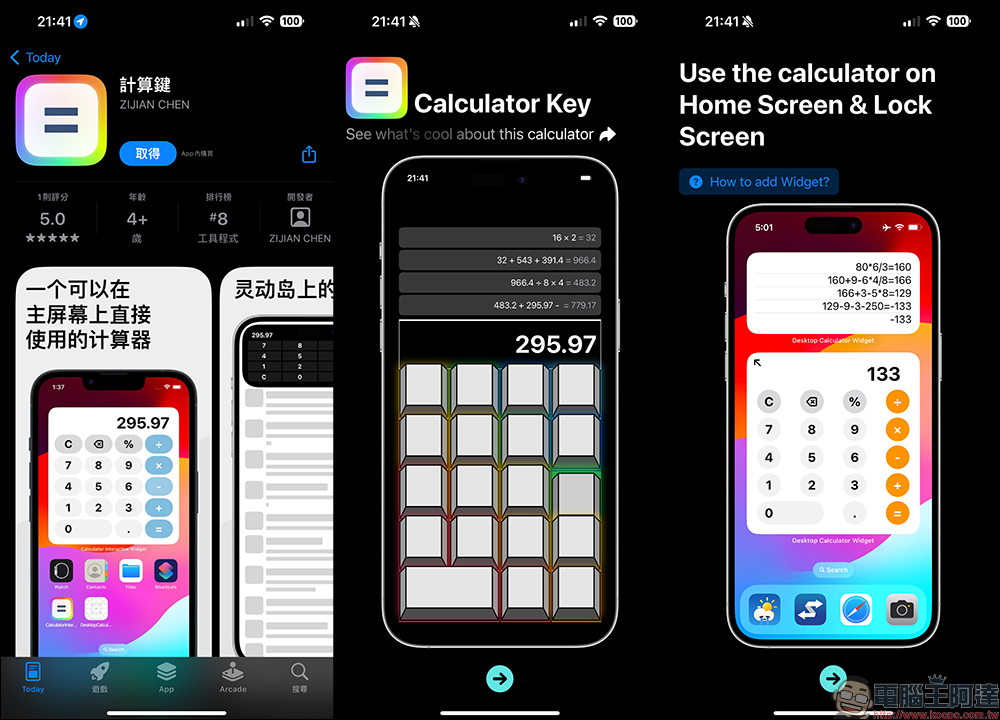
If you want to use the computer functions of your iPhone, but don’t want to find the time to specifically open the app, there are actually many third-party apps that can support the home screen widget function. The Calculator Key app introduced this time not only supports the basic computer interface, but can also be used on the home screen, dynamic island, and real-time dynamics.
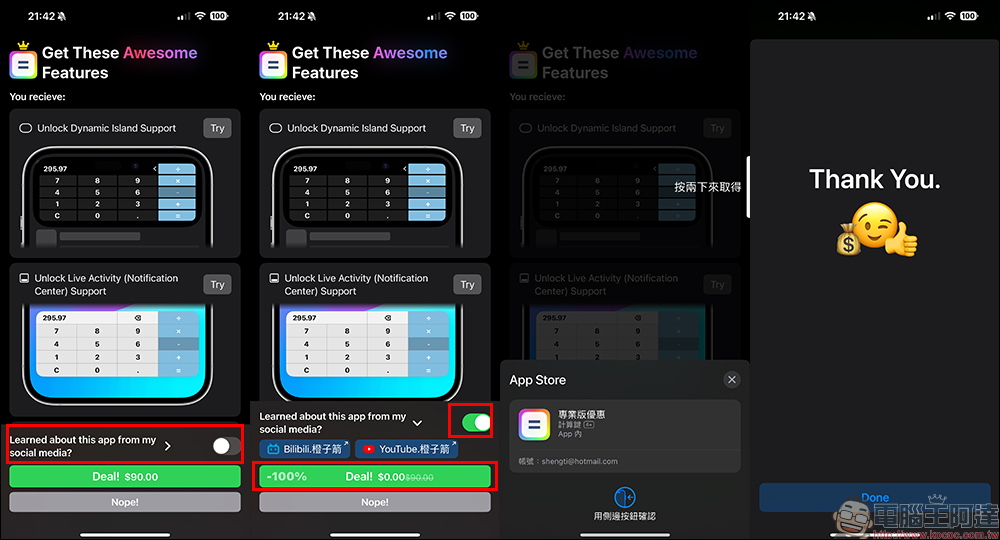
The Calculator Key App is free to download, and you can upgrade to the professional version through in-app purchases to enjoy full functionality, including real-time dynamics and dynamic island calculators, which are available in the “Professional Edition”. Originally, the in-app purchase of the Professional Edition cost NT$90, but turning on the button will unlock it for free for a limited time and enjoy lifetime exemption. Be sure to confirm that after turning on this function, it will be free if the amount is switched to 0 yuan!
If you don’t see this screen when you open the app, you can also click the “Crown” icon in the upper left corner of the screen after opening the Calculator Key App, and then you can still see the screen for upgrading to the professional version.
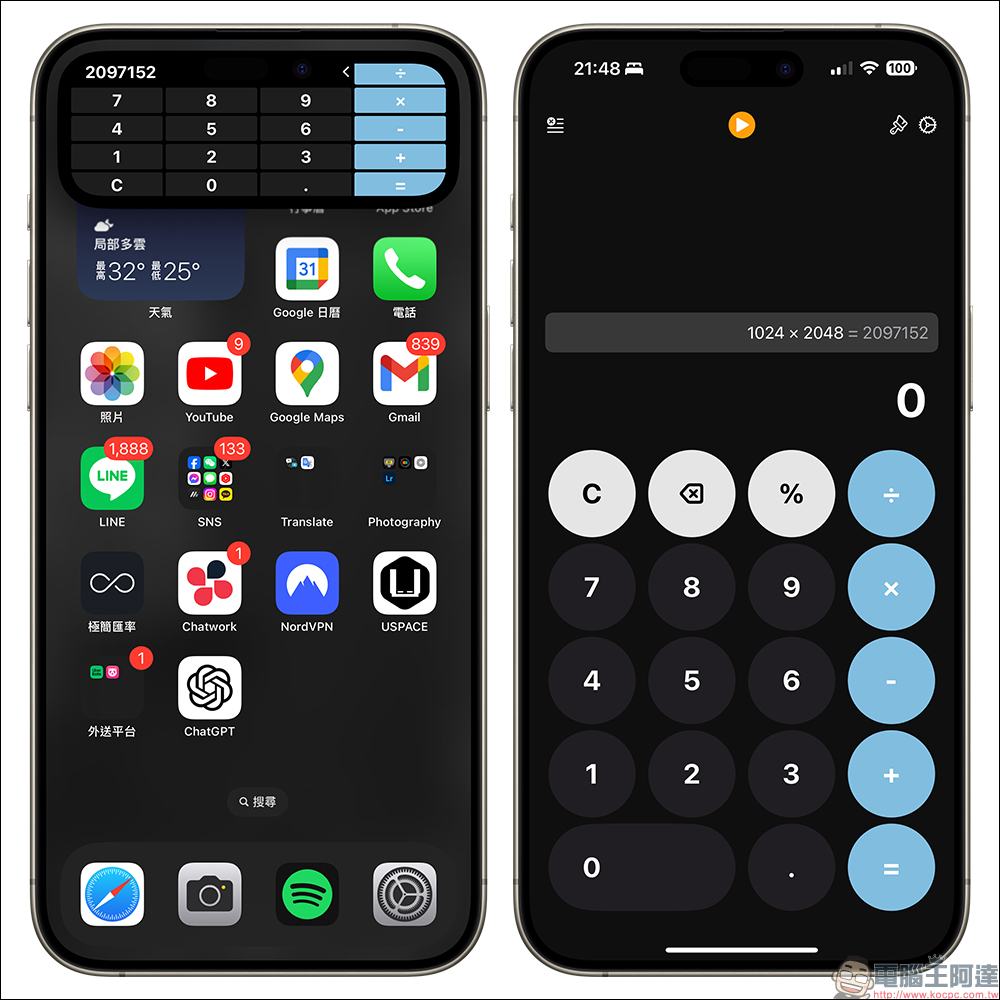
After upgrading to the professional version, click the button above in the Calculator Key App to open the upgraded real-time dynamic and dynamic island calculator. If you want to turn off this feature later, just go back to the App and click the orange button to turn it off.
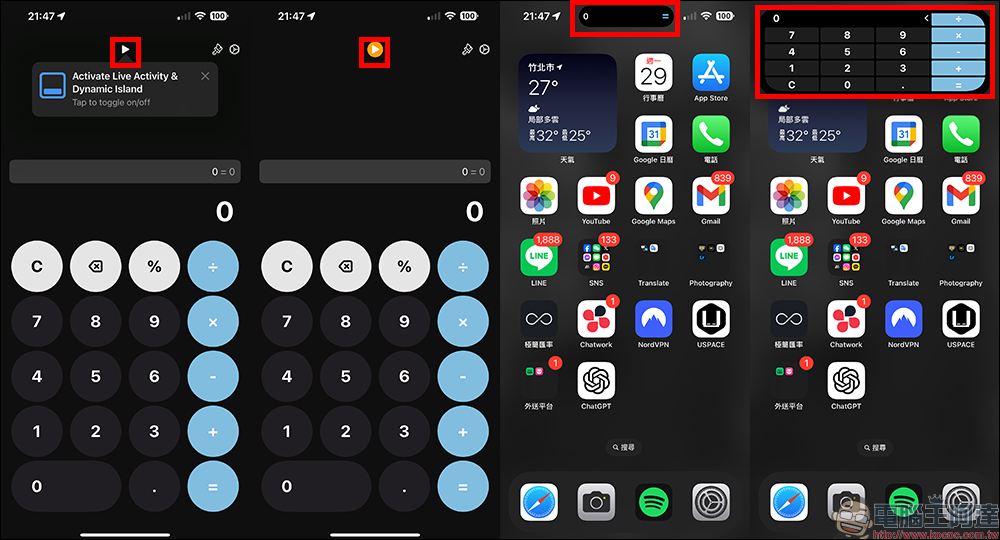
After it is turned on, the Calculator Key will be on standby in the dynamic island. If you need to use computer functions, just press and hold it to open it. You can also click to open the complete computer interface.
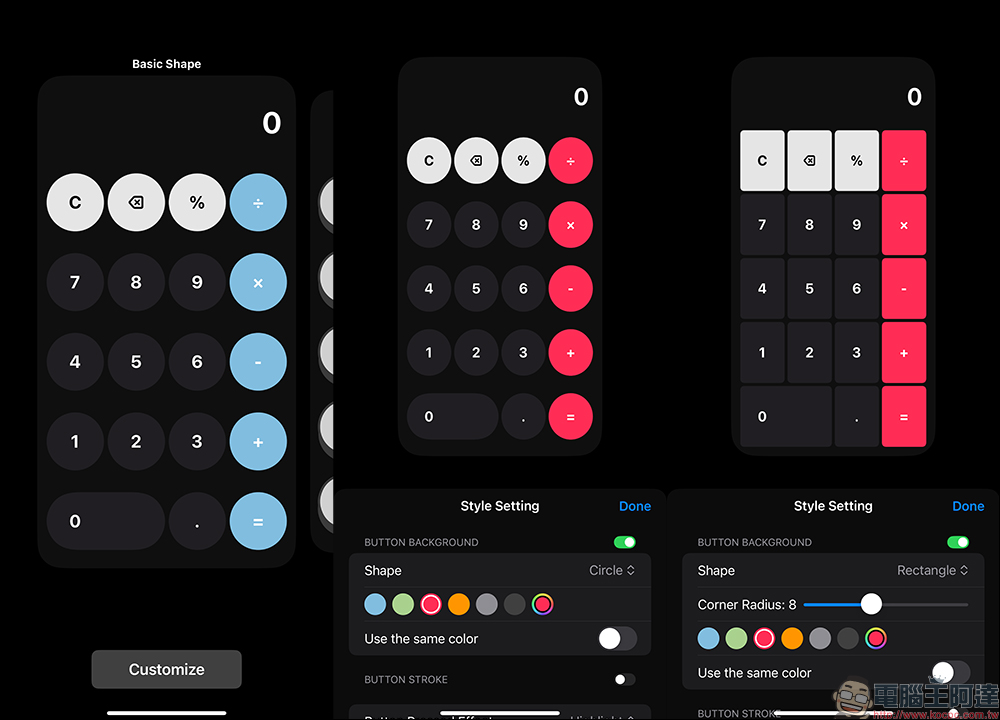
The Calculator Key app also supports a variety of different computer themes, and can also customize button shapes, colors and other settings.
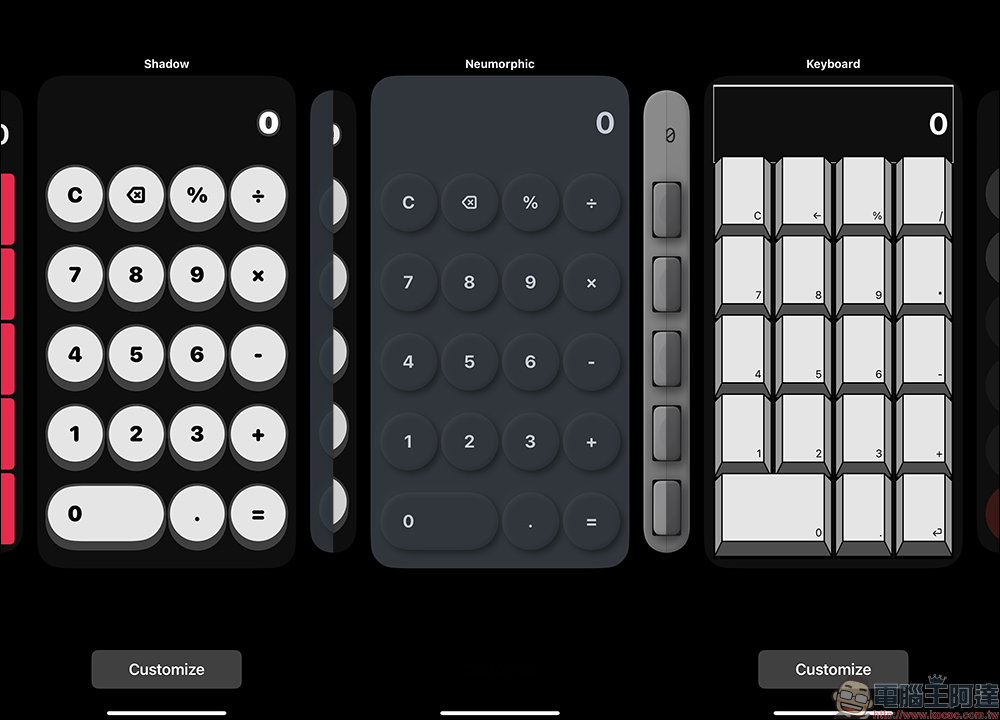
There are quite a lot of other computer themes, and users can find their favorite styles.
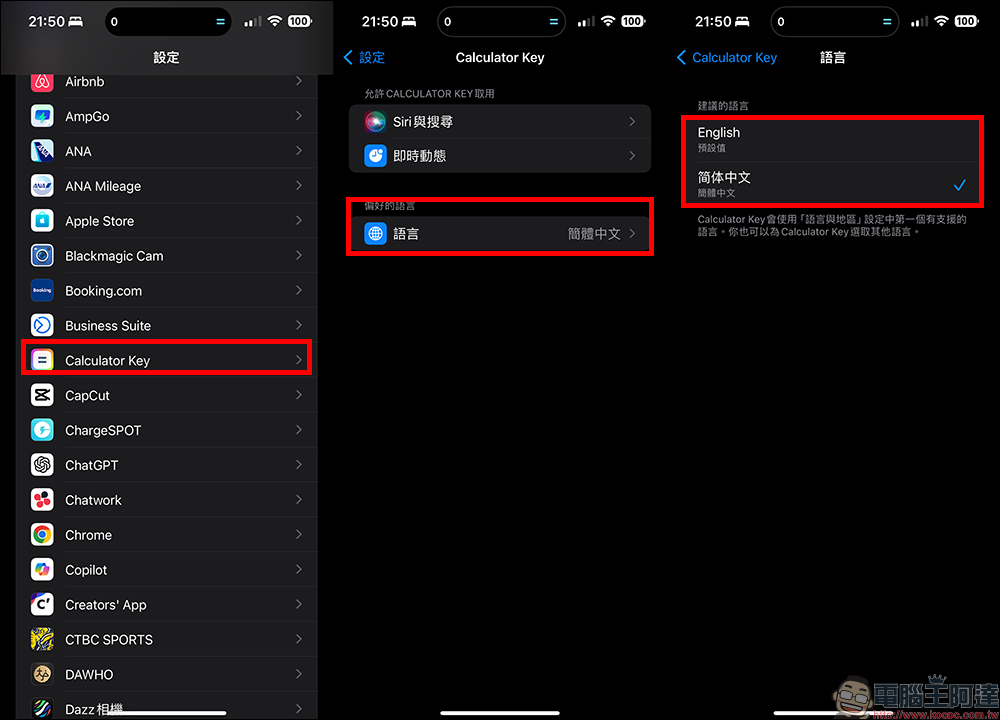
In terms of language, Calculator Key supports English and Simplified Chinese. If you want to switch to different language interfaces, you can find “Calculator Key” in the system settings, and then set it in your preferred language.
Dynamic islands and real-time dynamic computers can also set different button colors and interfaces.
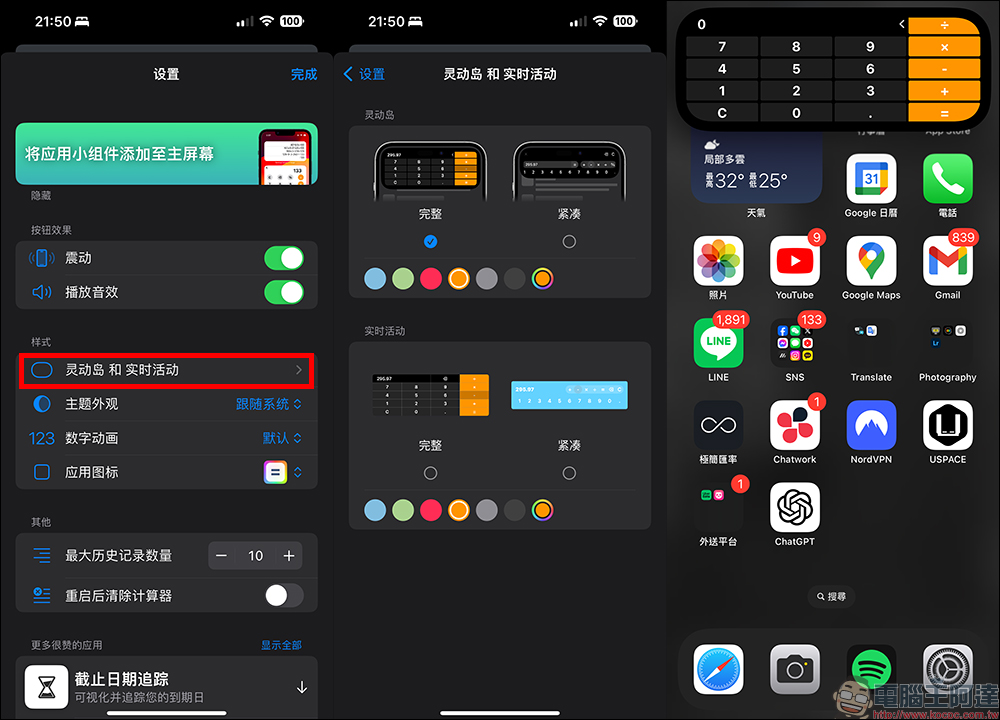
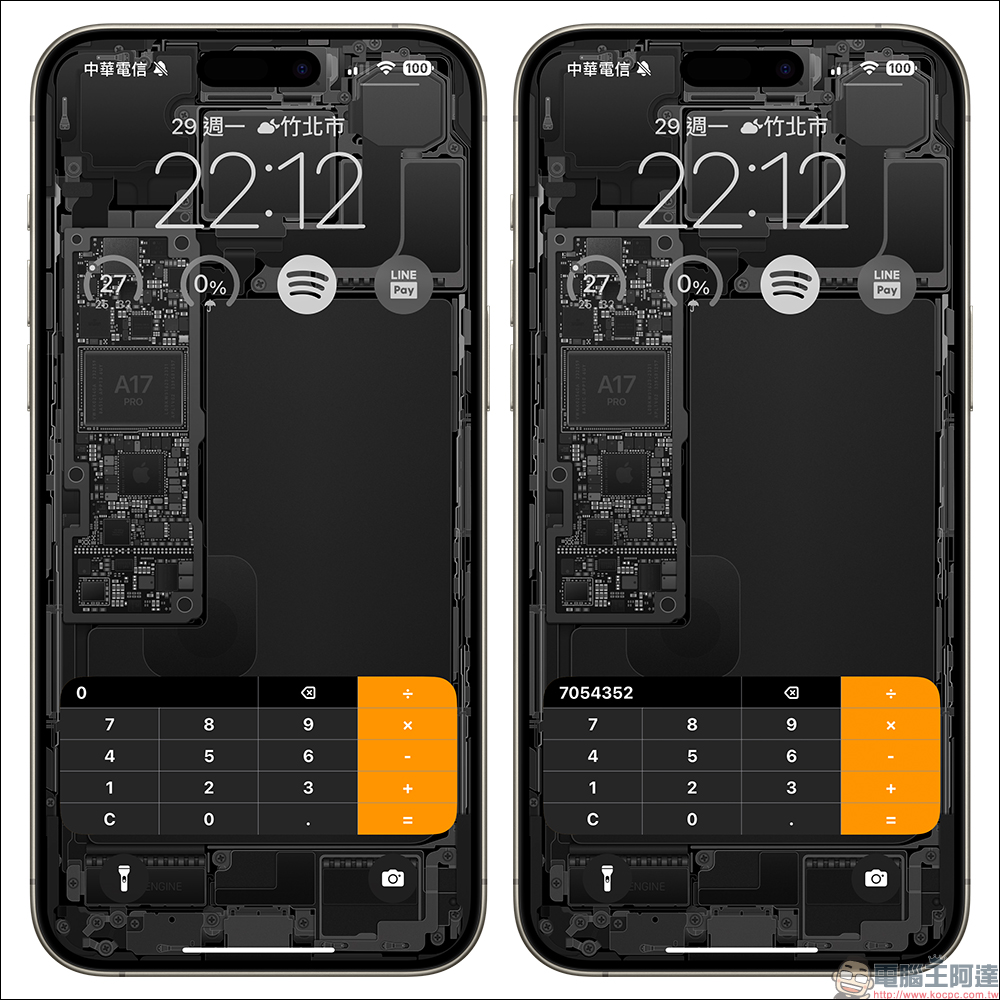
It supports the Live Activity function, so you can operate your computer at any time without unlocking your iPhone.
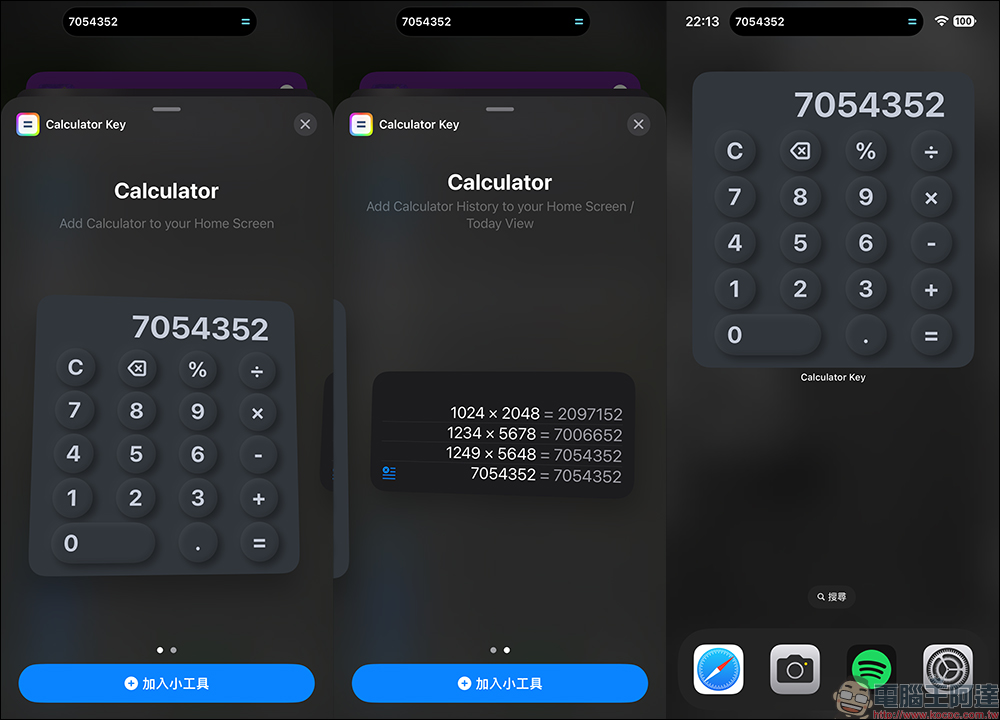
I believe everyone is familiar with how to set up home screen widgets. After opening the Calculator Key App, find it after adding home screen widgets. You will see a selection of home screen widgets that can support two sizes.
Calculator Key App Download (App Store)
Source: KOCPC Chinese