


We often unknowingly put our personal data at high risk, from improper backups to unreliable cloud storage to connecting pen drives to public computers while ignoring security measures. This time, let’s explore the various ways in which valuable data may be compromised and provide some tips and tricks for protecting your personal data.
7 usage habits (and tips) that unintentionally put your data at risk
1. Connect the pen drive to a public computer
Public computers commonly found in public places such as libraries and airports often lack the proper protection of anti-virus software or firewalls. Because anyone can use these devices, browse freely, connect external storage devices, and download untrusted software, they are often victims of viruses or other malware infections. When you connect a personal storage device, such as a pen drive, to a public device, even if you just want to make a quick archive, malware may take the opportunity to transfer to your disk. This not only endangers the data originally stored on the hard disk, but also poses a threat to the data on other devices if you later connect the hard disk to other devices.

To avoid these risks, you should avoid or minimize the use of external storage devices on public computers. If you need to download and use files locally, such as saving and printing, please use a separate flash drive to quickly format it if it is infected. Also, do not connect to a primary drive that contains valuable data when reading.
2. Use unreliable cloud storage services
Although the cloud provides greater flexibility in storing and retrieving data, using unreliable cloud storage services can have disastrous consequences, such as poor encryption, frequent connection interruptions, and data leakage. These services may even lack data recovery systems in the event of accidental loss. Without a comprehensive recovery plan, you may permanently lose the data stored there. Therefore, you should choose a trustworthy cloud storage service. When choosing a service, check reviews and leak history, and make sure it offers end-to-end encryption and multi-factor authentication (2FA or MFA). Verify whether the service has corresponding measures to prevent data loss caused by single point failure, etc.

We recommend not to be cheap, but to choose reputable and trustworthy cloud storage, such as Google Drive, Microsoft OneDrive, etc. At least these familiar brands and products can greatly reduce data risks and provide more complete support services in the future.
3. Failure to back up data properly
Your computer may be infected by malware or ransomware, which may cause data damage or be hijacked. If you don’t back up your data properly and meet ransom demands from unscrupulous parties, you run the risk of losing your data completely. Therefore, it is absolutely necessary to take proper backup measures to avoid losing important files and valuable memories in the event of such an incident.
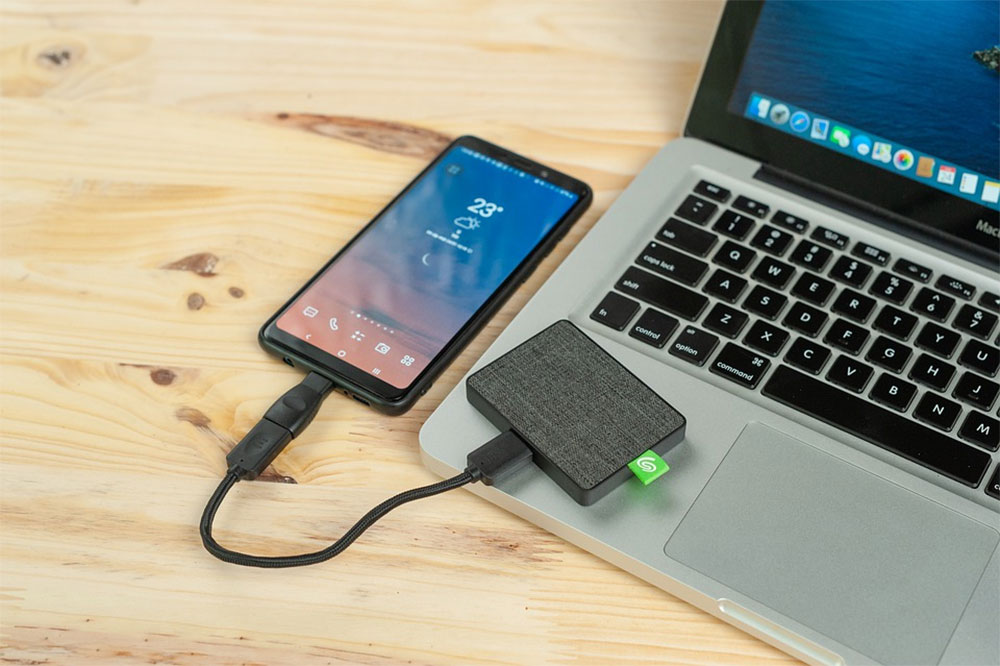
As we’ve suggested time and time again in the past—maintain backups in multiple ways. If you only back up to an external hard drive, you run the risk of data loss if the hard drive becomes damaged. Cloud storage services may become targets of online attacks or service failures. Using multiple backup measures will keep your data safe, as the chance of losing data from two different backup methods at the same time is extremely slim. In addition, it is essential to arrange regular backup schedules, manually back up key files, and regularly review backups to ensure completeness and good protection.
4. Neglecting to partition the disk volume
If you partition your storage drives and keep all your data and the operating system on the same drive, you may inadvertently put your data at risk. If your operating system is damaged, you may need to format the hard drive during reinstallation, resulting in the loss of all data stored on it.

To avoid this from happening, you should split the storage hard drive and put the operating system and other files on a separate hard drive. This way, if you need to reinstall the operating system after formatting, you can safely format the specified sector without affecting the data on other sectors.
5. Improperly relocating data
Improperly locating data may also result in data loss. For example, if you cut a file from location A, paste it to location B, and completely delete the file in the original location A, there may be a risk of data loss if the operation is interrupted due to a power outage or various external factors. Interrupting the connection when transferring data to an external hard drive may also cause damage. Additionally, copying and pasting files with the same name in different locations may accidentally overwrite existing files, resulting in the loss of the original data.
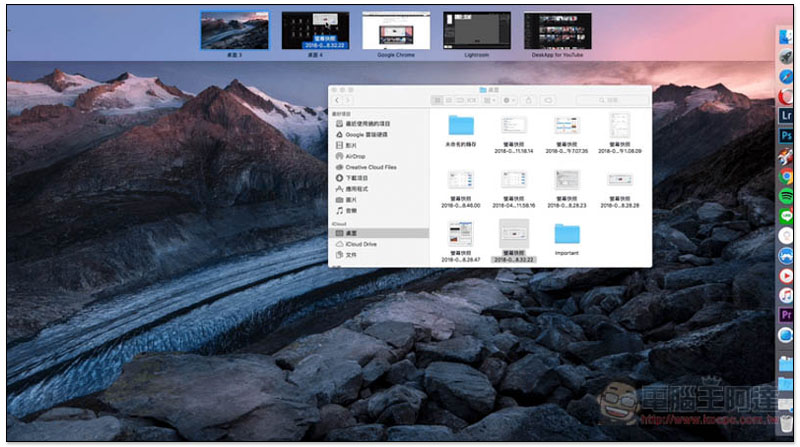
To avoid these risks, always use the copy function when relocating data, and check whether there has been a recent power outage in your community to make sure the power supply is normal before moving large amounts of data. Ensure a stable connection when using external storage, and double-check whether there are files or folders with the same name as files in the destination location. In addition, you should thoroughly confirm that the data has been completely transferred before deleting it from its original location.
6. Your storage security is insufficient
Failure to properly protect devices and data may leave them vulnerable to loss or theft. Without encryption, timely operating system updates, antivirus and malware protection, and multi-factor authentication, your data storage is vulnerable to cyberattacks. Advanced threats such as ransomware can even compromise all of your stored content. To enhance the security of data storage, please take the following precautions to help minimize the risk of data loss due to cyberattacks and other online threats:
- Keep your system updated
- Keep antivirus and firewall protection active
- Encrypt sensitive files
- Use multi-factor authentication
- Avoid sharing information over unsecured networks
- Enhance the protection of sensitive data with security features provided by cloud storage services, such as Personal Vault in OneDrive.

7. Share your device or storage drive with others
Sharing a device or hard drive with other users is a common but often overlooked risk. If the person you share with doesn’t follow security rules, they may inadvertently infect their device or hard drive with malware. Without proper protection, your files can also be accidentally deleted or changed, resulting in data loss. If you trust the wrong person and give them access to your device or drive, they could steal sensitive data and misuse it later. If you share information with someone with malicious intent, you may compromise confidentiality and jeopardize your job. The more people who use a storage drive, the harder it is to pinpoint the source of data loss.

To prevent these problems, you should limit sharing of devices and storage drives, protect local data, create separate guest accounts for other users, and regularly scan for malware after they use your device. For external hard drives, make sure they are encrypted. In addition, teaching others how to use the Internet safely to avoid malware infection is a simple yet important task.
Now you should have a clear understanding of how small mistakes can lead to significant data loss. If you haven’t followed the above practices or neglected to take the necessary precautions, it’s time to work harder to protect your valuable data, whether it’s stored locally or online. Most importantly, make sure not to skip the process of backing up your data, as it sets the ultimate bottom line in preventing problems.
Source: KOCPC Chinese