


Now there are many free things on the internet AI imageGenerate options if you want to use your phone. App, it happens to be taking iPhone If.Earlier, there was an app called FluxArt in the App Store – AI Image Gallery Unveils Lifetime VersionLimited-time freeActivityThe image generation quality is pretty good, and there are multiple size options available. The generation speed is also fast, so it’s worth saving for later. However, note that this one only supports English prompts—inputting Chinese will generate random results.The limited-time free offer has ended.)
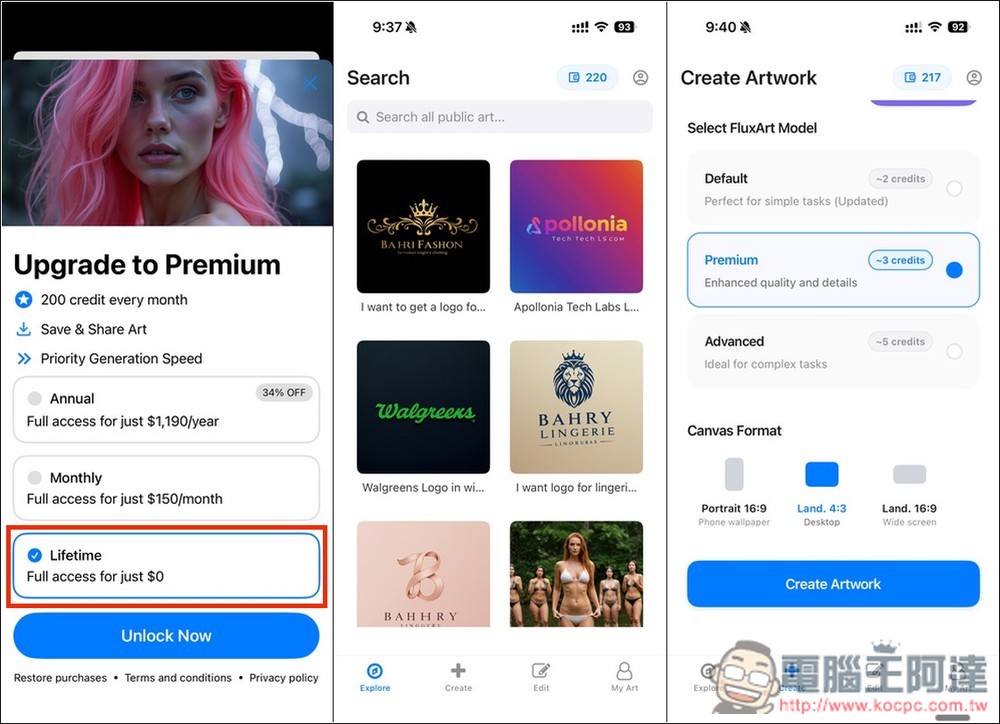
FluxArt AI image generation app with fast speed and multiple size options.
FluxArt – AI Image Gallery is an AI image creation app developed by Ripon Soum, focused on “creating art with text.”
Users only need to enter a simple text prompt to quickly generate high-quality, artistic images, and it completes in a short time. It also supports image editing, allowing users to simply describe the changes they want, and the AI automatically makes the modifications without any professional skills needed.
Main Features
- AI text-to-image: Enter a text prompt to generate unique artistic images.
- AI image editing function: Input the content you want to modify, and the AI will automatically update the image.
- High-resolution output: Supports generating high-quality, high-detail content.
- Intuitive interface: no design experience needed, beginners can easily get started, but unfortunately the prompt does not support Chinese.
- Multi-platform support: Available on iPhone, iPad, and Mac.
- Multiple AI model options: three models available, choose based on your needs.
Get FluxArt – AI Image Gallery
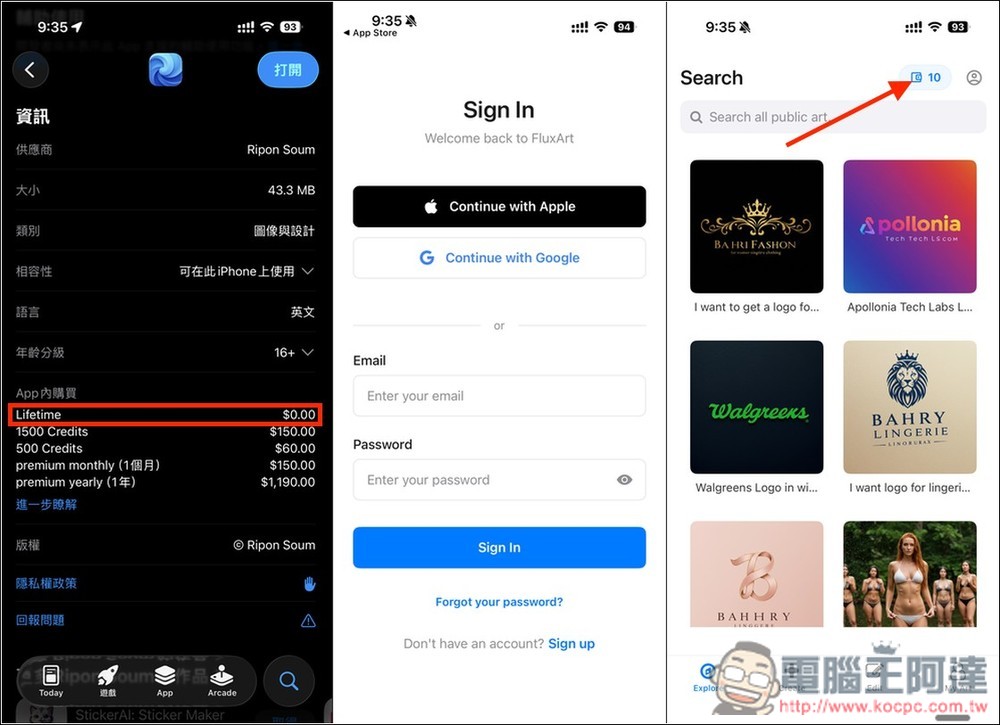
After going to the App Store page for FluxArt – AI Image Gallery via the link above, you’ll see the Lifetime version listed at $0.00 in the in-app purchase description. An account is required to use it, and it supports quick sign-in with Apple and Google. Once you’re on the app’s home page, tap the option in the top right corner.(Free access has ended.):
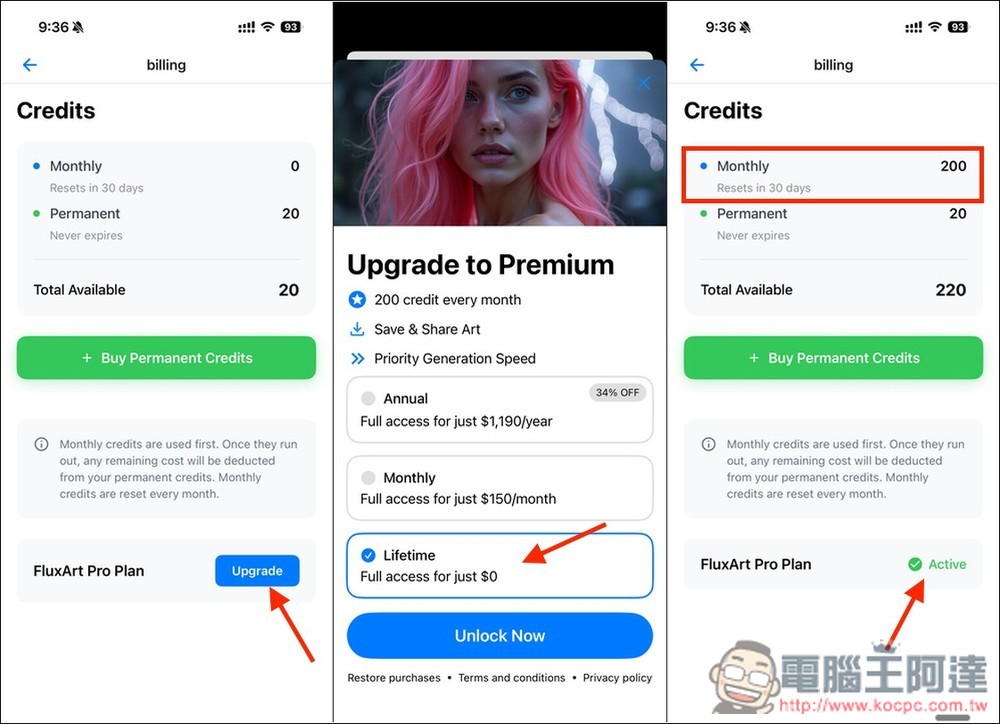
New accounts get 20 points to try out.By pressing the Upgrade button below, you’ll see the Lifetime plan option. After that, pressing Unlock Now will successfully unlock it — it seems no payment confirmation is required (mine didn’t pop up). Although it’s called the lifetime version, the paid version of this app grants 200 credits per month. This means you’ll receive 200 credits every month from then on; once you’ve used them up, you can’t continue generating and have to wait until the next month. On the Billing page, Monthly will show the new 200 credits, and the FluxArt Pro Plan status below will also become Active.:
The homepage shows images made by other users, and the prompts they used are also public. So if you find an image you like, you can check how it was written, tweak it a bit, and make it your own version. Of course, the images you generate will also show up here. 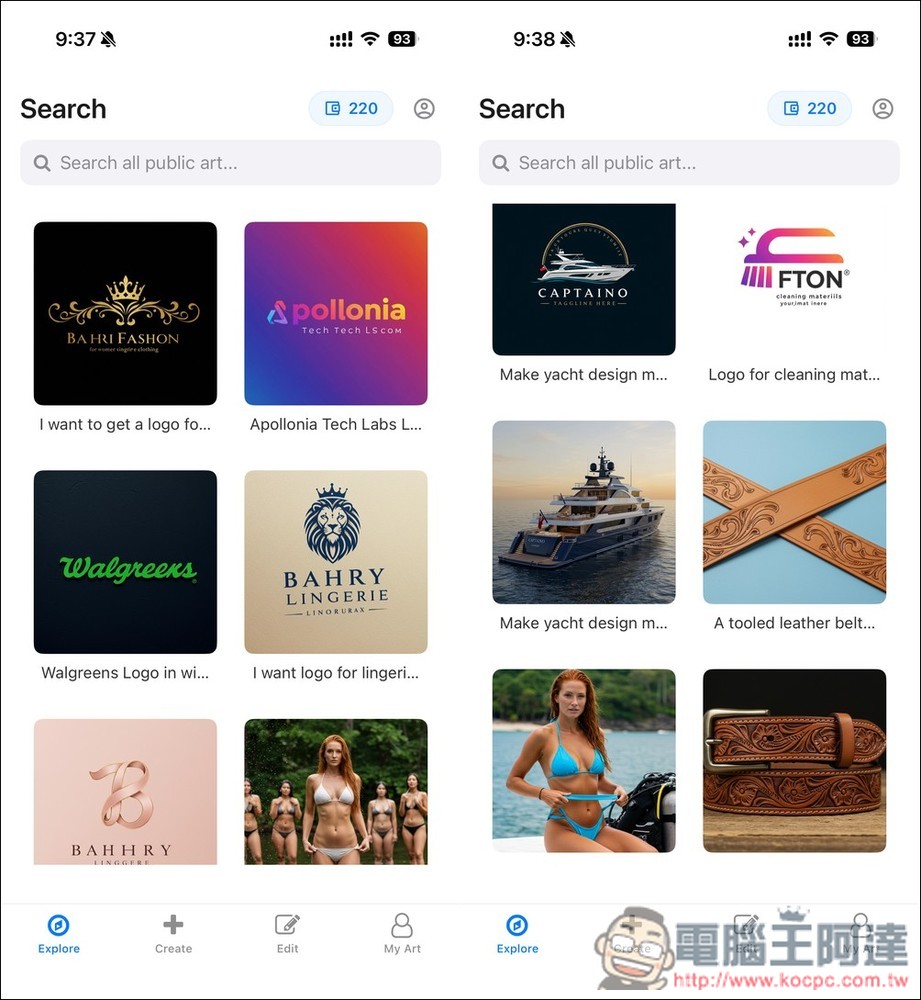
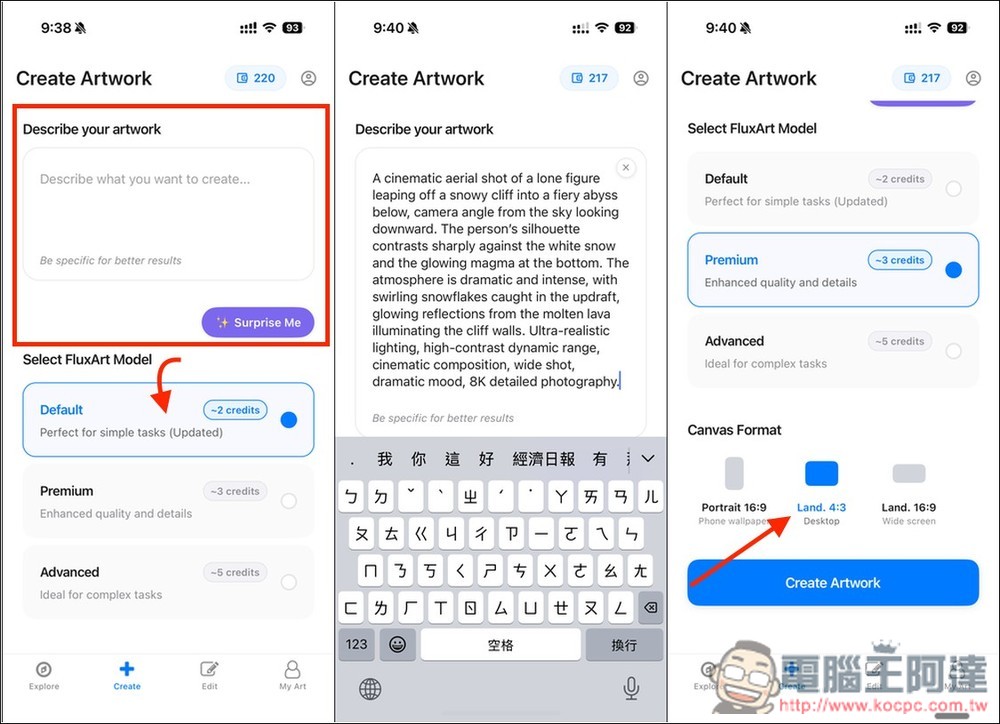
Click Create to start the generator. Enter the image prompt at the top (English only), then choose the model you want to use below. There are three: Default, Premium, and Advanced. Each costs a different number of points: Default costs 2 points, Premium costs 3 points, and Advanced costs the most points but is suitable for complex images. However, the lifetime version doesn’t seem to have this model unlocked. Finally, choose the image size, then click Create Artwork to start generating:
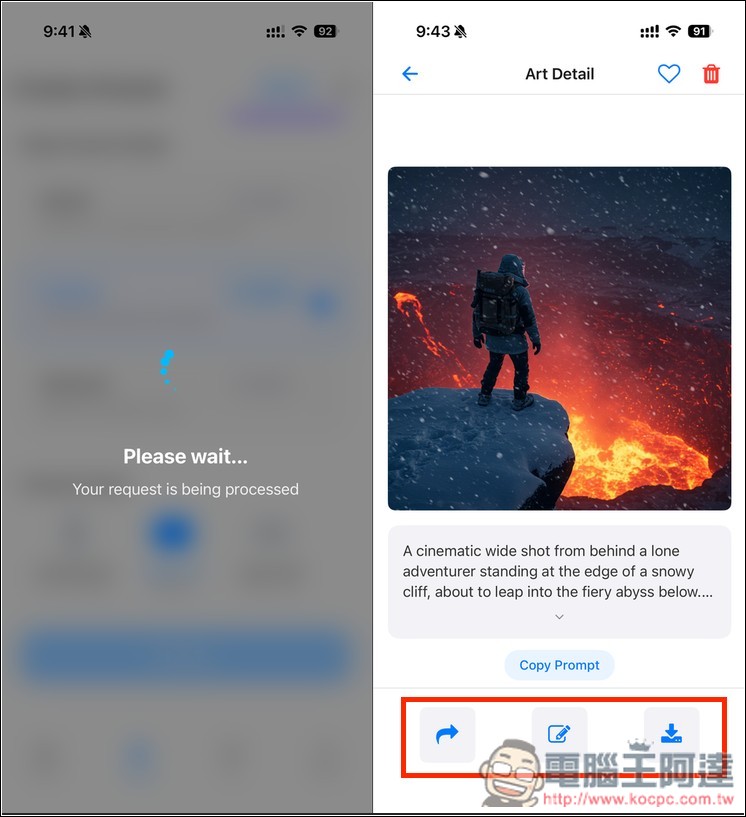
The generation speed is very fast, completing in just a few seconds. If you’re satisfied, click the button at the bottom right to save the image to your photo album:
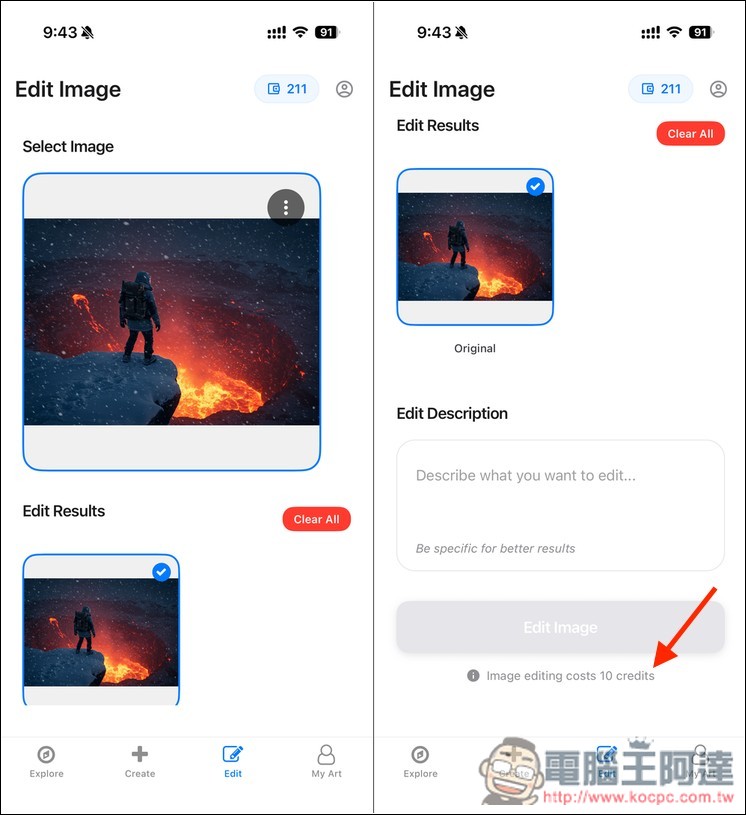
If you want fine-tuning, you can go into the editing feature, but it deducts a lot of points—each edit costs 10 points.
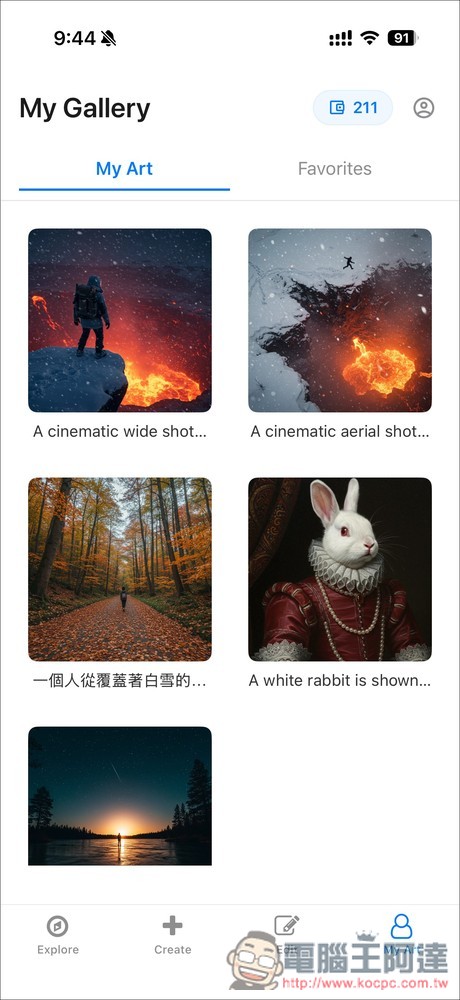
My Gallery will record images you have generated in the past:
Source: KOCPC Chinese