


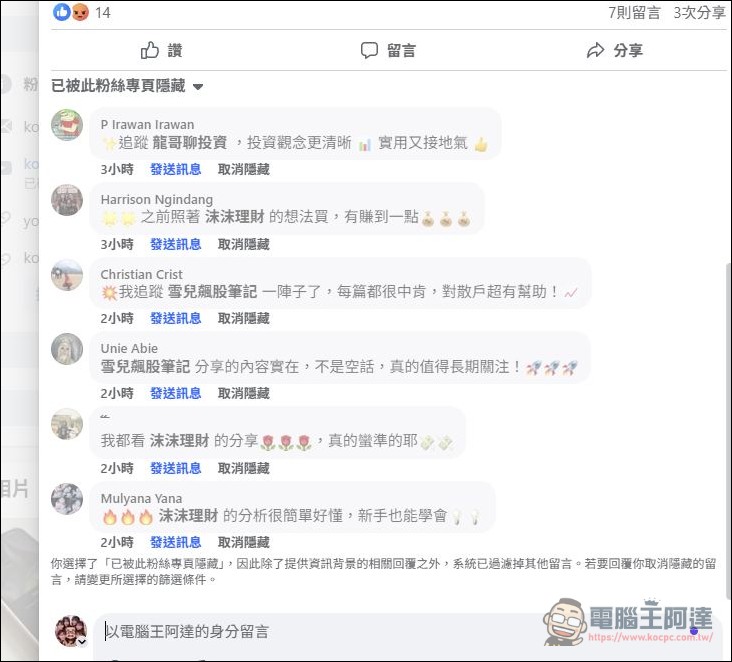
What people who run Facebook fan pages hate the most is probably… FaceBook The comments above are overflowing. AI Robot, all you do all day is call people.“Looking at OO investing is really quite good.”and that kind of nonsense, and those FB Fan pageAlmost all of them are run by scam stock trading groups. It’s a never-ending battle trying to block them all day, and it’s really annoying to see. So here I’ll share some of the most effective automatic blocking techniques I’ve personally used so far. Just doing this should be able to block out 80–90% of the spam AI comments.

How to block AI spam comments on fan pages
These FB comment bots usually share a few common traits: weird foreign names (also Chinese names), profile pictures scraped from the internet, almost no friends, and no life updates. Meta does clean them up regularly, but the people behind these bots have formed a fairly massive industry chain. Besides leaving phishing investment info on various fan pages, they sometimes act as paid trolls to flood discussions on all kinds of issues. I’ve heard that different nationalities come at different prices, and some are even smart enough to judge the context and comment accordingly. Jensen Huang probably never expected AI to be mainly used for this kind of thing:
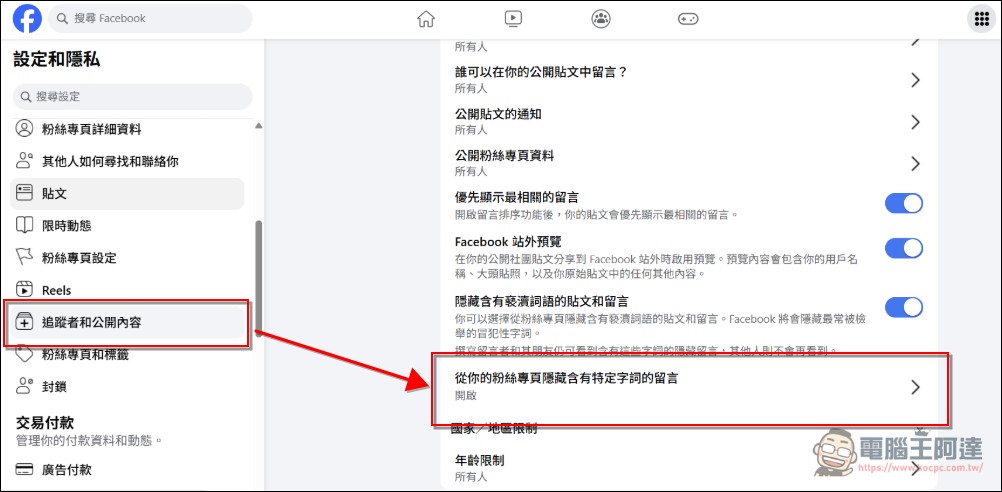
For blocking this type of comment, I currently have two main methods: the first is setting up keywords. Go to the fan page backend, then “Settings and Privacy” → “Followers and Public Content” → “Hide comments containing certain words from your fan page” and turn it on. If you can’t find it, you canClick this link,I’ve tested the links with others and they’re all the same (I suggest you find it yourself; also, I can’t find this option on mobile, please use a computer to search):
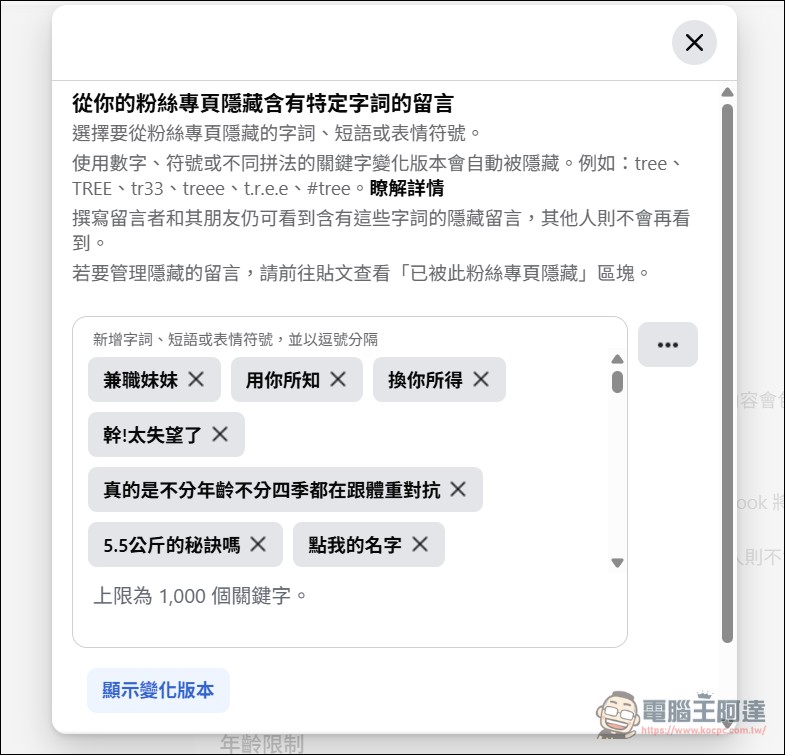
Once you open it, you can set blocked words. In the early days, it was all “delivery tea”; now it’s all stock scams.
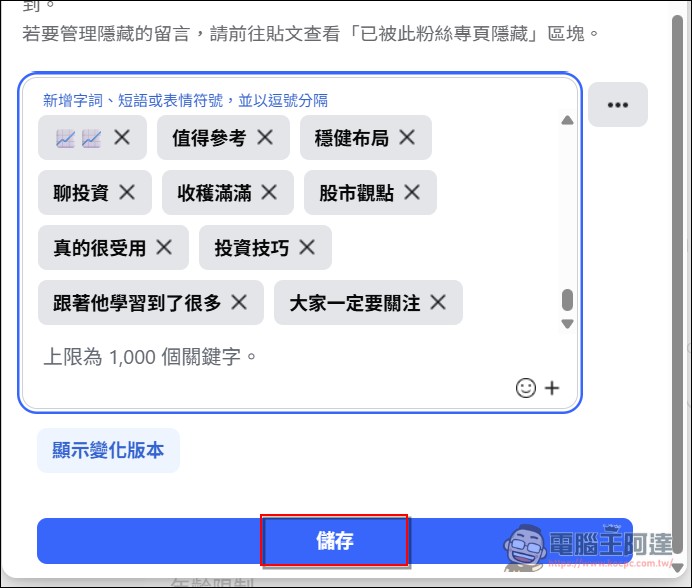
These are the words I’ve blocked—all overused clichés. Feel free to take them if you’ve got time on your hands.


Remember to save after setting it up, or it won’t take effect.
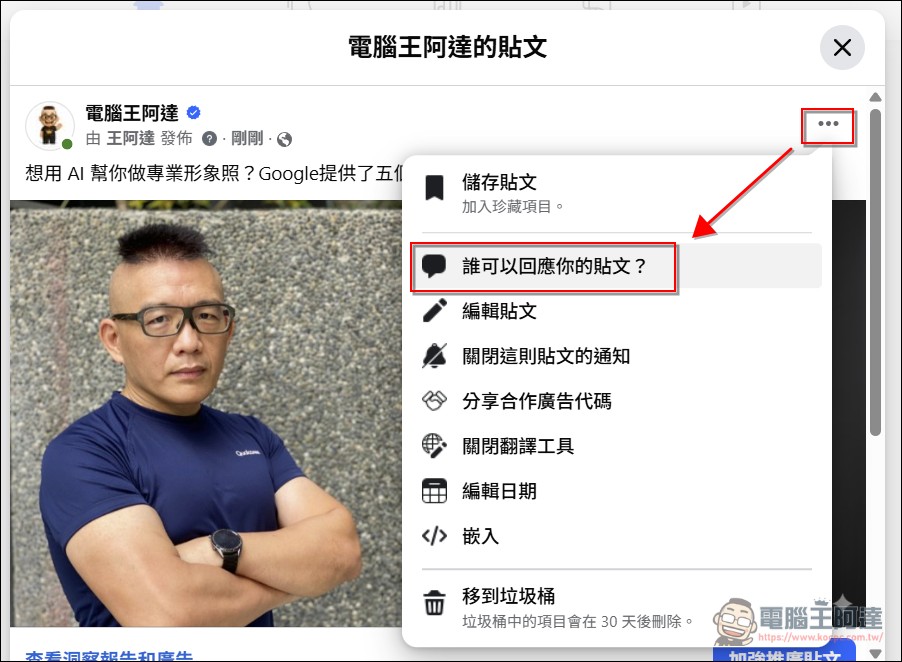
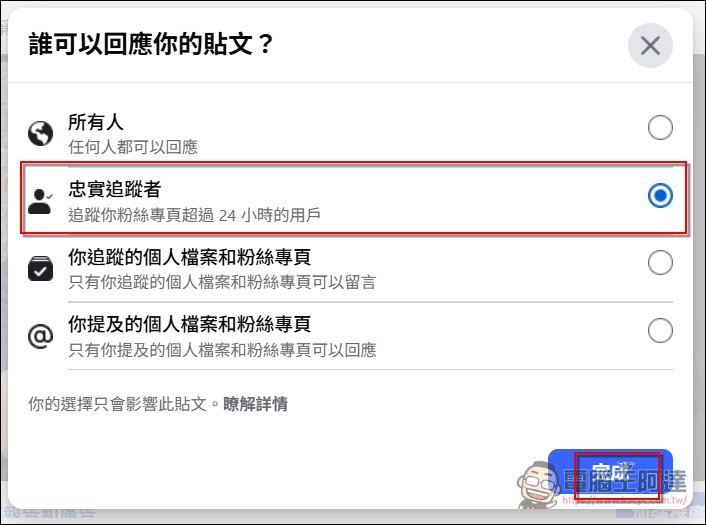
The second tactic is to “restrict comments to loyal followers.” You can set it so that people have to follow your fan page for at least a day before they’re allowed to comment. I think this one works even better than the first tactic, because bots will just spew their nonsense and take off—they won’t generate any interaction, clicks, or reach, and of course they won’t gain you any followers either. The downside is that there’s no way to automate the filtering, so it’s more of a hassle; you have to manually set it up every time you post.
The method isn’t difficult either—after posting on the fan page, just click the “…” at the top right of the post, then select “Who can reply to your post”:
Next, change from “Everyone” to “Loyal Followers”, then click “Done”.
The setup steps on the mobile end are the same too:
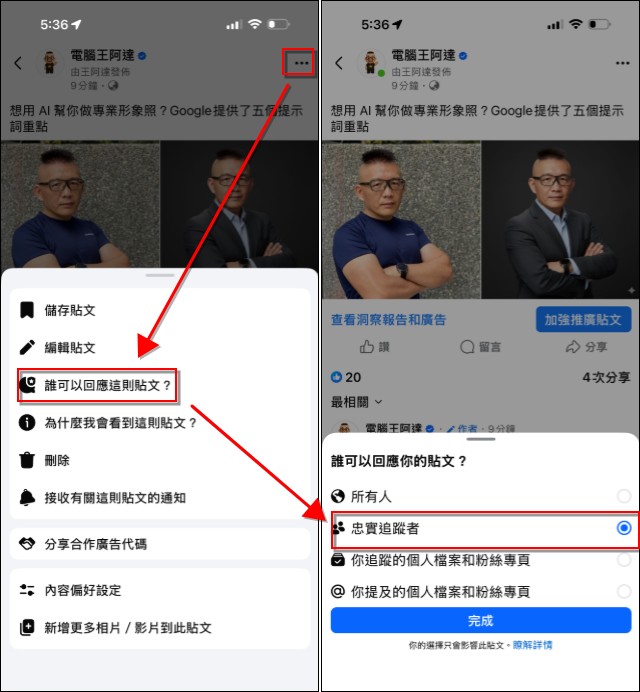
Afterwards, this post was restricted to only allowing replies from real people (who also had to be fans).

In principle, these two tricks should block over 90% of AI comments. If you’re also being bothered by the AI horde, you can handle it this way.
Source: KOCPC Chinese