


Previously, the mobile version of LINE community added a “discussion thread” function, allowing users to open additional topics on specified topics. With the recent release of the LINE PC version 9.0 update, users of the PC version of LINE can also use this convenient feature. However, there are still many updates to LINE on the PC version, let’s see what new features are available next!

LINE PC version 9.0 update released: LINE community adds “Discussion thread” function, and many new features
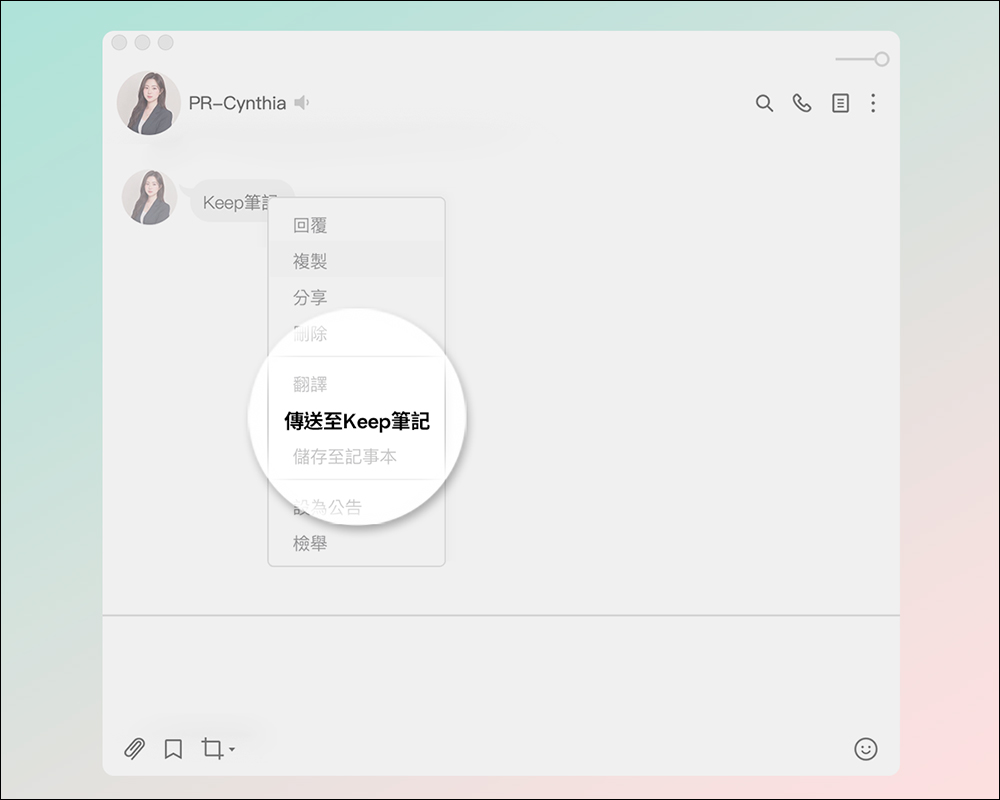
This week LINE released an update to the PC version of the app, adding a “discussion thread” function in the community. In response to the upcoming retirement of LINE Keep, the interface has recently been silently preparing to replace “Keep Notes”.
PC version of LINE community supports “discussion thread” function
The “Discussion Thread” function previously launched by LINE allowed many community members to further discuss the topic. However, this function was only supported in the mobile version of LINE. Now it is finally supported in the computer version of LINE. The way to open the discussion thread is also very simple. First, in the LINE community, right-click on the message that you want to open the discussion thread and select “Discussion thread” to enable this function.

If you want to open a “discussion thread” that has already opened a discussion, you can click “View thread messages” to expand it. Currently, the “Discussion thread” function is being rolled out gradually. If the LINE community you join does not have this function, you may wish to wait a few more days! This function is very useful for large communities with thousands of members. You don’t have to worry about the topic being unable to continue due to too many members. You can just create a new discussion thread.

Clicking on the group “invitation link” will jump to the join group screen
When you click on the group “invitation link” in the chat room in the LINE PC version, you will be redirected to the LINE web page. However, after LINE reaches the PC version 9.0, clicking the group “invitation link” will jump directly to the screen for joining the group.

Keep’s path is updated to Keep notes
In March this year, LINE officialAnnounced that LINE Keep’s free cloud space will end its service on July 31. As the LINE Keep function will end, the original Keep paths will be fully updated to Keep notes, making it more convenient for everyone to use Keep notes! If there is still some data stored in Keep, be sure to back it up as soon as possible!
What are Keep notes?
What are Keep notes? Keep notes are private chat rooms that only you can browse. Text, photos, videos, links, files, and voice can all be sent! When you receive important messages, forwarding them directly to Keep notes is super convenient and intuitive! In addition, Keep notes can be pinned to the top of the chat list just like a normal chat room, making it easier to search for important information.
What are the differences between Keep Notes and Keep?
Many people may still not be able to tell the difference between Keep and later Keep notes. Next, I will simply review it for everyone!
“Keep” is a free 1GB cloud space that allows you to save information to LINE with one click when using LINE. However, this feature will be the last day on July 31, and it is expected to be replaced by other beverage or coffee shops. In addition, “Keep Notes”, as mentioned above, is a private chat room where you can write down notes, important messages and files.
Further reading:
LINE free sticker collection: 20 LINE stickers for limited time download

Source: KOCPC Chinese