


After the video is shot, it will need to be edited. Although Mac provides free iMovie, there are actually many useful Mac editing software, which are better than the built-in ones. This article has compiled 9 of them for your reference.
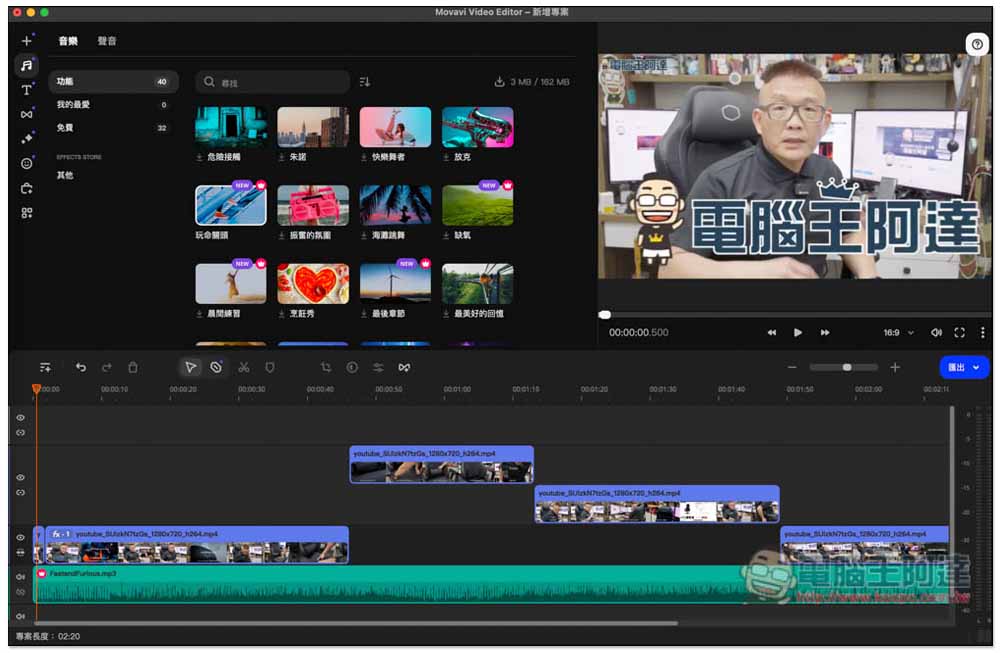
1. Movavi Video Editor Mac version
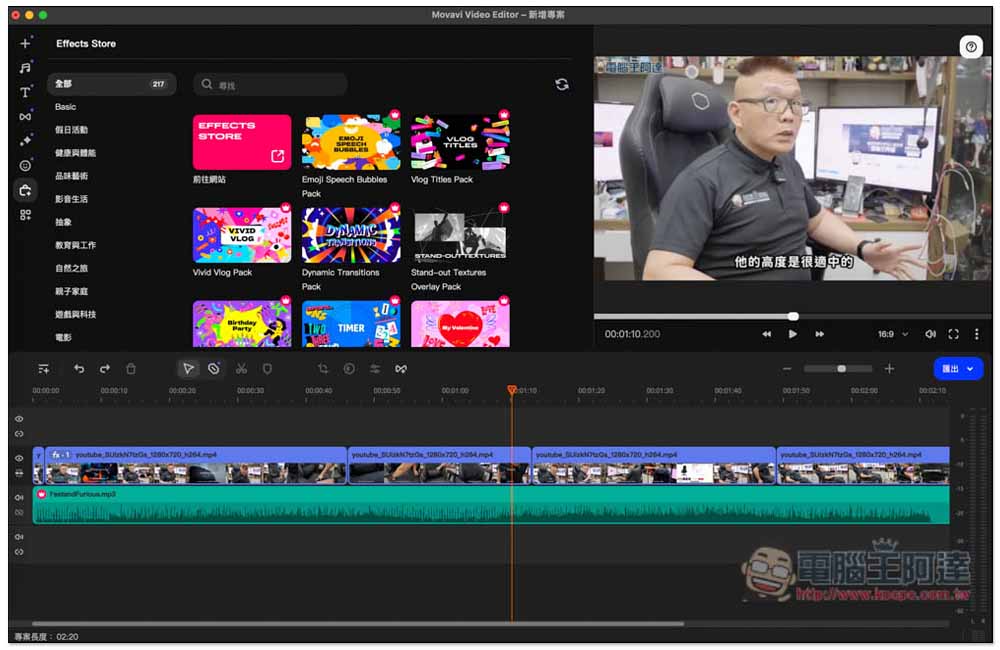
Movavi Video Editor is our most recommended Mac video editing software. The interface is easy for novices to get started quickly, and the functions can also meet many professional editing needs. There is a free version, and the paid full version is not expensive. Everyone can afford it, and the CP value is quite high.
What I like most about the large number of built-in materials is that there are nearly 200 filters and transition effects each, more than 50 types of text titles, and more than 50 pieces of music and sounds. Each of them is of a very high standard, which is very useful for editing. No technical expertise is required to produce a high-quality film.
More importantly, it also has a built-in Effect Store online store. If the free materials are not enough, you can go here to find them.
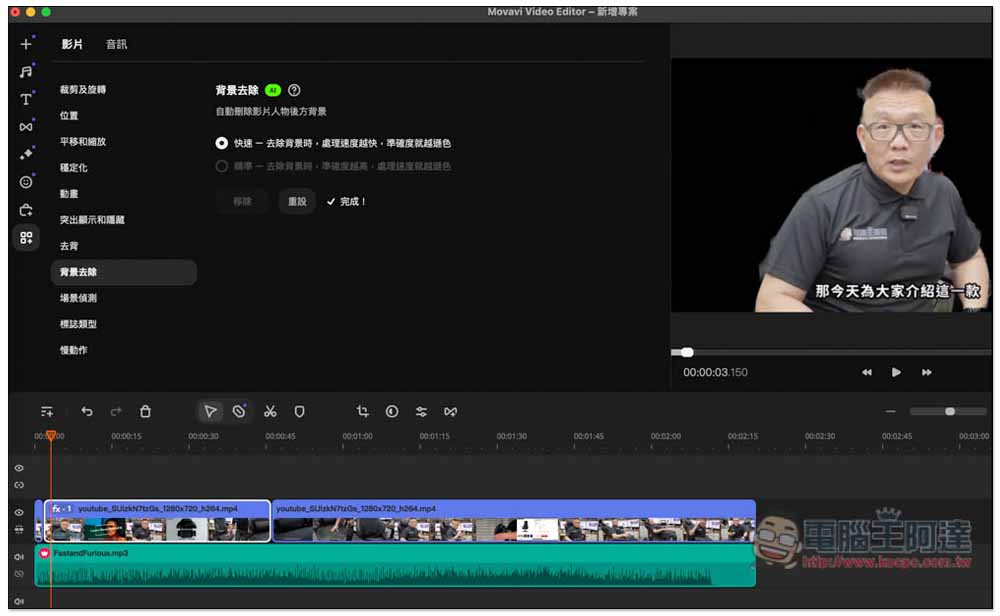
In this AI era, Movavi Video Editor has also gradually introduced related functions, such as background removal, noise elimination, etc. I have tested background removal, and the effect is very amazing. Even in a very complicated background, AI can accurately determine the subject, and it is really one-click, no settings are required, let AI judge by itself:
It also supports hardware acceleration. Even if you apply many effects and multiple videos, the MacBook will run smoothly. There are also a variety of output formats to choose from, and the video quality can be up to 4K UHD.
Try Movavi Video Editor for Mac
2. Final Cut Pro
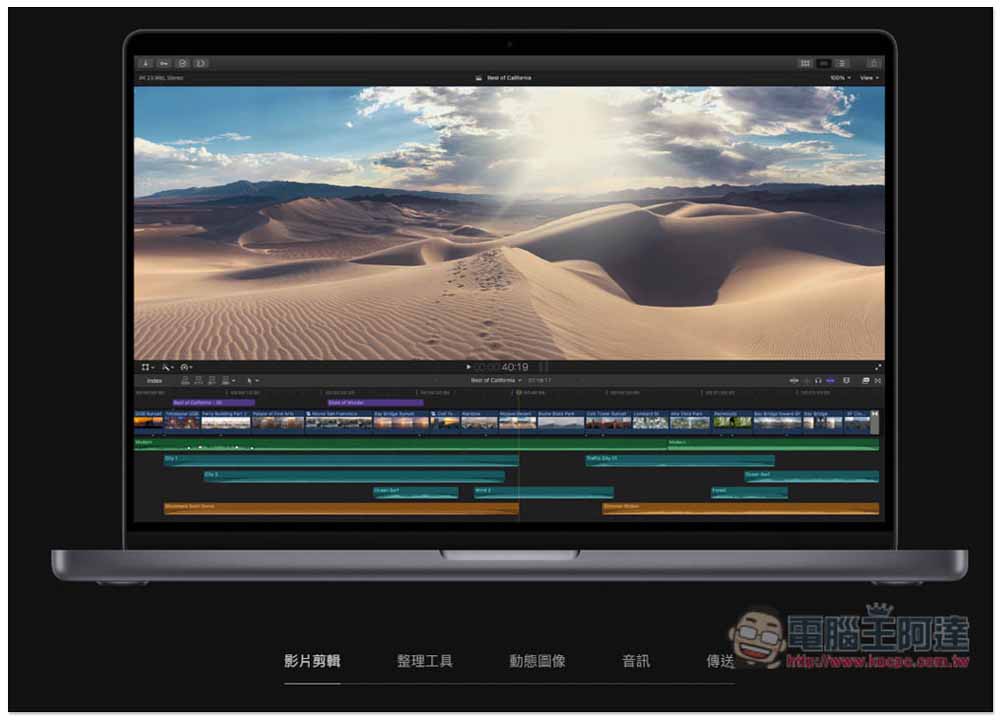
Final Cut Pro is a powerful Mac editing software launched by Apple. Compared with other professional software, the operation interface can be said to be much simpler, but the difficulty of getting started varies from person to person, especially the magnetic attraction timeline. Some people find it easy to use, while others find it okay. This file organization function is pretty good, it can save a lot of time in organizing materials, and it also supports multi-camera editing, VR, etc.
And because it was developed by Apple, it can fully leverage the performance of your Mac and provide the smoothest editing experience. However, the price is not cheap, and it only supports Mac. There is no Windows version, making cross-system editing very inconvenient.
3. Adobe Premiere Pro

Adobe Premiere Pro is a video editing software launched by the well-known Adobe. Like Final Cut Pro, it has comprehensive professional editing functions, from video to sound effects, basically everything you need. It is also highly integrated with other Adobe Creative Cloud software, such as After Effects. After creating video effects in After Effect, they can be called directly from Premiere Pro.
However, just like Final Cut Pro, it is a challenge for novices and is more suitable for professional users. There is no free version, and the price is not cheap. The annual subscription fee is close to 10,000 yuan, and there is no lifetime buyout plan.
4. iMovie
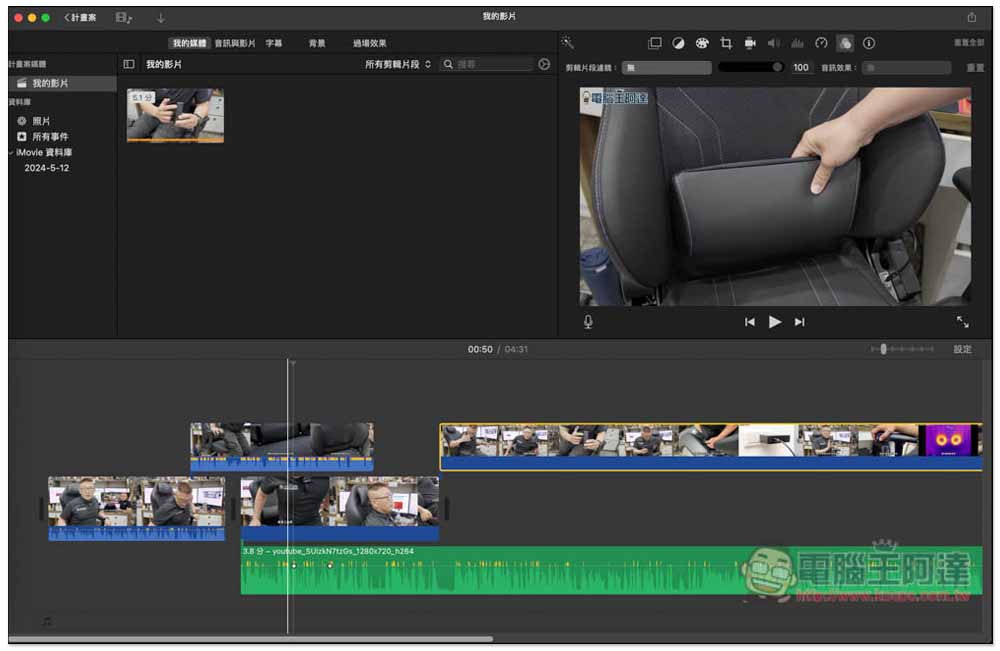
iMovie is Apple’s own free Mac video editing software. It has very basic built-in editing functions. If you just need to cut the video short or splice clips, then iMovie is enough. It also has subtitles, transition effects, etc., but that’s all. It doesn’t have any audio tuning function, there are only two video tracks, and it doesn’t support multi-camera editing.
For video creators, iMovie is definitely not enough and is only recommended for people who occasionally edit family and life videos.
5. DaVinci Resolve

DaVinci Resolve is a very powerful Mac editing software that provides multiple versions, including a free version. One of the biggest advantages of this software is that the free version has very comprehensive editing functions, especially color correction and grading tools, strong color control, and supports real-time collaboration with multiple people.
However, it is more suitable for professionals. I think the operating interface is too difficult for ordinary users. The node-based workflow requires a lot of time to become familiar with, and the computer hardware requirements are also high.
6. Filmora Wondershare
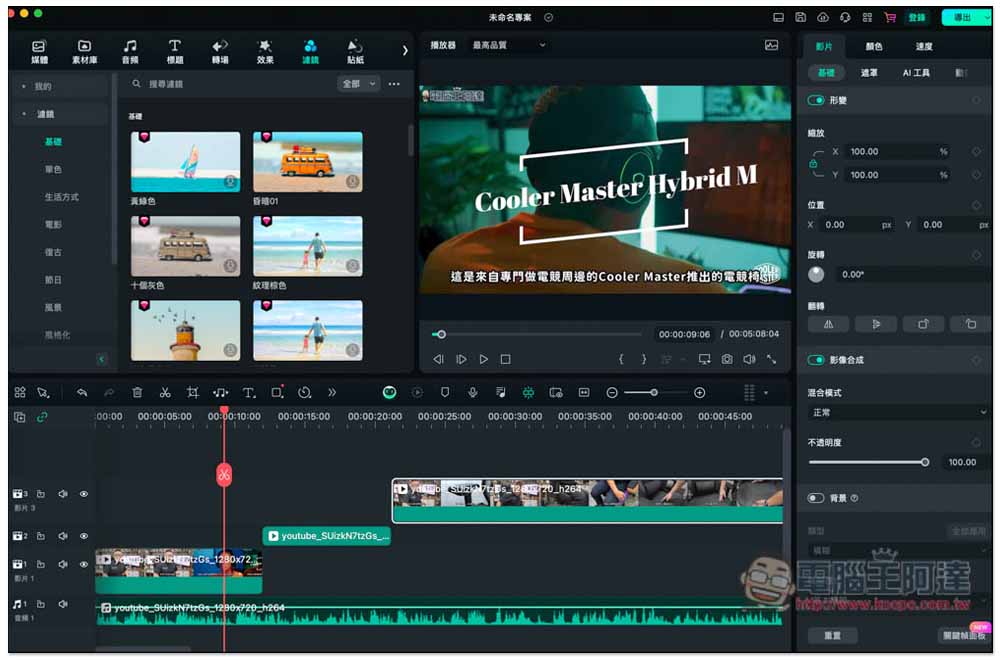
Filmora Wondershare is quite suitable for novices to use. The operating interface is very easy to use. It has basic editing functions and a rich material library. It even imports an AI painting function, so you can directly create the required AI pictures in the software.
There is a built-in “automatic beat synchronization” function, which is claimed to make the rhythm of videos and music more consistent, but in practice it is not as powerful as expected. In addition, many good materials require additional payment. If you want to have a lot of professional materials built-in, Movavi Video Editor will be better.
7. CyberLink PowerDirector
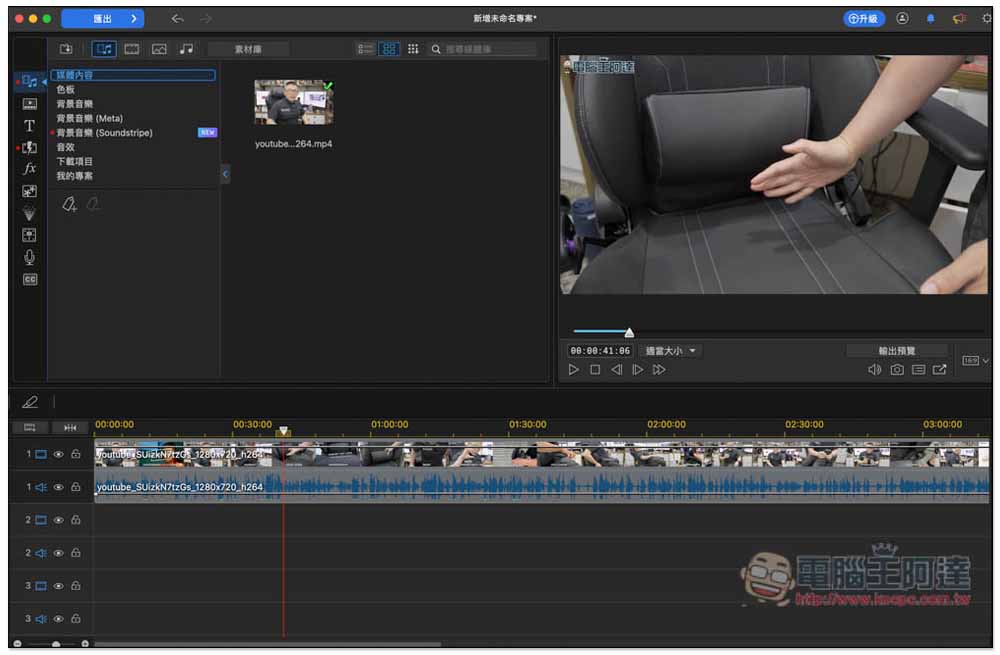
Everyone should be familiar with CyberLink PowerDirector. PowerDirector launched by Trend Micro is a very lazy Mac editing software. It has many built-in effects, from background music sound effects, opening/ending templates, YouTube fonts, to overlays, etc., which can quickly enrich your videos.
The editing interface is also easy to use. This will consume more resources when handling large projects, causing the Mac to slow down, which may affect the editing speed, and it does not have many professional functions. The free version has very limited functions, and the paid version still adopts a subscription system, which is not cheap in the long run.
8. VideoProc Vlogger
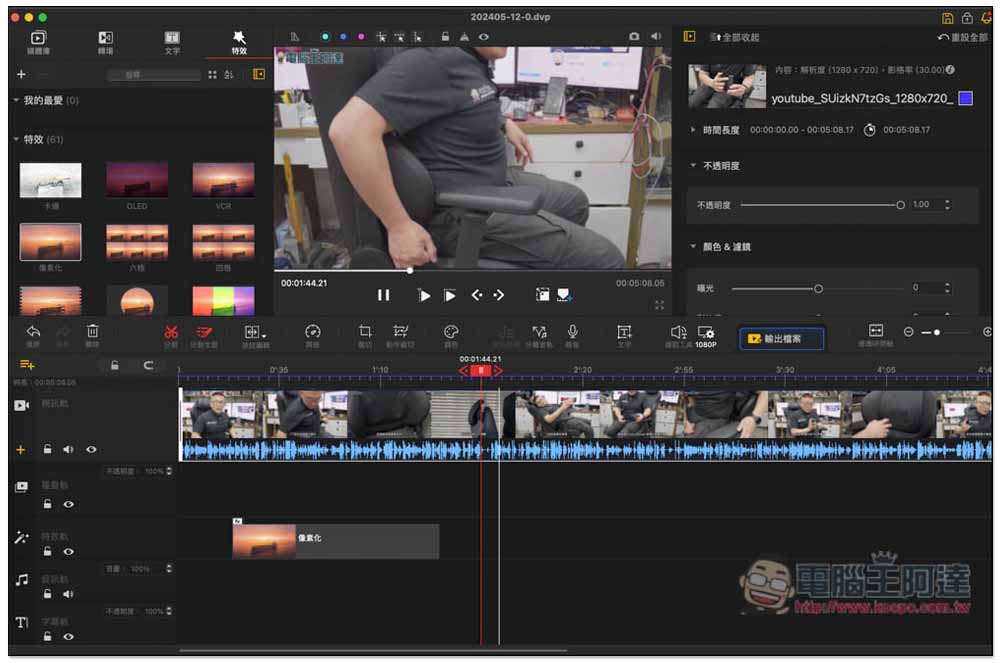
For those who want Mac video editing software to have a large number of built-in special effects, VideoProc Vlogger will be a very good option. It has more than 60 built-in special effects and has a “special effects-specific track”. Not only will it not be mixed with other tracks, but you can also directly drag the time range you want to apply on it, which is quite convenient.
However, many of this editing functions will open a new window. Although this can avoid confusion with other functions and allow users to know more clearly what they are currently doing, turning it on and off will slow down the editing efficiency, making it more suitable for beginners.
9. Lightworks
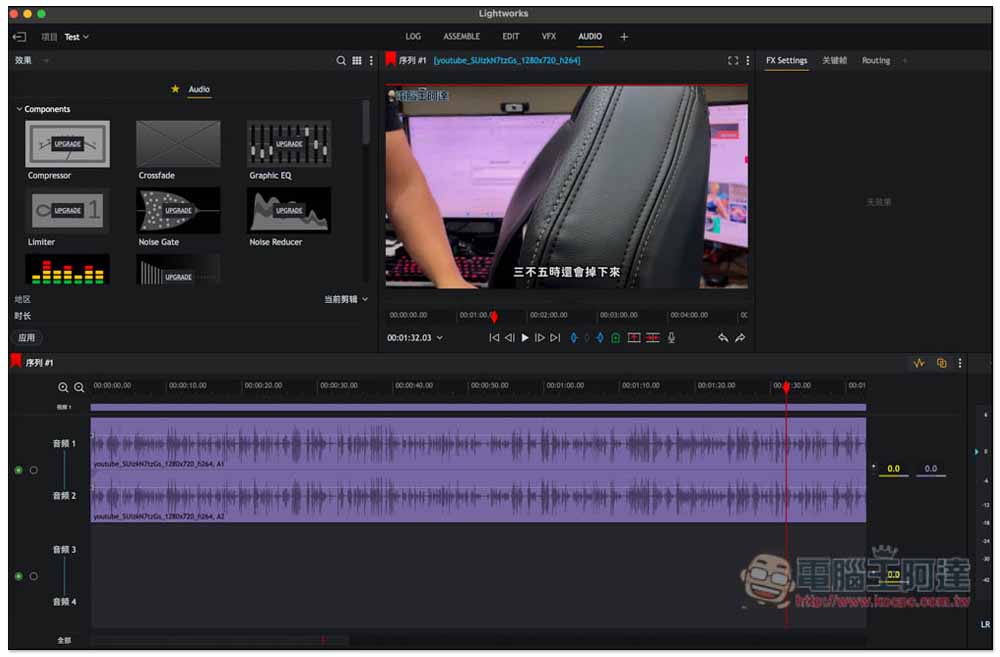
Lightworks is billed as a Hollywood-level video production software suitable for everyone, but I think it is more suitable for professional users because the interface is more complicated than many of the above models. Even someone like me who has used a lot of editing software has to spend time finding where each function is, and it is not so intuitive.
However, the functions are indeed powerful, and some professional editors have them, such as support for multi-machine editing, built-in mixing functions, etc. It is worth noting that although Lightworks is available in Simplified Chinese, not all content is in Chinese. For example, all special effects currently have English names, and some functions are not yet available in Chinese.
Summarize
The above is currently the best Mac editing software. For most people, Movavi Video Editor is enough, and there is no need to spend a lot of money on expensive software.
Source: KOCPC Chinese