


In the past, LINE stickers were uploaded one by one, but now you can combine multiple stickers and send them again! LINE announced today (9th) the launch of a new “LINE Sticker Collage” new feature, allowing users to zoom in and out of stickers, adjust the angle, mix and match stickers of different characters they like, and create new sticker combinations to make chat topics more interesting. Next, please read this article to learn how to use LINE stickers without collage, as well as some tips on how to use it!
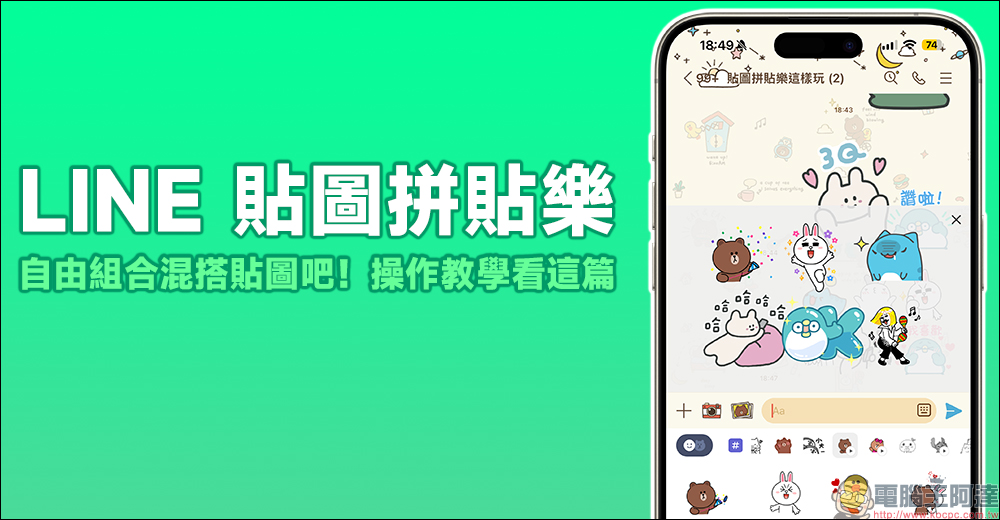
LINE sticker collage fun “Operation Tutorial”, combine and mix and match stickers like this!
Yesterday (8), it was circulated in the community that LINE has a new cool new feature that allows users to create their own combinations and mix-and-match stickers to send in the same message. Earlier today (9th), LINE officially announced the launch of the new feature “Stick Collage” in Taiwan, Japan, Thailand, Indonesia and other markets. As long as the mobile LINE APP is updated to version 14.6.0 (inclusive) or above, you can use the Sticker Collage function.
However, since the function has just been launched, this function is being rolled out to all LINE users in Taiwan in batches, but it is expected to be rolled out to all users tomorrow (10th)!
How to use the “Image Collage” function?
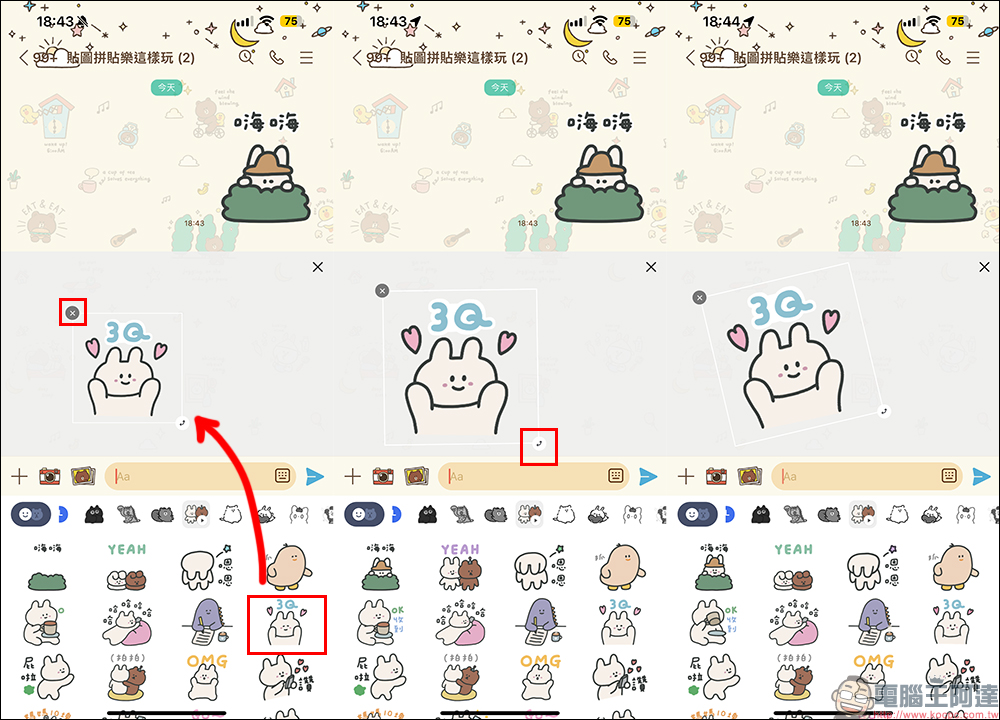
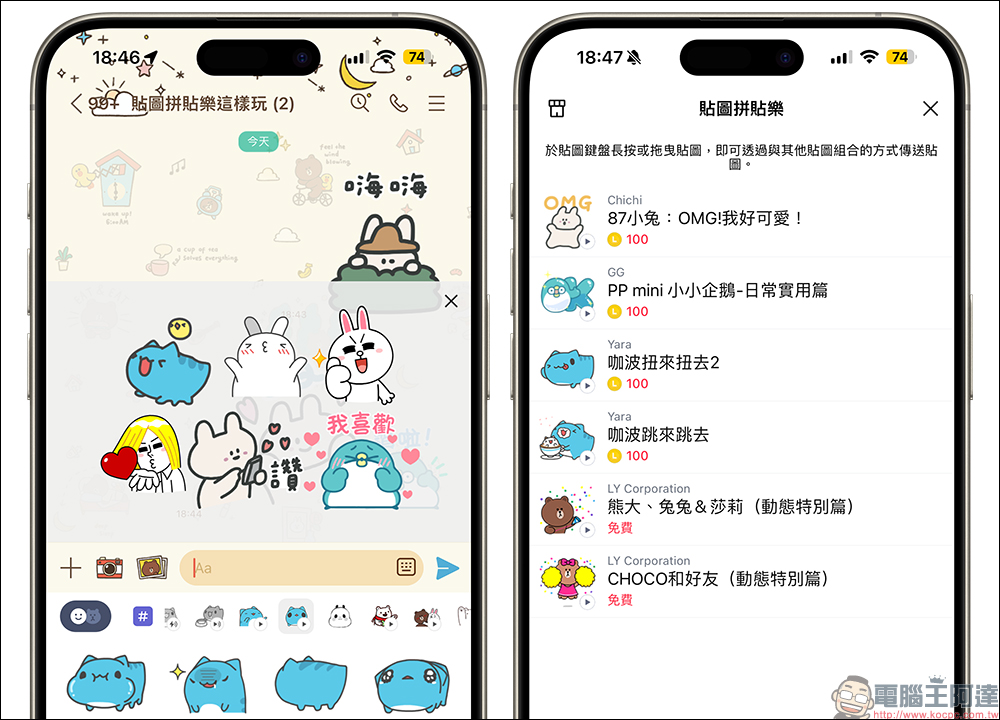
If you want to use the LINE sticker collage function, in addition to updating the LINE APP on your phone to version 14.6.0 (inclusive) or above, then wait for the official push to join in the fun together! Users who already support sticker collage can start editing by long-pressing the LINE sticker they want to combine on the sticker preview page of the keyboard and dragging it to the preview editing area above.
When editing a sticker collage, you can use two tools to click the buttons next to the sticker to rotate or resize the sticker. If you want to delete the added sticker, just click the “X” button in the upper left corner of the sticker.
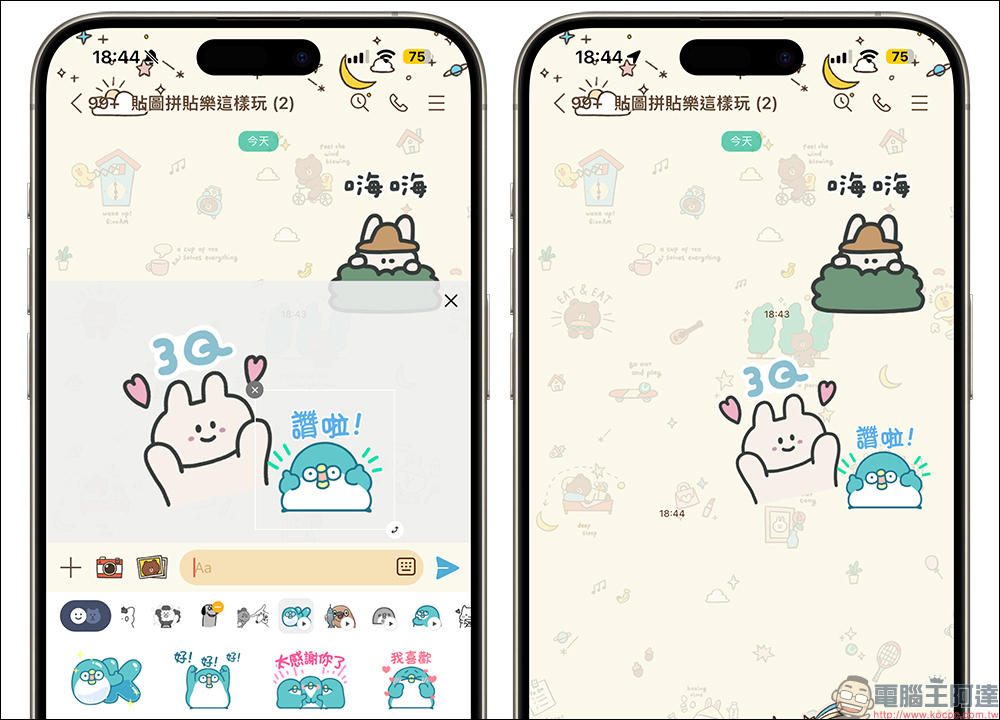
In the next step, you can select other textures you want to add to the combination. You can also long-press the texture and drag it to the editing area. You can also edit the size and position of the texture independently. If you select a sticker for which Sticker Collage is not applicable, the editing area screen will not be displayed.
Currently, sticker collage can use up to 6 stickers at a time, and any stickers that support this feature can be mixed and matched.
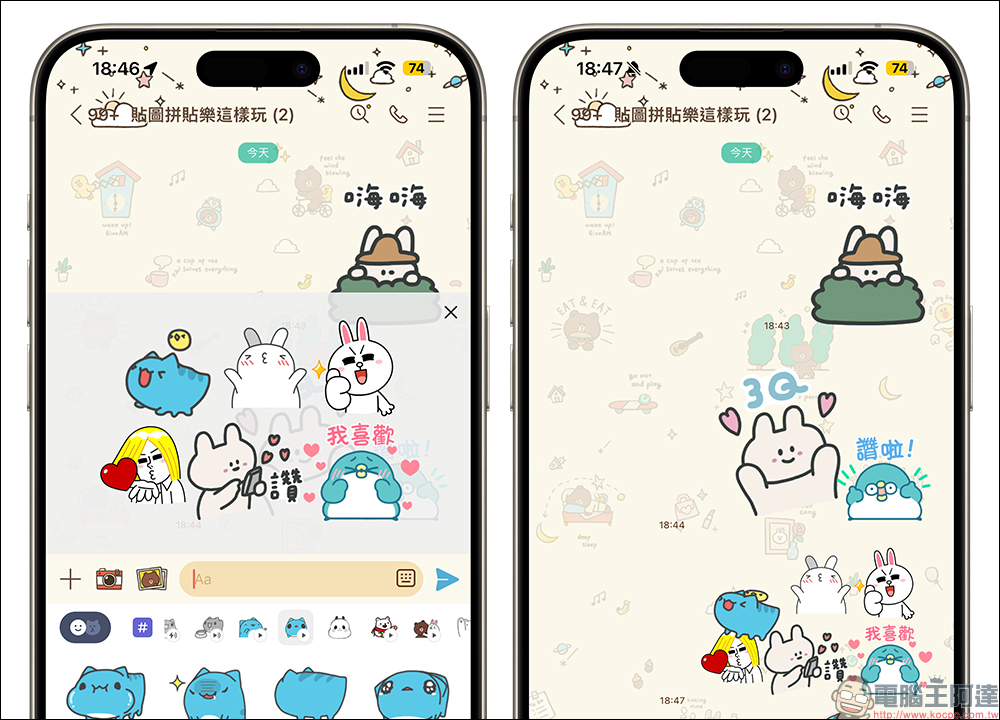
If it is sent out and everyone in the chat room wants to know which sticker combinations are included in this message, just click on the sticker to open the sticker collage combination page, where you can purchase and download individual LINE stickers.
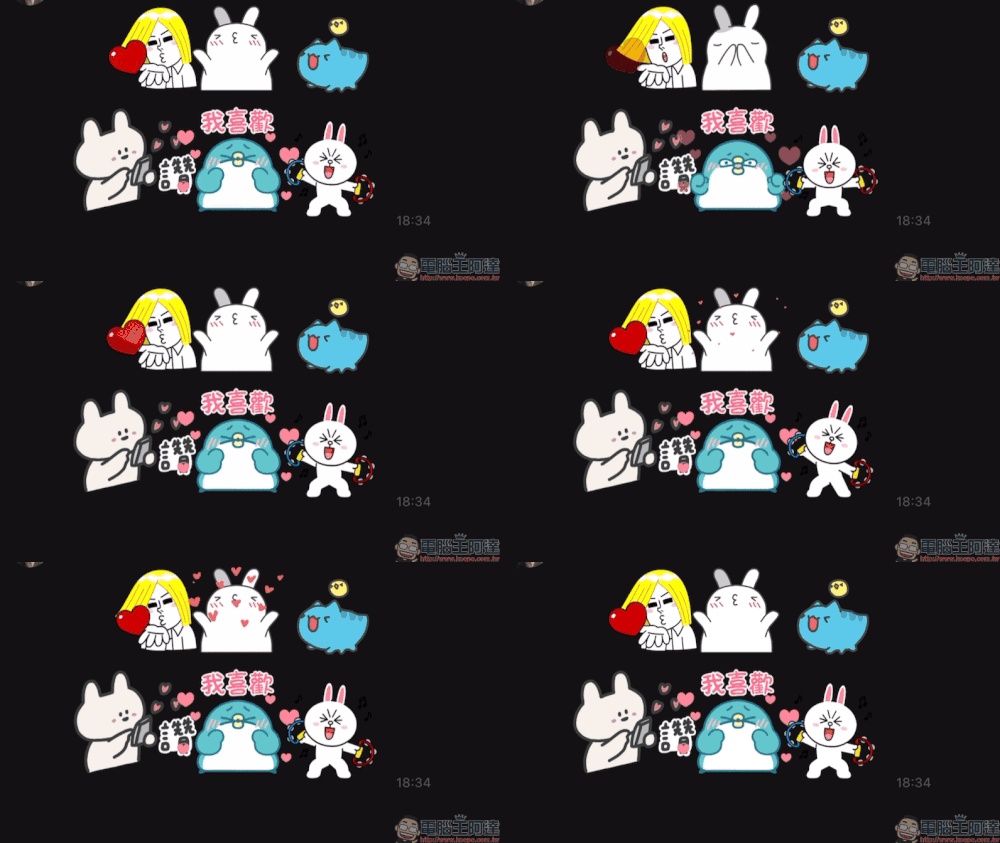
LINE dynamic stickers will automatically play animation effects. If you want to replay the dynamic stickers of Sticker Collage, just click once and all the dynamic stickers will be replayed simultaneously!
Sticker puzzle, frequently asked questions and answers
I believe that the LINE sticker collage function has just been launched, and you will have a lot of questions about this new feature. Next, we will summarize the common problems you may encounter.
- What platforms does “Picture Collage” support?
Currently, “Sticker Collage” supports iOS and Android mobile devices. Please update LINE APP to version 14.6.0 (inclusive) or above. The PC version is not currently supported. When the PC version of LINE encounters the “Sticker Collage” message, it will display “The system does not support this message type.” However, this feature will also be opened to PC version users in the future. - Can all stickers use the collage function?
The sticker puzzle function is applicable to “dynamic stickers”, “static stickers” and “large stickers”. This does not apply if the texture has special effects or sounds. Currently there are approximately more than 800 sets of “official stickers”Can be combined, including two sets of built-in BROWN & FRIENDS Bear Bunny free stickers to support this new feature. However, it is expected that support for more than one million sets of “original stickers” will be available soon from May 13. - Do I need to pay to play Sticker Collage?
This feature is completely free. As long as the user owns the sticker and the sticker supports the collage function, it can be used directly. - How do you know if the stickers you own support the “Sticker Collage” function?
This feature allows creators to freely turn it on or off, so whether your sticker supports this feature depends on the status displayed on the sticker keyboard. When the “Sticker Collage” feature is activated, stickers that do not support this feature will have their label images in the chat room gray.
Further reading:
LINE free sticker collection: 23 LINE stickers are available for free download for a limited time. Don’t miss the hidden stickers for Mother’s Day.
Source: KOCPC Chinese