


At large-scale developer conferences such as Google I/O, the release of new products and new features is often so intensive that it is difficult to see, and information comes in like a flood. Even if you watch the live broadcast and listen attentively to every introduction, you are likely to miss some truly important updates that may even change your usage habits. This year’s I/O is no exception: among the many appearances of AI, cloud and development tools, Google quietly revealed one of the most symbolic system-level changes in Android in recent years: “Continue On”.
Android 17 finally enables seamless app switching between devices
The concept of Continue On is similar to Apple’s relay, and the core goal is to allow users to “continue operations without interruption” between different Android devices. Although Android devices can synchronize data in the past, “continuing the current operating state across devices” has always been a weakness of the ecosystem. Continue On is exactly to solve this breakpoint.
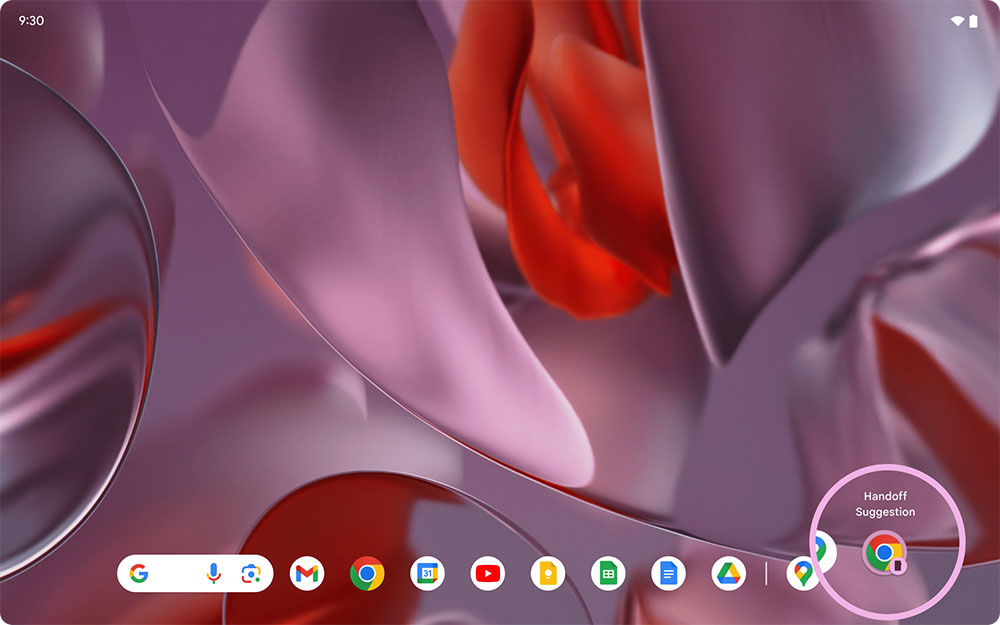
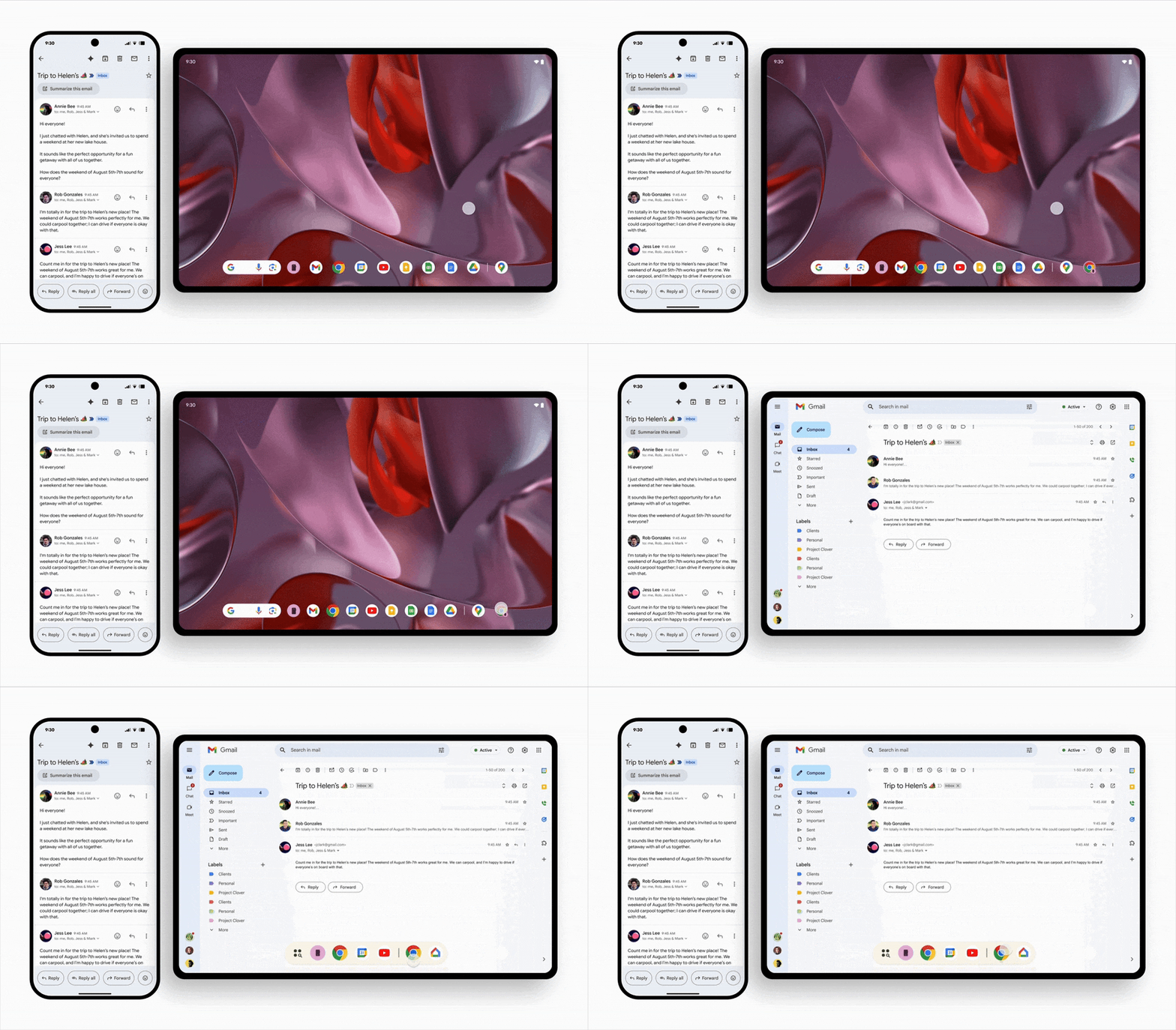
In actual use, if you are editing documents, reading emails or browsing content on your mobile phone, when you switch to the tablet, the system will actively suggest opening the same application on the taskbar. After clicking, you will not see the reloaded homepage, but will directly return to the screen and progress where you stopped on the phone. This “continue doing” experience greatly reduces the cost of switching across devices.
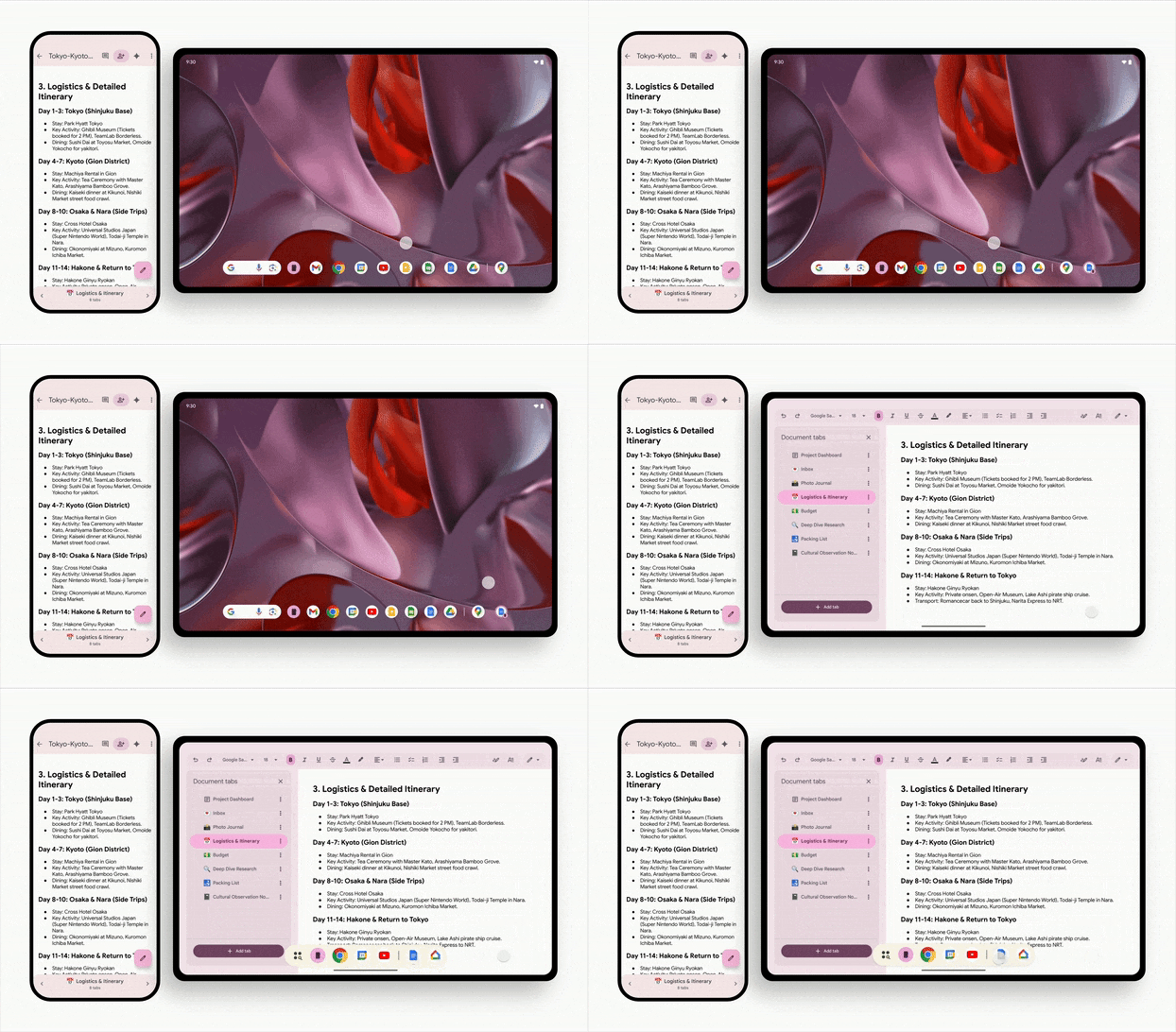
Google particularly emphasizes that Continue On is “two-way”, which means that it is not an exclusive feature of a certain flagship phone, but that all supported Android devices can transmit and receive application activity status to each other. As long as the hardware and system version meet the requirements, any device can become the starting point or end point of the relay. Google also showed off several concrete examples. For example, you can open a Google document on your phone and then continue the same document directly on your tablet, and even the tabs are fully synchronized. This is not just file synchronization, but synchronization of the entire “work environment”, which is particularly useful for students, office workers, or creators who need to move between different devices.
Continue On further supports the experience of switching from app to web. Take Gmail as an example. If you check an email on your phone and switch to your tablet, the system will automatically open the same email in the web version of Gmail. This cross-platform flexibility makes Continue On no longer limited by “whether the receiving device has the same app installed.” If the application is not installed on the receiving end, developers can choose to continue the task in the web interface, ensuring that users can still complete the work at hand without interruption. However, whether to support web-side connection still depends on the design of the application developer. However, this redundant cross-platform relay makes Continue On a wider range of usage scenarios and is closer to modern multi-device and multi-platform usage habits.
It is worth noting that although Continue On will be launched with Android 17, it will only support “phone to tablet” device switching initially. Google has not yet revealed whether it will be expanded to Chromebooks, Android TV or other devices, but judging from the direction of its ecosystem integration, the scope of support is likely to be gradually expanded in the future. Overall, Continue On represents an important evolution in Android’s cross-device experience. It allows Android users to enjoy true “cross-device relay” for the first time, and it also allows Google to take a key step in the competition of multi-device integration.
Source: KOCPC Chinese