


When you enter a new network environment, or suddenly feel that your network speed seems to be slowing down, you will definitely want to test the current network speed. Many people should test it through the SpeedTest website. If you are using the Microsoft Edge browser and have updated it to the latest version, it is now built-in and you can directly open the test, which is very convenient. Let’s teach you how to use it.
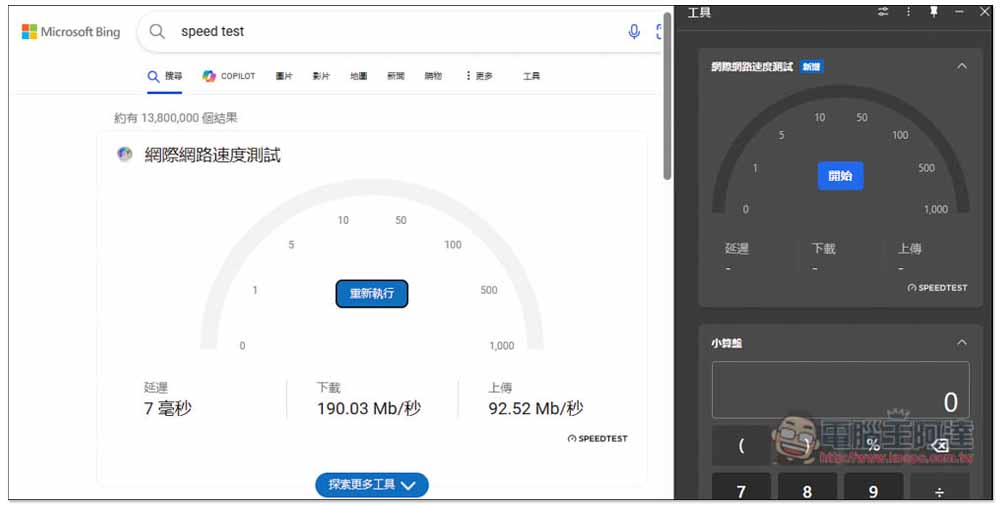
The latest version of Microsoft Edge has a built-in network speed test function and teaches you how to use it
Some people may have the impression that the Microsoft Edge browser used to have a network speed test function, but for unknown reasons last year, it was suddenly removed by Microsoft. In the latest version 124.0.2478.80, Microsoft added this function back.
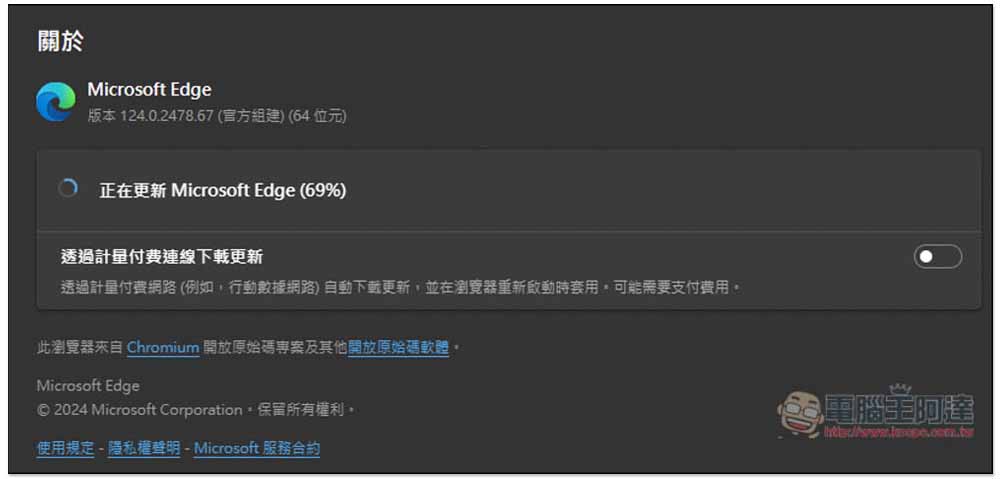
To use Microsoft Edge’s network speed test function, first make sure you have updated to version 124.0.2478.80 or above. Check as follows:
- Open the Microsoft Edge browser
- Open the… menu in the upper right corner and go to “Help and Feedback” -> “About Microsoft Edge”
- Then Edge will start to check whether there is a new version. If there is, it will automatically download and update. When completed, you need to restart the browser.
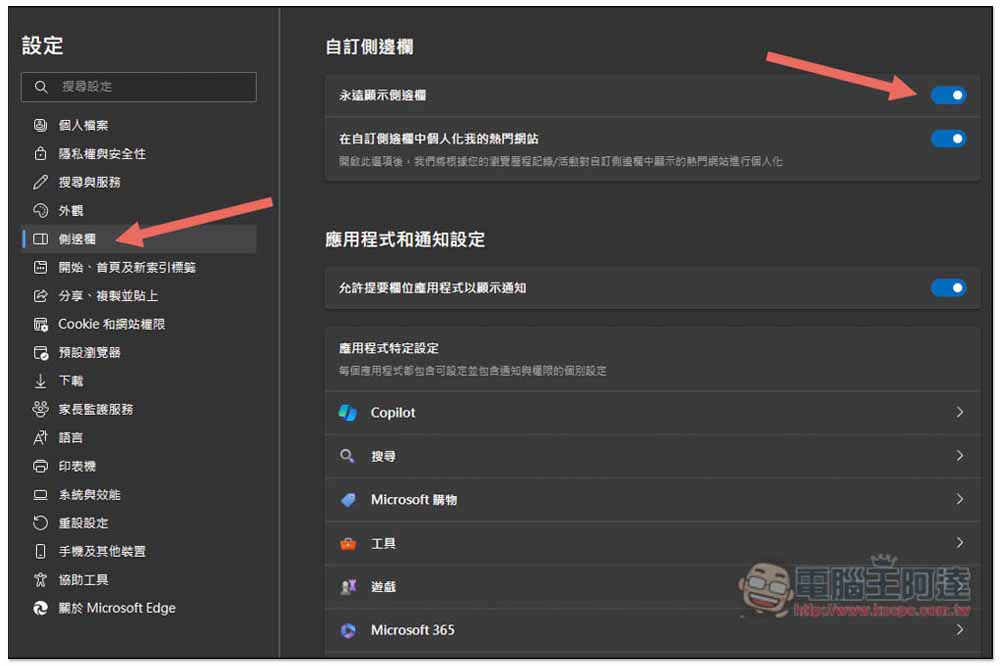
After confirming that you have upgraded to version 124.0.2478.80, you also need to open Edge’s sidebar, that is, a row of gadgets will appear on the right side of the browser. If yours doesn’t have it, turn it on in settings.
In the sidebar menu in settings, turn on the first “Always show sidebar”:
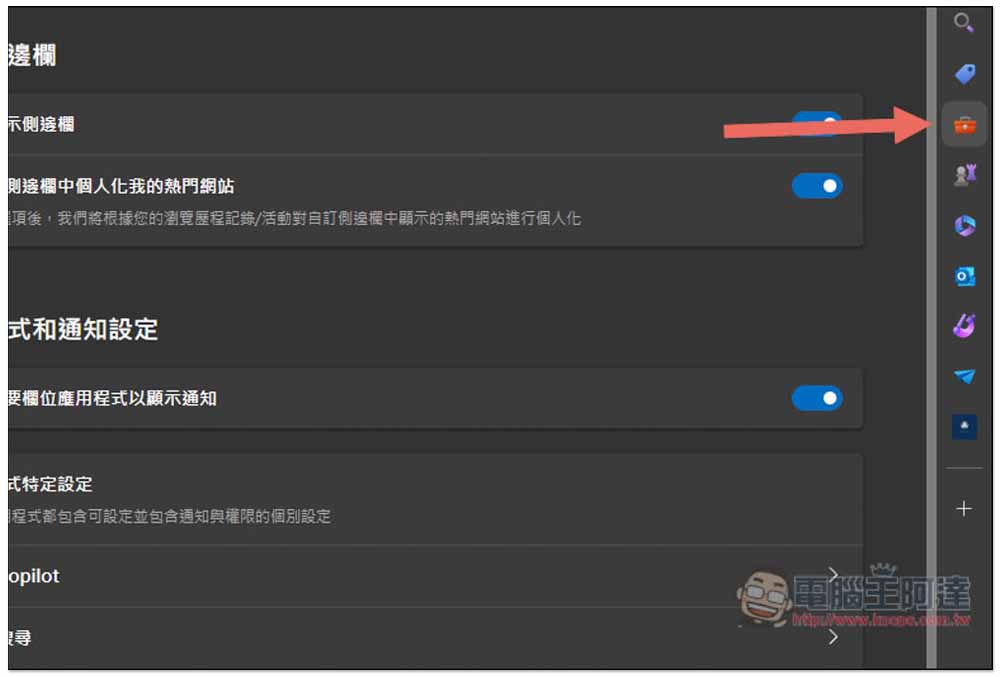
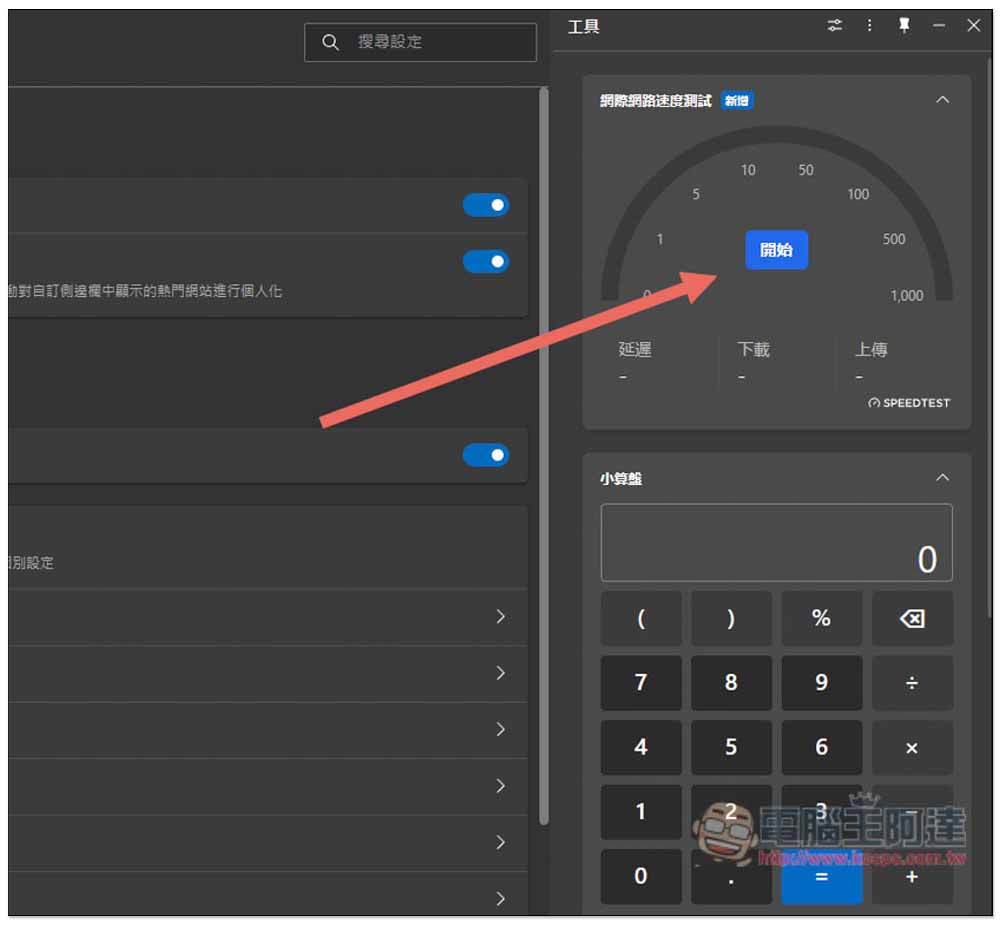
The network speed test function is placed in the second “Tools” icon:
After opening “Tools”, you will see the Internet speed test function. Click Start to perform the test. The service used is also Speedtest, but you do not need to go to its website:
The only pity is that this Internet speed test is not measured directly in the tool, but will automatically open the speed test page of Bing search and perform the test at the top of the search results page:
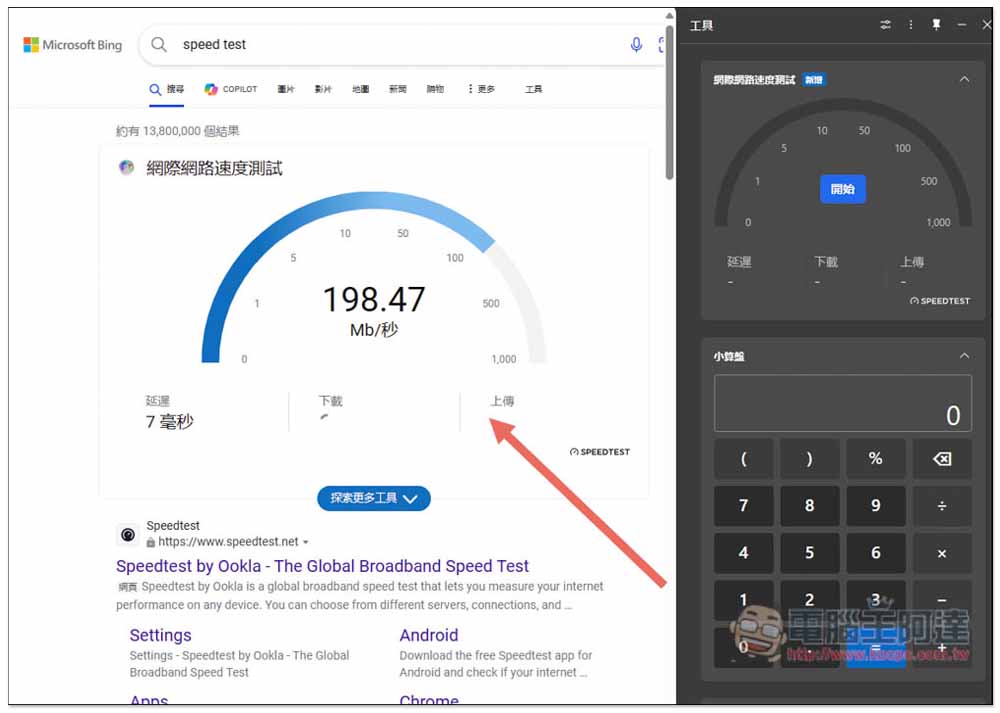
I tested Microsoft Edge’s network speed test results, which are indeed similar to those I measured directly on SpeedTest, so the accuracy is quite high, and the test process feels smoother than SpeedTest. For example, when I use SpeedTest to run, the download speed will jump from very low at the beginning, such as 50MB~100MB, and then slowly increase, while Microsft Edge will go directly to the top, with no lag.
In addition to the Internet speed test, the Microsoft Edge tool menu also has other useful functions, such as abacus, unit converter, and translation tools. Unlike the Internet speed test, everything else can be executed directly in the tool menu without opening any new pages. As for other tools at the bottom, such as: timer, stopwatch, digitizer, random numbers, QR code, and typing test, these will also open Bing search results.
Although Microsoft continues to add new features to Microsoft Edge, which feels good, it hopes not to add more and more, causing the browser to consume too much performance and memory. After all, many people abandon Chrome and switch to Edge. The main reason is that it does not consume computer performance. If the Edge becomes too fat, it is likely to have the opposite effect.
Source: KOCPC Chinese