


Nowadays, the subscription fee for online video streaming services exceeds 100, which is a big expense for many people. This article will recommend a country where the monthly Prime Video fee is only about 19 yuan converted to Taiwan dollars, which is “Egypt”. You can subscribe without using a VPN, and you can also use a Taiwanese mobile phone number and credit card. Moreover, most of the Prime Video videos provided have Chinese subtitles, which is super cost-effective. What’s more, there’s a one-month free trial.
If you don’t think it’s interesting, you can cancel at any time, remove your credit card information, or even delete your Amazon account. Here’s how to subscribe.

Super cheap! Prime Video is only NT$19 per month, this article teaches you how to get it
To subscribe to Prime in Egypt, all you need is the following
- Apply to Egypt Amazon account(Taiwan mobile phone number available)
- Fake Egyptian addresses, mobile phone numbers, and addresses of Egyptian hotels, universities, etc. can be used to register credit card addresses.
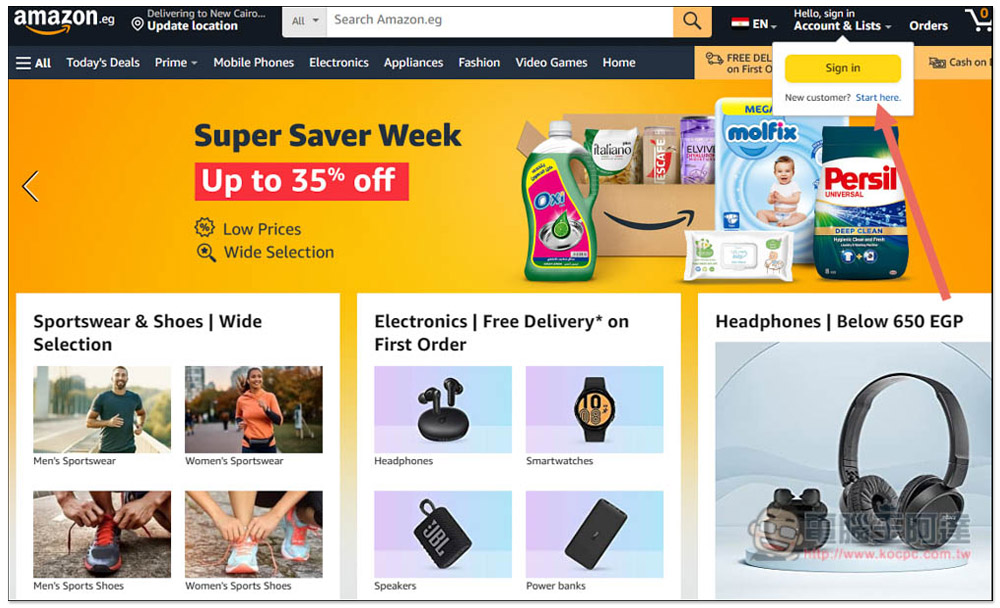
First come firstEgypt Amazon website, click Account & List on the upper right, and click Start here to start registration:
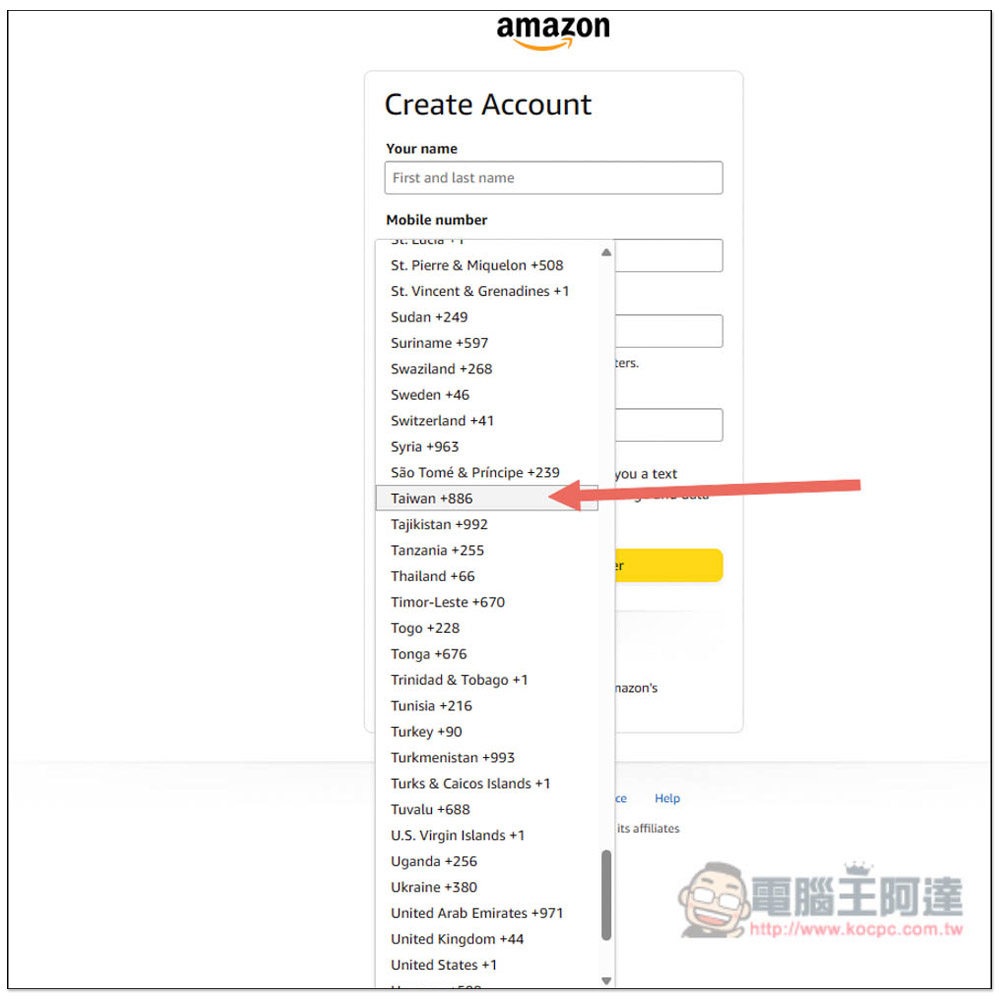
Amazon in Egypt can only be registered with a mobile phone number, and any mobile phone number around the world, including Taiwan, is accepted. After entering your name, mobile phone number, and password, click Next. Also note that you must enter a mobile phone number that can receive text messages, as OTP verification will be required. If your mobile phone number has been registered with Amazon in other countries, please change it to another mobile phone number, otherwise the original account will be cleared. Be careful about this:
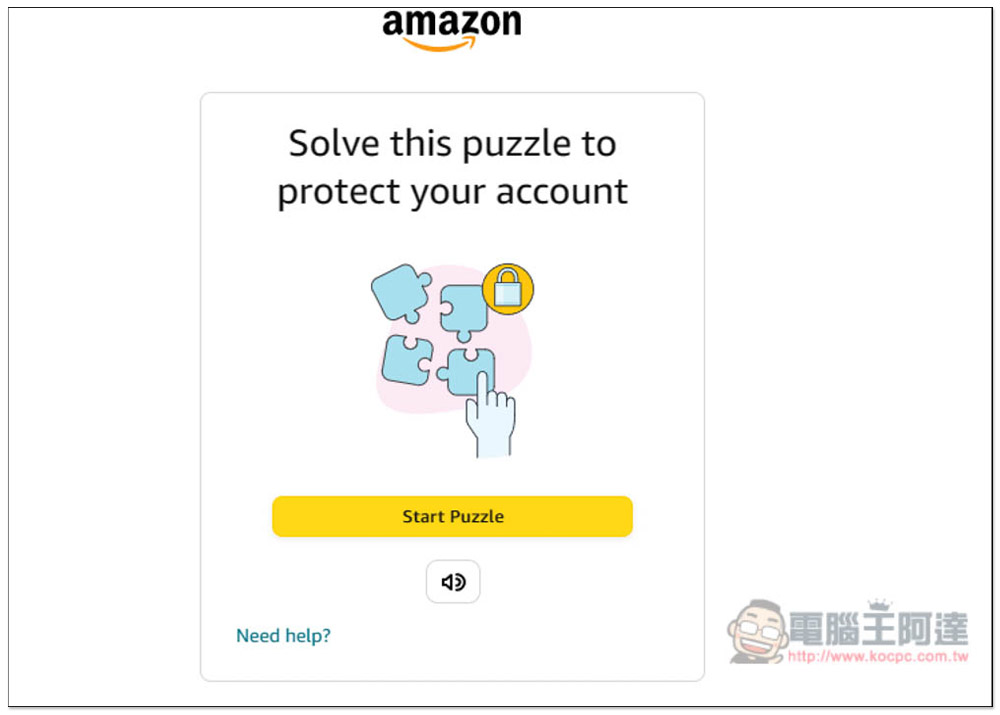
The verification may pop up, just follow the instructions on the screen:
Enter the SMS OTP received on your phone and press Create your account:

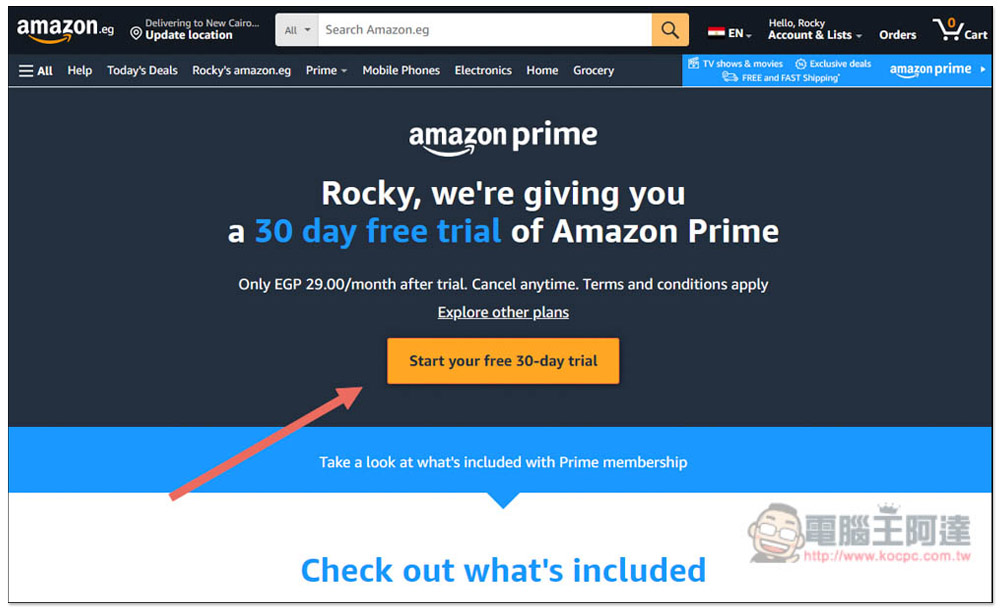
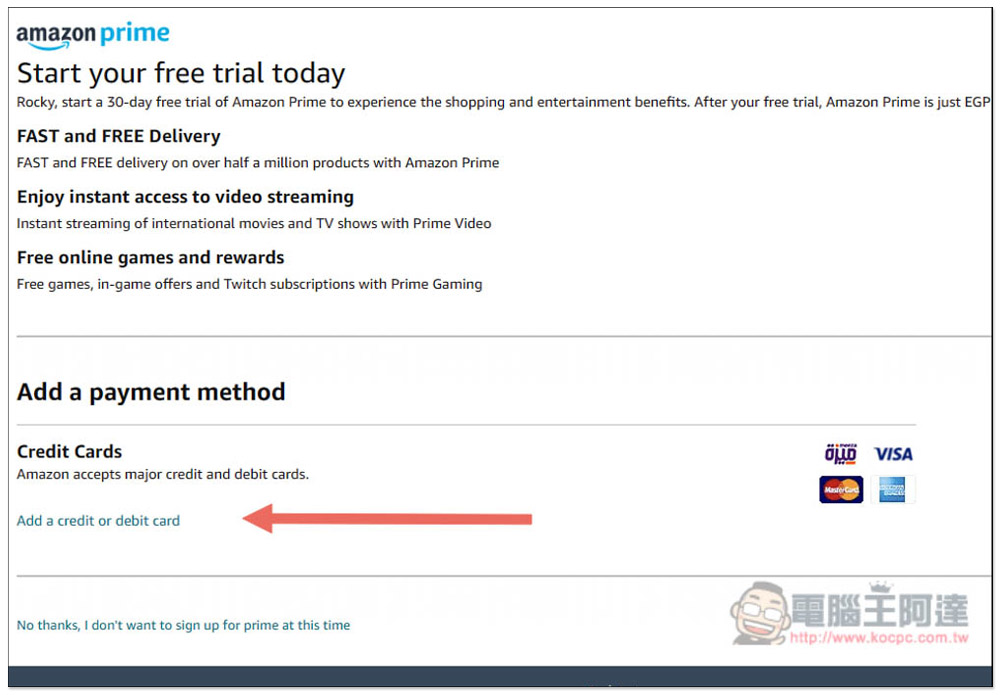
After successfully registering and logging in, click amazon prime on the upper right, and then click Start your free 30-day trail on the screen. New users can get a 30-day free trial without paying any fees. After that, each month is EGP 29, which is about 19 yuan in Taiwan dollars:
You need to fill in payment information, click Add a credit or debit card at the bottom left, and then enter your credit card information. I tested it in Taiwan and it worked fine:
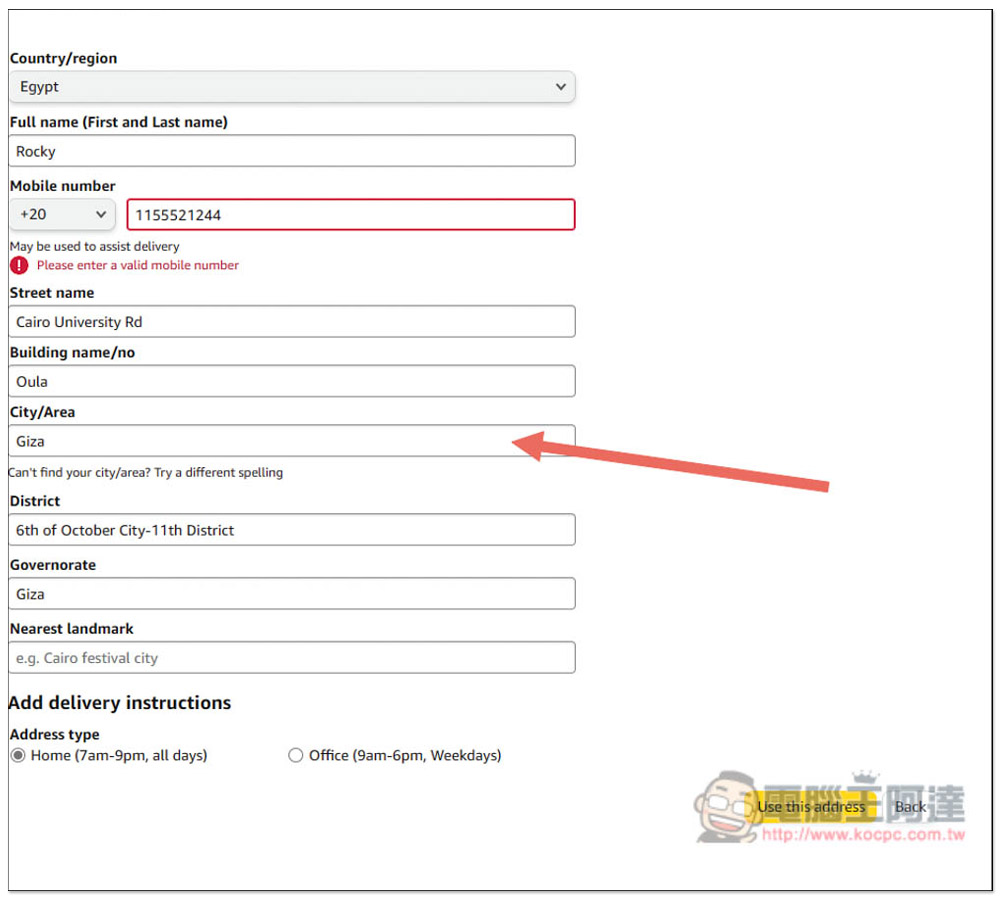
The credit card address must be Egypt. I cannot test it in Taiwan, so just fill in all the information with false information. You can find the address online, such as an Egyptian university or an Egyptian hotel. If there is a field and you don’t know which one to choose, just choose it casually. You can use this for your mobile phone number.generator:
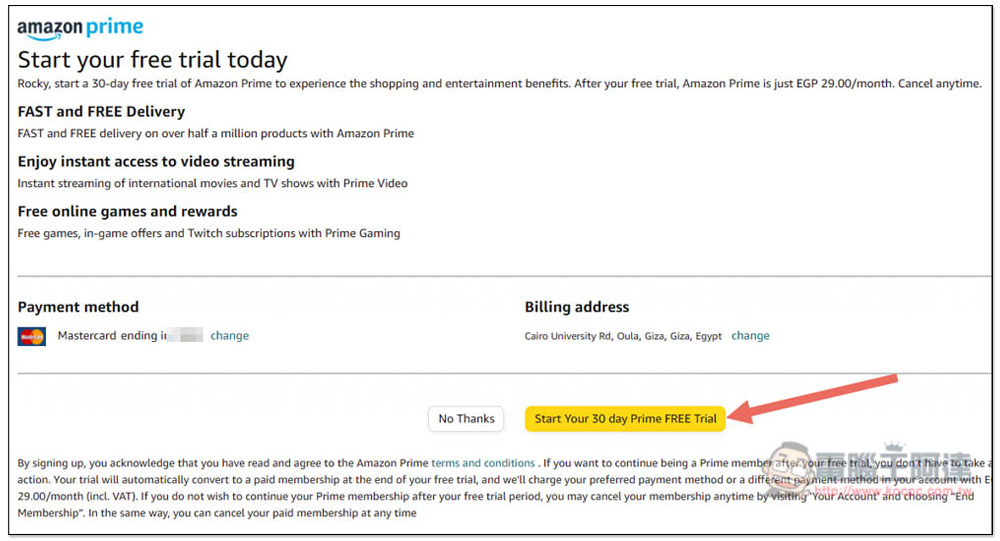
After everything is completed, click Start Your 30 day Prime FREE Trial below to start the 30-day trial. A credit card charge notification of 1 yuan will appear on your credit card. This is just to test whether the card can be used, and no fees are actually charged:
When this message appears, it means you have successfully subscribed to Egypt Prime. You can now open Prime Video:
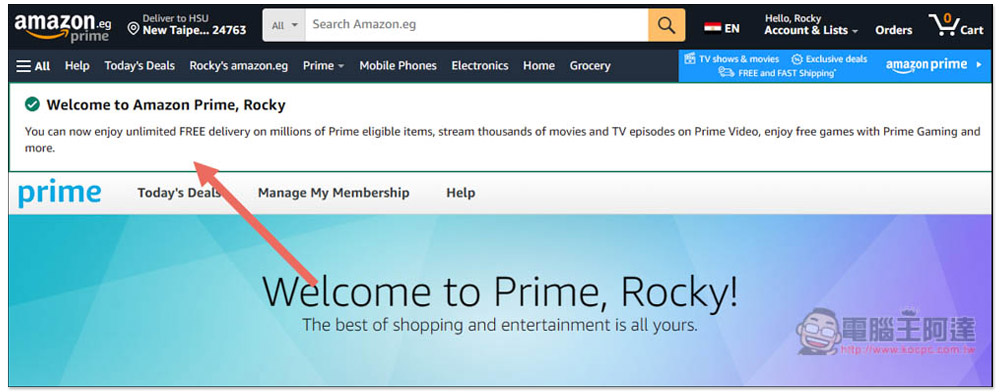
You can start watching Prime Video movies. Although I subscribe to Egyptian Amazon Prime, all the functions are in Chinese, so you don’t have to worry about not being able to understand them, except that some movie covers have Egyptian characters:
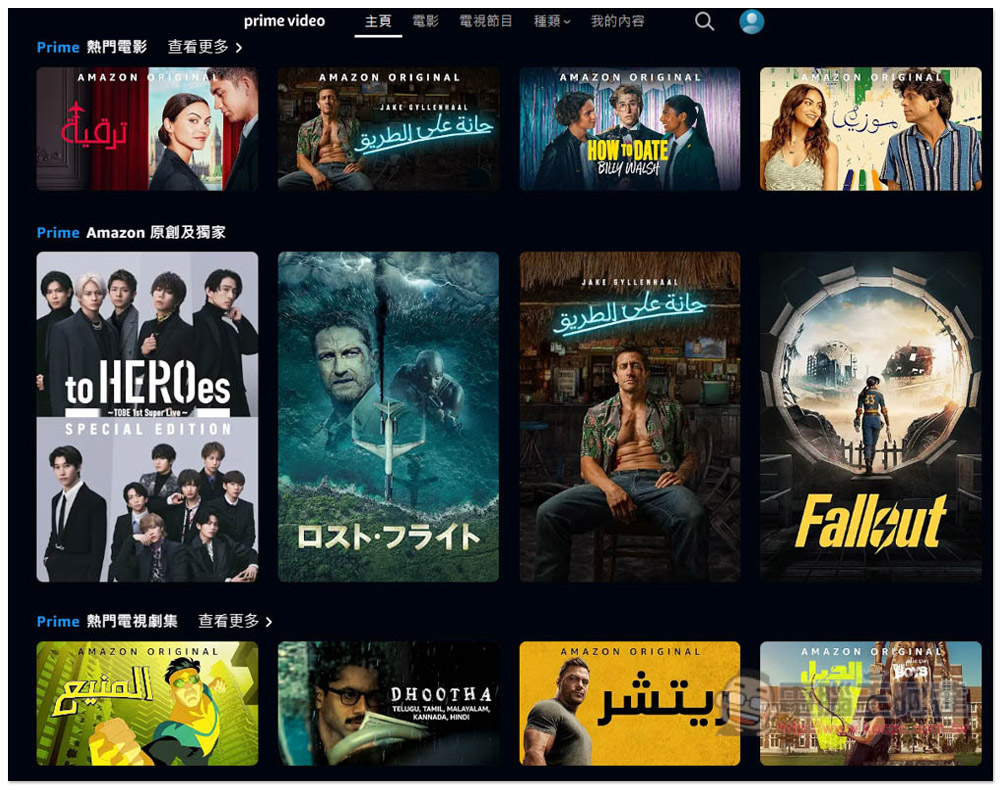
The video introduction is also in Chinese:

You can also turn on Chinese subtitles while watching:
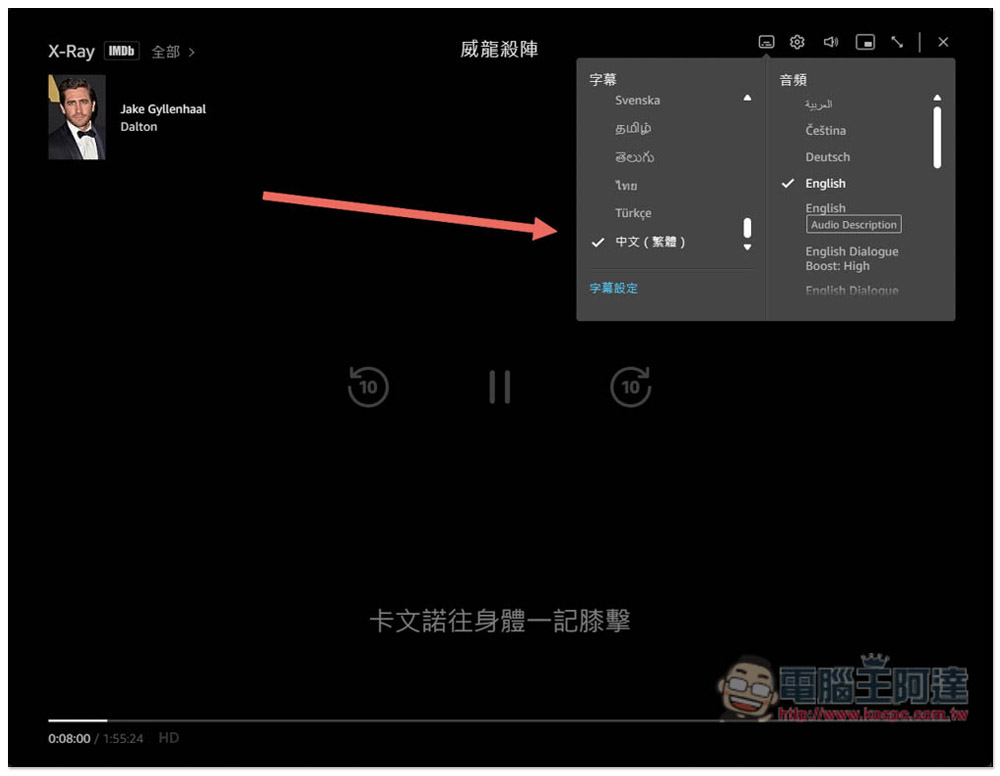
There is no problem in the actual test of mobile phone Prime Video App:

Why is Amazon Prime so cheap in Egypt?
In addition to the exchange rate, another reason why Amazon Prime subscription prices in Egypt are so cheap is that the number of Prime Video movies is smaller than in other countries.
According to foreign media Comparitech According to the latest statistics, the total number of Prime Video movies in Egypt is 1,605, while that in neighboring Japan is as high as 8,608. The difference is several times higher. Egypt is also the least among all countries with Amazon Prime.
So it may happen that the movie you want to watch is not available in Egypt, but is available in other countries. But it’s so cheap, I think it’s still acceptable.
Amazon Prime annual subscription in Egypt saves money
If you want to save more and feel that Prime Video has a lot of movies you want to watch, you may consider changing your monthly subscription to an annual subscription.
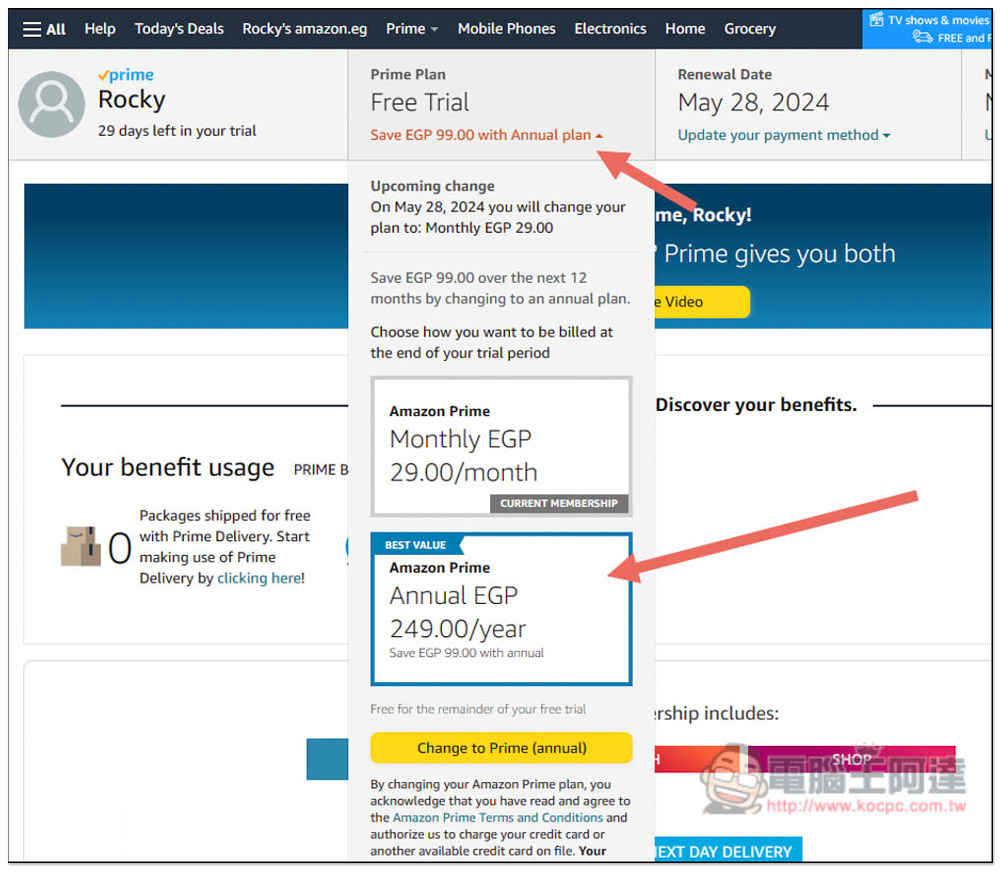
A monthly subscription is 29 Egyptian pounds, and a full year costs 348 Egyptian pounds, about NT$237. If you change to an annual subscription, it will become 249 Egyptian pounds per year, saving 100 Egyptian pounds (about NT$68), which means that you only need to spend about NT$170 to watch Egypt Prime Video for a whole year + 30 days for free.
The change method is also very simple. Open the menu in the upper right corner and enter Your Prime Membership:
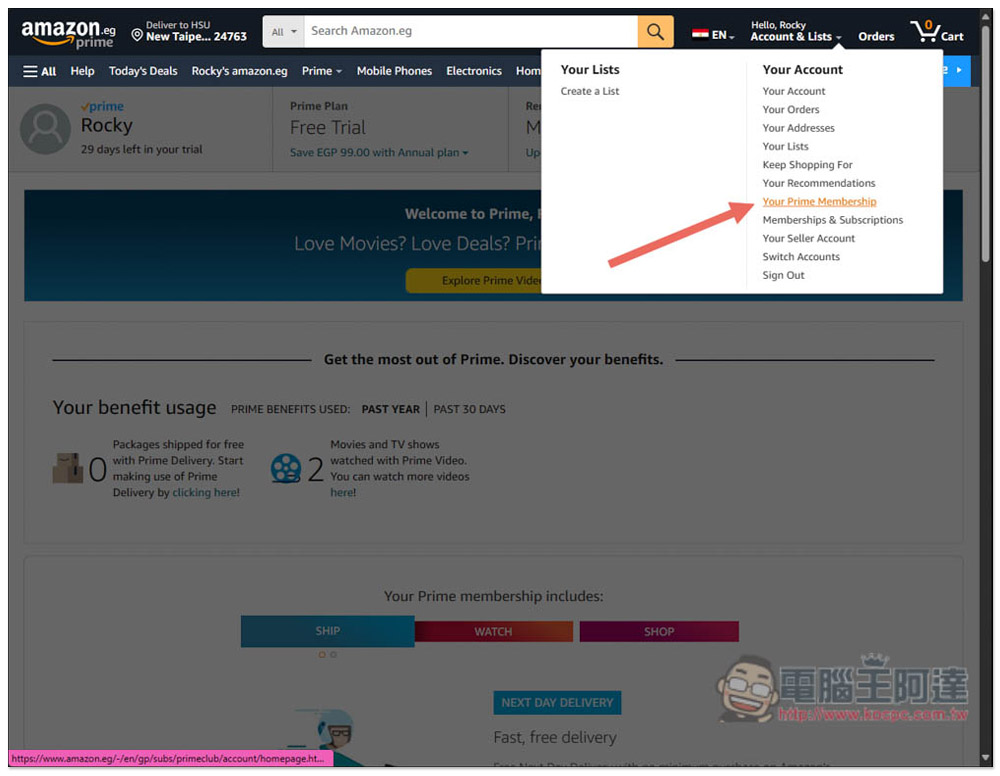
Open Save EGP 99.00 with annual plan above to switch to adult subscription:
How to cancel your Amazon Prime subscription in Egypt
If you don’t want to continue using it, remember to cancel, otherwise you will be automatically charged for the follow-up.
Go to Your Prime Membership as well, open the Update, cancel and more menu on the right, and click the End membership button below:
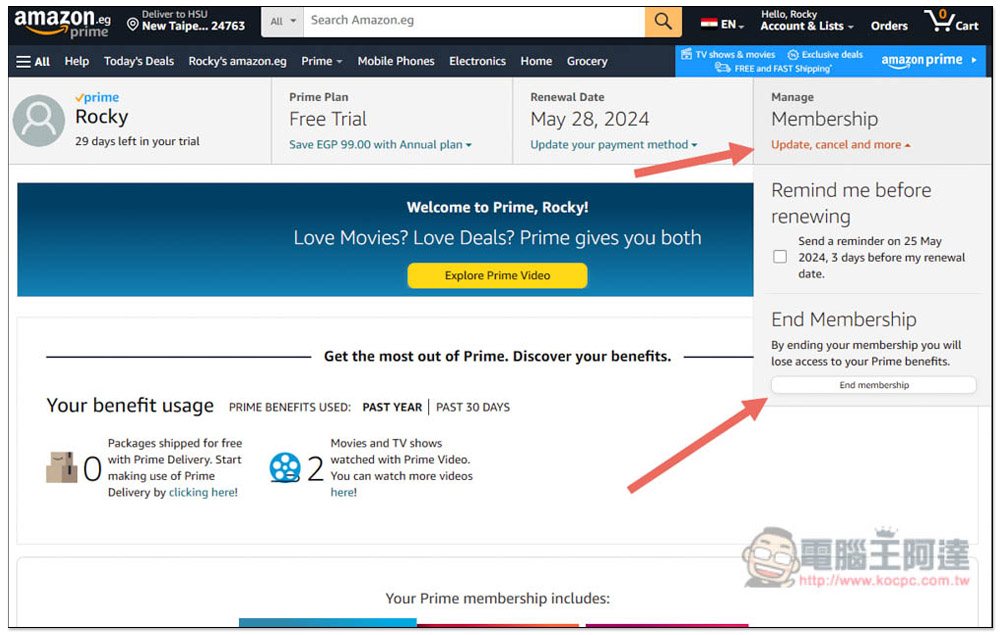
There will be three steps asking you if you really want to cancel your Prime membership. Just insist on canceling. First, press End my membership:
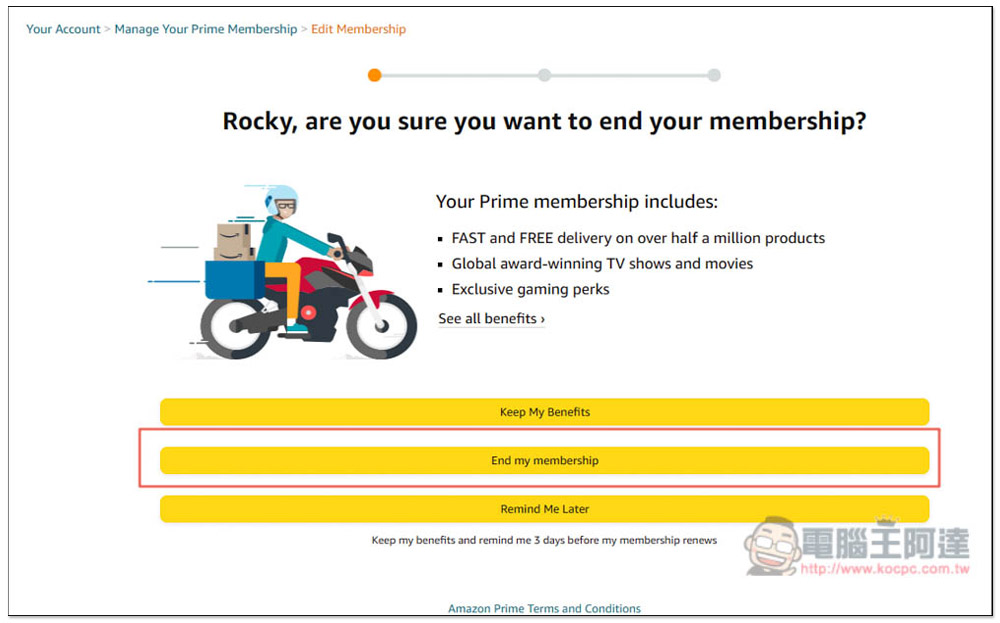
Select the middle Continue to Cancel:
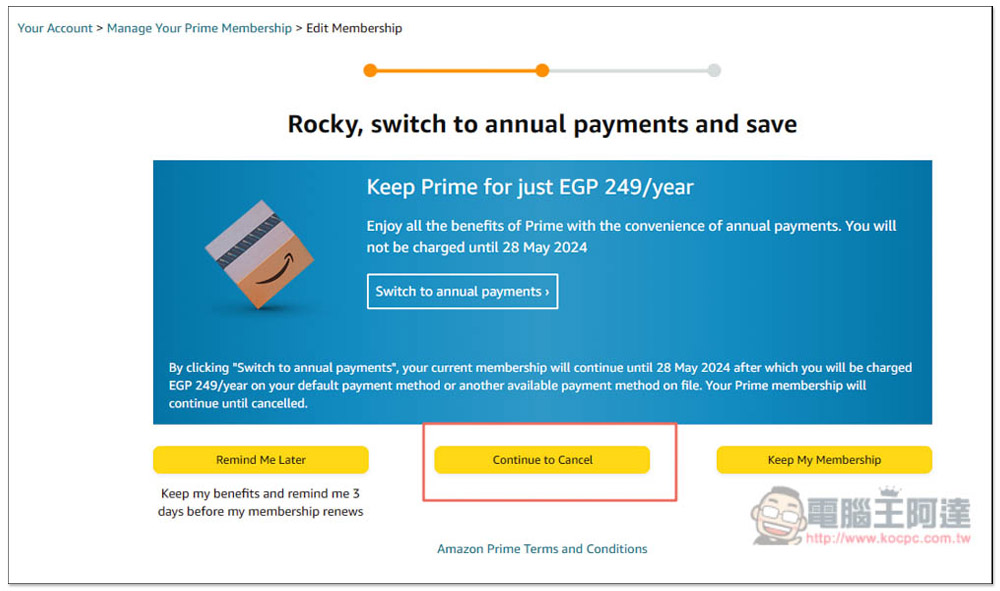
Click Cancel Membership above to complete the cancellation:
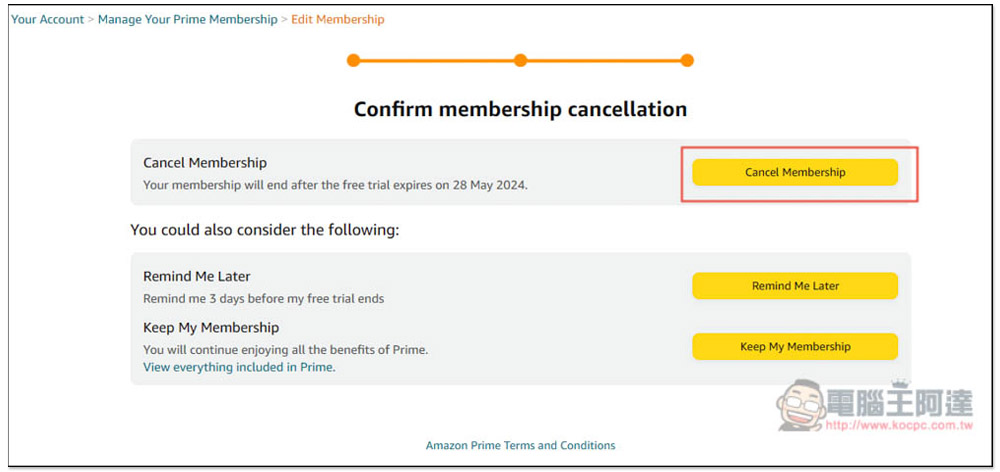
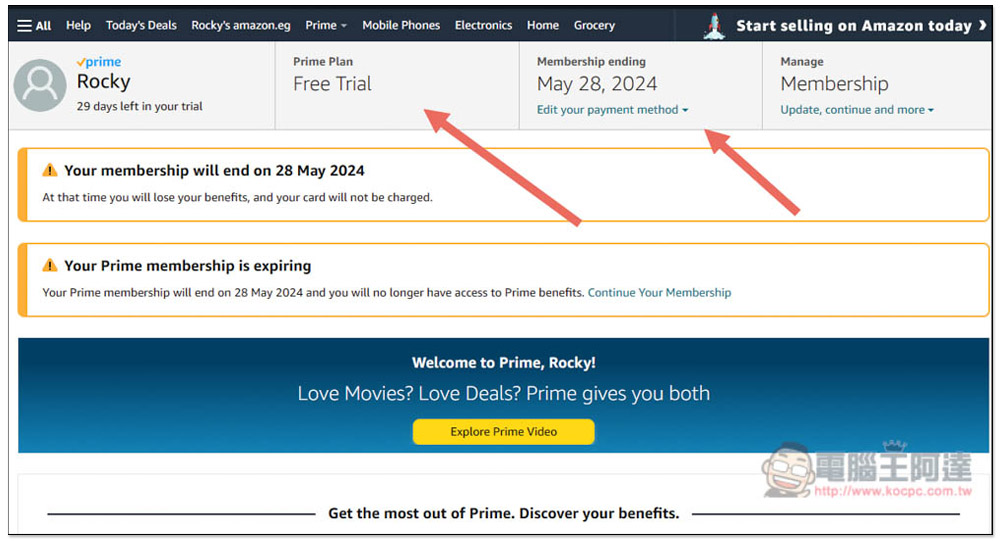
If you cancel the free trial like me, your Prime membership will still be retained until the end of the trial period. When you return to the membership page, the Prime Plan will change to Free Trial, and there will be a reminder on the right when:
How to remove credit card information and delete your Egyptian Amazon account
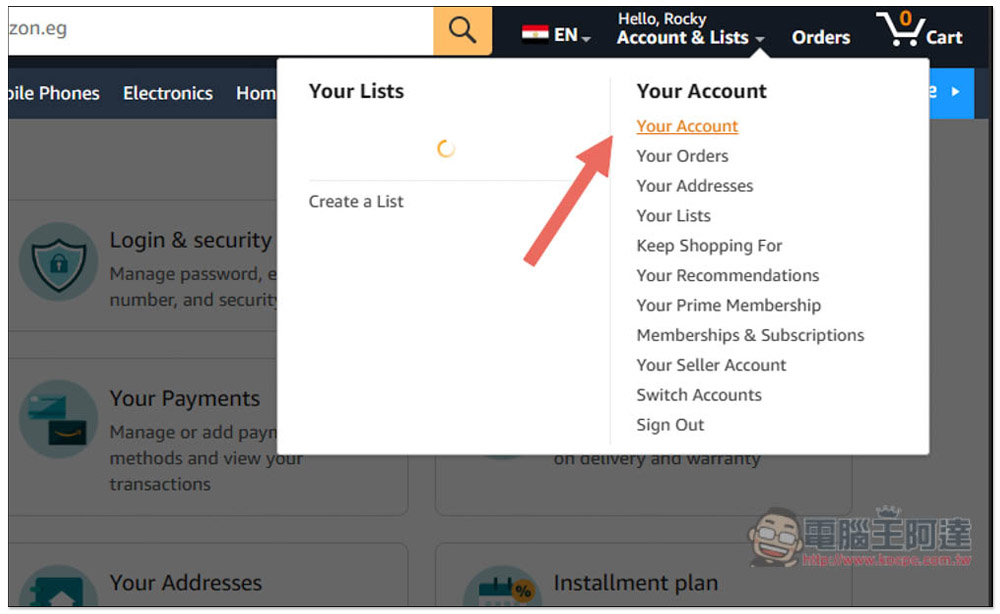
If you want to remove the registered credit card payment information, open the menu in the upper right corner and enter Your Account:
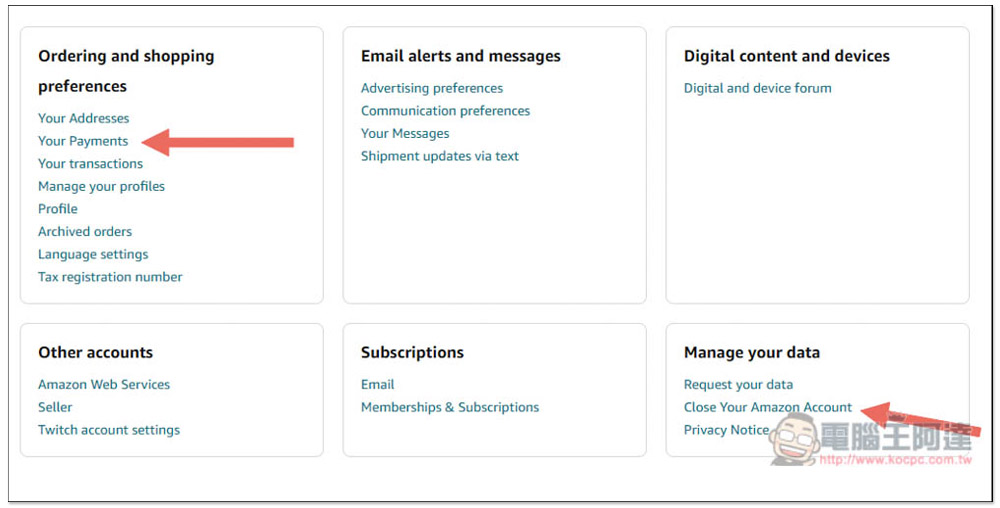
Scroll down the page and find the payment information Your Payments in Ordering and shopping preference. To delete the Amazon account, go to Manage your date -> Close Your Amazon Account at the bottom right:
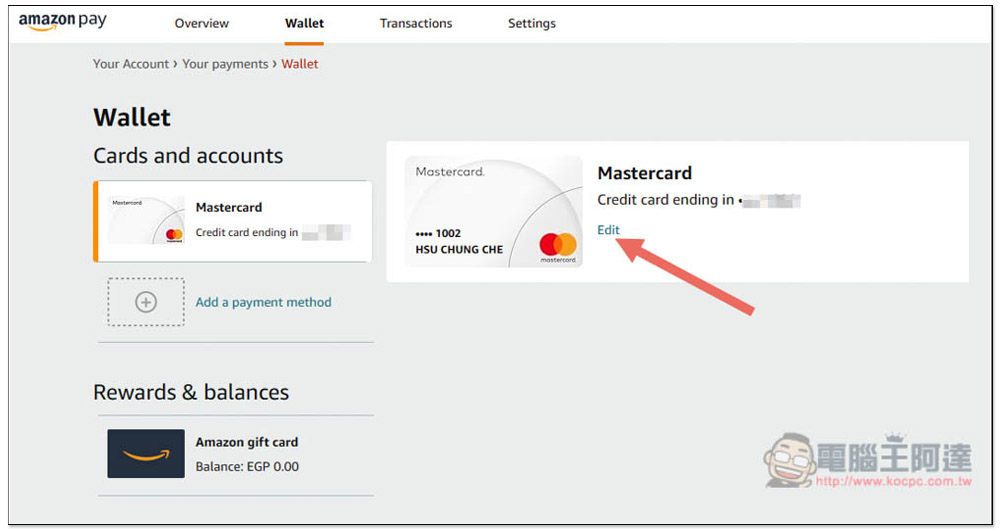
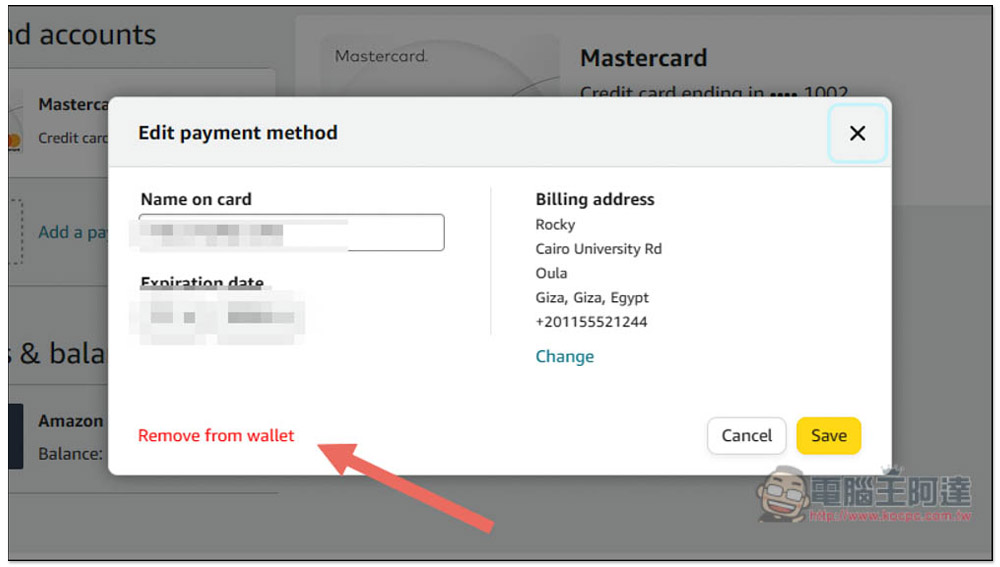
Let me first demonstrate removing credit card information. After entering the Your Payment page, click the Edit function under the credit card:
Then click Remove from wallet in the lower left corner:
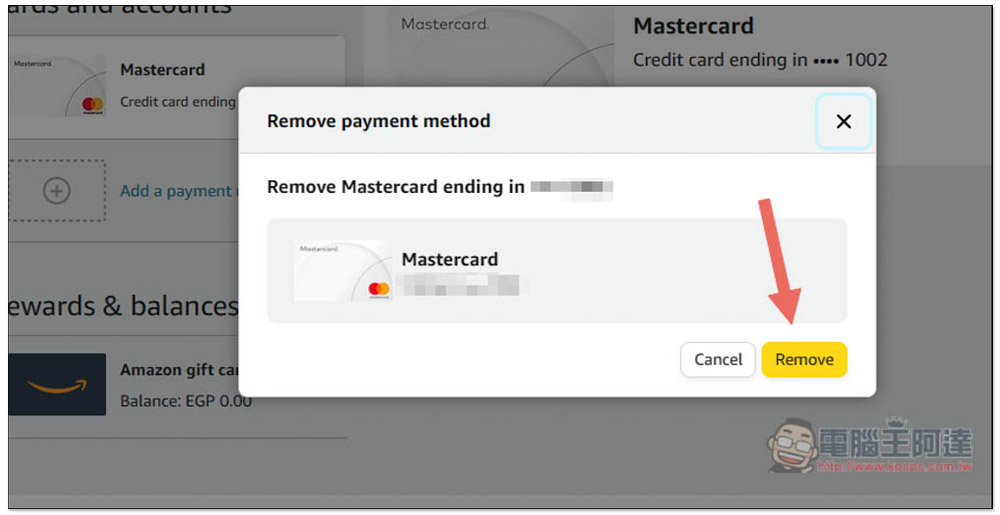
A prompt will pop up, press Remove:
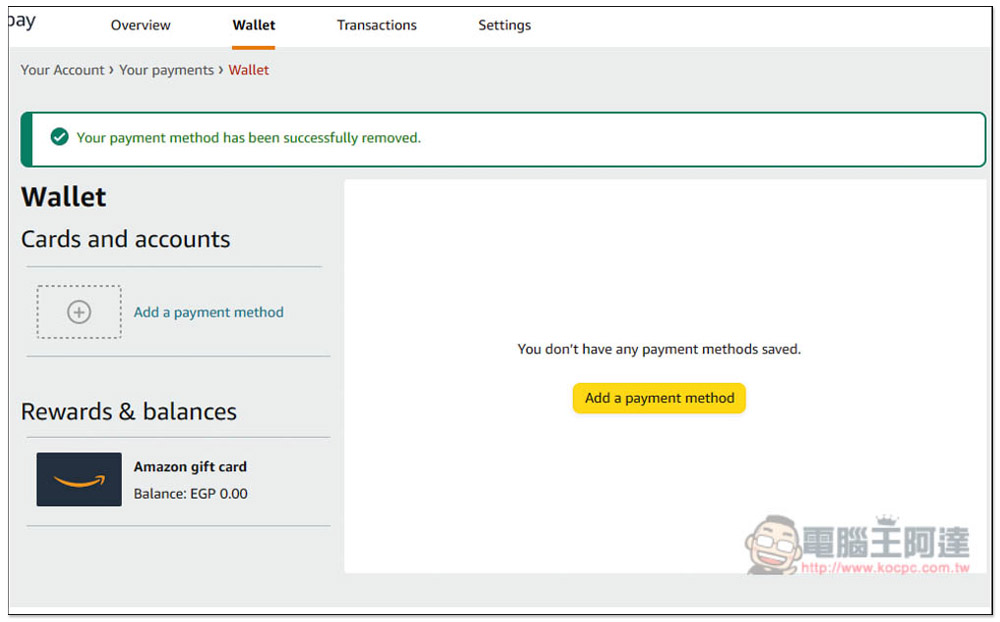
The credit card information registered with has been removed:
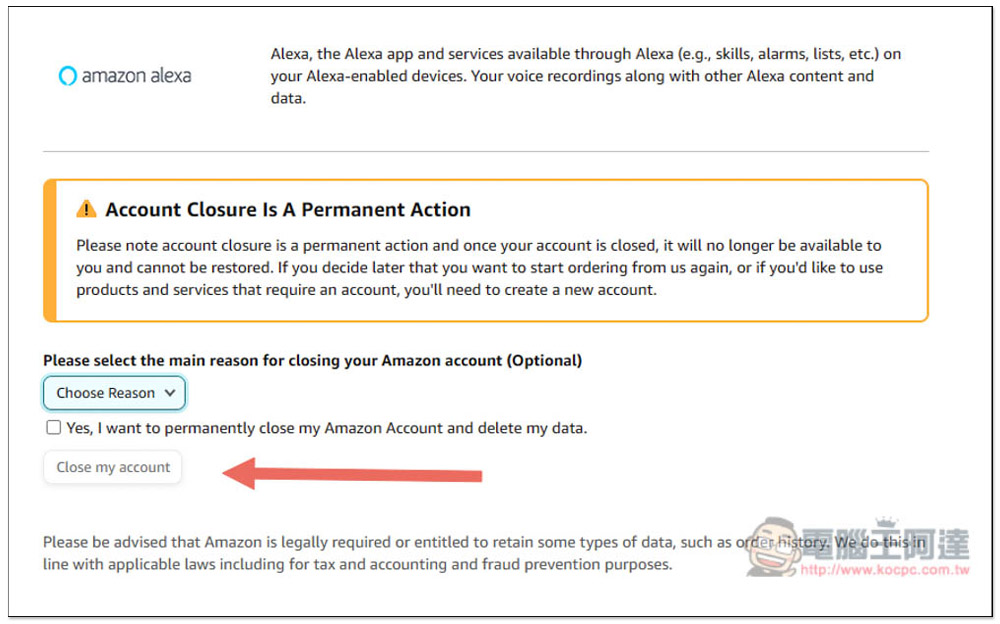
If you want to delete your Egyptian Amazon account, go to the Close Your Amazon Account page, scroll down and select a reason, check Yes, I want to…, and click Close my account. The deletion is complete:
Source: KOCPC Chinese