


But for users who love to use Google Podcasts to follow online podcasts, this official announcement that “Google Podcasts will retire in 2024” is still shocking. Fortunately, the promise of tools to transfer and back up in-app data has been fulfilled in the last feature update of Google Podcasts. This article will teach you how to use it! Continue reading What to do if Google Podcasts ends? Back up your data quickly with the “Last New Feature”! Report text.
▲Photo source of this article: Google
What should I do if Google Podcasts ends its service? Back up your data quickly with the “Last New Feature”!
Although for readers who often pay attention to science and technology news, they continue to see Mingming and feel that it is not bad to use, butHas been sent to the grave by GoogleThe applications and services in it seem to have been taken for granted. But for users who love to use Google Podcasts to follow online podcasts, this official announcement that “Google Podcasts will retire in 2024” is still shocking.
It can only be said that Google is still very conscientious. At least its commitment to the development of tools for transferring and backing up in-app data has been implemented in the last feature update of Google Podcasts.
Speaking of which, the official release of this update is a bit pressured to the bottom line – after all, the Google Podcasts app in the United States is no longer available for listening; although users outside the United States can still use it until 6/23, but Google is so violent that it shuts down the use rights of its home users before the transfer tool is available. It is safer to export all the Podcasts lists in it first (sweat).
The transfer tool for Google Podcasts is quite simple – especially if you want to continue using YouTube Music (but if you are the editor, you may want to take the opportunity to break away from the Google service that loves to “move” when nothing happens).
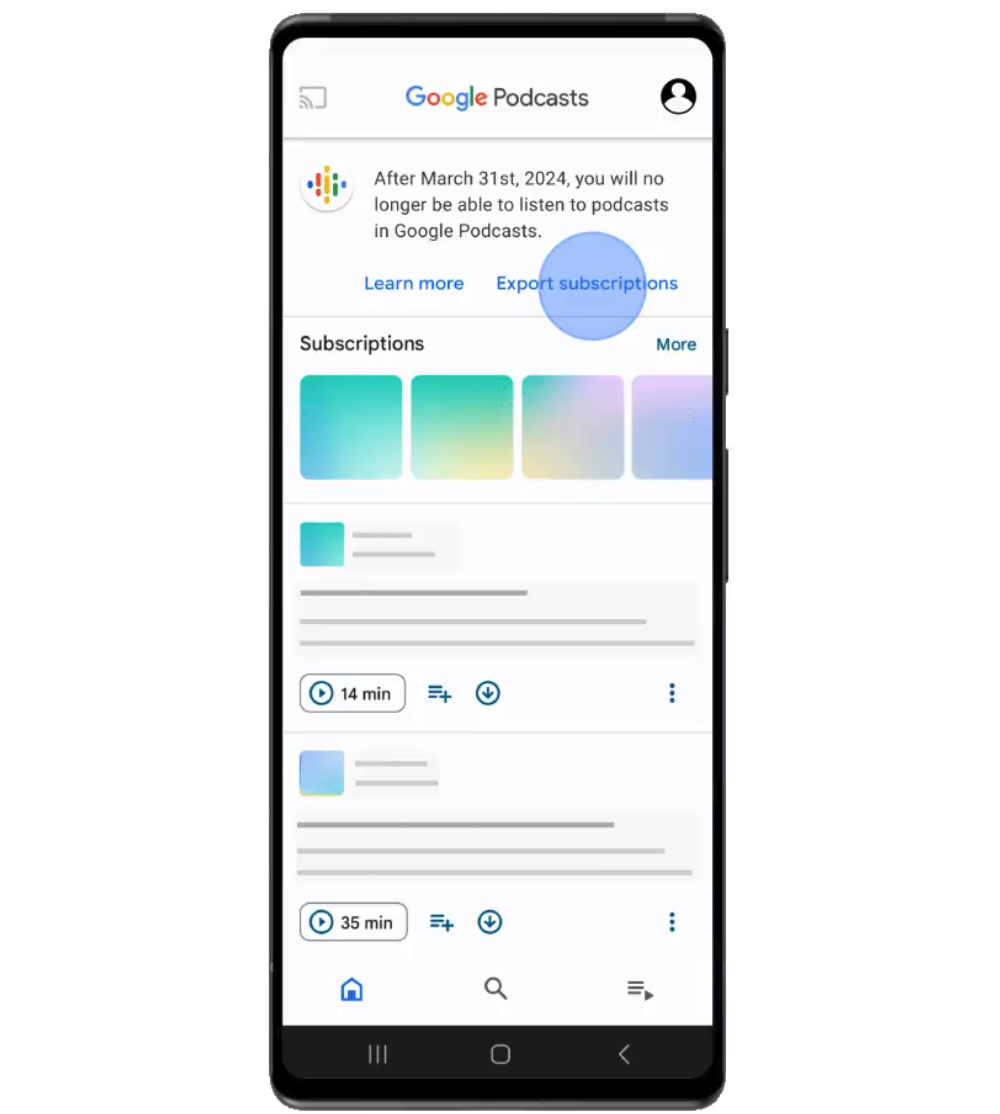
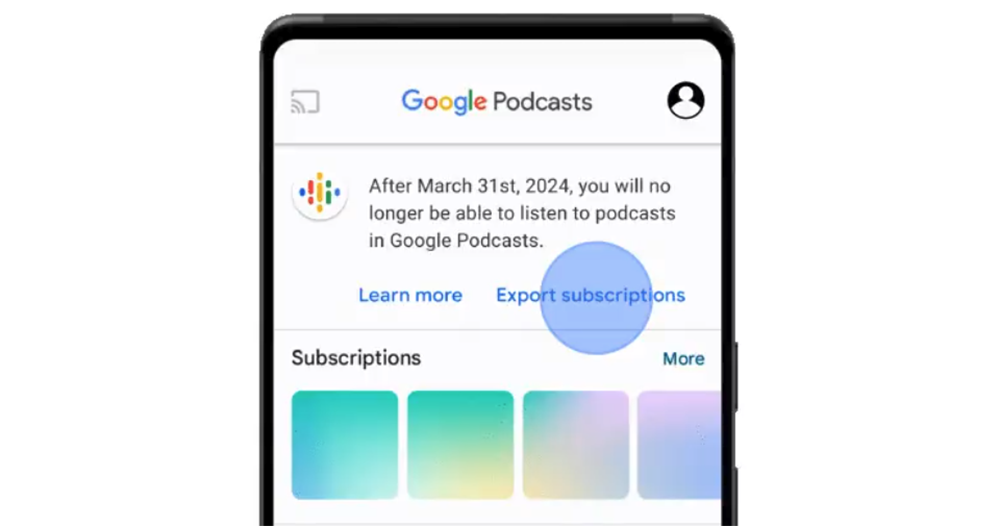
Basically, after opening the Google Podcasts app, you will see the announcement that the app will be closed down directly at the top of the homepage. There will be a blue link button for “Export subscriptions” below the announcement text.
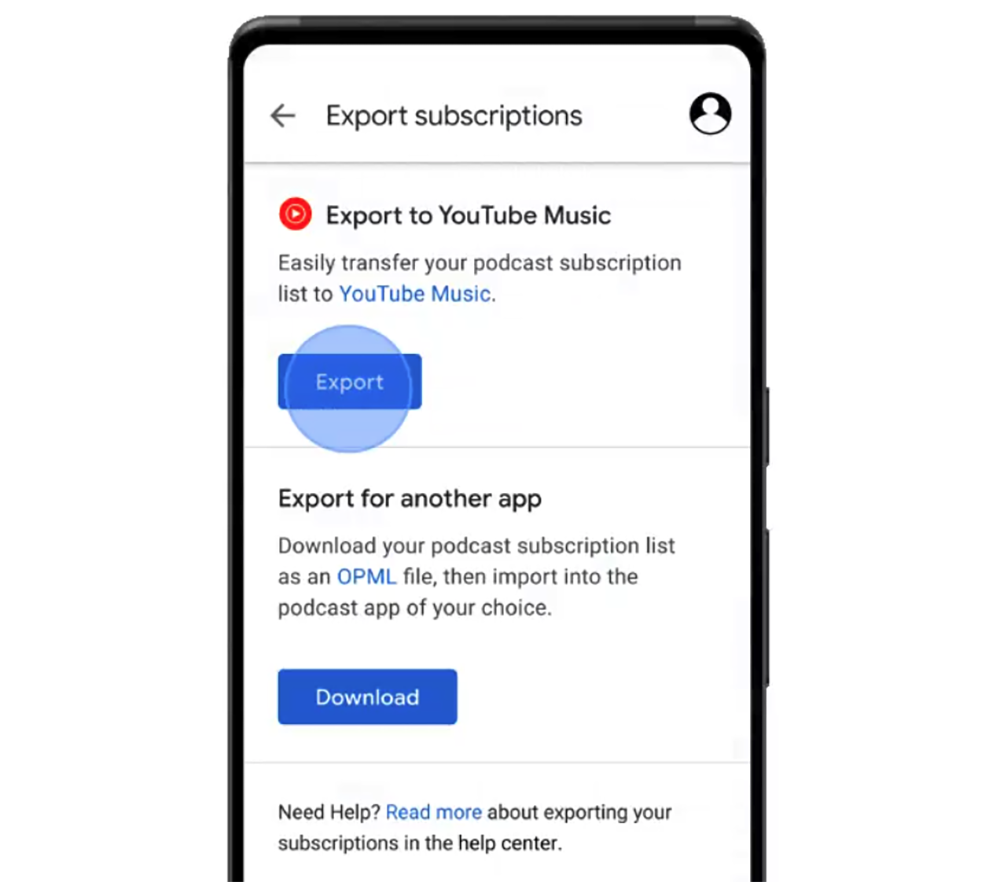
Click on “Export subscriptions” to see options to transfer directly to YouTube Music or download the OPML file and import it into other podcast apps yourself.
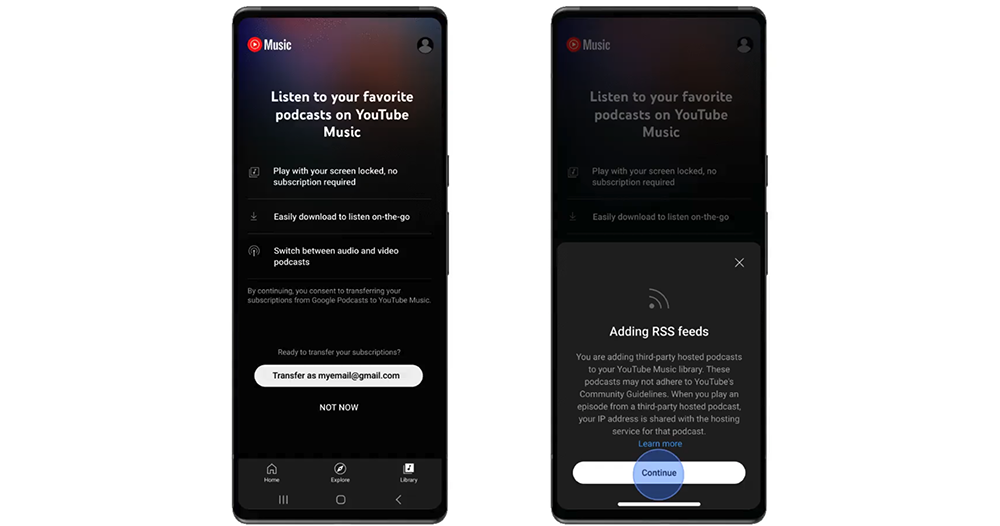
Not surprisingly, in the official demonstration animation, the home-made solution with the simplest process was chosen. After jumping to the YouTube Music app, the app will ask if you want to authorize and accept the input request of the Google account. Then select “Continue” to import the subscription content previously listened to on Google Podcasts into YT Music in the form of RSS.
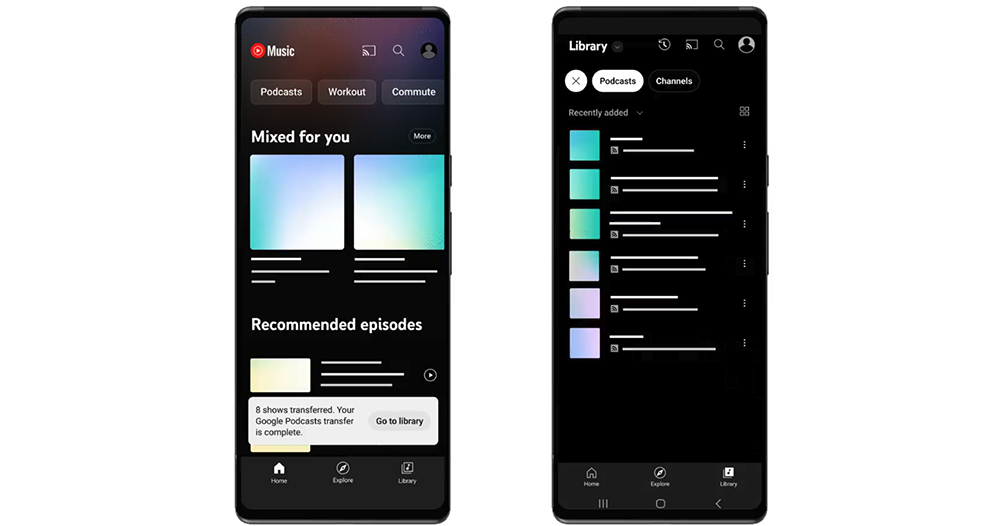
After the input is completed, you can check in the Library whether it has been imported normally – in fact, the system will also automatically prompt how many pieces of data have been imported through the Google Podcasts transfer function. You can simply continue listening to your favorite podcasts through YouTube Music! The transfer function of Google Podcasts will be maintained until July 2024, so please take advantage of it!
via|
Further reading:
Source: KOCPC Chinese