


Everyone who loves traveling to Japan must have a Suica card, right? Most iOS users will choose to store the Suica watermelon card in their iPhone or Apple Watch. It is easy to use whether it is transportation or small consumption checkout. When the balance is insufficient, you can directly add value to Apple Pay at any time, which is very convenient! However, in the past, to use Apple Pay as a top-up Suica, it had to be Mastercard or JCB. Now overseas VISA cards are finally open!
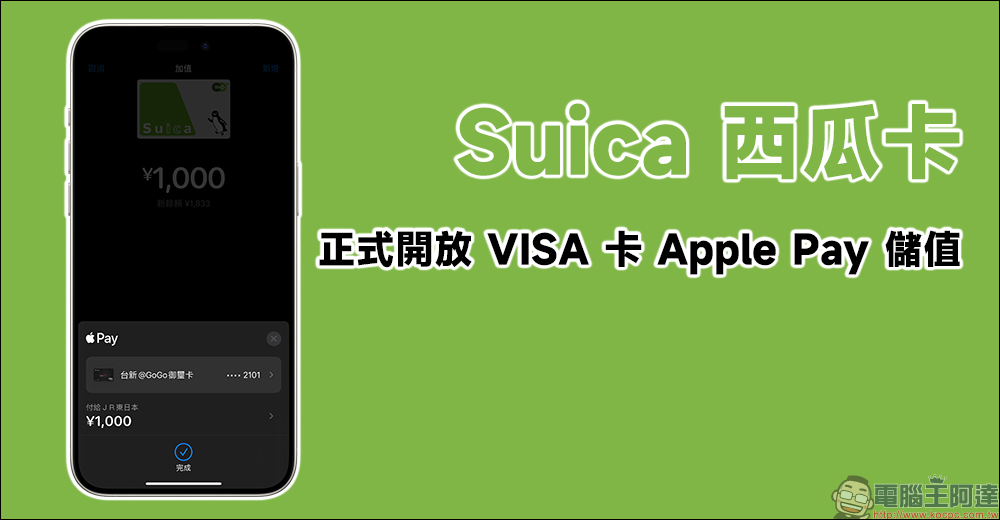
Suica watermelon card officially opens VISA card Apple Pay recharge!
When it comes to traveling to Japan, Suica is probably indispensable. It is easy to use everywhere and is commonly known as Suica. Apple users can use Suica directly on their iPhone or Apple Watch to check out, take the subway, and of course, add value directly. However, in the past, you had to use Apple Pay to recharge your Suica directly, and you could only use JCB or Mastercar. Even though most credit cards for traveling in Japan use JCB to enjoy more benefits and rewards, there must be some credit cards that are easy to use when traveling, and the card issuer is VISA!
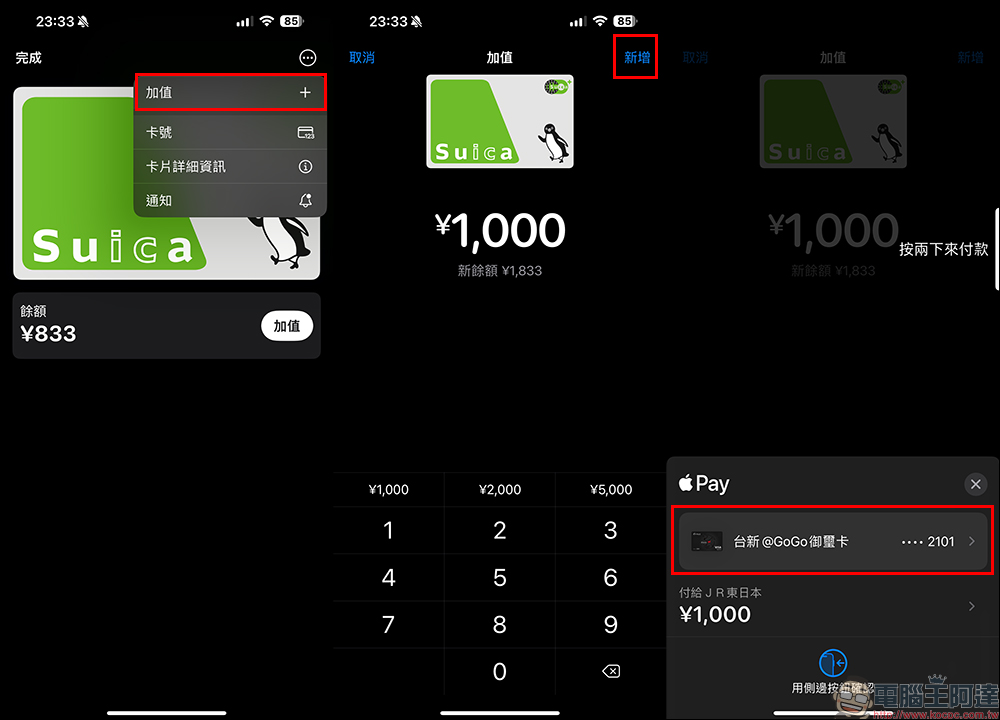
From now on, as long as you update iOS to iOS 17.3 (or later versions) and then open the “Wallet” APP, you can use the VIS card to top up online. The steps to add value are the same as in the past. Click “Add Value” on the wallet card page, select the currency you want to add value to, and then click the “Add” button in the upper right corner to enter the checkout screen. Click on the credit card below to expand and choose other bound cards for top-up.
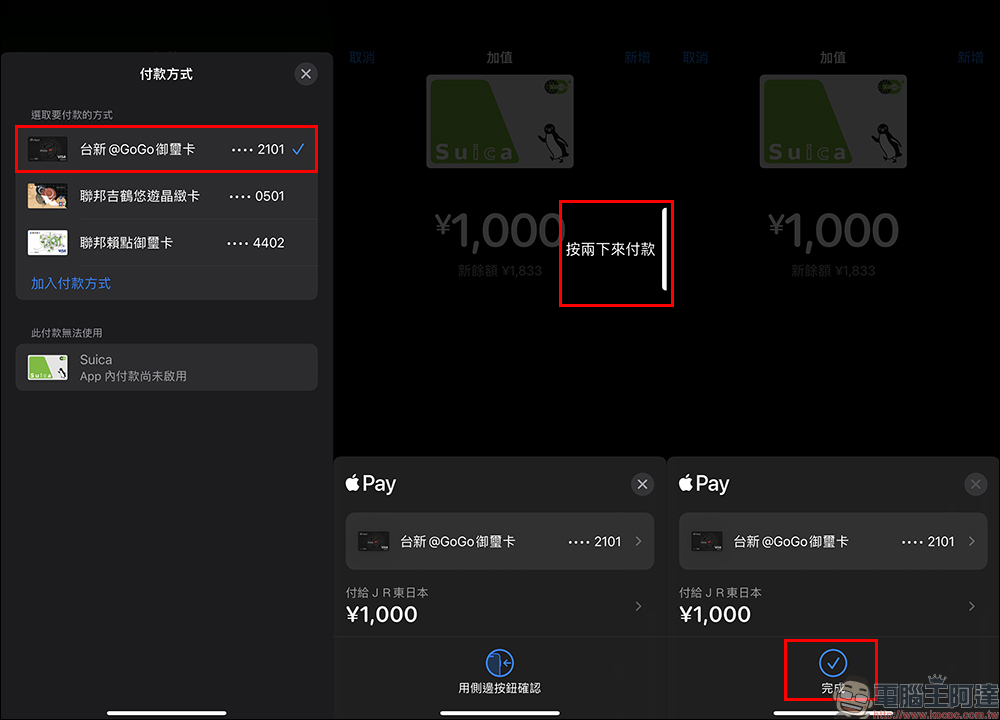
In addition to JCB and Mastercard, people who have bound VISA cards before will see that now the payment method can also check VISA credit for top-up. Then return to the previous payment screen and click on two items to make payment.
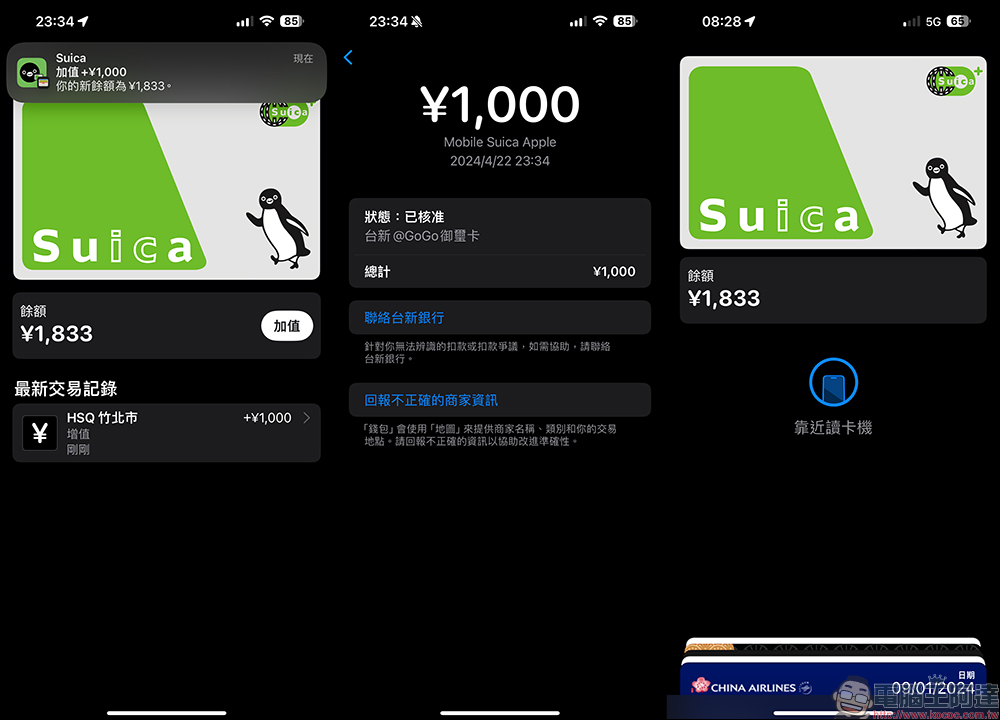
Even if you are still in Taiwan, people can recharge Suica directly through Apple Pay. Therefore, if you see that the Japanese yen exchange rate has been good recently, but it is still some time before you officially leave for Japan, you can consider reloading Suica first. Don’t forget to choose a card with higher overseas cash rewards! All transaction records and other related information will be integrated in the wallet APP.
Which bank credit cards in Taiwan can be bound to Apple Pay?
Referring to the information on Apple’s official website, Taiwan can currently bind Apple Pay credit cards/debit cards as follows:
- SinoPac Bank (Mastercard and debit cards, JCB and Visa credit cards)
- Cathay Pacific Bank (Mastercard and Visa credit and debit cards)
- China Trust Bank (JCB credit card, Mastercard and Visa credit and debit cards)
- DBS Bank (Mastercard and Visa credit cards)
- Yushan Commercial Bank (JCB, Mastercard and Visa credit and debit cards)
- Daiichi Commercial Bank (JCB, Mastercard, Visa debit and credit cards)
- HSBC (Taiwan) Bank (Mastercard and Visa credit cards)
- South China Commercial Bank (Mastercard, JCB and Visa credit and debit cards)
- KGI Bank (Mastercard and Visa credit cards)
- Mega International Commercial Bank (Visa credit and debit cards, JCB and MasterCard credit cards)
- Shin Kong Bank (Mastercard and Visa credit cards)
- Standard Chartered Bank (Mastercard and Visa credit and debit cards)
- Taipei Fubon Commercial Bank (Mastercard and Visa credit and debit cards, JCB credit card)
- Taishin International Commercial Bank (Mastercard and Visa credit cards and debit cards)
- Shanghai Commercial and Savings Bank (Mastercard and Visa credit cards)
- Commonwealth Bank (JCB, Mastercard and Visa credit cards, Visa debit card)
As for how to set up the watermelon card in iPhone, we have shot it beforeInstructional videos, friends who don’t know how to do it yet can set it like this:
Further reading:
LINE Conversation Generator Gadget|Generate LINE conversation pictures directly online without downloading the APP. It’s super easy to use!

Source: KOCPC Chinese