


We have previously introduced many Android apps that can watch streaming videos offline and support background playback, such as:SimpMusic、PipePipe、InnerTune、YouTube ReVanced Wait, but if you just want to download streaming videos and music, using this kind of app seems a bit too much, so this article will recommend “YTDLnis” which focuses on downloading YouTube. Videos can support up to 4K, and music can also be downloaded in MP3 format, and the download speed is very fast. In fact, over 1,000 websites are supported.
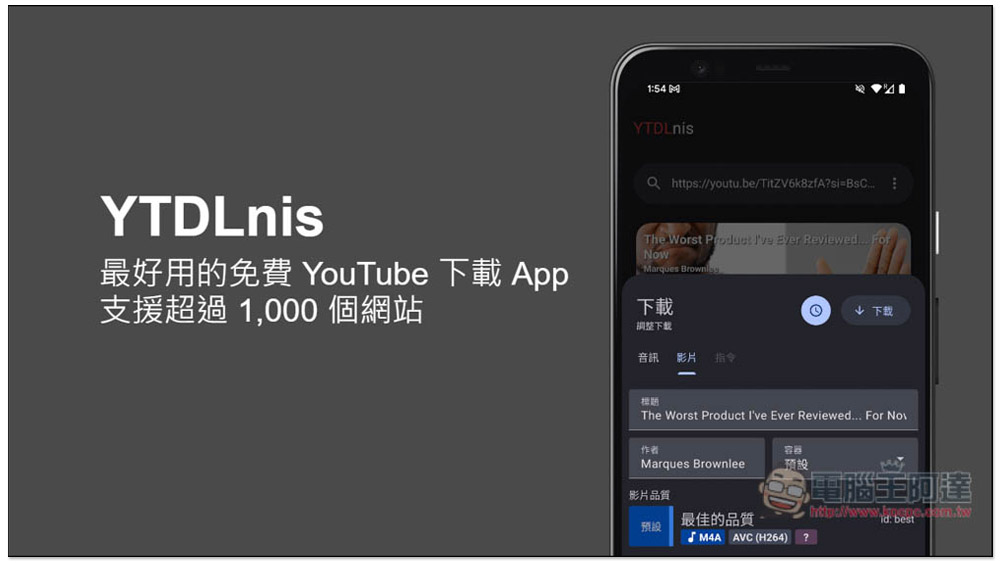
“YTDLnis” the best free YouTube download app for Android, supports 4K quality videos and MP3 music
YTDLnis is an open source software. This kind of App cannot be put on the Play Store, so you need to download it from the GitHub project page and install it manually. People who mind this are advised to skip it.
This one is very simple to use, it supports streaming video search function, and you can also directly paste the URL of the video you want to download. There is a Chinese interface, so you don’t have to worry about not understanding it. 4K image quality can be converted to MP4 format, which is quite good. Unlike other apps of the same type, which can only be downloaded in WEBM format.
In addition, according to the App introduction page, it can not only download Station Y,More than 1,000 websites supported in total, including Facebook, TikTok, Instagram, Bilibili, etc.
Click the link above to enter the GitHub page, scroll down to find the latest version, download arm.apk, and then follow the on-screen instructions to install and open:
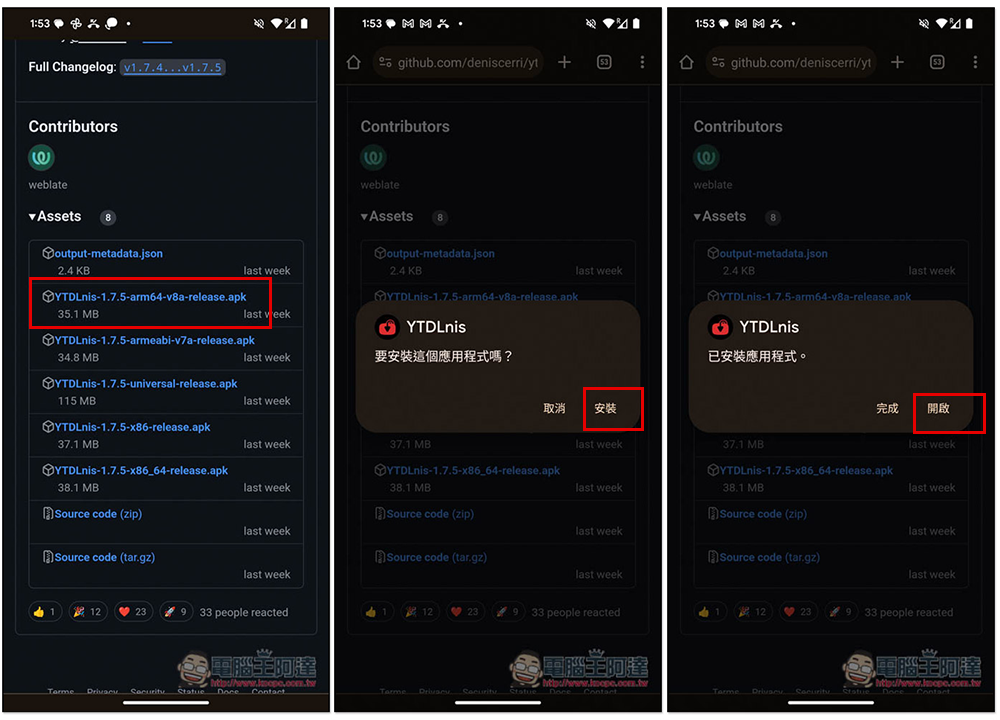
The interface is very clean and does not have any ads:

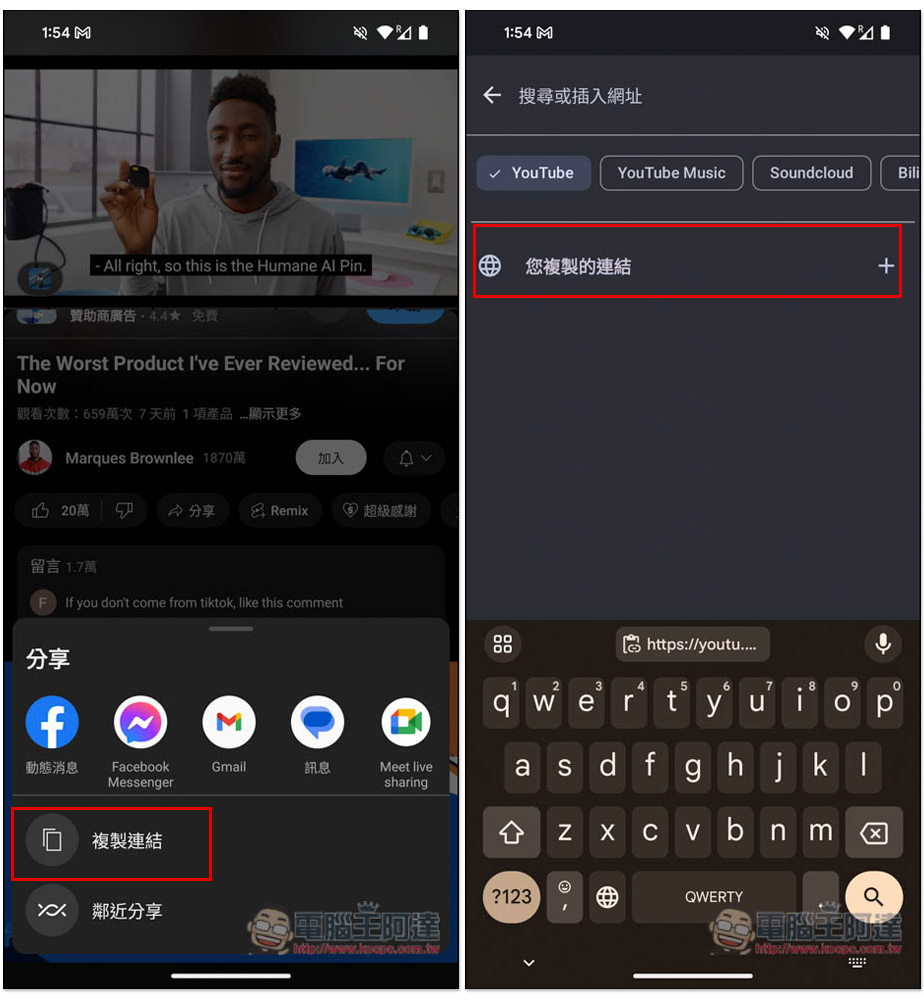
Then copy the URL of the video you want to download. After returning to YTDLnis, click on the address bar and the “link you copied” will appear. Click this one and it will be automatically pasted:
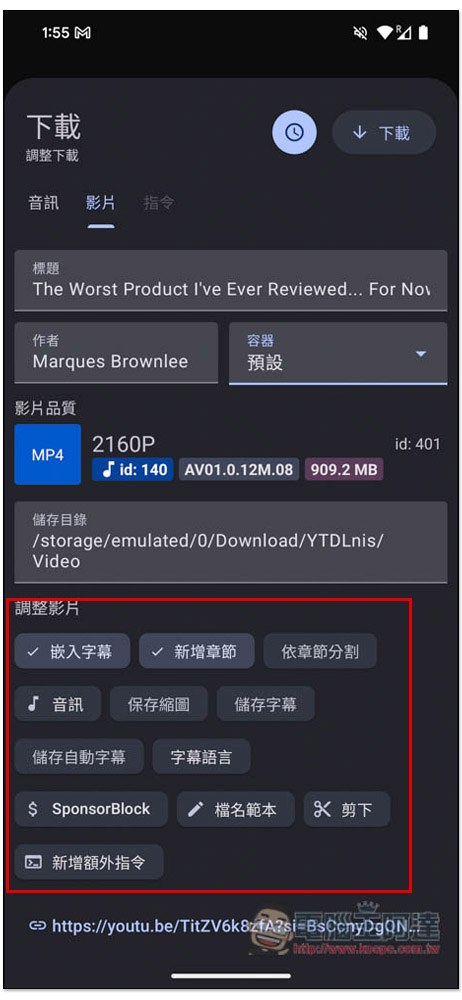
The download settings will pop up at the bottom. Although the default is the best quality, it is almost always set to 1080p. If you want a higher quality, you can click this option and go to the inner page to modify it. The video I want to download has 4K quality, so there is an option of 2160p MP4. In addition, the container menu on the right can be adjusted to the format you want, such as: MKV, AVI, FLV, MOV, etc.:
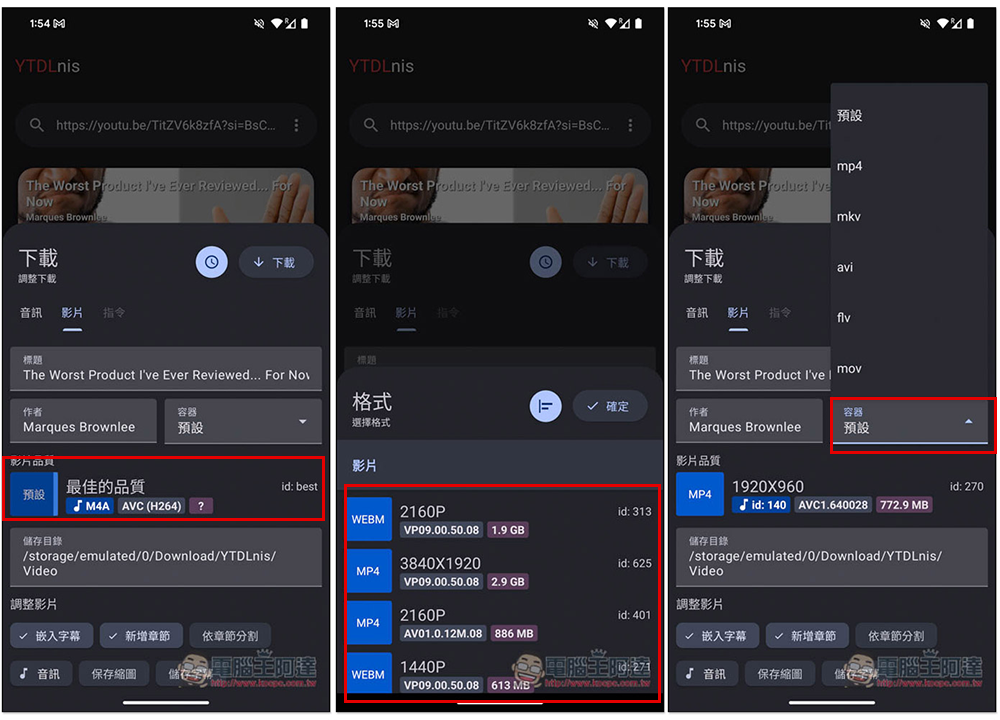
There are other options at the bottom, such as: save thumbnail, save subtitles, subtitle language, etc.:
After downloading, you can check the progress in the download queue menu, which is very fast. After it is completed, it will move to the download menu and click to start playback:
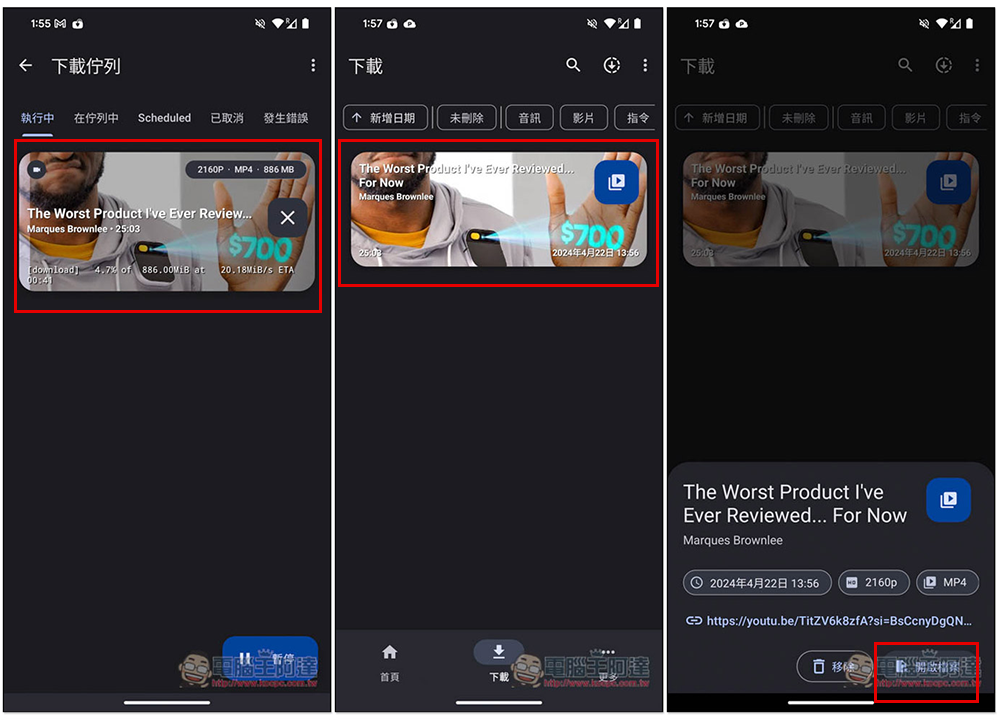
I checked that it is indeed 4K quality and can be played offline (the screenshot below is in airplane mode):

You will also see this video in your mobile photo album:

You can also directly find streaming videos by entering keywords, but there is no way to find them from the channel:

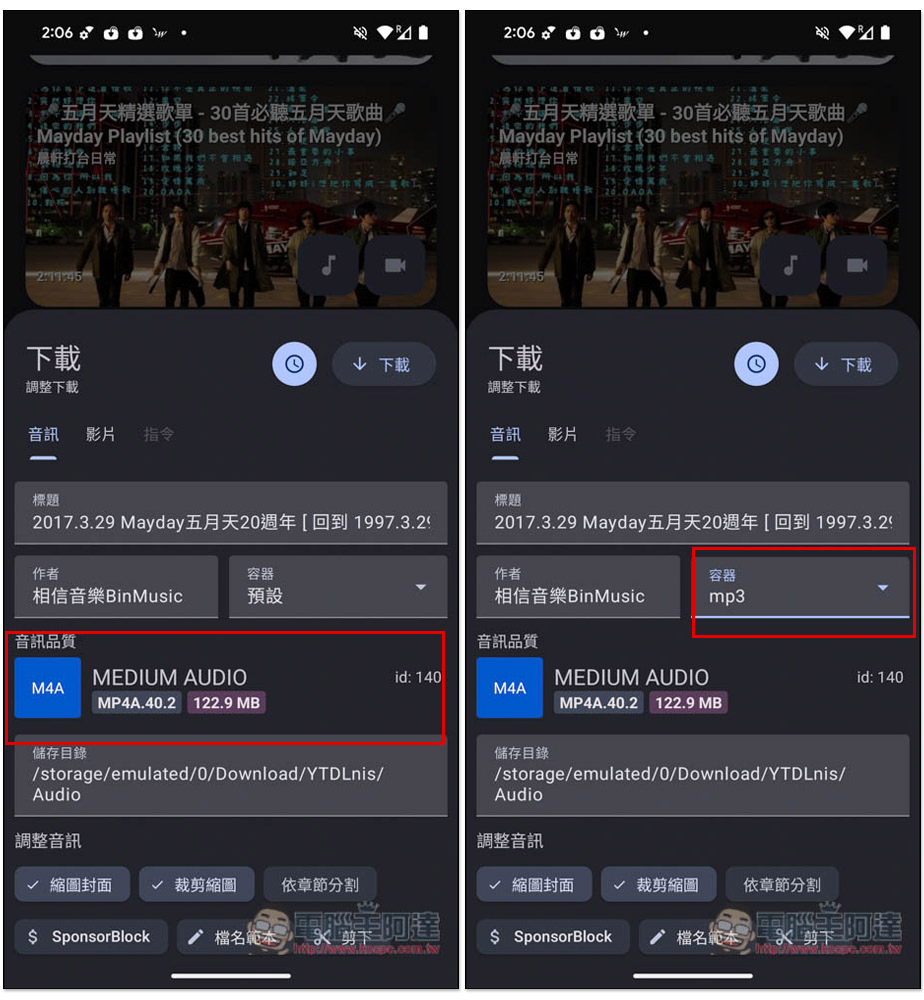
For the music part, the default format is not MP3, so after selecting the audio quality, remember to change the container to MP3, so that it will be automatically converted to MP3 format after downloading:
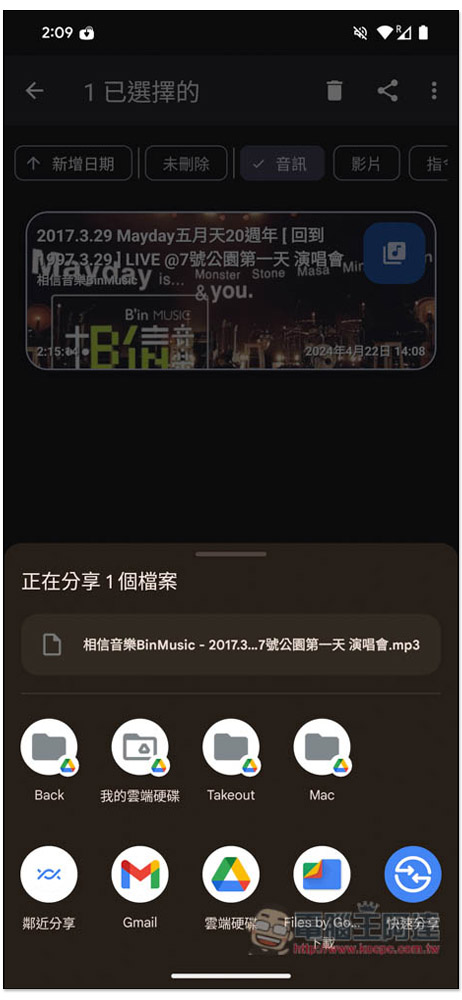
I checked it is indeed in .mp3 format:
Source: KOCPC Chinese