


Whether it is news reports or various Internet memes, you will see screens showing LINE conversations from time to time. However, most of these contents are not directly intercepted from the chat room of the original device, but are produced using some LINE conversation generator or image processing software. This time I will share with you a LINE conversation generator gadget that can generate all kinds of interesting conversations online without installing an APP. It is super easy to use!
LINE Conversation Generator Gadget|Generate LINE conversation pictures directly online without downloading the APP. It’s super easy to use!
For many ordinary people, if they want to create some funny LINE conversations, they may think of what we introduced to you many years ago. MSL PRO APP , but that APP has been removed from the App Store. What should ordinary people do if they want to create their own LINE chat conversations without using software? Now you can directly use this online gadget “Fake Line Message Generator” without downloading the APP. You can easily customize the LINE chat room, conversation content, and the number of unread messages. Once completed, you can export the conversation pictures with one click!
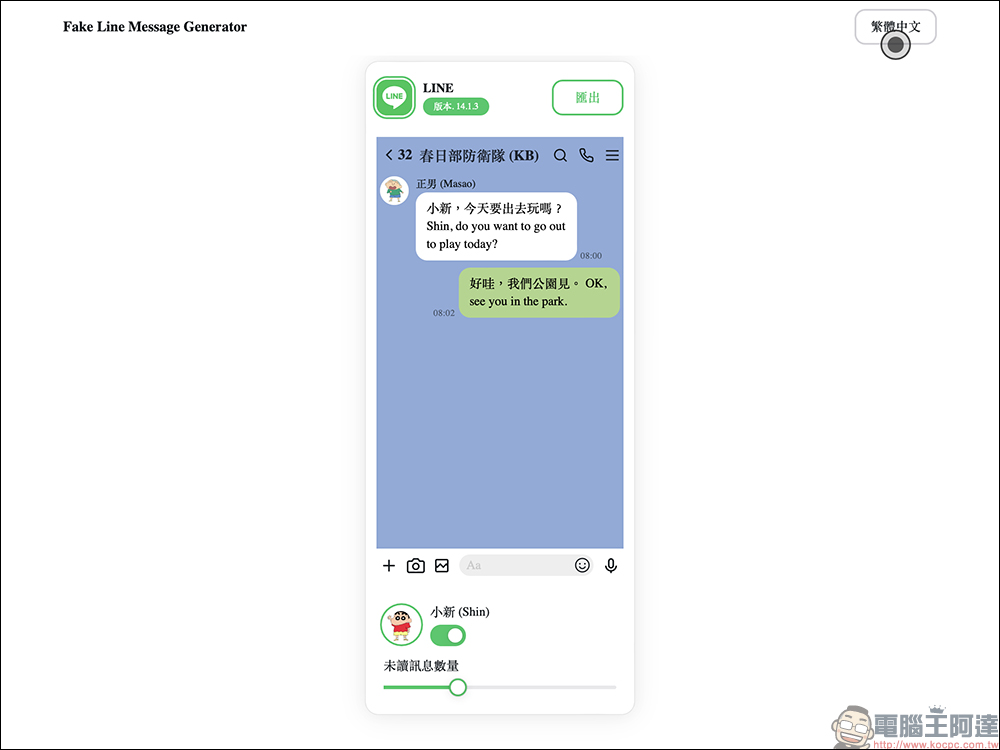
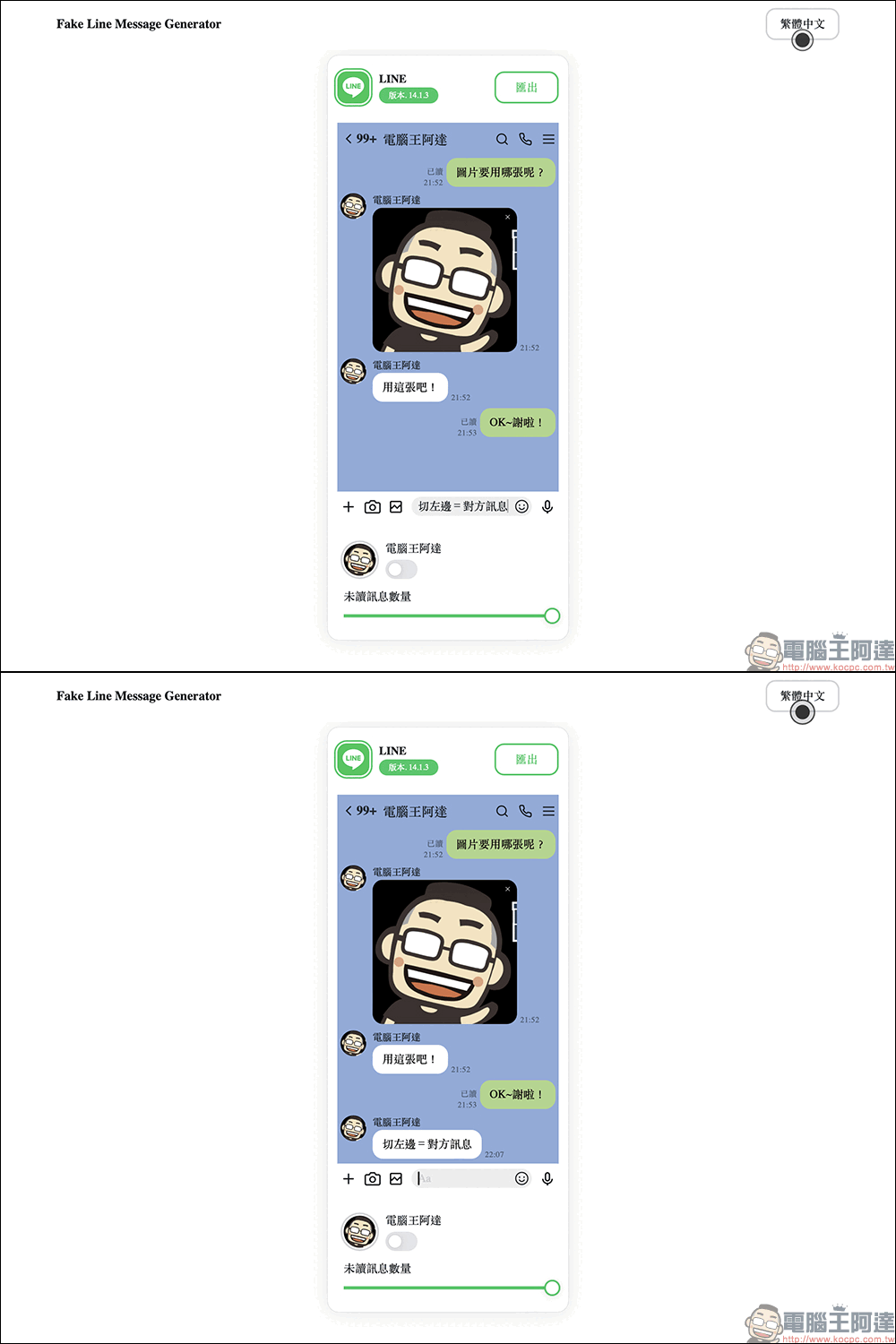
So what to do? First, when “Fake Line Message Generator” is turned on, there will be a left and right switch button at the bottom of the main screen. When it faces the left, it means that the text currently entered will be displayed on the left side of the chat room after it is sent, which is to simulate the message from the other party. If you want to change the name of the chat room, just click on the location to change it.
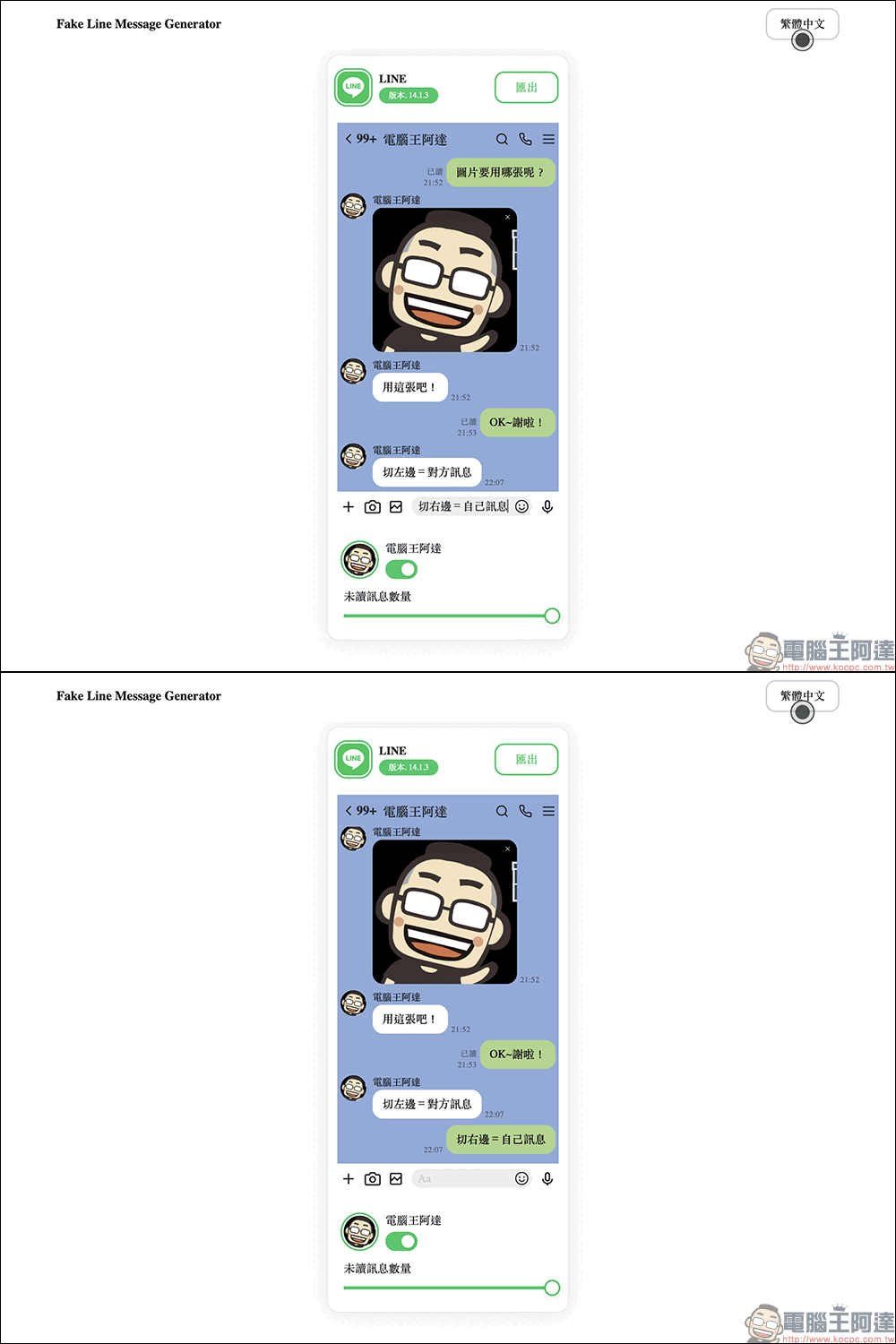
To simulate a message sent by yourself, just switch the switch from left to right, and then when the text is sent, it will appear like the message you sent!
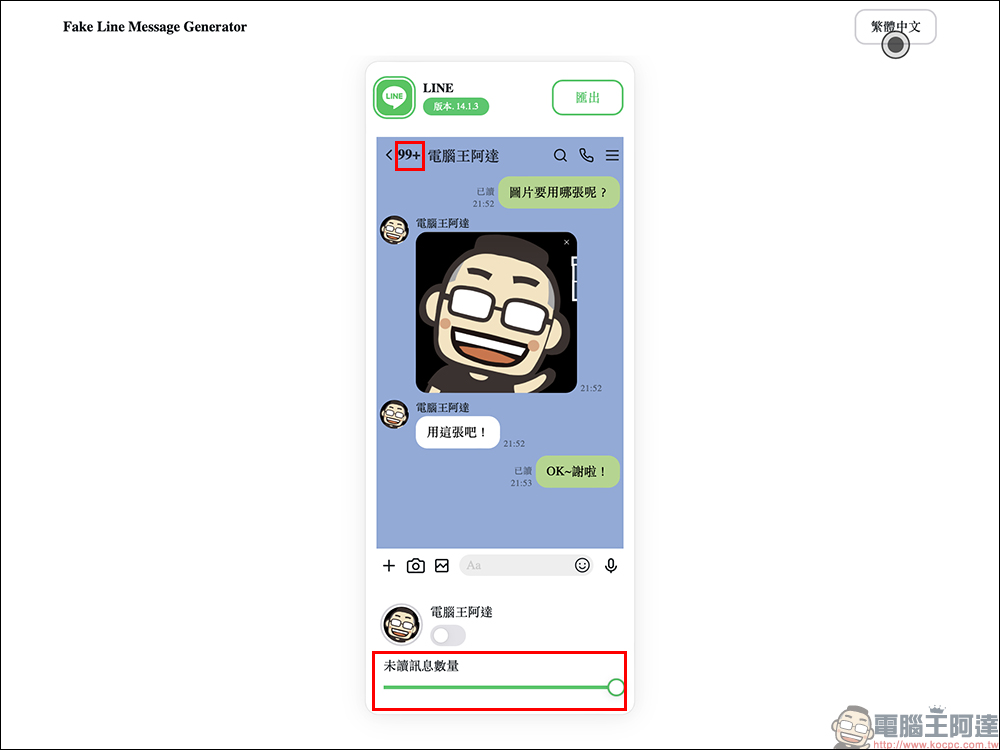
The number of unread messages will be displayed above the LINE chat room. Users only need to drag the “Number of Unread Messages” widget to see the number of unread messages change in real time. Like LINE, the maximum number of unread messages that can be displayed in a chat room is “99+”.
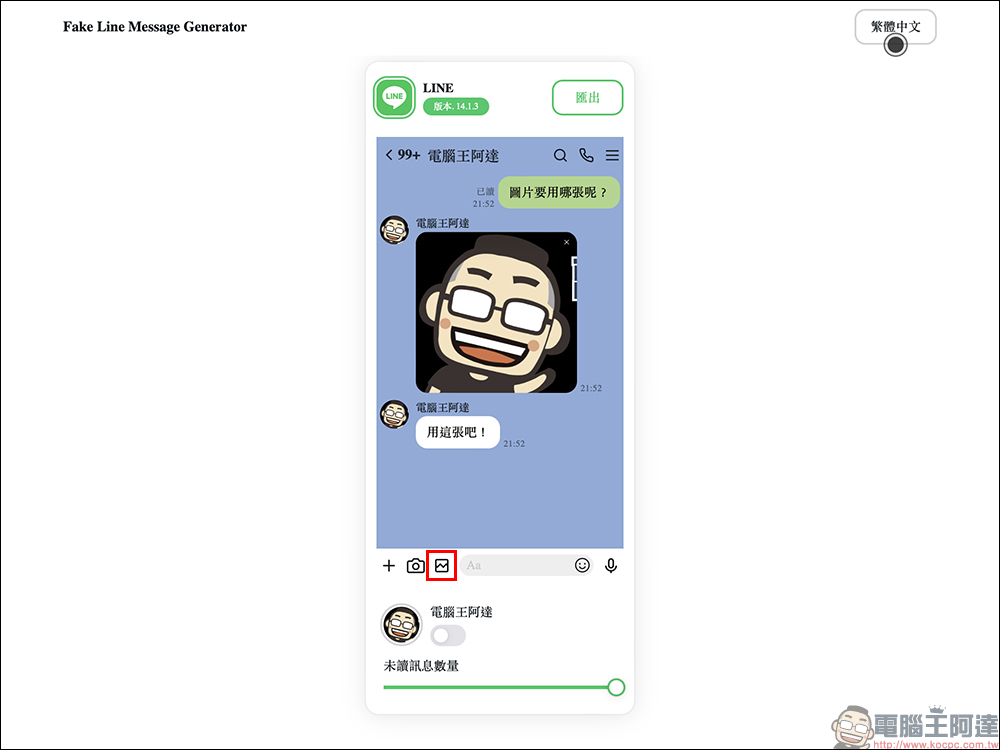
In addition to simulating LINE text messages, this gadget can also send pictures to chat rooms. Just click the picture button as you normally do with LINE, then select the picture you want to use in the simulated conversation from your device, and you will see the picture appear in the LINE simulated conversation!
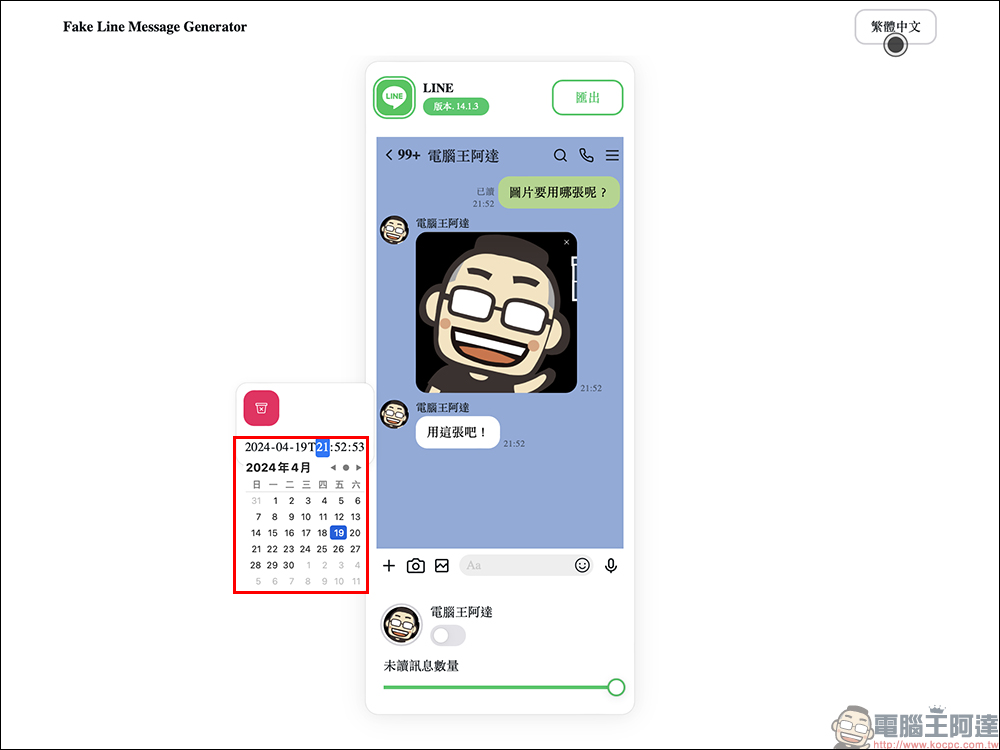
Although Fake Line Message Generator is a free gadget, it also has some functional details designed for LINE chat conversations. While creating a conversation, the user can move the cursor next to the message and edit the time when the message is sent.
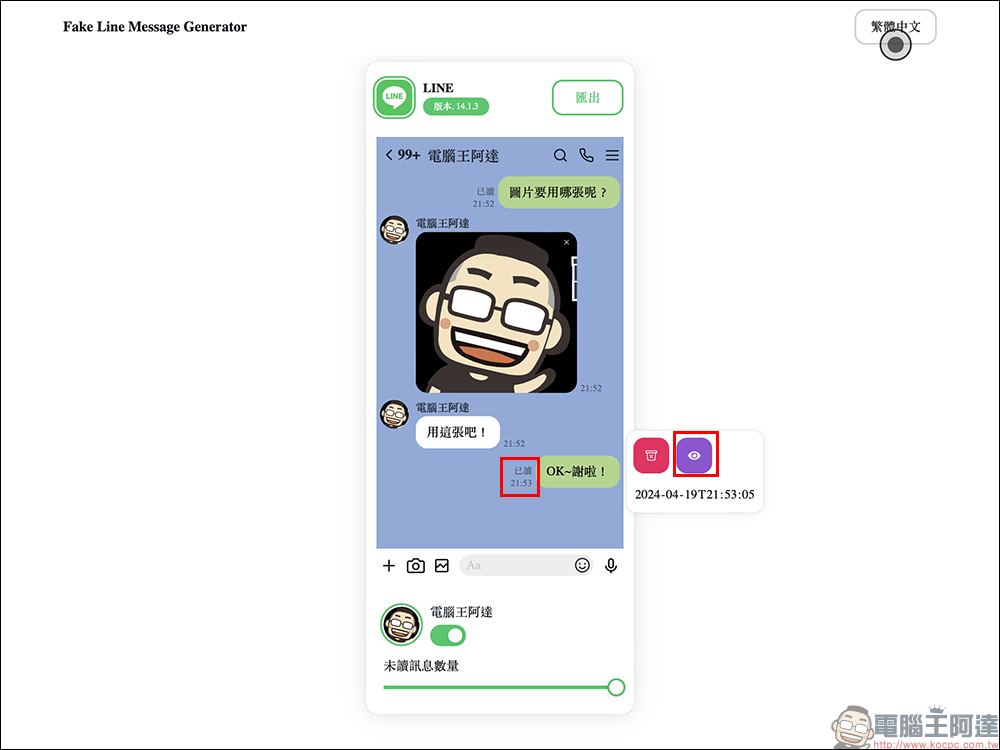
Fake Line Message Generator can also customize “read” messages, just like the LINE that everyone comes into contact with every day.
When everything is set up, you can click the “Export” button to download the image directly to the device!
Fake Line Message Generator (click me to go)

Source: KOCPC Chinese