


After Google Maps suddenly kept up with the intimate road name reporting function that many navigations have, now it has quietly added a handsome 3D navigation display function to the navigation function. Continue reading Google Maps brings the latest 3D navigation upgrade, how to open this article tells you the content of the report.
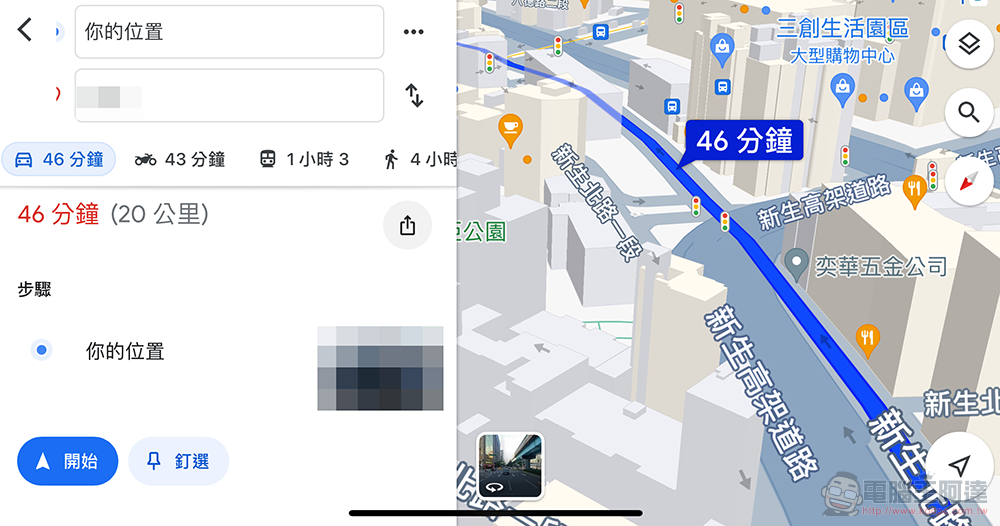
Google Maps brings the latest 3D navigation upgrade, this article tells you how to enable it
In order to stay ahead as much as possible in the competition with free map navigation services including Apple Maps, following Google Maps’ sudden move to keep up with many navigation services,Function of reporting road names thoughtfullyAfter that (although it’s a bit verbose, but at least you don’t have to use it with a compass anymore), now it has silently added a handsome 3D navigation display function to the navigation function – the point is, foreign media also shared that it can be turned on and used even in Android Auto!
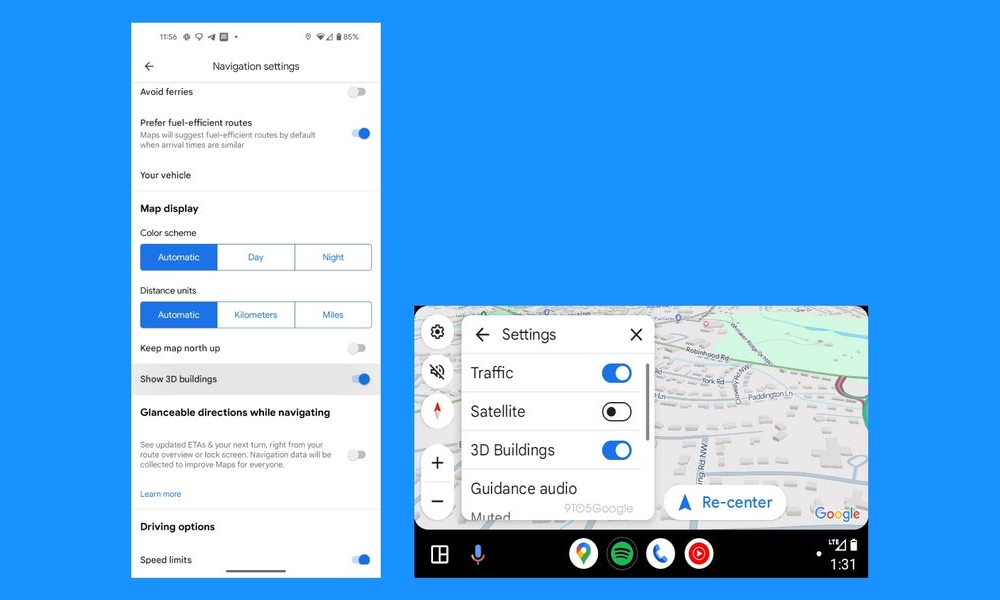 ▲Image source: 9to5Google
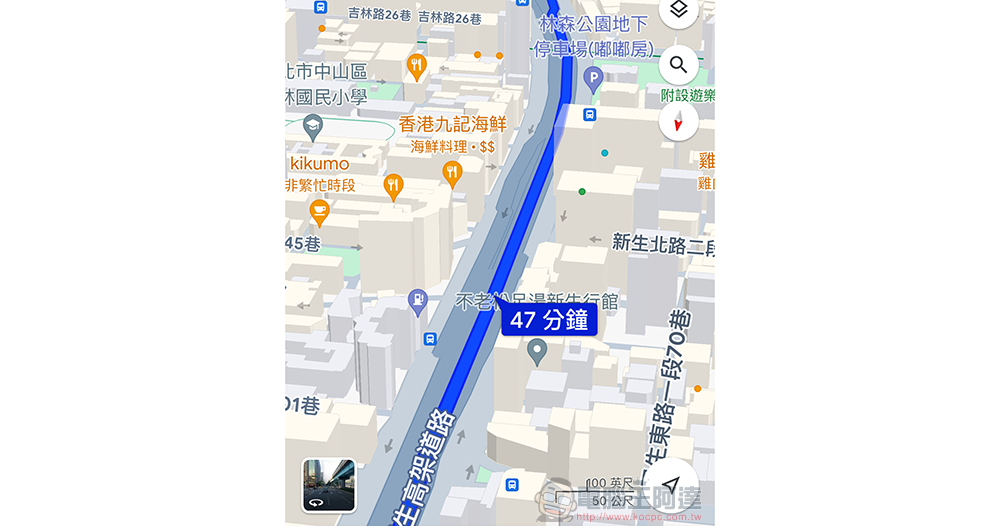
After enabling this option, in the navigation screen of the default map display interface, you will be able to see a map that is different from the simple flat display of Google Maps navigation in the past. Buildings and other facilities have been displayed in a 3D way – making it easier for people to confirm the current location and direction of travel by comparing the scenery in front of them. I have to say, this display method is really cool! I believe that as long as it does not cause visual confusion, most people will want to start it, right?
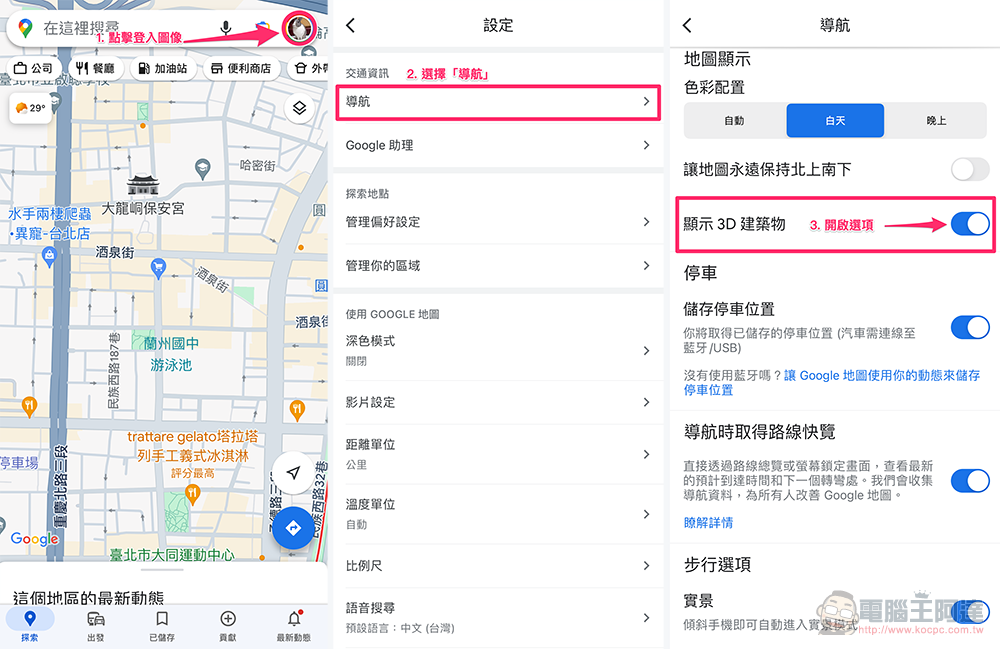
How to turn on the “Show 3D buildings” navigation option in Google Maps
Friends who want to turn on this feature can find “Settings” in the account icon in the upper right corner of Google Maps. Then you can find the “Show 3D Buildings” option in the “Navigation” option and turn it on.
Although the iOS version of Google Maps currently in my hands already has a navigation option of “Show 3D Buildings”. However, when you actually try out the navigation, you will find that it does not seem to be able to display 3D scenery properly at present – 3D can be activated when the navigation route is displayed, but you have not yet seen such a display effect when entering the navigation.
In fact, this function seems to be to change the “3D” view option in the default map display on Google Maps to be able to be displayed by default during navigation. Therefore, “in theory” there should be no problem if Taiwan directly supports it, but it may still require some adjustments or server-side activation time, right?
If you want to start it and see the effect, you can refer to the options below, which can be found in the detailed display options in the map.
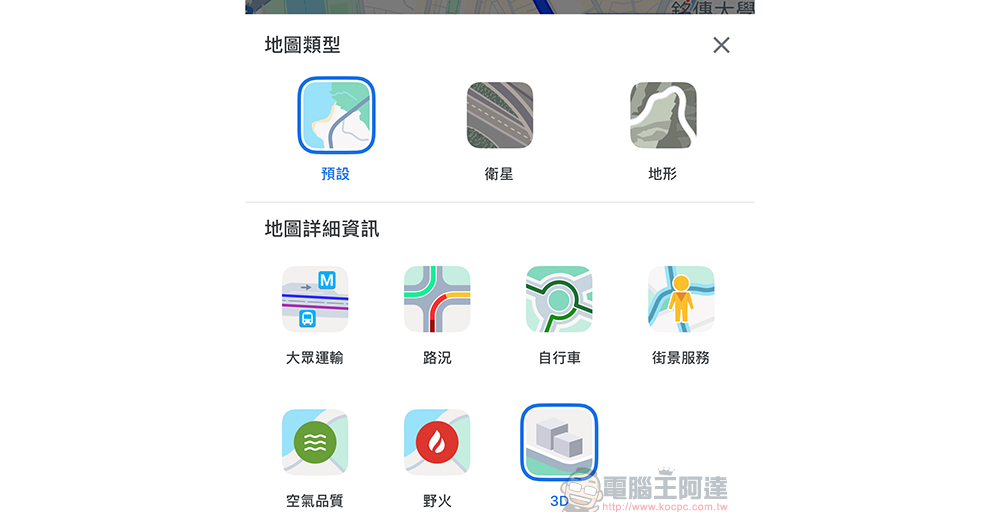
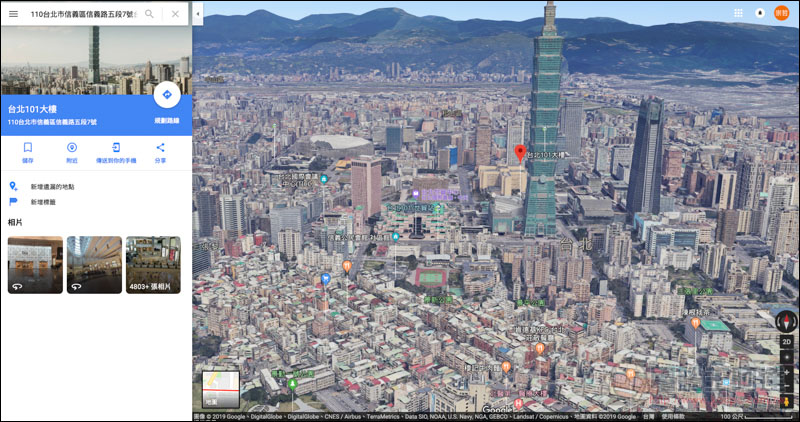
As early as 2019, Google Maps has begun to provide “street view” directly presented with 3D architecture in Taiwan.3D stereo map function”. However, in the past, it could only be viewed in a non-navigation map browsing mode; the mobile application version of Google Maps has long been able to switch to “3D” mode.
It seems that the navigation function of “displaying 3D buildings” has not been fully rolled out this time. I don’t know if I am worried about the performance and power consumption of the mobile phone or the data consumption. Or, as we guessed earlier, it takes a while to adjust the display interface in order to avoid problems such as occlusion during navigation. All in all, now that this setting is available, I recommend that you follow our instructions to open it first, and look forward to receiving this function as soon as possible!
via|
Further reading:

Source: KOCPC Chinese