


When listening to a speech, attending a meeting, or watching some videos, you may want to convert the content into text to facilitate sorting out the key points. Although there are many voice-to-text apps in the App Store, most of them require an Internet connection. This article will recommend one called “Whisper AI transcriber – V2T”. The offline lifetime version is currently available for free for a limited time. Once you get it, you can use the transcription function of this app without an Internet connection in the future. It also supports three modes: real-time transcription, online content transcription, and file import.
Not sure when the discount will be limited, but those who saw it suggested grabbing it as soon as possible.
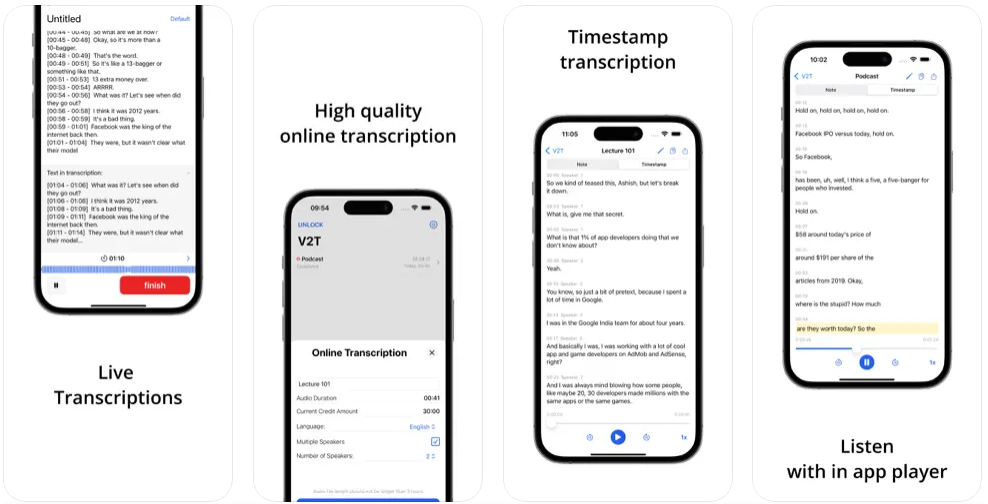
Whisper AI transcriber voice transcription text offline lifetime version free of charge! Can be used without internet
The use of Whisper AI transcriber is similar to most transcription apps. Select the language you want to transcribe and press the start button, and the transcription will begin. There are no ads in the app. However, it should be noted that although it is an “offline lifetime version”, the length of monthly transcription is still limited (actually not sure how long it is). If you want longer transcription time, you need to pay to upgrade to the PRO version (subscription system).
The name of the model used should be Whisper. I tested that the transcription quality in English was very good, but in Chinese it was just average. Also, be careful not to make the sound too soft. If it is too soft, there may be a bunch of misidentified words. If there is English interspersed, it may be recognized as other words. I think this is more suitable for transcribing English.
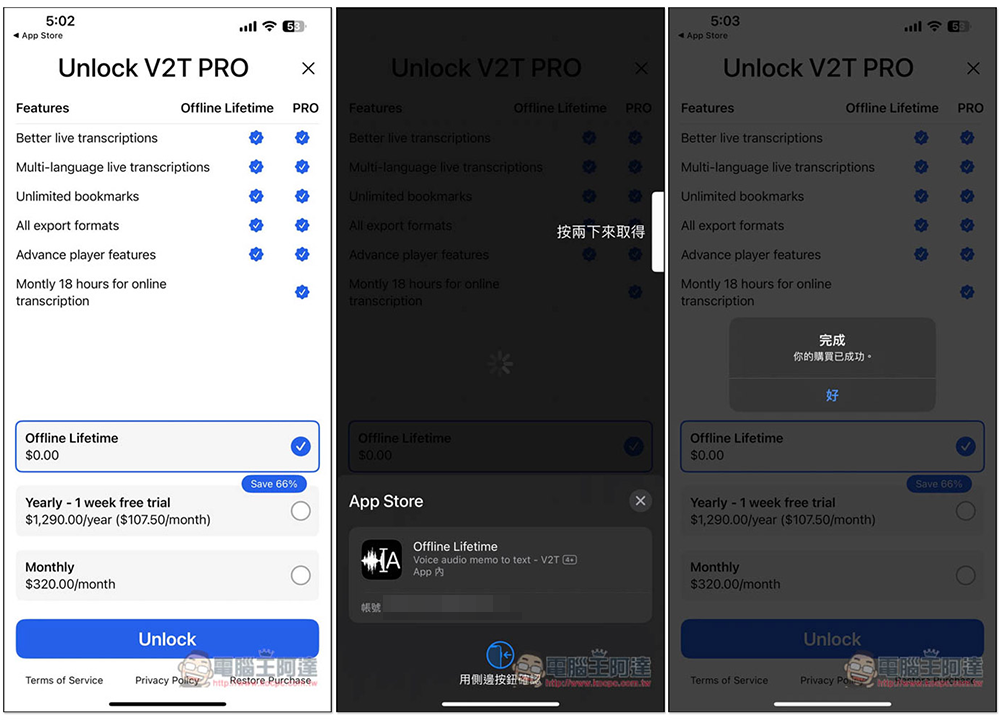
After installing and opening the App, you will see a page asking whether you want to upgrade. Pay attention to whether the Offline Lifetime is 0 yuan. If it is, it is still free of charge. If not, it means that the limited free time has passed. Do not click to pay. After confirming 0 yuan, select Offline Lifetime and press Unlock below. You will enter the payment screen. Check again whether the amount appears below. Nothing should appear for 0 yuan. If there is no problem, click twice to confirm. After completing the purchase, you have successfully upgraded to the offline lifetime version:
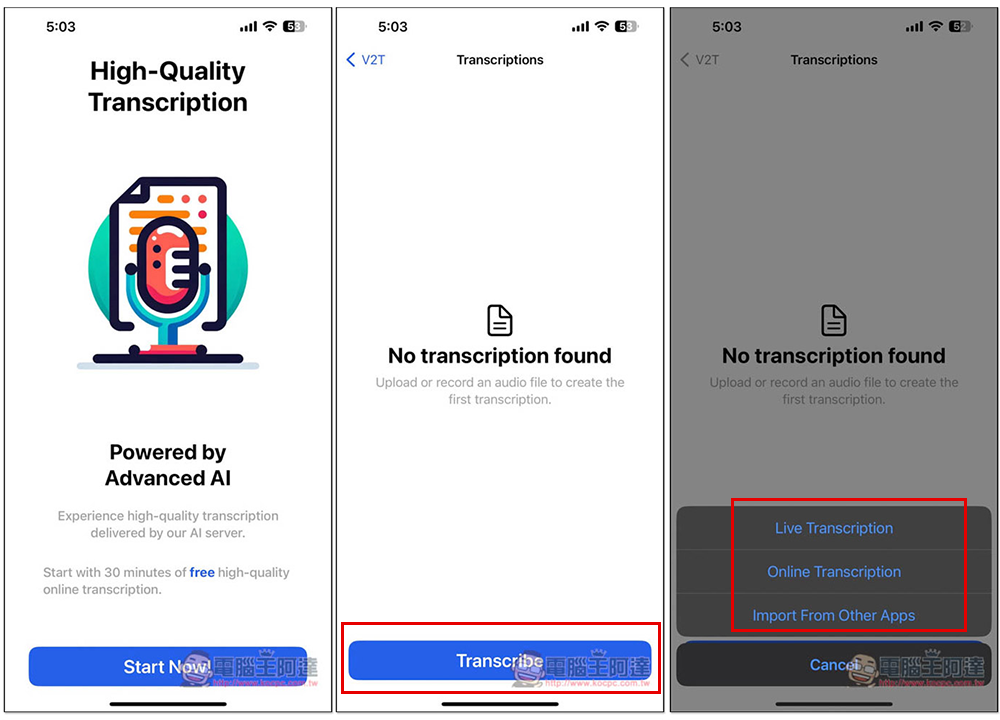
The method of use is very simple. Press the Transcribe button at the bottom and select the mode you want to record. Live Transcription is instant transcription. I use this one:
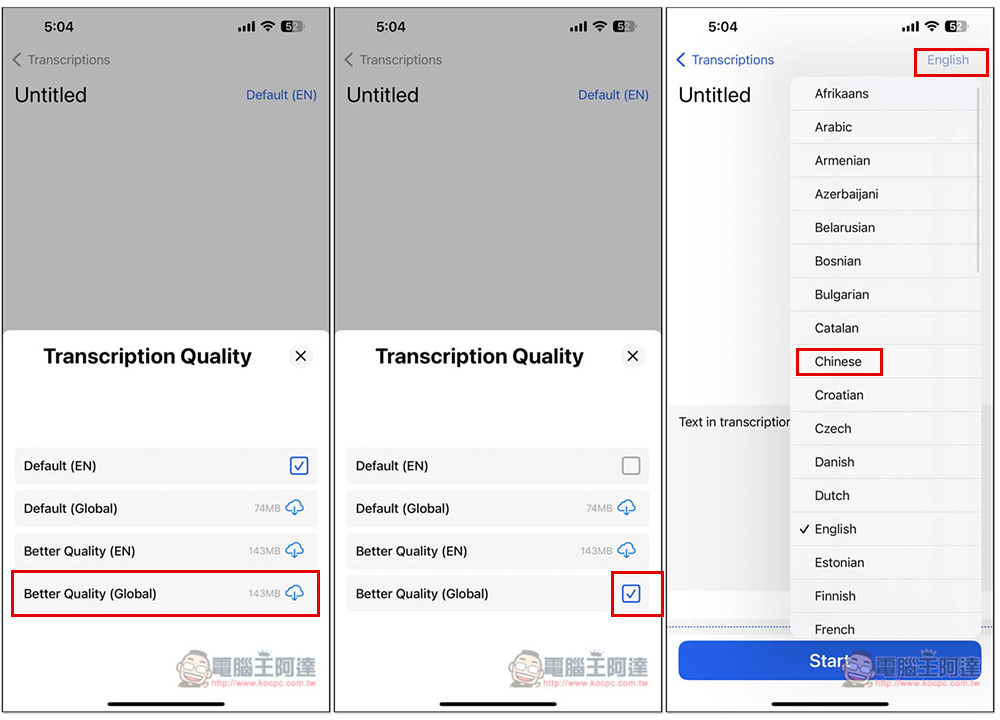
Then set the language first and click Default (EN) in the upper right corner. It is recommended to download a better quality model: Better Quality (Global). The last word EN means it is only suitable for transcribing English. In addition, Global can also transcribe English. After the model is set up, next comes the language, which supports multiple languages. If you want to record in Chinese, select Chinese:
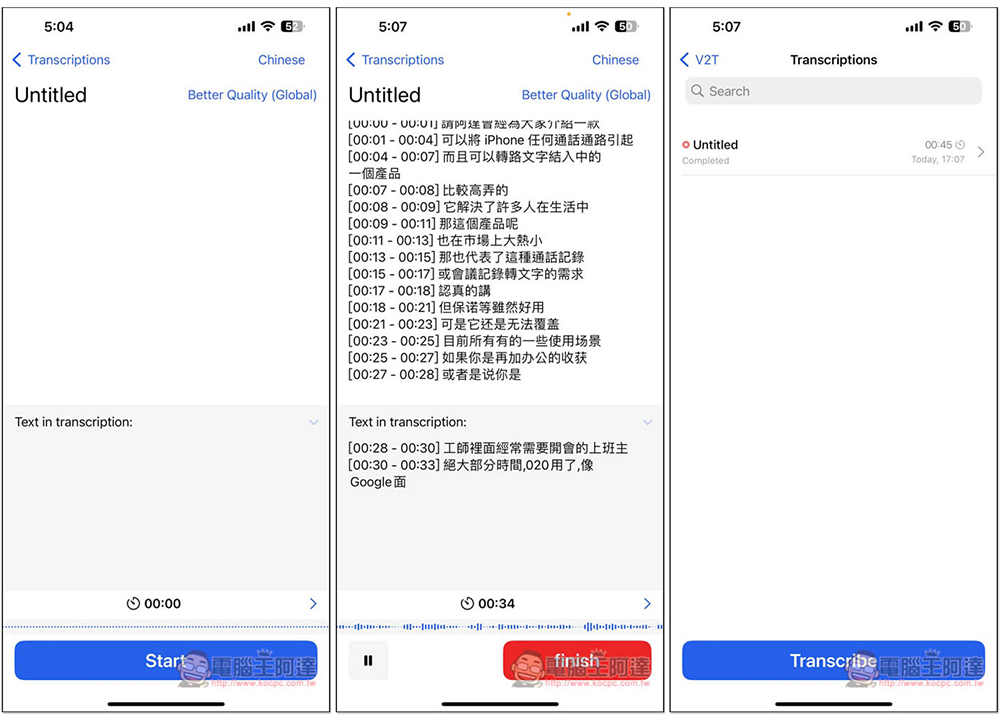
After pressing Start, the transcription will start. Above is the final transcription result. After the transcription is completed, press finish to stop:
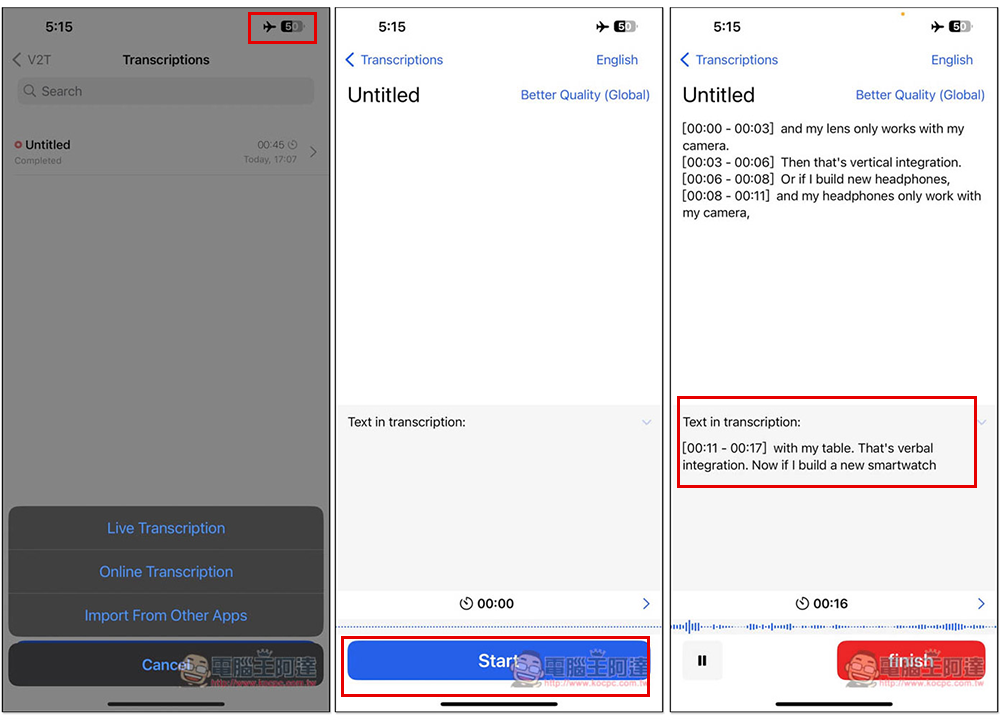
Since it is an offline lifetime version, I also tested whether it can be used without an Internet connection. I set airplane mode and turned off Wi-Fi. This time I switched to transcribing English content. Sure enough, there was no problem. Speech-to-text can also be converted offline:
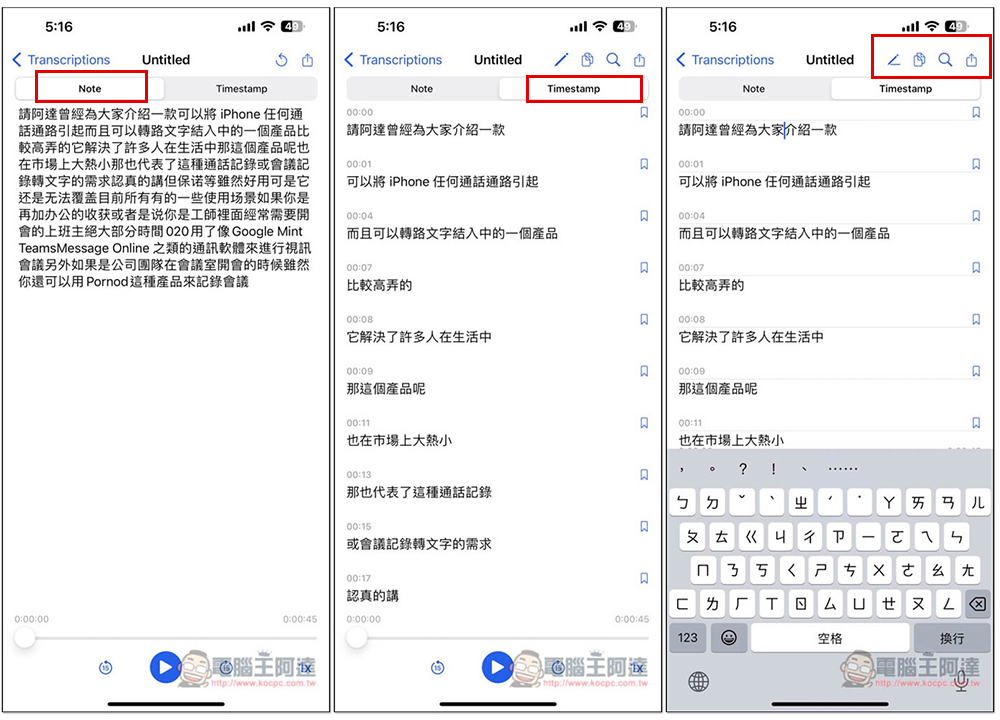
There are two display modes for the transcribed content, one is plain text, and the other displays a timestamp. You can also manually edit the transcribed text content:
Source: KOCPC Chinese