


For those who want to control their spending and understand their own money habits, they will definitely want to use accounting apps. Although there are many good ones on the market now, it is not easy to form a habit of manually inputting everything you spend every day. This is also one of the things that bothers me the most. After recently trying out the “Talking Accounting” AI voice accounting free app, I feel like I have won. Accounting is no longer a hassle. You don’t need to input manually, just use your mouth to say, AI It will automatically record it, and even such requirements as counting expenses, income minus expenses, etc. can be done by AI.
Currently, Talking Accounting only has the iOS version, and the Android version has not yet been launched.
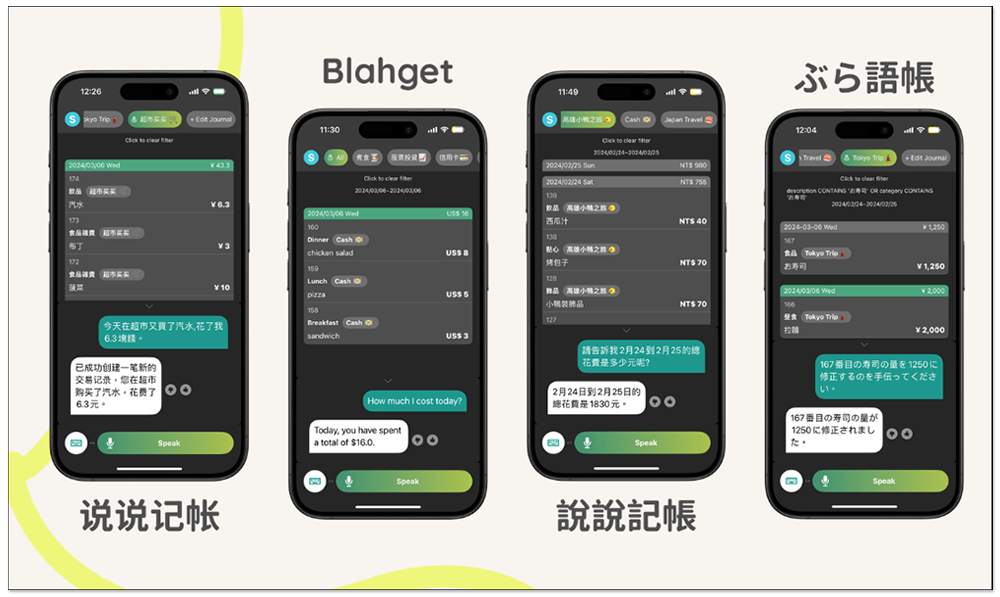
“Shuo Shuo Accounting” is a super easy-to-use AI voice accounting app. You can record expenses, income and obtain statistical reports just by speaking.
According to the official website, “Shuo Shuo Accounting” is an app that claims to import ChatGPT to help users keep accounts and manage expenses. It also uses the GPT-4 model and is free to download and use. Although there is a subscription service, I currently cannot measure the limitations of the free version (it seems that there may be a limit on the number of inquiries per hour).
The method for recording expenses is very simple. Just speak as you normally would, such as:
“Breakfast today cost 50 yuan”, “Drinking bubble milk tea today cost 70 yuan”, “The pork ribs rice set in the evening totaled 270 yuan”
These AIs can all understand, and can accurately put items into fields, such as breakfast, bubble milk tea, and pork ribs rice set into cost descriptions. You basically don’t need to manually modify anything.
The things I tested this AI to be able to do are:
- Create cost on the day
- Establish the expenses of a certain day in the past (explicitly mention the date when talking about it)
- Delete previously created expenses
- build income
- Ask how much is left after deducting expenses from the current month’s income
- Query the total expenditure of a certain category, such as: meal expense account
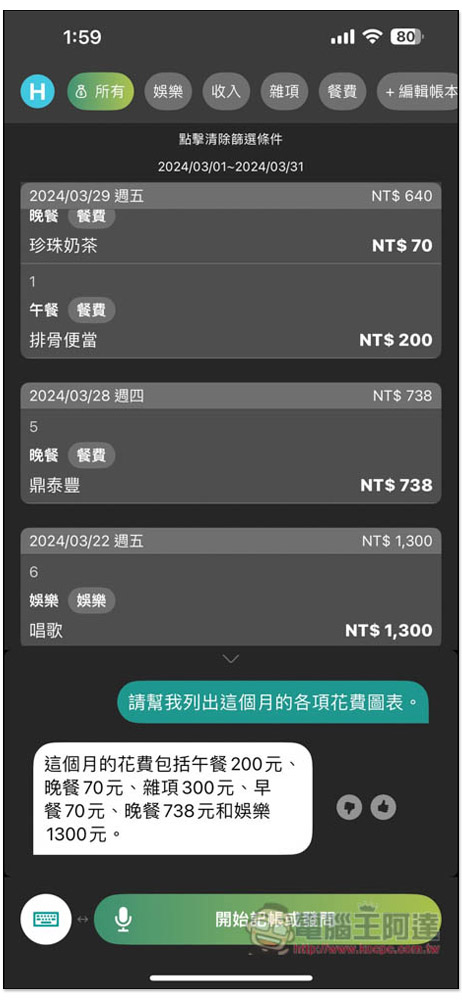
- Query the expenses of each category in the current month
- Ask you if you have done a certain spending action (for example: Did I buy a book this month?)
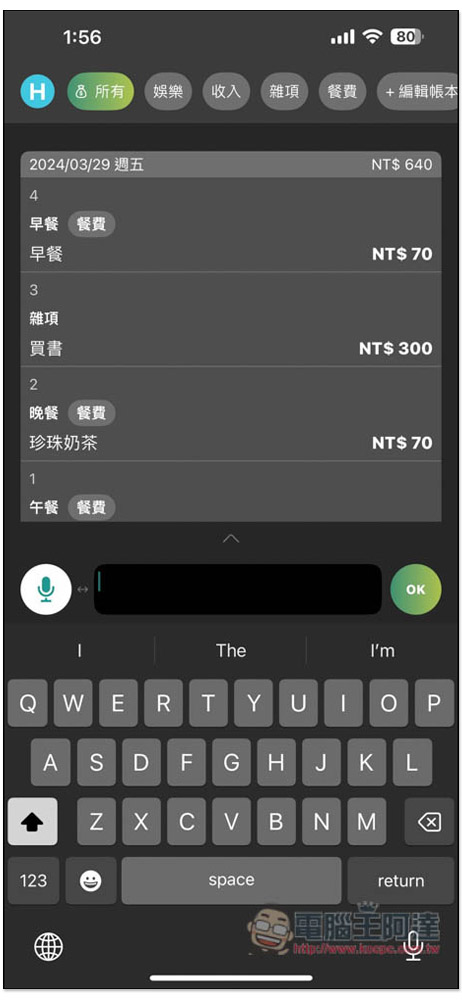
All of the above can be done by speaking, but the ledger part must be created manually, and AI does not currently support it. In addition, if it is not convenient to say, it also provides keyboard input function, but it is also through AI chat, and there is no way to manually create expenses.
Use an account that requires registration, providing Google and Apple account registration:

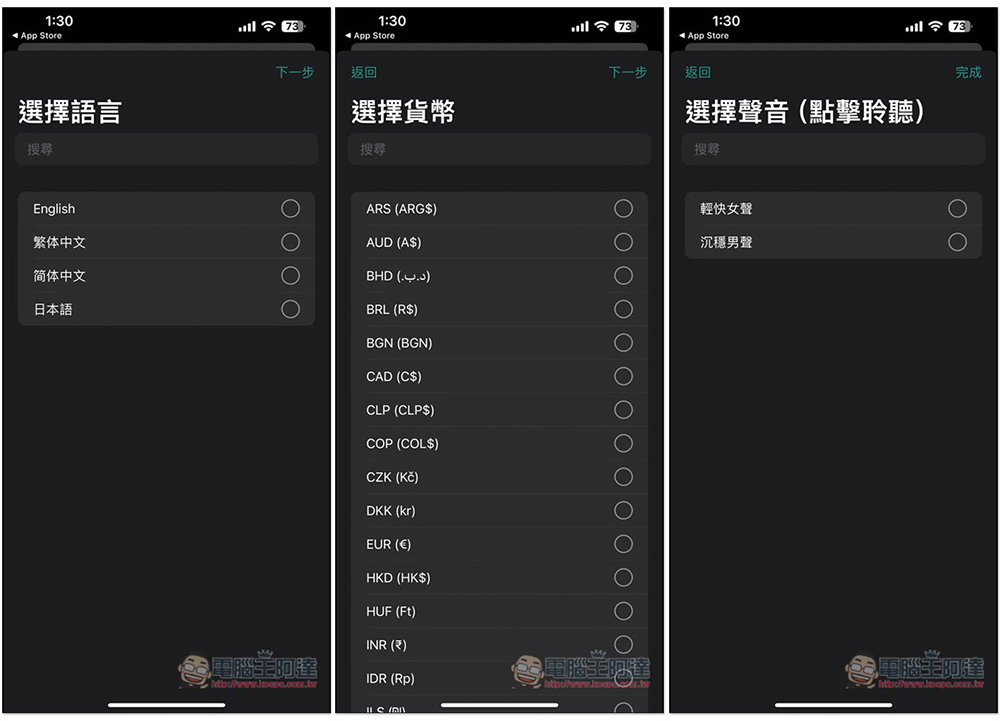
Then select the language, including English, Traditional Chinese, Simplified Chinese and Japanese. You can also choose the currency, which means that no matter which country you live in, you can rely on it to keep accounts. There are female and male voices. It depends on your preference. The AI will use this voice to answer:
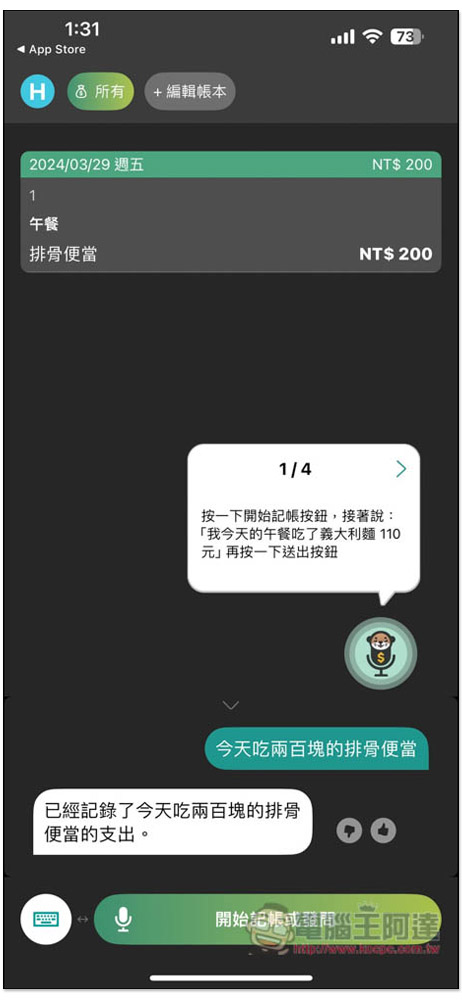
The picture below is the operating interface of the App, which is a chat window. Press the “Start Accounting or Ask a Question” button at the bottom to tell your needs. For example, if I say “I will eat a 200-yuan pork ribs bento today”, it was 3/29 when I recorded this, so the AI will help me create a NT$200 for 3/29. For the expenditure, I didn’t say which meal it was for breakfast, lunch or dinner, but the time mentioned was close to noon, so it automatically guessed it was lunch, so it marked lunch, and the content section perfectly recorded the ribs bento:
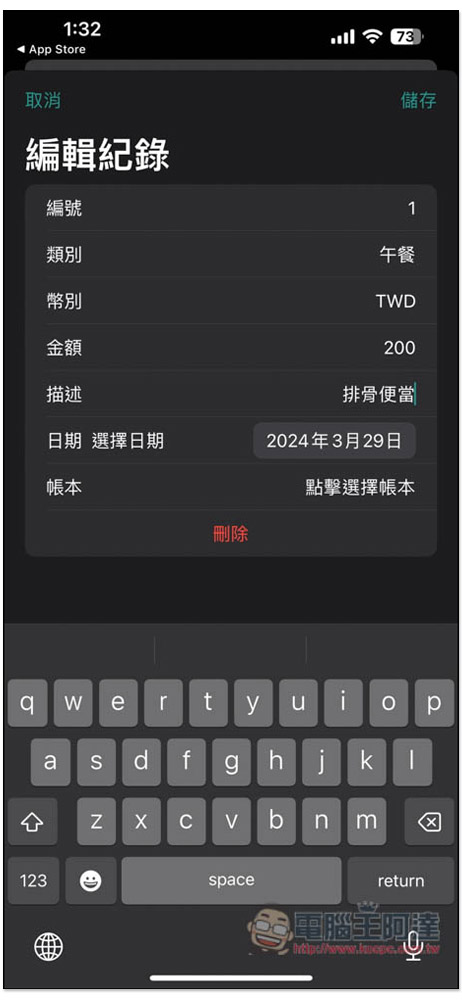
Records created by AI can be modified manually:
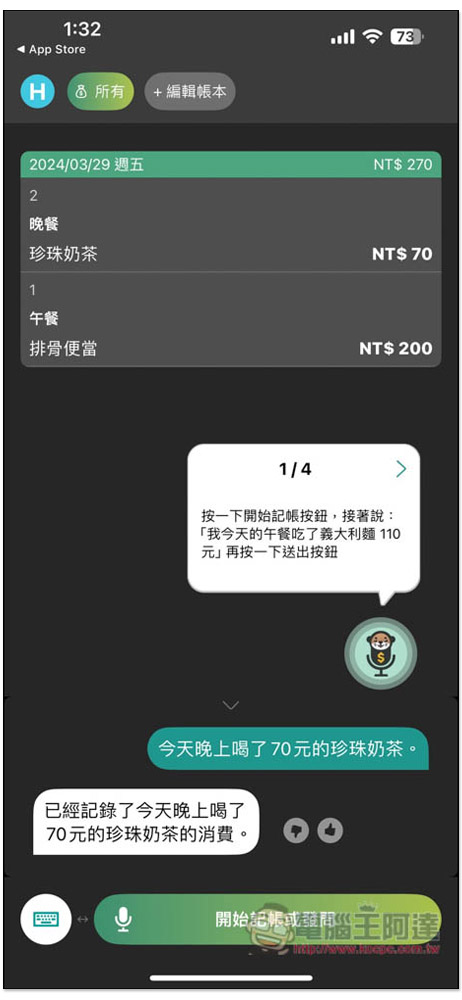
Then I asked to record “I drank 70 yuan of bubble milk tea tonight.” The same date, content, and dinner were all correct:
The default ledger is “All”. If you want to classify it more clearly, you can create a new ledger, such as meal expenses, travel expenses, miscellaneous items, etc.:

I will create an account book for meal expenses:

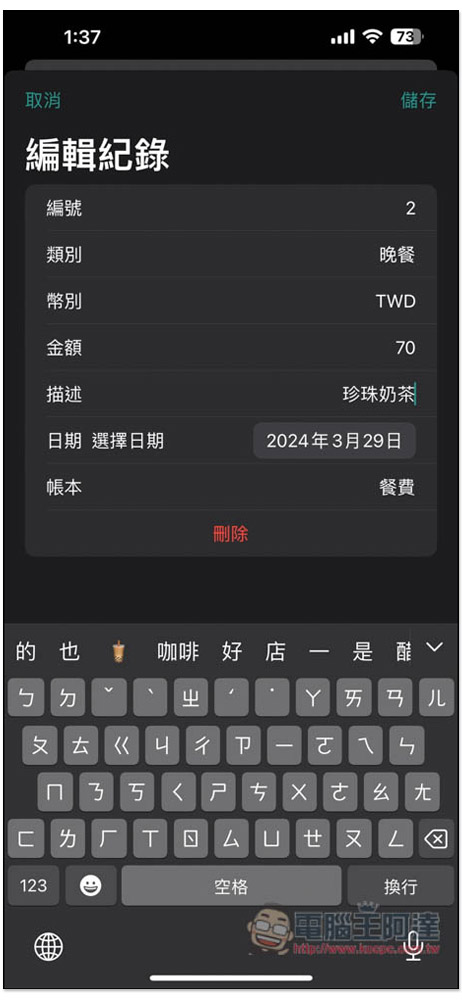
Then I manually changed the expense account I just created into meal expenses, and this amount will be classified into meal expenses:
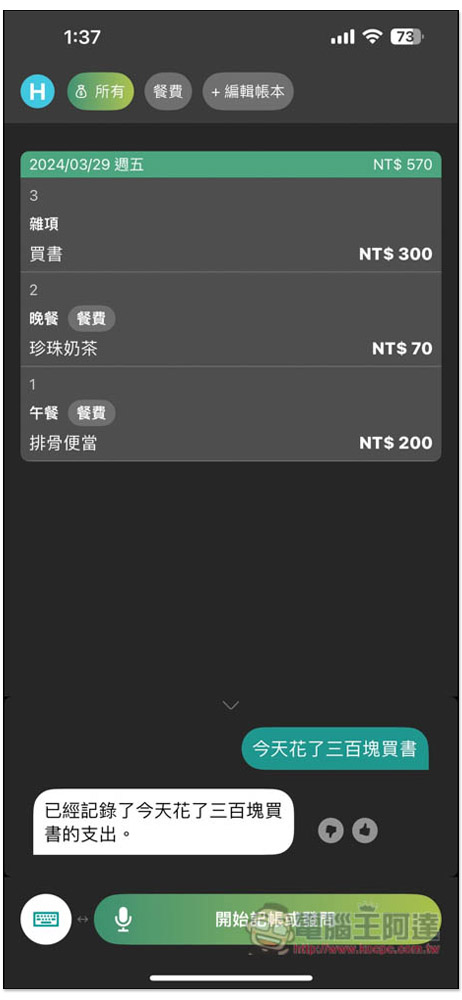
I create a sum of “I spent 300 yuan on books today”, and the book cost part will be automatically marked by AI in miscellaneous items:
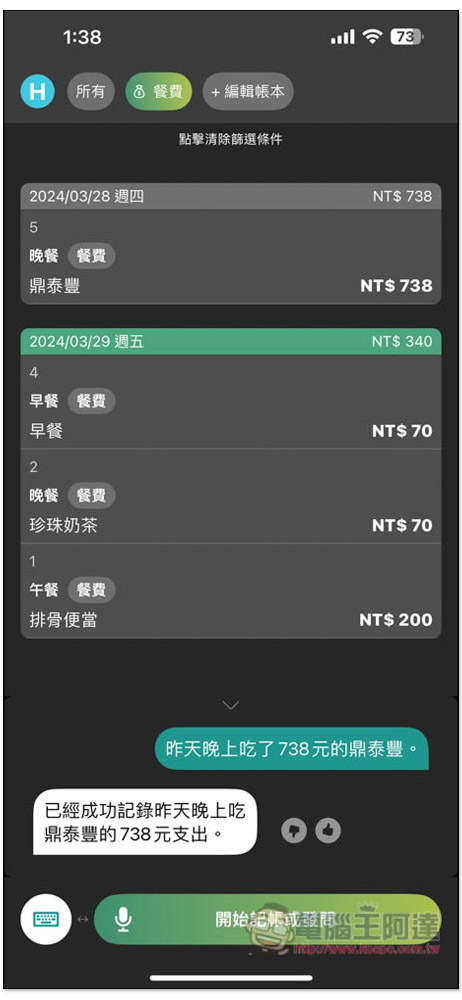
I also tested “I had Din Tai Fung for NT$738 last night”, and the AI also accurately recorded that it was 3/28 yesterday, and then Din Tai Fung at NT$738 at night. In addition, when I recorded this amount, I set the ledger to “Meal Expenses”, so the AI will automatically classify it into meal expenses after recording it, so there is no need to modify it manually:
There is no problem in saying the date + what was spent. For example, if I say “I spent 1,300 yuan on singing on March 22nd,” the AI will create an expenditure of 3/22 and automatically mark the singing in entertainment:
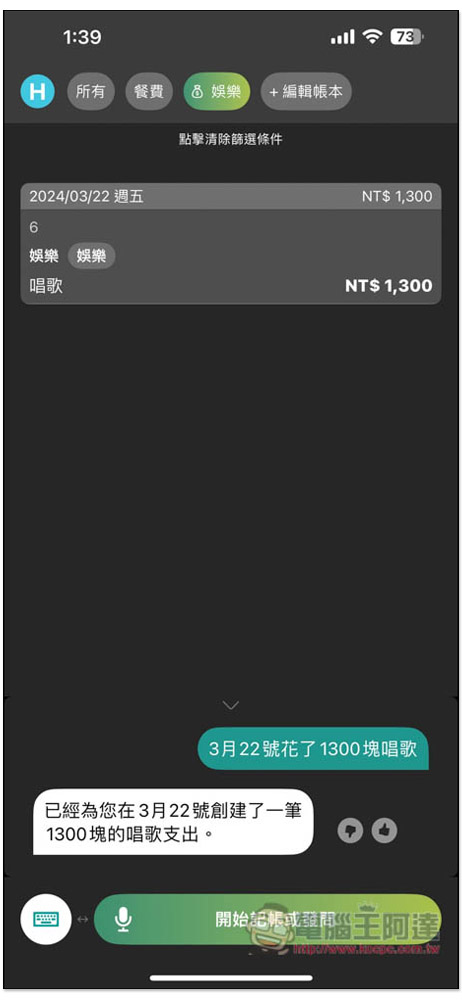
If you want to know how much it costs today, a certain day, or the entire month, just ask. “How much money did I spend in total today?” AI helped me count today’s four expenses, which totaled 640 yuan:
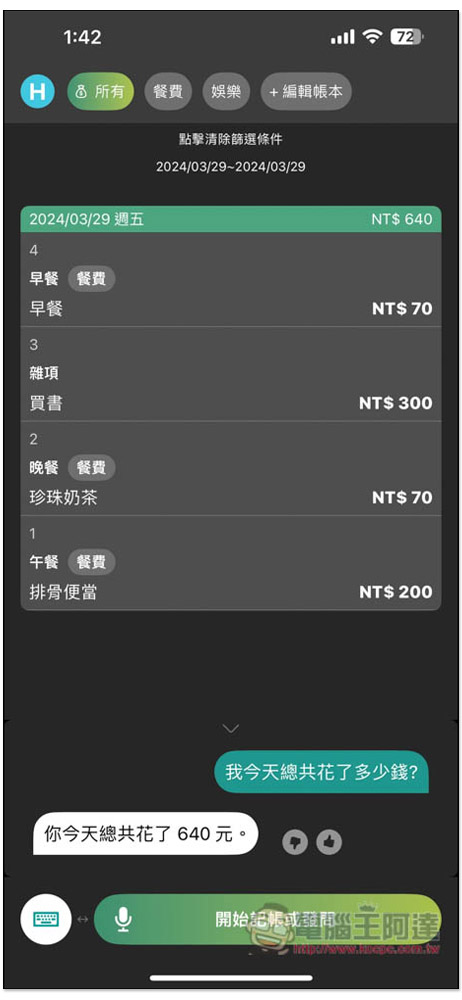
In addition to expenses, the income part can also be recorded, and the amount of income will be marked in red:
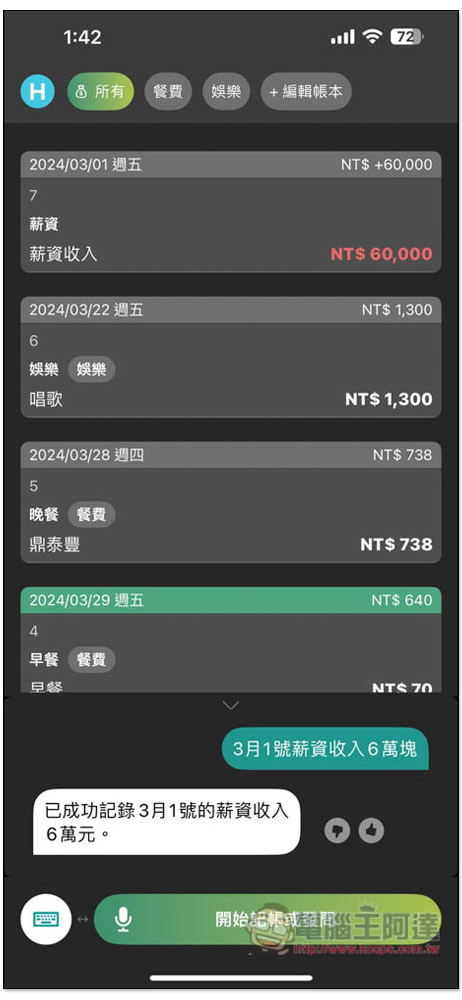
With income and expenses, when you want to know how much money is left, just ask it at any time. I asked “How much is left after deducting my income from my expenses this month?”, and AI calculated that there is 57,322 yuan left:
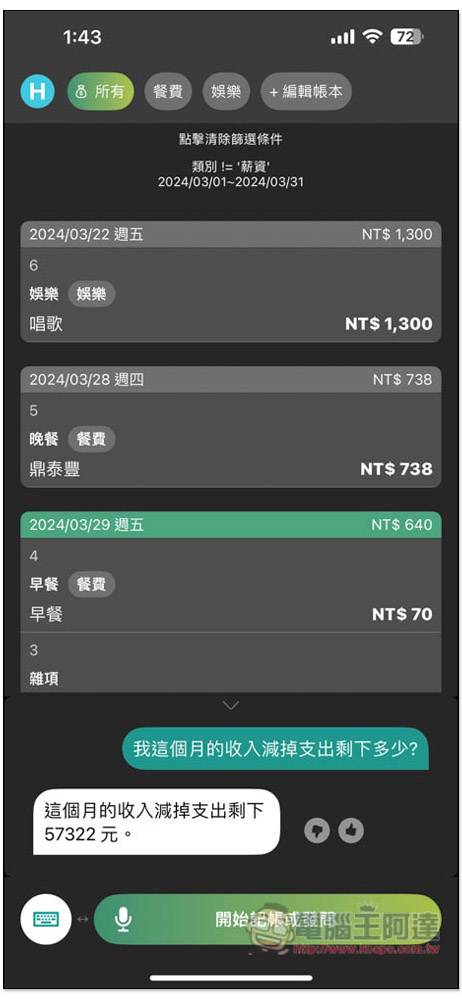
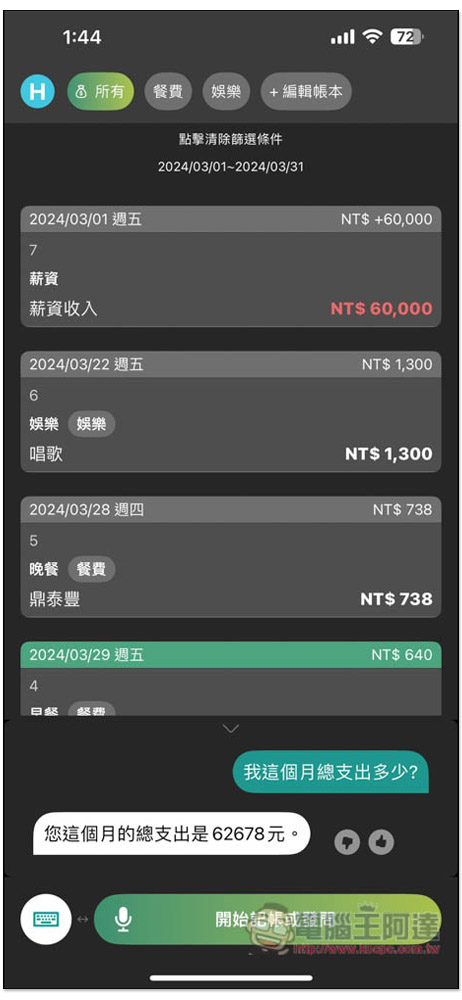
However, I detected a bug that needs to be improved. I asked “What is my total expenditure this month?” and it will also calculate the income:
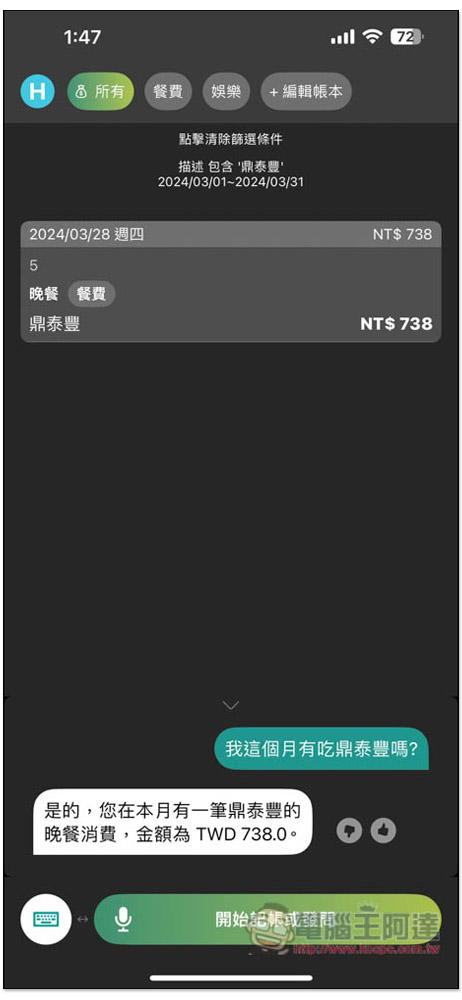
It can also ask you if you have made a certain expense. I asked “Did I eat Din Tai Fung this month?”, and AI will help me find out if:
You can also ask the total cost of each category this month to easily and quickly find out if this month exceeds the budget:
When it is inconvenient to speak, you can also ask AI by typing:
It is a pity that this app does not have the function of establishing a bank account or how much cash you have, so you cannot track how much money you have left at any time, and can only be used to record expenses.
Source: KOCPC Chinese