


Today in 2024, SSD is already the choice of most people. SSDs are not only faster, smaller, more efficient, and more durable than traditional HDDs. Since there are no moving parts, SDDs have a longer lifespan than HDDs, making them more suitable for the average user who doesn’t need a lot of storage space but wants a reliable hard drive that will last longer.

How long do SSDs last?
It’s not all sweetness in the world of SSDs, though, and they also have limited write endurance, meaning you can only write a limited amount of data to the SSD before the SSD goes into read-only mode and refuses further writes. But how long does an SSD last before it no longer works properly?
What is the lifespan of an SSD?
SSDs do have a limited lifespan, but most users don’t have to worry about that. I say this because even avid users can use an SSD for a few years before it faces significant risk of failure. That being said, the exact lifespan of an SSD largely depends on several key factors, such as the amount of data written to the drive, its age, health, and more. So, it’s safe to say that the lifespan of an SSD is specific to your drive and how you use it, making it a very subjective topic.
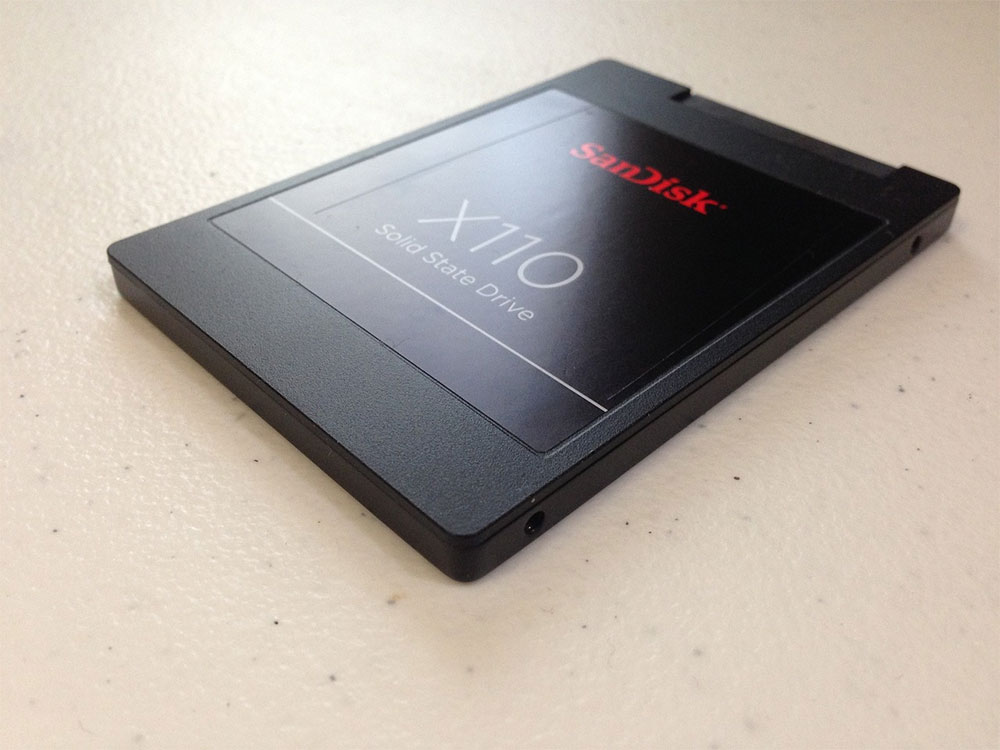
Based on the endurance ratings of some modern SSDs on the market, it’s safe to assume that the SSD will last until you’ve written around 700TB of data over its lifetime. Of course, your SSD may last longer and may even be replaced earlier than this, but this is just an average number to keep in mind. Knowing the average lifespan of an SSD will allow you to estimate its remaining life.
Estimating SSD life by warranty and MTBF hours
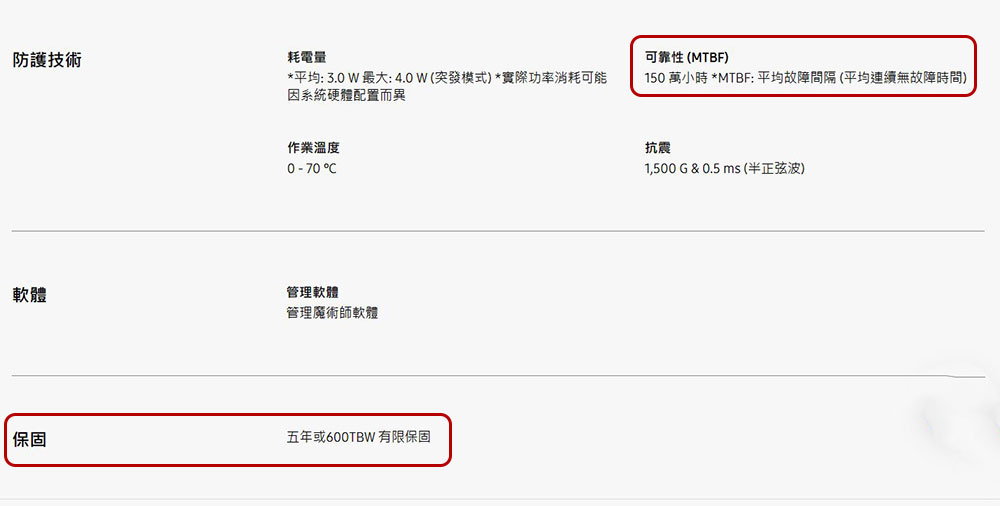
Thankfully, you don’t have to rely on average numbers to predict how long your SSD will last before replacing it. Most, if not all, SSD manufacturers have warranty information that you can use to predict how long your SSD will last. The number of terabytes written (TBW) of data is different for each SSD model, so it’s best to check with your SSD manufacturer to determine the length of its life cycle and plan accordingly when to purchase versus replace. For example, the TBW rating of the 1TB Samsung 860 EVO SATA 2.5-inch installed on my PC is 600TB as shown in the screenshot. SSD values may be higher or lower depending on the model and its storage capacity, you can find the exact value by consulting the spec sheet for a specific SSD brand and model.
Alternatively, you can estimate the SSD’s lifespan using the MTBF (Mean Time Between Failures) hours provided by the manufacturer. This specific information can also be found on the SSD’s spec sheet, and it will tell you the likelihood of the SSD failing during the warranty period. You can use an SSD’s MTBF value and its warranty period to calculate its probability of failure, but a general rule of thumb to remember is: the higher the number of MTBF hours, the less likely the SSD is to fail.
Estimating SSD life using the CrystalDiskInfo utility
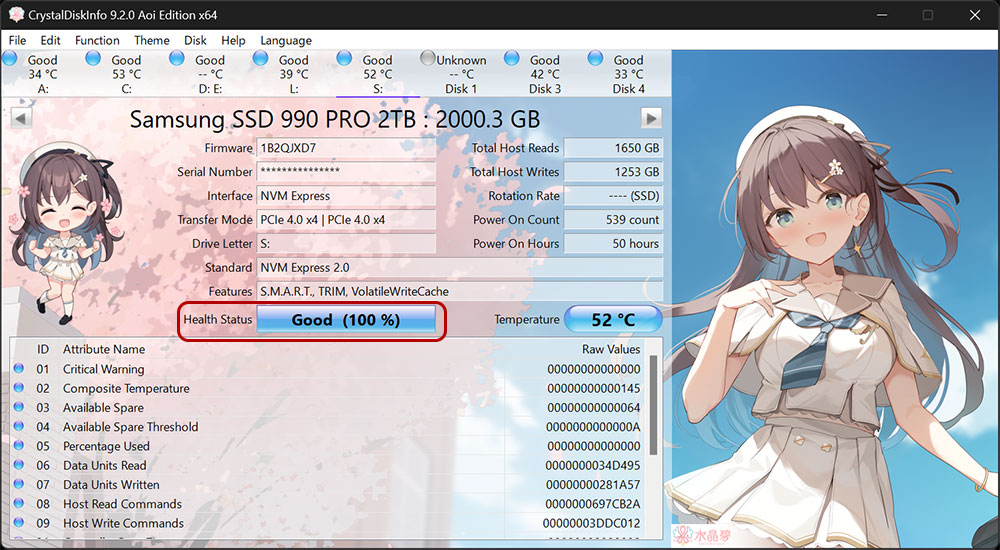
If you don’t want to wade through the SSD’s spec sheet and calculate its remaining life using its MTBF data etc., you can also use CrystalDiskInfo Utilities such as Easily identify the current status of your SSD. To do this, do the following:
- Download and install the CrystalDiskInfo application.
- Launch it to open a window that details all the important information about your SSD, including its health status, which gives you the percentage of remaining health.
- You can also see the host’s total writes, which tells you how much data has been written to the drive.
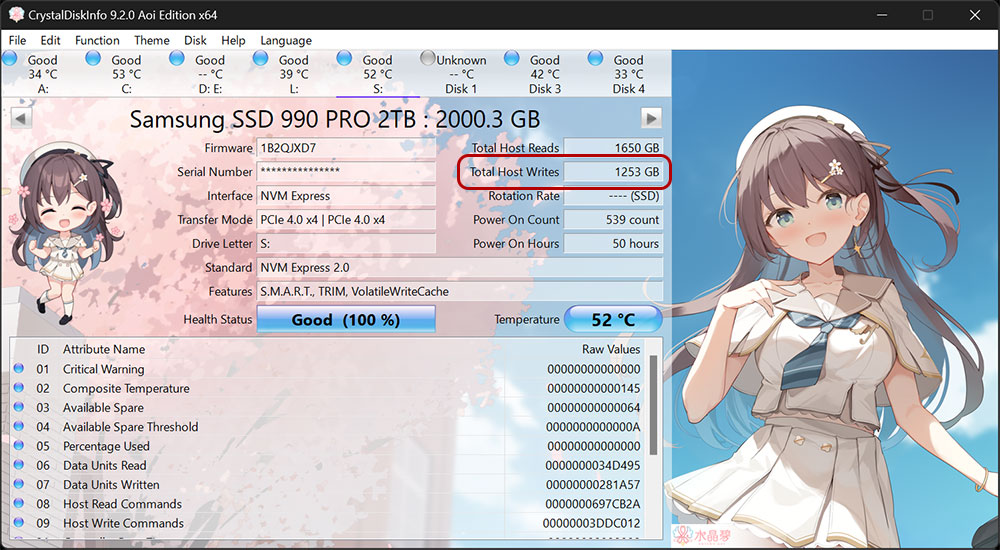
While there’s no easy way to tell how long an SSD will last before it fails, there are some simple methods you can use to estimate its remaining life. I recommend using a program like CyrstalDiskInfo to get an idea of how much data you’re writing, and then you can compare that number to the SSD’s rated TBW value to get a rough idea. No matter where your SSD is in its life cycle, always remember to back up your PC at all times to ensure you never lose valuable data.
Source: KOCPC Chinese