


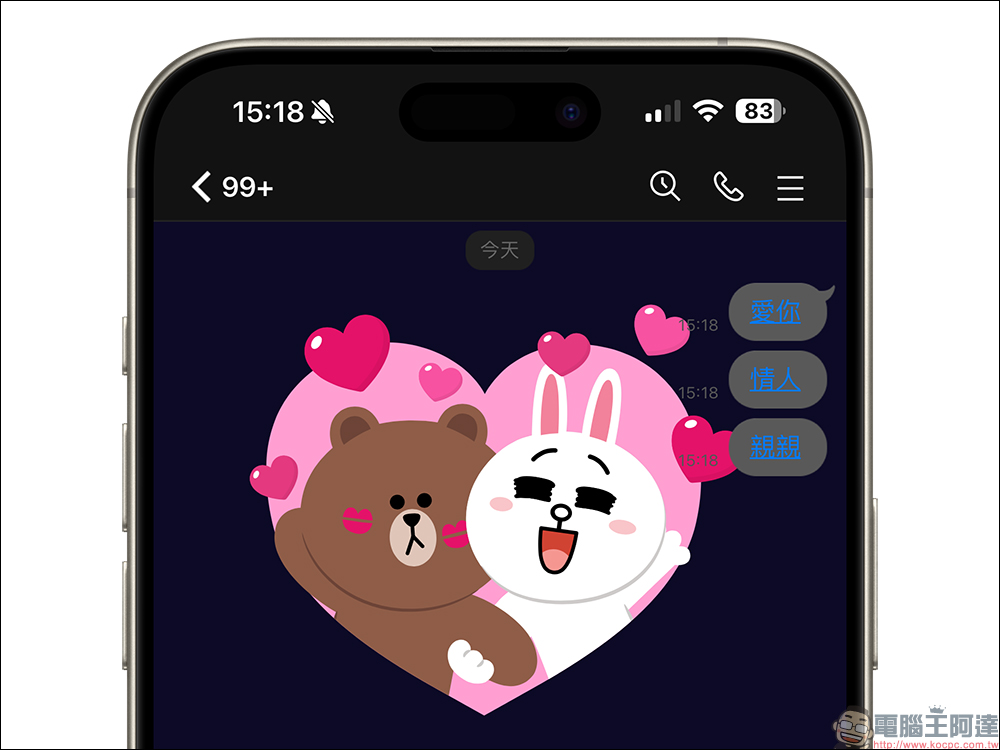
White Valentine’s Day is coming this week. Whether you are celebrating the holiday with a lover or not, you can feel the romantic atmosphere of Valentine’s Day with the cute Bear and Rabbit. You can also express your feelings with your significant other or your favorite person through LINE during this period. Earlier today (11th), LINE announced the launch of LINE Valentine’s Day chat room special effects. As long as you enter keywords in the chat room, you can let Xiong Da and Tutu get romantic together.

LINE’s Valentine’s Day chat room special effects are launched. Spend a romantic White Day with Big Bunny Bear in the chat room!
Almost during some important festivals and events, LINE will release limited-time chat room special effects, allowing users to spend the holidays with friends online on LINE. Earlier today (11th), LINE announced that the Valentine’s Day chat room special effects will be launched from now on. The event will last until 10:00 on March 15th. Just enter the special effect keyword “Love you」、「lover“or”kiss”, you can make Xiong Da and Tutu appear and flash.
If you don’t want to disturb others, you can also click on the keyword link to replay the special effects directly!
Valentine’s Day chat room special effects period
This year’s Valentine’s Day chat room special effects will run from March 11, 2024 until March 15, 2024 at 10am.
Applicable version for Valentine’s Day chat room special effects
In addition to the mobile version, this year’s Valentine’s Day special effects also support the computer version. The applicable app versions are as follows:
- LINE iOS 9.15.0 (inclusive) and above
- LINE Android 10.17.0 (inclusive) and above, and Android OS 7.1 and above
- LINE PC version 6.7.3 (inclusive) and above
How to turn on/off chat room effects?
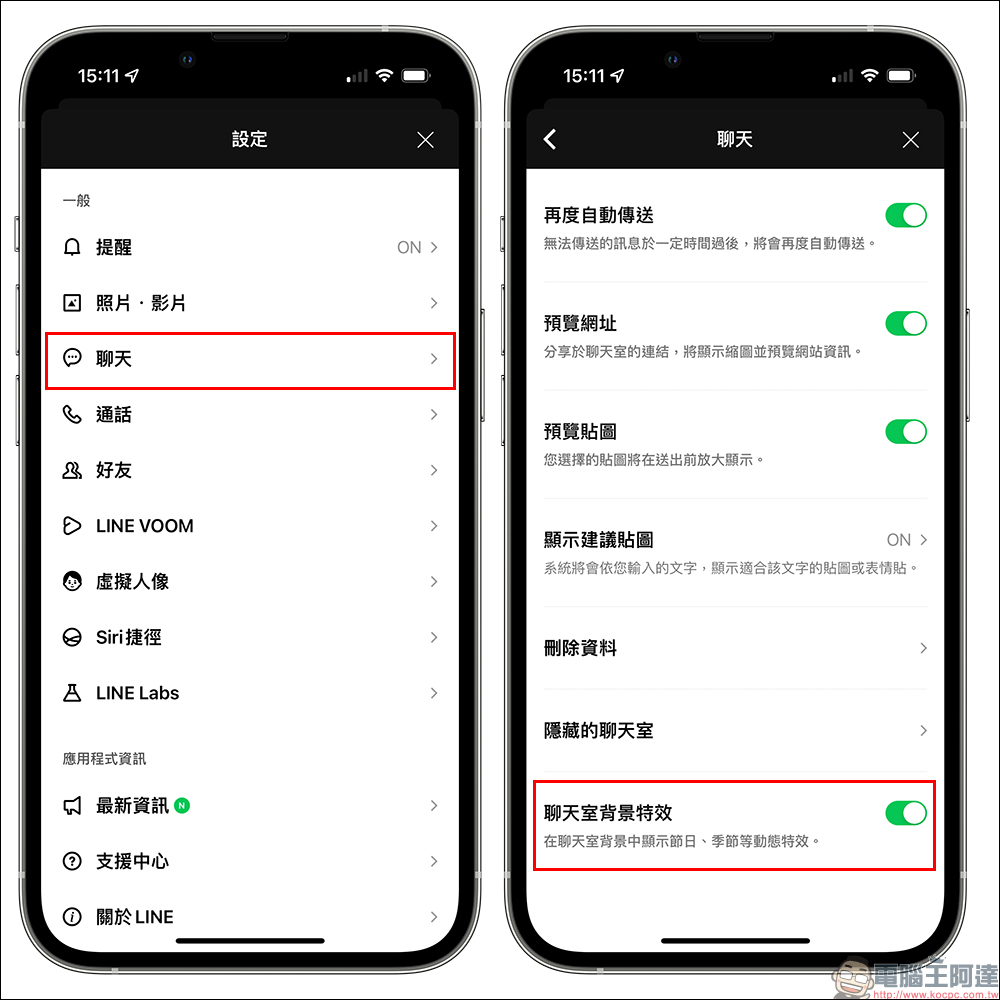
Chat room effects are all turned on by default, but if you enter the correct keywords during the event but do not see the chat room background effects, you can first try to completely close the LINE App and then reopen it, or go to “Settings” > “Chat” and confirm whether the chat room background effects are turned on.
Of course, if you don’t want to see the chat room background effects, you can also manually turn off the “chat room background effects” yourself.
Additional screenings at the same scene: Valentine’s Day profile decoration, LINE VOOM super special effects
In addition to the cute chat room special effects animations in the chat room, which can also be arranged in the LINE profile, there are also LINE VOOM special effects that are perfect for the occasion.
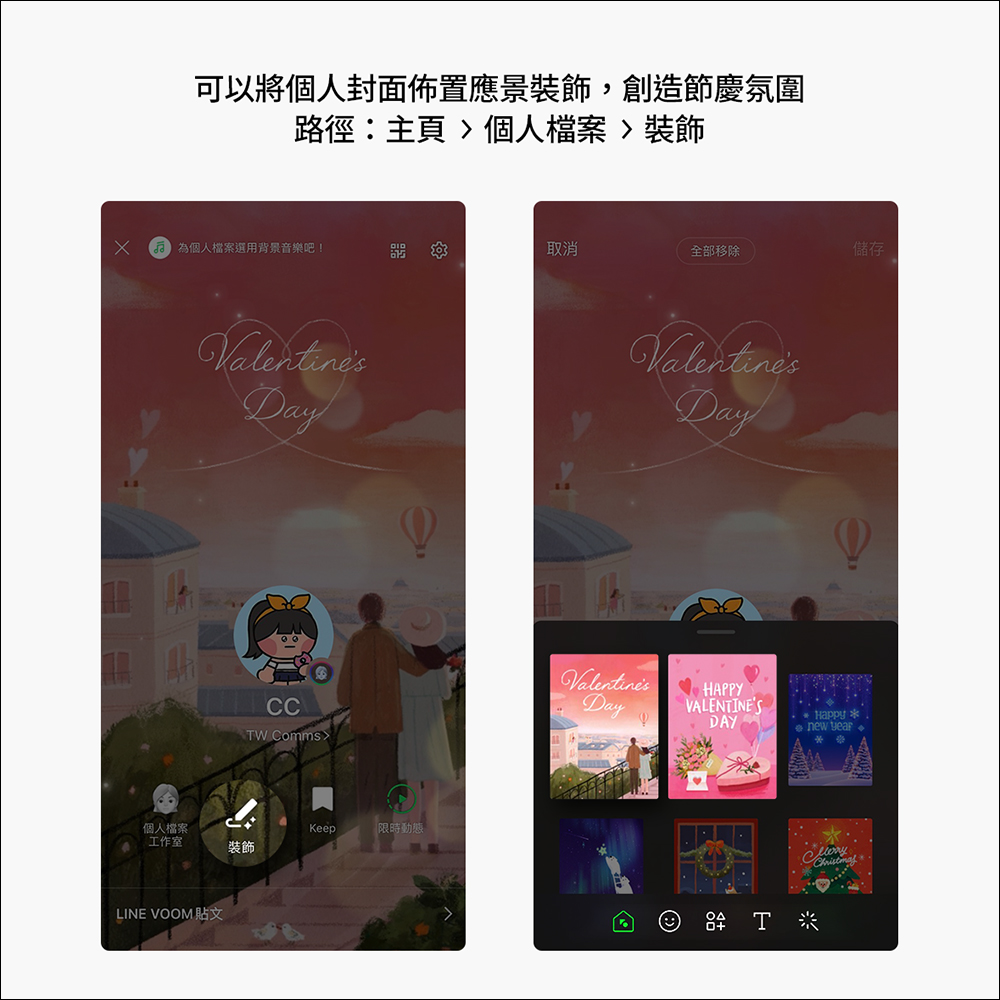
Valentine’s Day Profile Decoration:
Just go to the decoration of your profile to choose from a variety of themes and stickers to create a unique personal cover! The setting path is “Homepage” > “Profile” > “Decoration”.
LINE VOOM super special effects:
LINE VOOM has a lot of interesting special effects for Valentine’s Day. The following are the recommended ones (it is recommended to use a mobile phone to open them): There areLINE FRIENDS、full of love、special symbols、love duet,as well asValentine’s Day Matching Quiz, if you are interested, come and have a look!
Further reading:
Starbucks “Celebrates 26th Anniversary Coffee Journey Treasure Hunt” digital experience, buy one get one free on drinks and continue to redeem until 4/3!

Source: KOCPC Chinese