


Last month, NVIDIA launched a dedicated version for users that can run locally Chat with RTX chatbotAt that time, I believe that many AMD users were jealous that they could not play it. The good news is that as AMD has also been working hard on AI recently, it did not take too long this time. It announced the launch of an AI chatbot exclusive to AMD users earlier, and not only GPU users, but also qualified CPU users can use it.
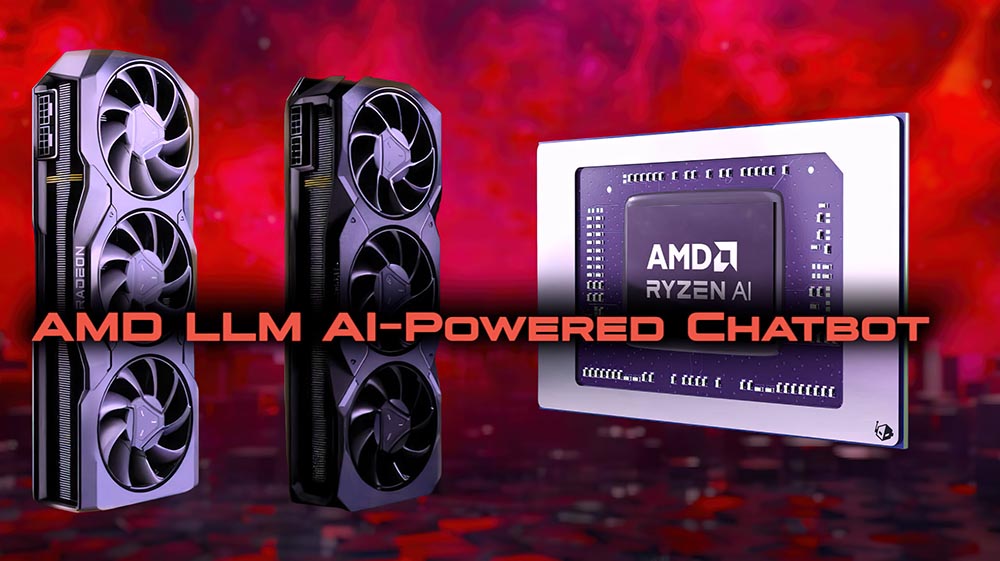
No need to envy NVIDIA! AMD also launches AI chatbot that runs locally on its own CPU and GPU
AMD announced on its official blog earlier the launch of its own LLM chatbot “LM Studio”, supports AMD Ryzen AI processors and AMD Radeon RX 7000 series graphics cards. The download points are different. When downloading, please pay attention to whether it is the processor version or the graphics card version (it is still in preview version).
Although it is said to be its own exclusive LLM chatbot, unlike NVIDIA, AMD LM Studio only supports the latest generation of processors and graphics cards, which means that the previous generation Radeon RX 6000 series cannot be used, which is really a pity.
My computer doesn’t have AMD hardware, so I can’t demonstrate it to you, but AMD in articleDetailed instructions on how to use it:
- Download the correct version of LM Studio
- run file
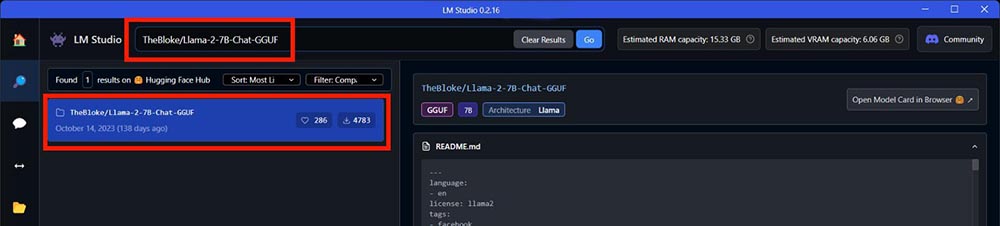
- Copy and paste the following command in the search bar to see which model you want to run. The search results will be displayed on the left
If you want to run Mistral 7b, searchTheBloke/OpenHermes-2.5-Mistral-7B-GGUF
If you want to run LLAMA v2 7b, please searchTheBloke/Llama-2-7B-Chat-GGUF - You can also try other models
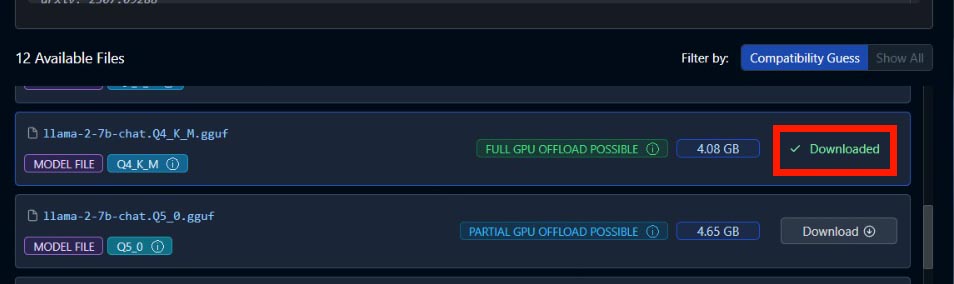
- Scroll down in the right panel until you find the Q4_K_M model file and click the download button next to it. For Ryzen AI users, AMD recommends using this one and then waiting for the download to complete:
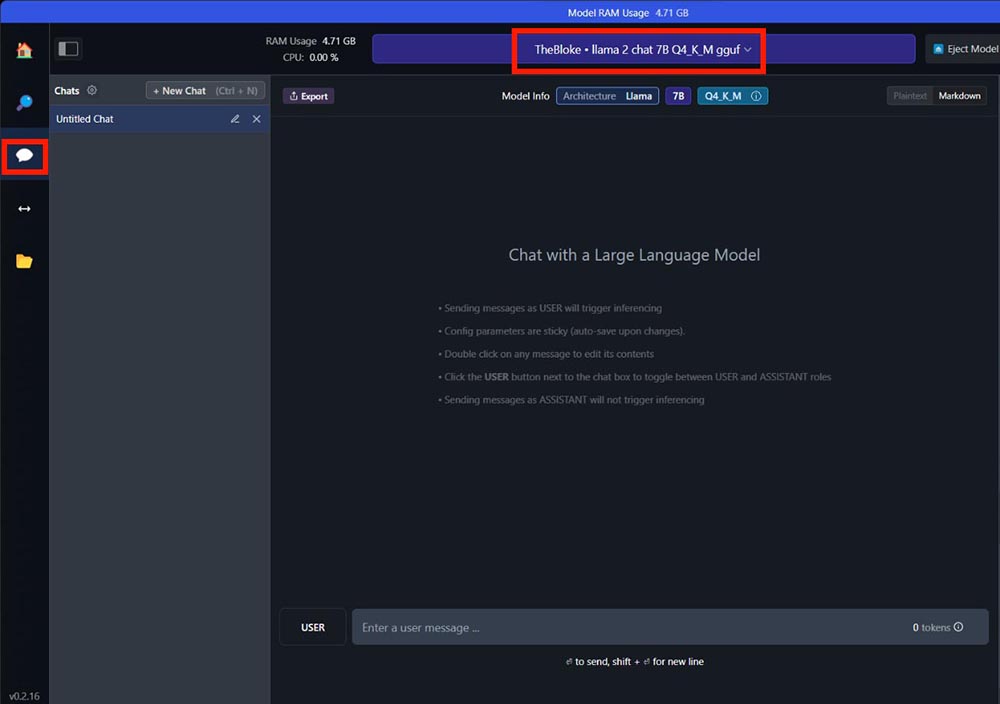
- Go to the chat page, select the model you want to use in the upper middle, and wait for the reading to complete:
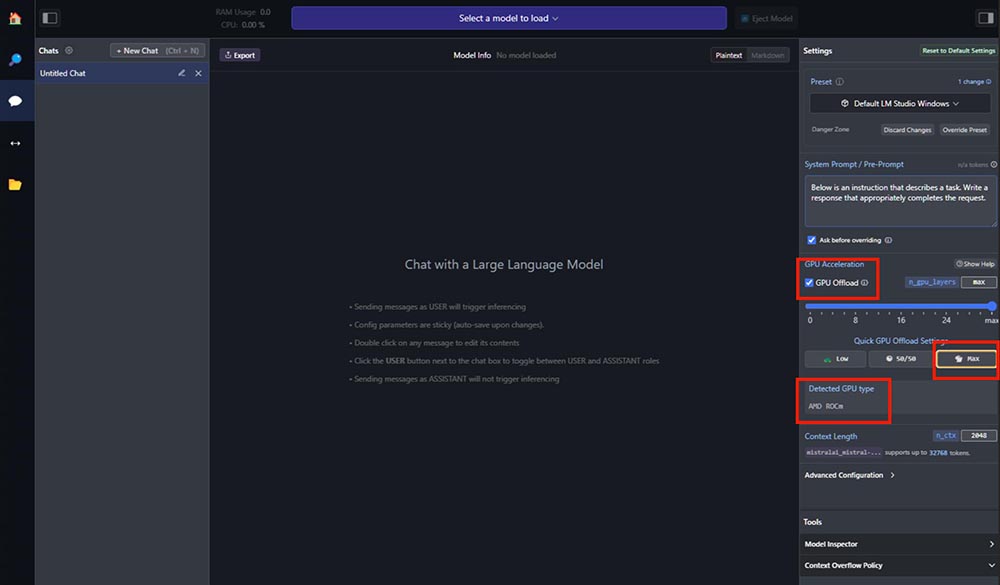
- If you are using an AMD Ryzen AI PC, you can start chatting. If you are an AMD Radeon RX 7000 series graphics card user, please follow the steps below, check the “GPU Offload” option on the right, select the Max panel, and confirm that the AMD ROCm™ display has detected the GPU type:
As for the chat quality, I guess it may be similar to NVIDIA’s Chat With RTX. The Chinese support is not very good. This part can only be tested by AMD users themselves.
Although the chatbots of NVIDIA and AMD are not open to other brands, as well as their own old CPUs and GPUs, there are actually other software on the Internet that can install LLM large language models locally on the computer, as we introduced before GPT4All, you can install a lot of models, more than N and A. People in need can also try it.
Source: KOCPC Chinese