


LINE Taiwan launched the invoice management gadget LINE Invoice Manager in 2022, which allows users to conveniently manage invoices, and can also share invoice details with one click, scan long paper invoices, and other functions. The recent update adds personalized monthly consumption analysis, turning you into an accounting butler! Let users get exclusive consumption discovery, let’s see what’s different about these new features!

The function of LINE Invoice Manager has been upgraded, adding personalized consumption analysis and transforming into an accounting butler.
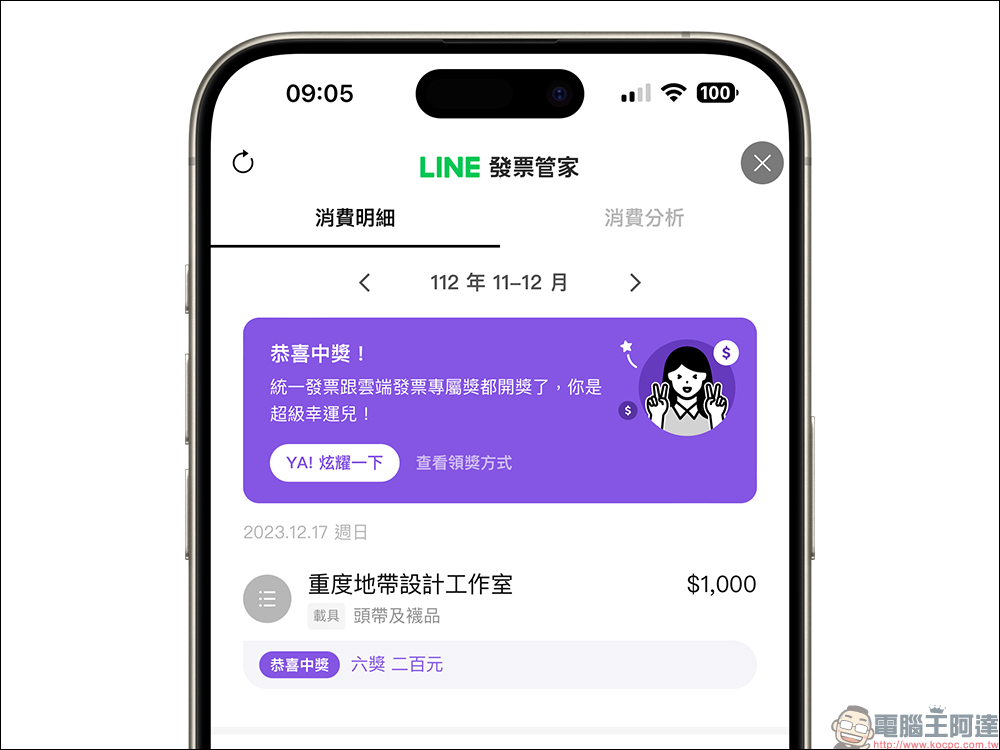
LINE Invoice Manager allows users to check the details of each of their purchases at any time, and can directly redeem prizes after the unified invoice is issued. If you are lucky enough to win, you can also directly share the joy of winning with your LINE friends. Recently, LINE Invoice Manager has been upgraded for consumption management functions, turning this useful invoice management tool into a small butler for accounting analysis.
New features for manual accounting
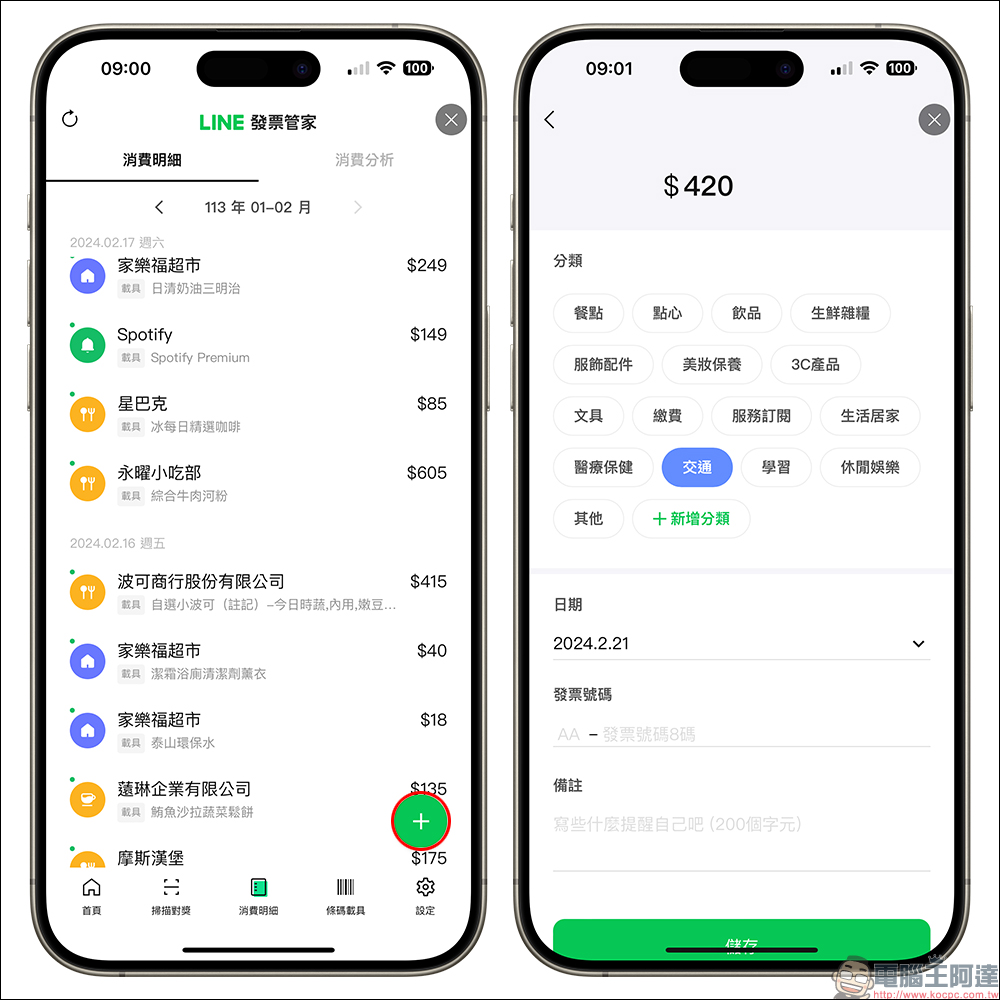
On the “Consumption Details” page of LINE Invoice Manager, you can now manually add consumption! Just click the “+” in the lower right corner of the screen to manually add consumption information, such as amount, category, date, invoice number, etc. You can also add your own notes to help you understand the consumption more quickly in the future.
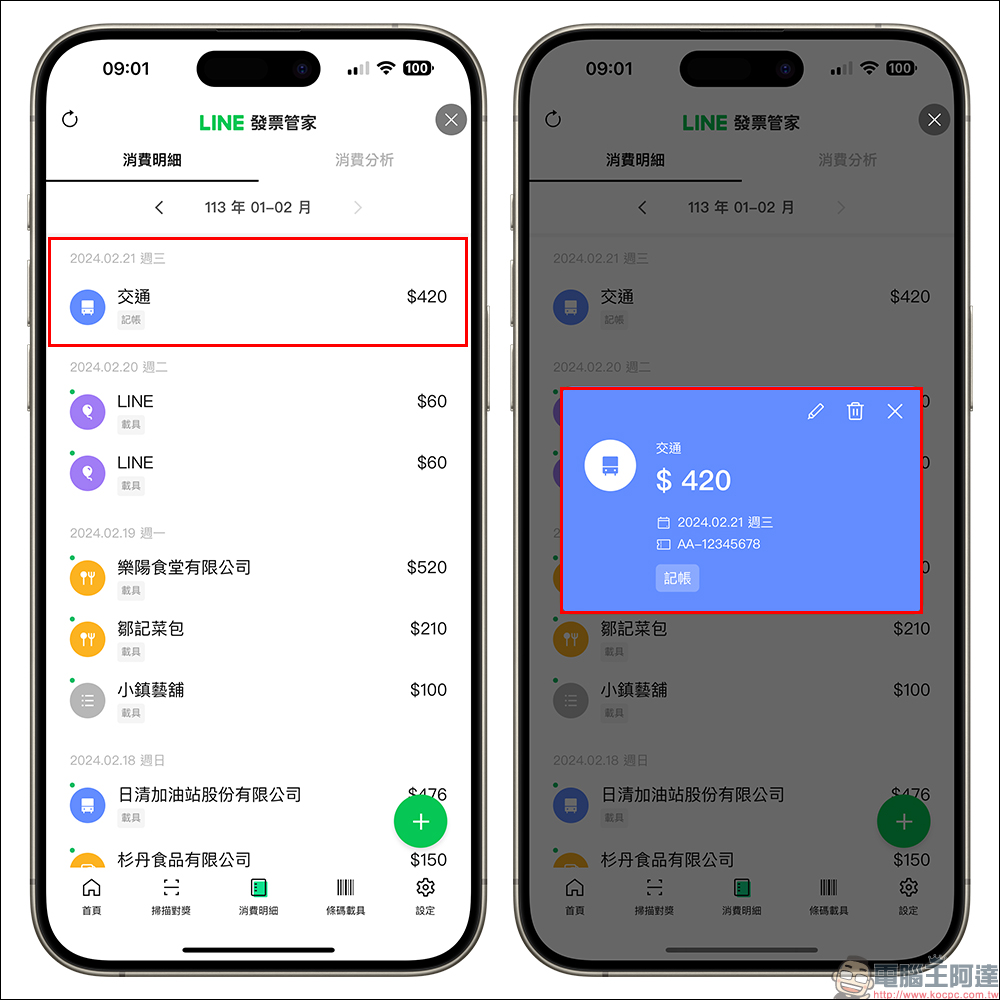
After the saving is successful, the manual accounting consumption will be added to the consumption details, and you can click on it to edit the consumption again.
Since the launch of LINE Invoice Manager, it has continued to observe user needs and introduce new features. The survey found that more than 70% of users expect the Invoice Manager to add consumption management functions. Therefore, the Invoice Manager has been opened to allow users to manually adjust the classification of each consumption, and even add consumption without invoices, so that users with accounting needs can record their expenses more accurately.
Accounting analysis features, compare previous consumption records, and find the stores where you like to spend most.
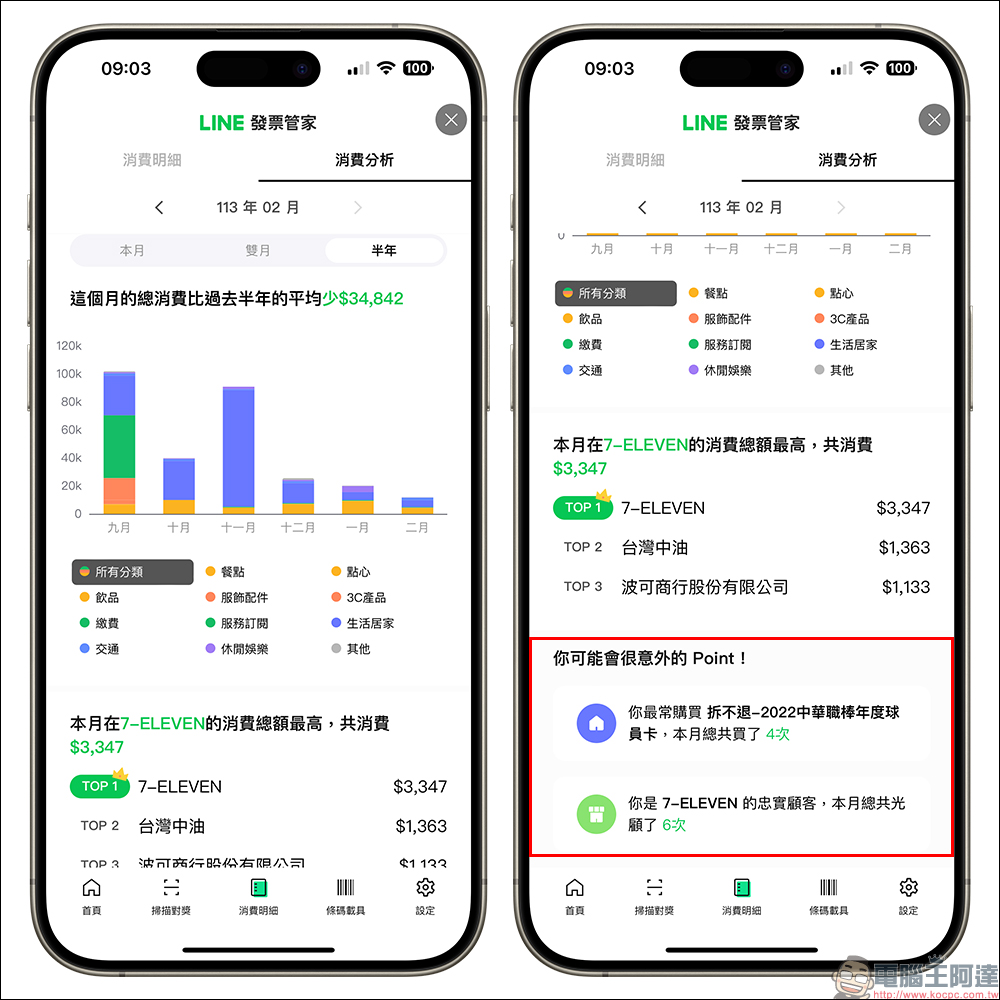
Now the latest function added to LINE Invoice Manager’s “Consumption Analysis” can compile exclusive consumption information every month. In addition to comparing the consumption structure with the expenditures of the previous month and the past six months, you can also find out the stores that spend the most money each month, and even the most expensive items in the month to find interesting statistics.
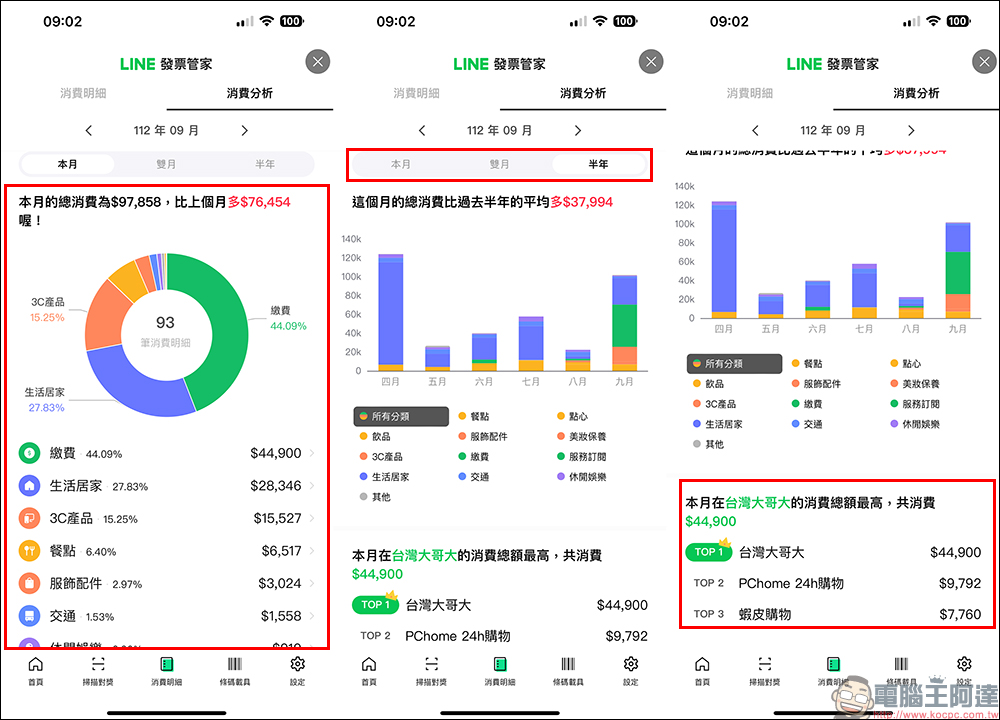
The consumption analysis of the last month will be organized below to analyze interesting personal consumption findings through “Points that may surprise you”, allowing users to find their favorite stores and products this month.
Traditional long invoices can also be scanned
In the prize matching function of traditional long invoices, LINE Invoice Manager breaks through the limitations. Scanning can identify the period, invoice number and other information of traditional long invoices. The scanned data will be displayed as “Other” and stored in the details of the first day of the period to facilitate subsequent prize matching. Users can also edit the consumption amount, date and other information.
Share new instructional videos and receive LINE POINTS points!
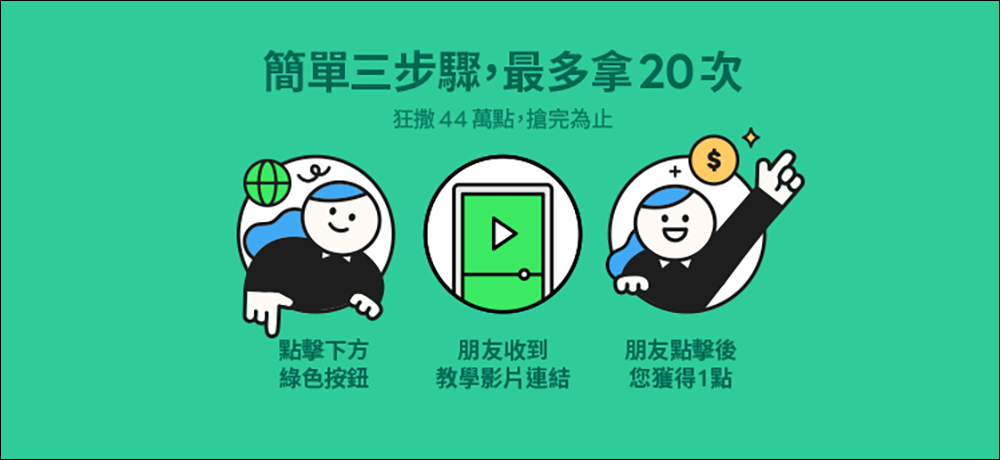
In conjunction with the launch of new functions,LINE Invoice Manager has specially produced a new instructional video (click here to go), as long as you successfully invite friends to watch through the event URL, you will get 1 point each time, and one person can invite up to 20 friends!
LINE Invoice Manager entrance:Click here to go
Share videos to get points activity homepage:Click here to go
Further reading:
LINE free sticker collection: 35 free LINE stickers available for download for a limited time

Source: KOCPC Chinese