


For modern people, surfing the Internet, streaming various videos and playing online games are very common entertainments. These pastimes rely heavily on the Internet. In order to have a better experience, we hope to have a fast and reliable Internet connection. But looking back, what factors make a network connection fast? The three terms we are going to discuss this time are often seen when talking about topics involving the Internet: latency, bandwidth and throughput.

Latency, bandwidth and throughput, what is the difference between them?
Latency: Every 1ms counts
Latency is the time it takes for a signal or data packet to travel from one point in the network to another. A network is a system of devices that are connected to each other and exchange information. For example, your computer, mobile phone, tablet, router, modem, etc. are all part of the network. Imagine you are playing a cloud-streamed game. You press a button to make the character jump, and now, the delay is like the time it takes for the character to jump after pressing the button. If the latency is low (like 20 milliseconds), your character will jump almost immediately upon pressing the button, making it feel like you’re playing the game natively on your computer. But if the latency is high (e.g. 500 milliseconds), there will be a noticeable delay between pressing the button and the character jumping, making it feel like the game is being played in slow motion, which can be frustrating in fast-paced games.
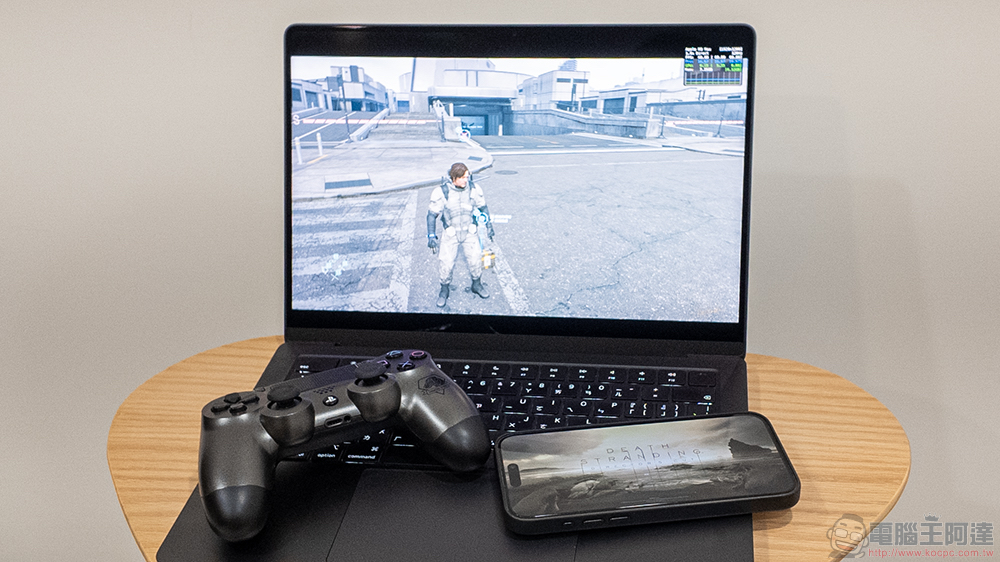
Let’s think about a video call, like Zoom or Skype. When you’re talking to someone on the phone, latency is the time it takes for the sound of what you’re saying to get there and be heard by the other person. If the latency is low, your conversations will flow smoothly, almost like chatting face to face. However, if latency is high, you might end up talking over each other because of the latency, making the conversation feel awkward and disjointed.
according to MySpeed , the following table provides general guidelines for target latency for use in evaluating common online activities.
| Ping rate (ms) | quality |
Suitable activities |
| < 50 | very good | Most online activities, including e-sports online games |
| < 100 | acceptable | Many common online activities, such as web browsing |
| > 150 | Difference | Games and other online activities are prone to problems |
| > 500 | Very bad | Almost every instruction will have a significant time difference, and the delay is too high |
Delay can be affected by many factors, common ones include:
- How far are you from the server?
The farther you are from the server, the longer it takes for data to travel back and forth, and this data journey is called the RTT or ping rate. That’s why when given a choice, whether it’s a VPN or online gaming, it’s usually recommended to choose a server that’s closest to your physical location. - The type of network you have
Fiber optic networks are known for their high-speed data transmission. Wi-Fi and mobile data vary depending on various factors, but wireless connections don’t match the speed of wired connections. - Wi-Fi quality
If your Wi-Fi signal is weak or unstable, your online activities may be delayed or interrupted. This is because packets must be retransmitted, potentially increasing the time it takes for data to travel between the device and the server. - Hardware performance
If the router or modem connected to your network is old, damaged, or overloaded, it can slow down your network and increase latency.
There are several ways you can reduce latency:
- Use a wired connection instead of wireless.
- Move closer to a router or use a Wi-Fi extension.
- Choose a server that is closer to you.
- Avoid peak hours when the Internet is congested.
- Update browser, router and device software.
- Clear your browser cache and cookies.
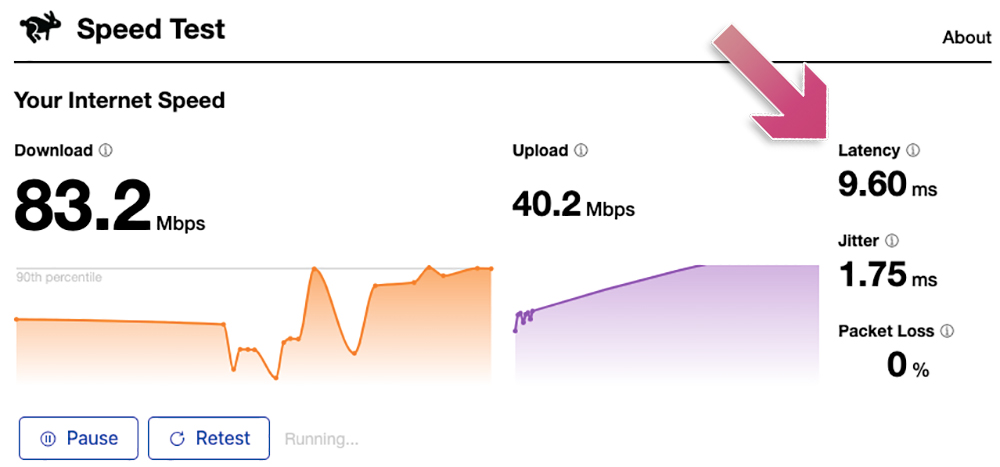
You can also use Cloudflare speed testUse online tools like these to test network latency. These tools measure the time it takes for a device to send and receive data from a server.
Bandwidth: Channel size matters
Bandwidth is the amount of data that can be transmitted over the network in a given period of time. You can think of it as the size of the channel that carries the data, the larger the channel, the more data flows through it; the smaller the channel, the less data flows through it. Bandwidth is measured in bps, Mbps or Gbps, with higher bandwidth also representing faster network speeds.Federal Communications Commission (FCC)Said that different online activities require different bandwidth to obtain an excellent experience. We summarize the information in the following table:
| Online activities | very good | good | acceptable | Difference |
| game | > 4Mbps | 3-4Mbps | 1-2Mbps | < 1Mbps |
| videoconference | > 6Mbps | 3-6Mbps | 1-2Mbps | < 1Mbps |
| video streaming | > 25Mbps | 9-25Mbps | 5-8Mbps | < 5Mbps |
| web browsing | > 2Mbps | 2Mbps | 0.5-1Mbps | < 0.5Mbps |
Therefore, if you like to watch movies on Netflix in high quality, you will need at least 5Mbps, but if you prefer 4K movies, 25Mbps will provide a better viewing experience. But remember, these are just common sense, and if you have a bunch of devices or users on the same network, you may need more bandwidth.
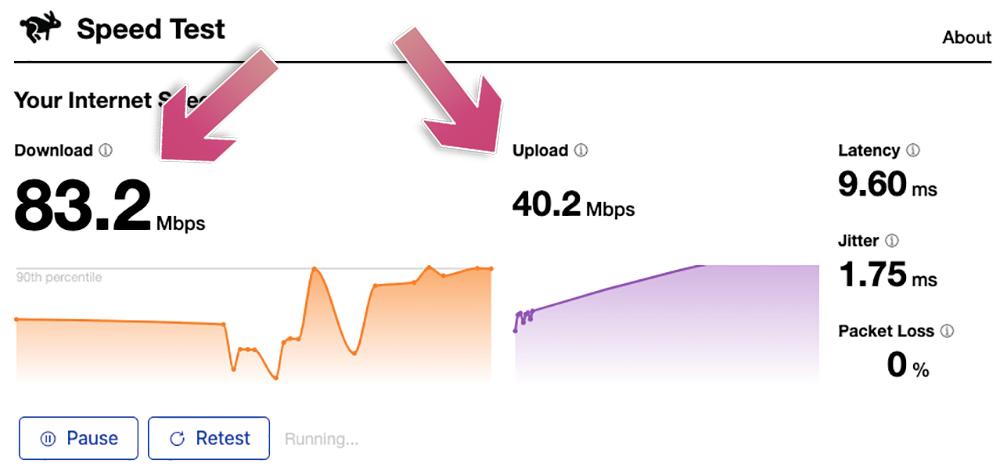
If you want to know how much bandwidth you have, you can use fast.com or Cloudflare Check this with online tools like speed tests, which measure your real-time download and upload speeds, which is the rate at which you receive and send data from the Internet. However, the numbers you see may not exactly match the bandwidth your internet provider is offering you at the moment, as speeds fluctuate, so do some tests over time to get a better idea of your average speed.
If your internet speed is too slow or unreliable, there are a few things you can do to increase your bandwidth:
- Upgrade internet package
Most ISPs offer a range of plans with different bandwidths, and if you’re on a lower tier plan, upgrading to a higher tier plan can help broaden your bandwidth. - Invest in a better router
Sometimes the problem isn’t your internet plan, but your hardware. If you have a lot of devices connected to the network or are trying to send data over long distances, a better router will help, targeting devices with the latest Wi-Fi standards, such as Wi-Fi 6E or Wi-Fi 7. - Add a Wi-Fi extender or mesh
If your issue is closely related to coverage (for example, if you have dead spots in your home with weak Wi-Fi signal or no network), adding a Wi-Fi extender or investing in a mesh system can help. These devices extend the range of your Wi-Fi signal, ensuring a strong and stable connection no matter where you are in your home. - Limit bandwidth-consuming applications
Some applications use a lot of bandwidth. For example, streaming services, online games, and video conferencing applications can consume a large amount of available bandwidth. If you are not using these applications now, make sure they are closed. If you are using them, check your settings to see if you can limit their bandwidth usage.
While increasing bandwidth can help increase network speed, it’s not the only factor that affects speed. Connection quality and device speed also play a big role.
Throughput: Data delivery is important
Throughput is the amount of data successfully transferred over a network connection at a given time, measured in bps, Mbps, or Gbps. Think of your Internet connection as a water pipe. Bandwidth is the diameter of the pipe hole that water can flow through. Throughput is how much water actually goes into your bucket when you fill it up. So if your bandwidth can deliver 10 liters of water per minute, but only 5 liters flows into the bucket per minute, your throughput is 5 liters per minute. Throughput is lower than bandwidth because traffic is slowed down by network congestion or unstable connections, such as twisted water pipes or small holes.

If you’re wondering what’s causing these network issues, check out the guides we’ve shared in the past to learn about factors that can slow down your network and how to fix them.
Further reading:Is WiFi slow? These 6 reasons may be slowing down your internet speed
The ideal conditions for a network connection are low latency, high bandwidth and high throughput. When all these work together, you will have a higher quality network environment. The three terms I learned this time are indispensable elements in creating a high-quality network environment. Now you should know more about it!
Source: KOCPC Chinese