


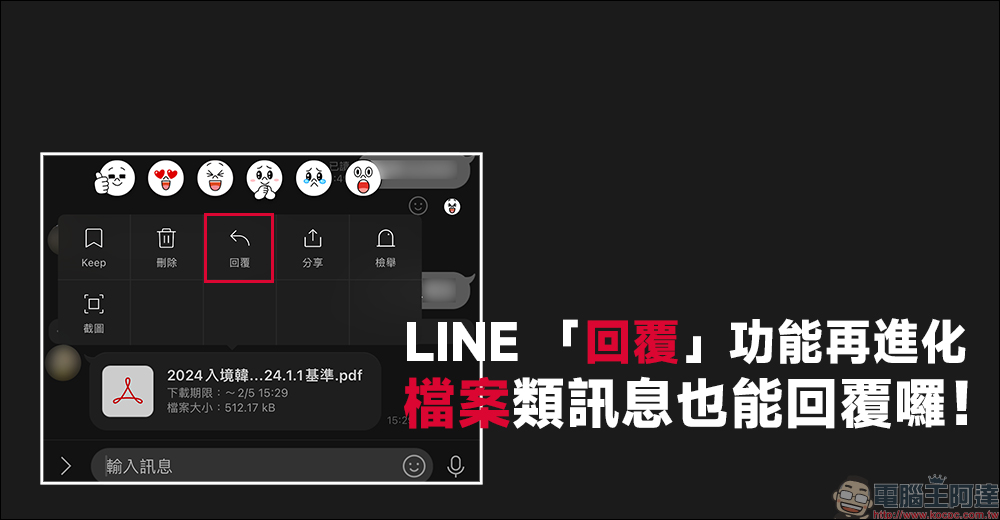
Recently, in version 14.0.0, in addition to the commonly used chat room message reply function for users, LINE has added a convenient file message reply function, making it easier for users to select the messages they want to reply to, reducing chat room chaos after cleaning, and reducing the chance of ineffective communication. Earlier, LINE iOS 14.0.1 was updated to optimize the user experience of Apple Watch, which is commonly used by Apple users. You can simply log in to LINE without scanning the mobile barcode!
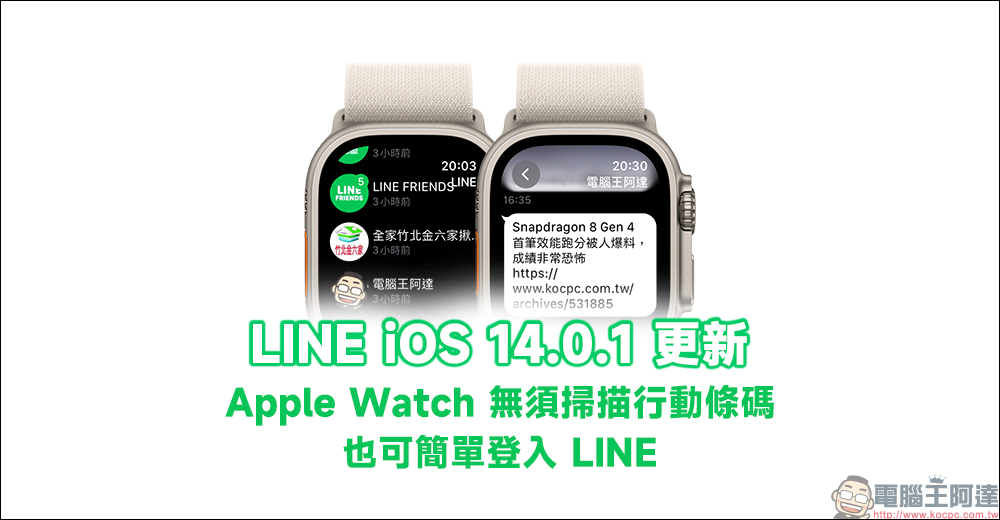
LINE iOS 14.0.1 update: Apple Watch can easily log in to LINE without scanning the mobile barcode!
In addition to using LINE on computers, mobile phones, and tablets, if you have an Apple Watch, you probably also use Apple Watch to browse LINE new messages in your daily life, right? However, sometimes when using Apple Watch to view or reply to messages, they find that they need to rescan the mobile barcode. However, it is not convenient to take out the mobile phone to scan, which also reduces the user’s willingness to use LINE on Apple Watch.
Finally, today (29th) LINE on iOS version 14.0.1 update, mentioned that this update “provides a simple login method for LINE on Apple Watch without scanning the mobile barcode.” Next, let’s take a look at how to log in to LINE quickly and easily!
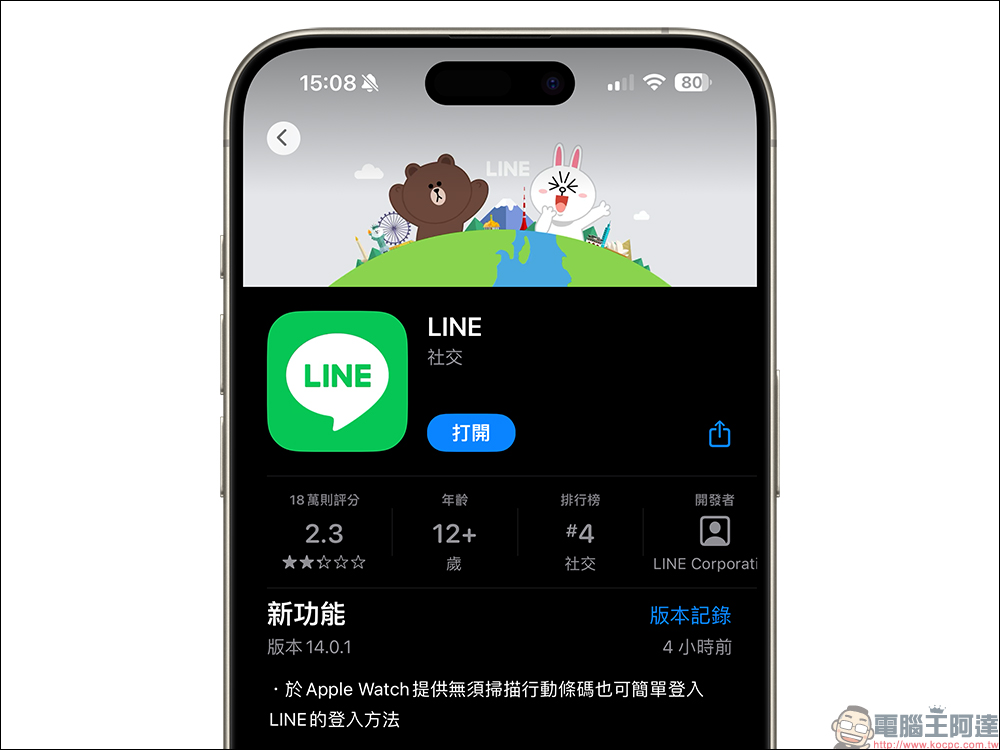
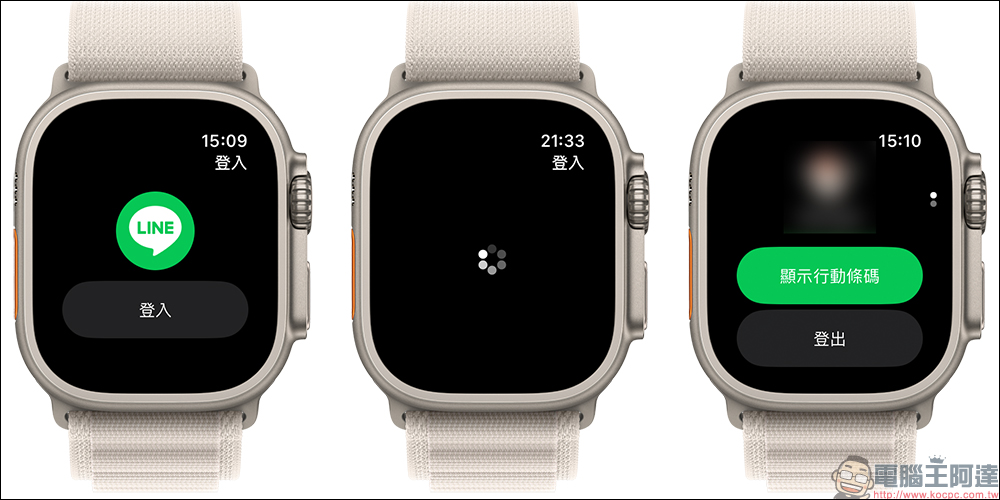
After updating the LINE APP on iPhone to LINE iOS version 14.0.1, open the LINE APP on Apple Watch. At this time, just click “Sign In” and wait a few seconds to successfully complete the account login.
In addition, users can also click “Show mobile barcode” after logging in.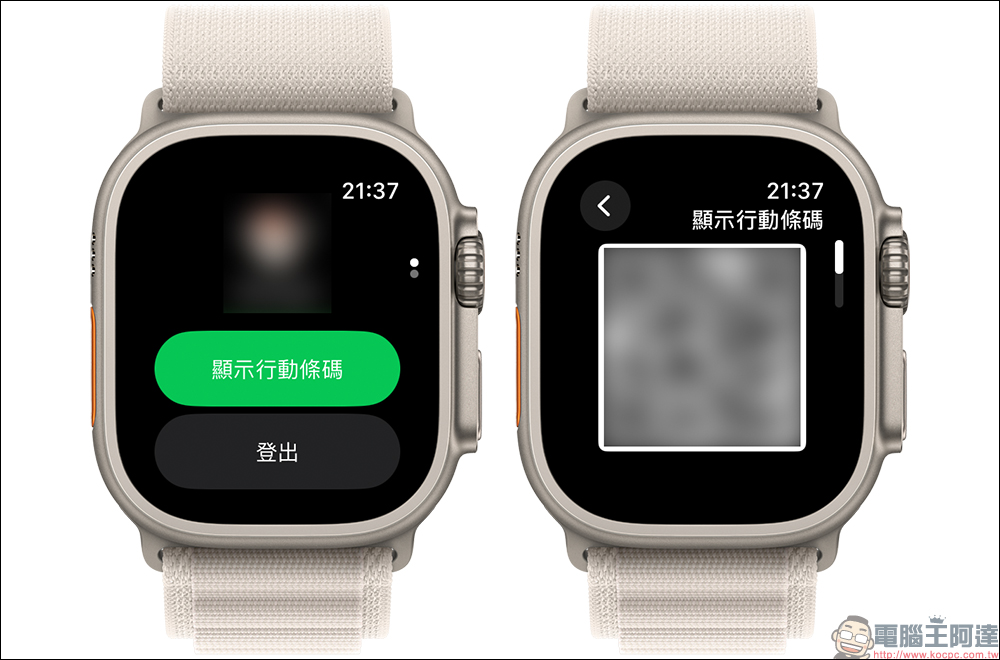
Compared with the mobile version of LINE APP, the current watch version is still relatively weak in functionality, but in fact it is enough to allow users to view LINE messages and successfully reply to messages. If the other party sends picture messages, they can also be viewed on Apple Watch. To reply to a LINE message, just turn the crown or touch the screen to scroll to the bottom of the page, and you can choose to reply with emoticons, images, voice messages or text messages.
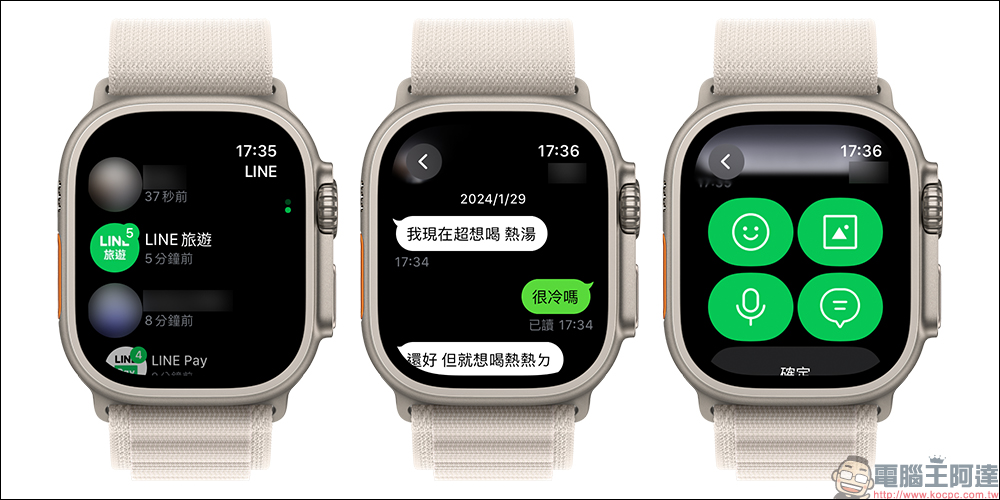
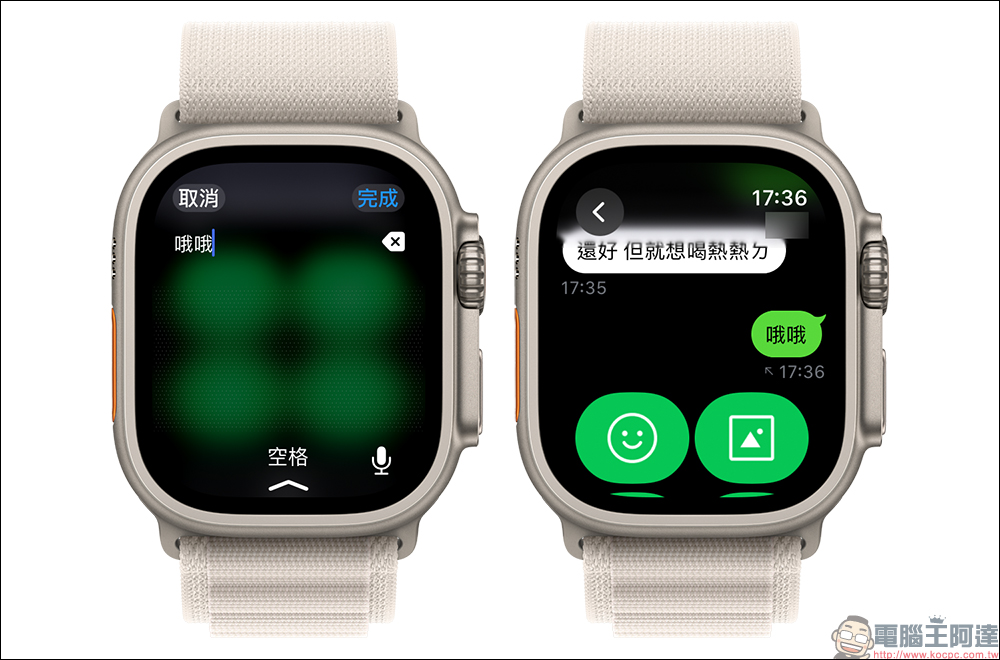
Replying to particles with text messages, using handwriting input (or tapping the microphone for voice input) is not a problem to successfully enter simple text content. However, this also depends on the surface size of Apple Watch, which will also affect the success rate of handwriting input on the watch screen. Like the Apple Watch Ultra series, the success rate of handwriting input is definitely easier than that of the smallest Apple Watch.
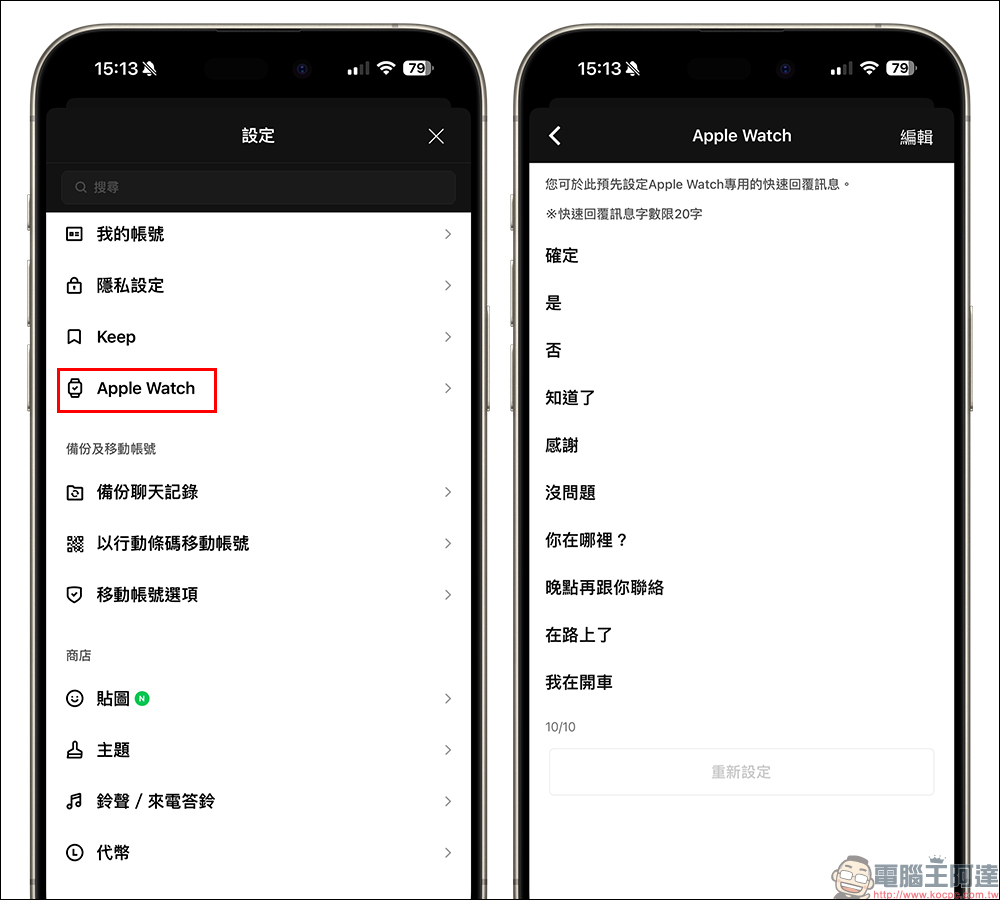
If you want to quickly reply to the other party’s LINE message on Apple Watch, you can usually open the LINE APP on the iPhone and select “Apple Watch” on the settings page. Then you can set multiple groups of text to quickly reply to the message. This function is limited to 20 characters per group.
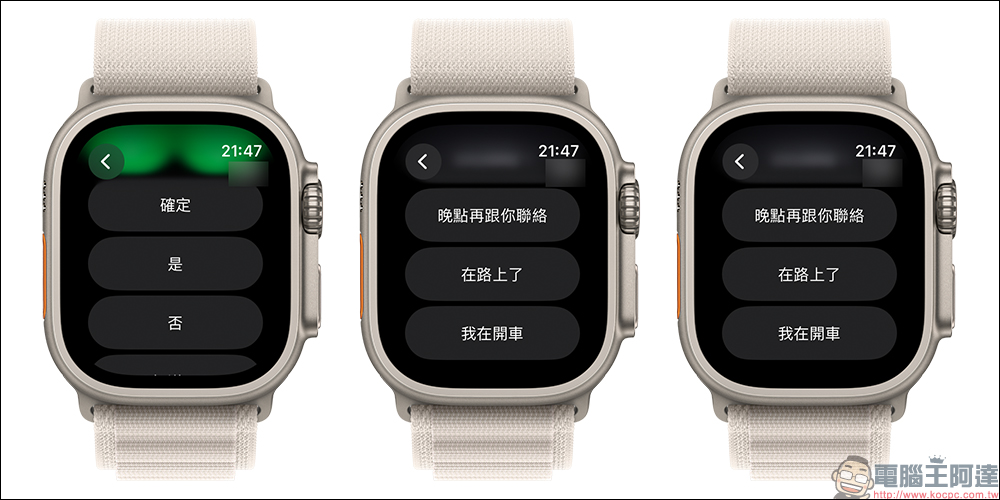
After the setting is completed, when replying to a message on Apple Watch, you can directly click to quickly reply!
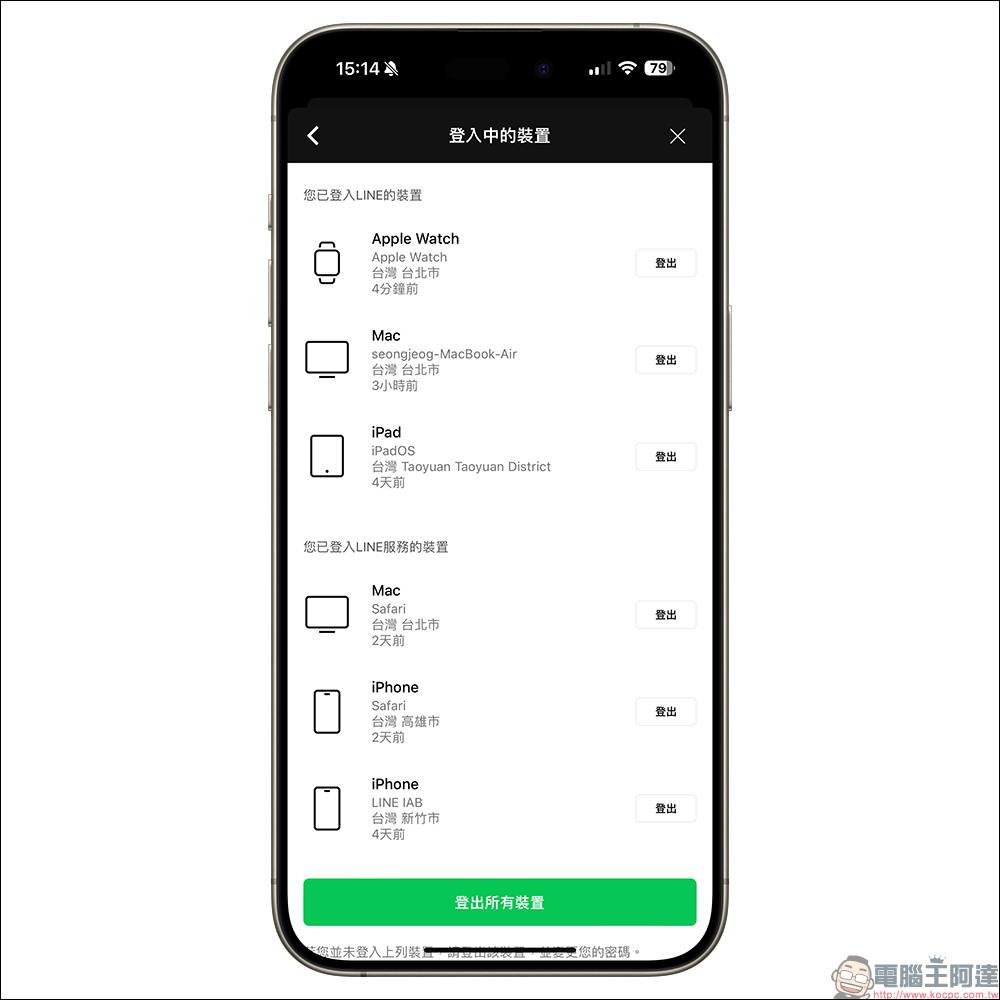
All devices logged into LINE can also be viewed in the settings on the mobile phone.
Source: KOCPC Chinese