


Whether it is a one-to-one LINE chat room with friends or a group message with multiple people, sometimes you want to reply to a specific message to increase the smoothness of communication. Using LINE’s built-in “reply” function, you can respond to specific text, pictures, videos, links, photo albums, notes, etc., and also reduce the possibility of misunderstandings during communication. Recently, in versions after LINE 14.0.0, the LINE reply function can also reply to “file” type messages!
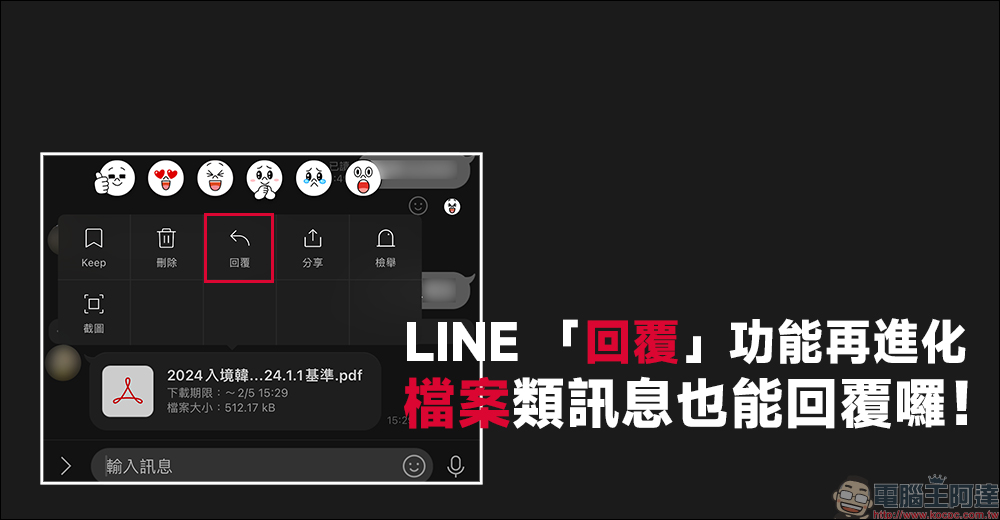
The LINE reply function has been further evolved, and file messages can also be replied to! Add 1 step to save the file here, so you don’t have to worry about expiration and being unable to open it.
When a large number of messages are transmitted simultaneously in a LINE chat room, it is very practical to use LINE’s built-in “reply” function to avoid the response content from causing misunderstandings between the two parties. Before the LINE iOS version 14.0.0, although users could reply to text, stickers, pictures, videos, notepads, photo albums, message menus and other message contents in LINE chat rooms, it became somewhat difficult to reply to the message once the two parties were communicating at work or had other “file” messages.
From now on, LINE is optimizing the “reply” function, and you can also use the reply function for messages on files!
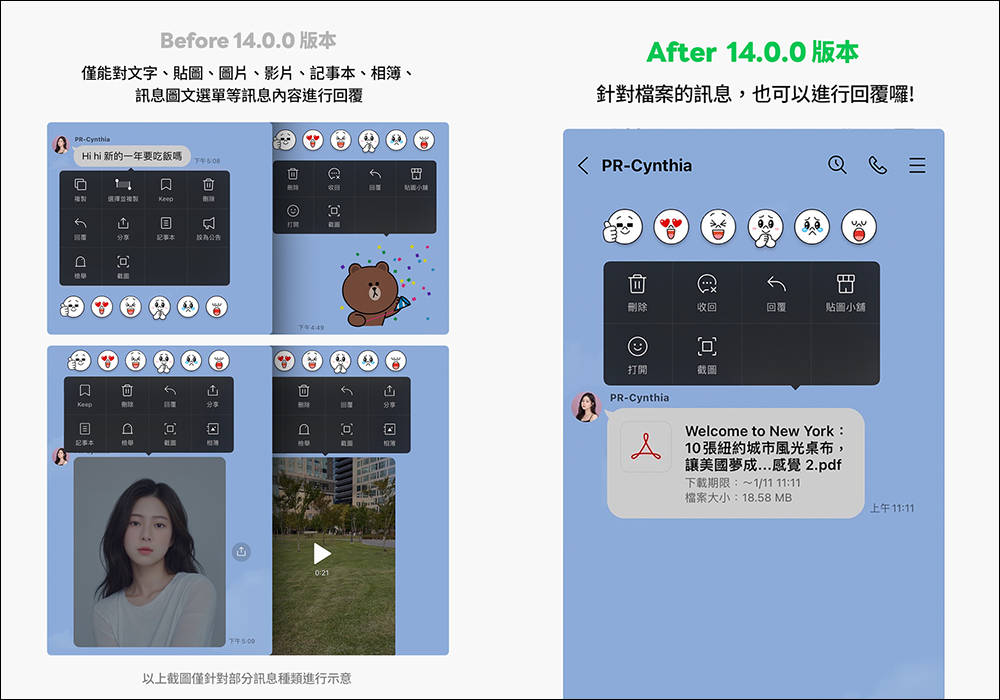
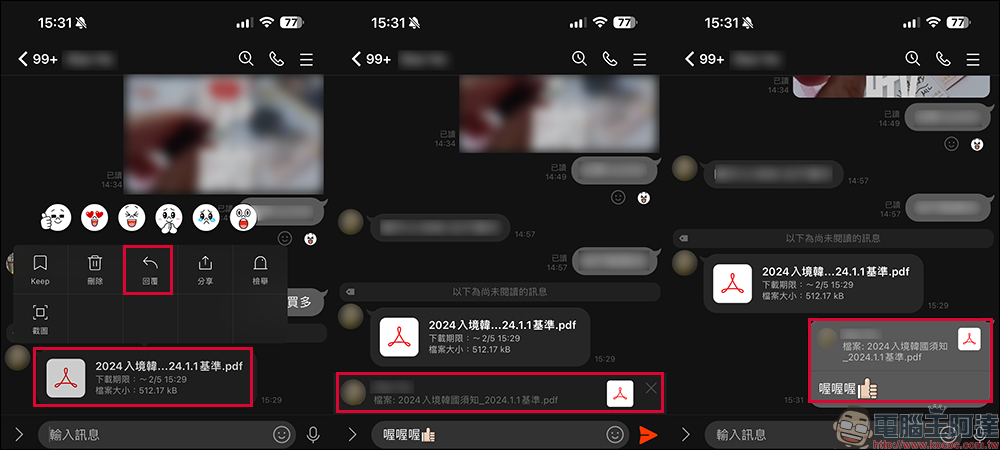
As long as LINE is updated to LINE 14.0.0 (inclusive) and above, users can reply to PDF, Word documents and other files in chat room messages. There are two ways to reply to a file message. The first is to long press the file message to expand the function menu, then click the “Reply” button and enter the text or image you want to reply to complete the reply to the file message.
LINE’s file message reply function is actually very suitable for use in LINE group friends to discuss travel itineraries and work-related matters at work. It can reduce the problem of a large number of messages being washed, which leads to the inability to communicate important messages smoothly.
Another method is to swipe left directly on the file message (an arrow icon will be displayed on the right side of the message), and then you can also enter the text you want to reply to complete the file message response.
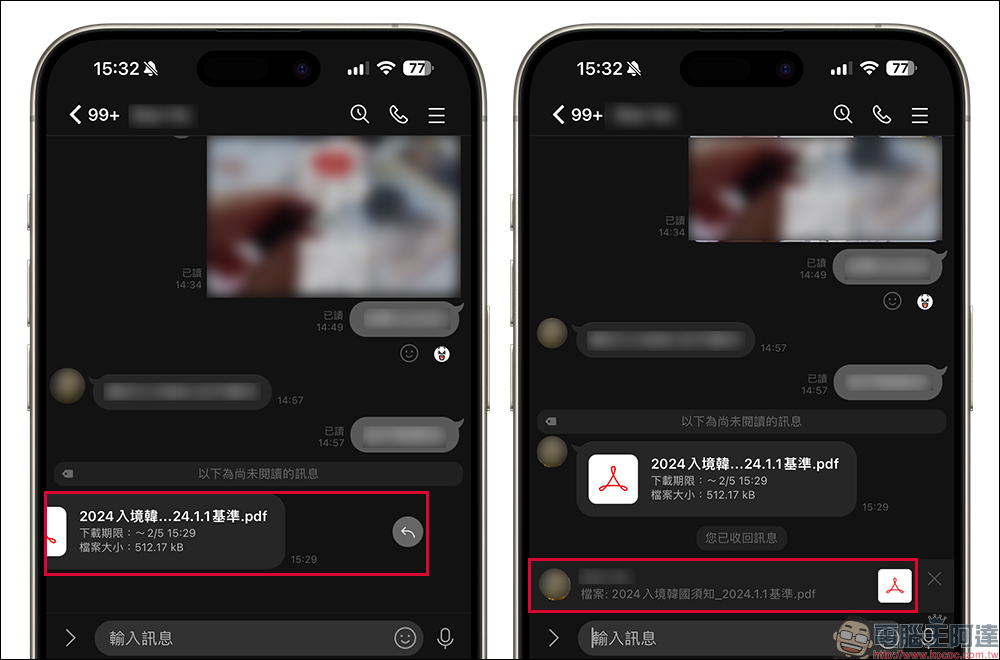
In addition to iOS users, Android users can choose to turn on or off the function of replying by sliding messages.
How to turn on/off the sliding message method for the “reply” path (applicable to Android):
- “Home” > “Settings” > “Chat” > Choose to turn on or off the “Slide to Reply” function
In addition to responding to file messages, save files to Keep!
In addition to LINE’s file message reply function, since LINE files have a one-week download period in chat rooms, if you don’t want to miss important files, you might as well save the files directly to Keep, LINE’s built-in cloud service. If you need to view the file in the future, you don’t have to worry about the file becoming invalid and unable to be opened!
※If pictures, videos or files are sent to the chat room of Keep notes for a period of time, the data will not be saved in Keep.
- Images/files that can be saved: unlimited
- Videos that can be saved: up to 5 minutes
- Text content that can be stored: up to 10,000 words
Further reading:
The latest iPhone battery replacement prices have been sorted out, and some models have increased by 5%! 1-step setup to extend battery life

Source: KOCPC Chinese