


The convenience of the Internet is self-evident. Mutual communication, business contacts, and even all kinds of daily needs can be solved almost all through the Internet. Hidden under the convenience is the danger of various Internet crimes. The most common one among ordinary users is phishing. Cybercriminals impersonate legitimate businesses or individuals to make you think you are dealing with a real business or individual, using phishing emails to steal or hack from users. However, if you look for these 8 warning signs, you can avoid most phishing emails.
Is it a phishing email? There’s no need to worry if you heed these 8 warning signs
Sensational letter title
Cybercriminals use targeted operations to persuade individuals or organizations to reveal sensitive information. One of the most commonly used tactics is sensational letter headers. You should be more cautious if the title of the email contains words such as urgent, time-sensitive, security alert, requiring immediate action, or account at risk. Potential hackers hope to cause you to panic when you see these words. When you see these words, you will be confused and react impulsively. You will lose your alertness and provide sensitive information, click on links or download attachments. So when you see these letters, be sure to think twice before you act. Pictured below Paypal account confirmation letterJust an example:
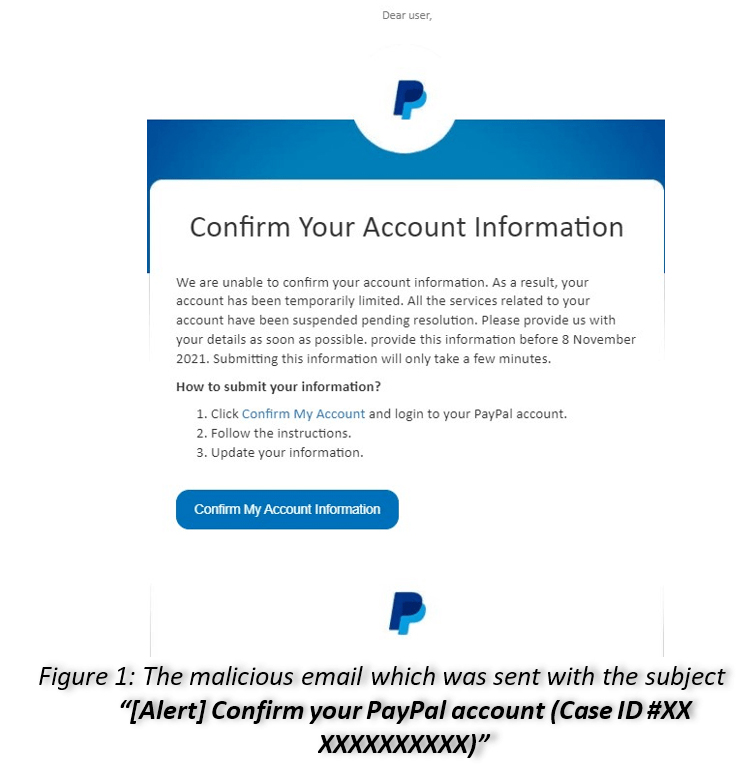
That being said, legitimate businesses will use similar headlines to communicate genuine emergencies to employees or customers, so you shouldn’t just throw all those letters into the trash because of generalizations. Read on to see what warning signs we’ve got to help you identify.
Suspicious sender’s mailbox address suffix
Cybercriminals will also try to make sure the email looks legitimate. For example, they might use the name, logo, and email design of a reputable business. However, if you look closely at the sender’s email domain, you may notice these suspicious signs:
- Use public domain email addresses such as company@gmail.com, company@yahoo.com, etc.
- The domain name is used by a real organization, but there are subtle typos or discrepancies hidden in it, such as the number 1 instead of a lowercase L.
- The domain name is not simple and contains some additional subdomains.
- The parent domain has an unusual name, rather than the domain names typically used by businesses, such as .com, .net, .org, etc.

If the domain name looks suspicious, contact the company’s official website directly and seek answers. You can also check the About Us page on the website to get the correct customer service contact email address.
The greeting is general or informal
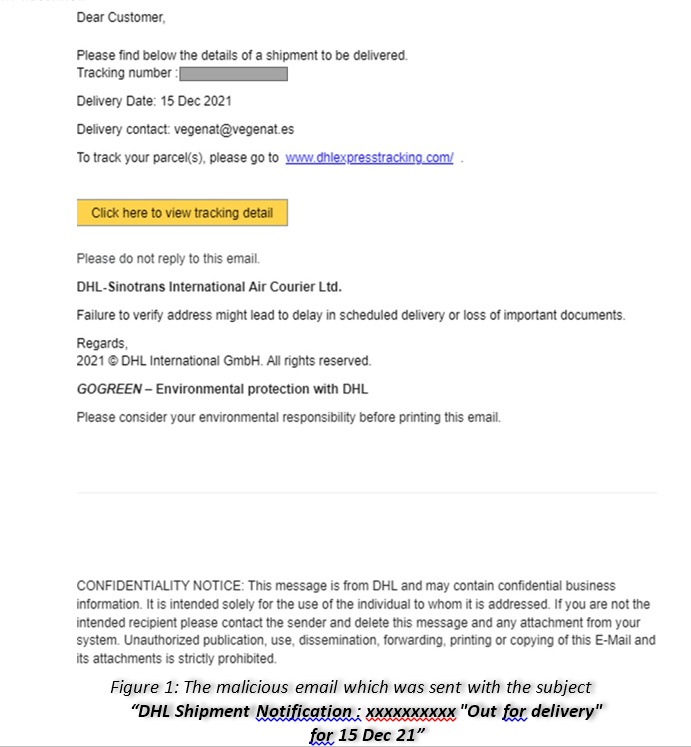
Some phishing emails will begin with a generic greeting, such as Dear User, Dear User of XXX, or Dear OOO (the first half of your email address) to simply greet you. In addition, if the hacker already knows your name, he may use an informal and personalized greeting to get closer to you. The letter may include your full name, phone number, and address. Unless it is a contact window that you are already very familiar with, most formal corporate contacts will use your first name as the main address. In addition, the company number will mostly use a moderate greeting, which will not include some of your personal information.
Grammar and spelling errors
While legitimate companies will try their best to ensure the correctness of grammar and spelling before sending an email, phishing emails are likely to have obvious errors. This is because some phishing emails are written very quickly and are often written by non-native speakers. The original text is even directly thrown into the translation to produce text content, so the meaning may be unclear or inverted.
Contains suspicious links and attachments
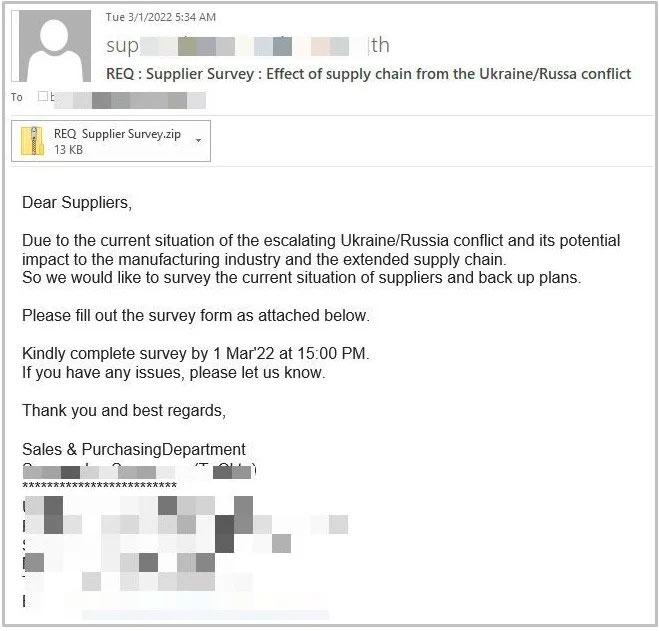
Phishing emails will most likely contain links that direct you to malicious websites. These sites may contain forms that ask you to provide sensitive information, and the forms may even look similar to what you would see on the real site. For example, it might look a lot like a Facebook or Google login page, but the moment you enter your username and password, cybercriminals can see what you enter and use the credentials to take over your account.
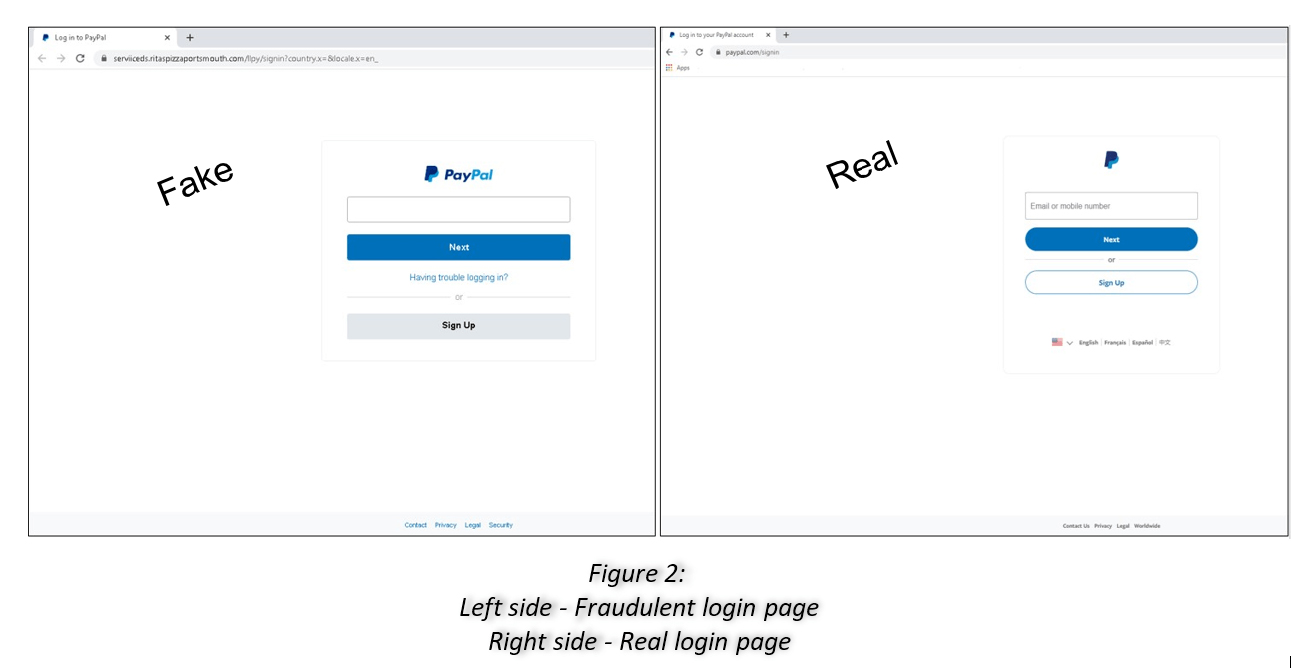
If it is not a link, it is likely to contain an attachment, which is usually an executable file (.exe) or a compressed file (.zip, .rar, etc.). The purpose is to infect your device with malware or ransomware after you download and open it.
Request sensitive information
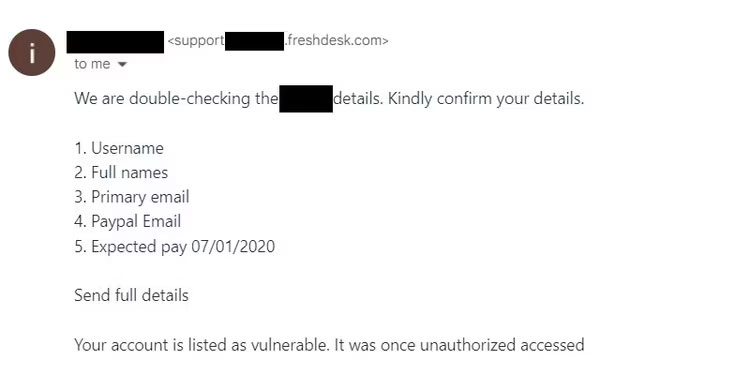
No legitimate organization will ask you for sensitive information via email. You should not respond to an email that asks for your password, credit card information, account balance, address, phone number, or similar personal details. In addition, you should not respond to emails that ask for general information, such as your favorite colors, pet names, etc., as unscrupulous people may use this information to crack password prompts for online accounts.
convey a false sense of urgency
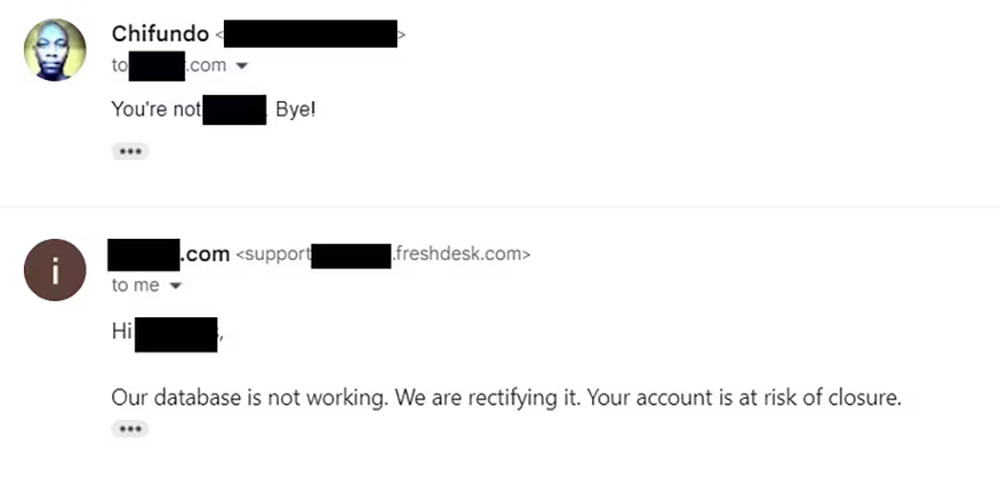
In order to get you to behave in the way they plan to do, cybercriminals may tell you to take certain actions immediately to avoid some negative outcome, so that while you are in panic mode, you won’t have time to verify anything they say. For example, they may say that your account may be closed or charged if you don’t click on the link or provide the information they request.
Contains unrealistic amounts
If you get a notification out of the blue that you won some lottery you didn’t remember participating in, or that a relative you never heard of died and left you a huge inheritance, it could be a phishing email. These cybercriminals will try to convince you to provide them with certain information in order to obtain funds or claim prizes. In some cases you may also be asked to pay fees and taxes to access winnings or inheritances.
What should you do if you receive a phishing email?
When you receive a phishing email, the most important thing is that you should not click on any links or attachments provided in the email, and you should not reply to the email to provide any information about yourself. Don’t be paranoid about every email you receive asking you to do something. Although phishing emails are meant to confuse you, they are not difficult to spot if you know their true nature, and in most cases you will be able to quickly tell whether the email is legitimate or a scam.
Source: KOCPC Chinese