


In the latest Android 14 QPR2 Beta 3 test version, we have gone further from the previous version of the system to see evidence of the return of Bluetooth Quick Settings, and have evolved to the point of being truly put back into Quick Settings. Continue reading Intuitive management of device connections, Android seems to be preparing to welcome back the Bluetooth device quick menu report.
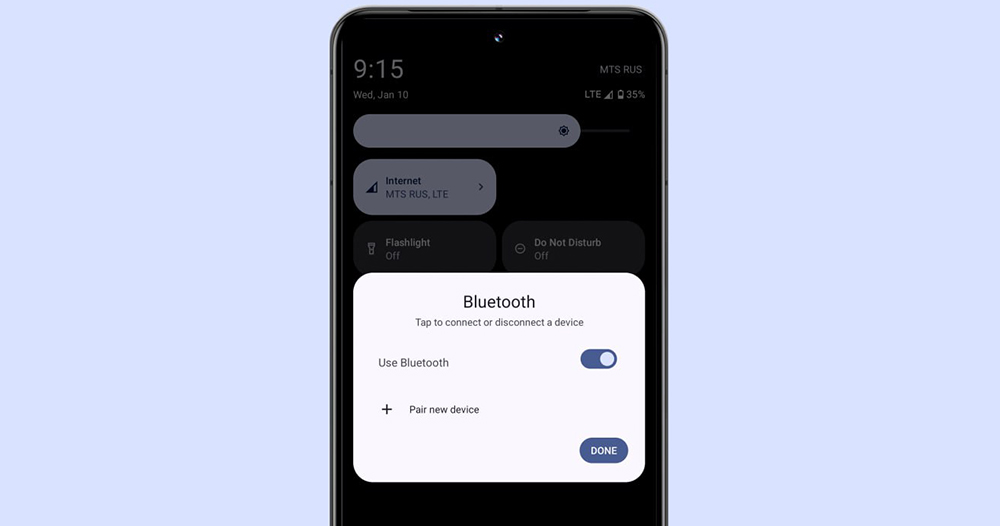
▲Image source: Mishaal Rahman
Intuitively manage device connections, Android seems to be preparing to welcome back the Bluetooth device quick menu
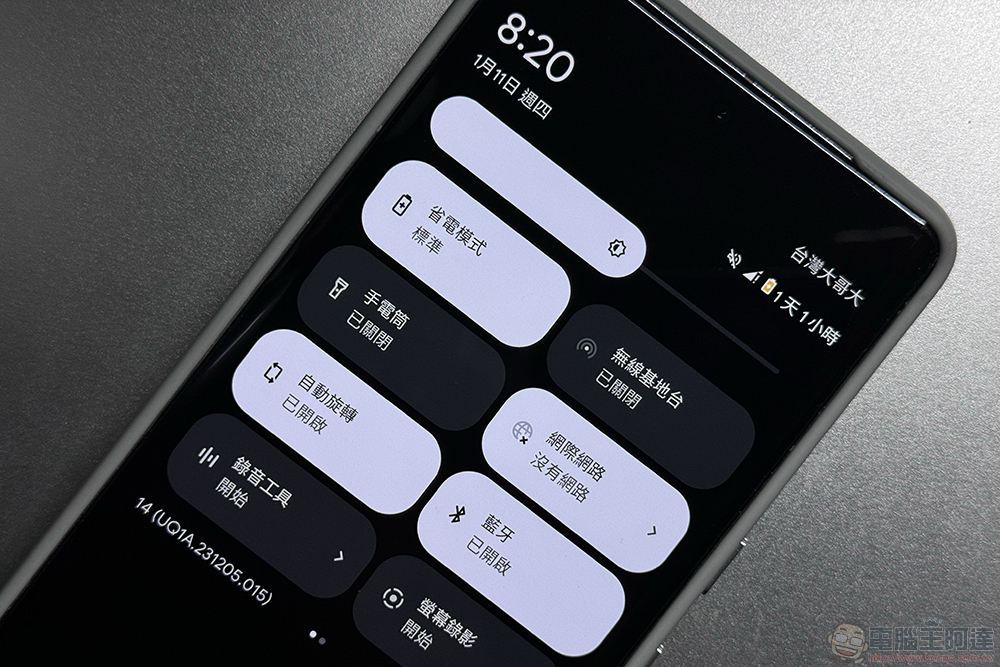
Named Quick Setting, this function of the Android system can quickly switch various functions on and off from the notification function. In fact, there have been many adjustments after many versions over the years. But I believe everyone will feel uncomfortable starting with the Android 9 Pie version, which suddenly simplifies the quick settings function including Wi-Fi and Bluetooth connections, and removes the original sub-menu design after clicking on it. You may even feel that this is a step back in terms of user experience.
But now it seems that, at least in the latest Android 14 QPR2 Beta 3 test version, we have gone further from the signs seen in the previous version of the system to the development of being really put back into Quick Setting.
Yes, although the existing sub-menu for Wi-Fi connections in the Andorid system can be accessed through the “Internet” button – in fact, the method of integrating Wi-Fi and mobile network options is not difficult to understand. But since Android 8.0, if you want to use this quick access setting function to switch, or even pair a new Bluetooth device, you will have to press and hold the Bluetooth quick button to enter the “Settings” application before you can make a selection – it’s really a bit troublesome.
In the latest Android 14 test version, we once again saw “>” on the Bluetooth function button of the quick settings drop-down menu, which means there will be interface changes to the sub-menu.
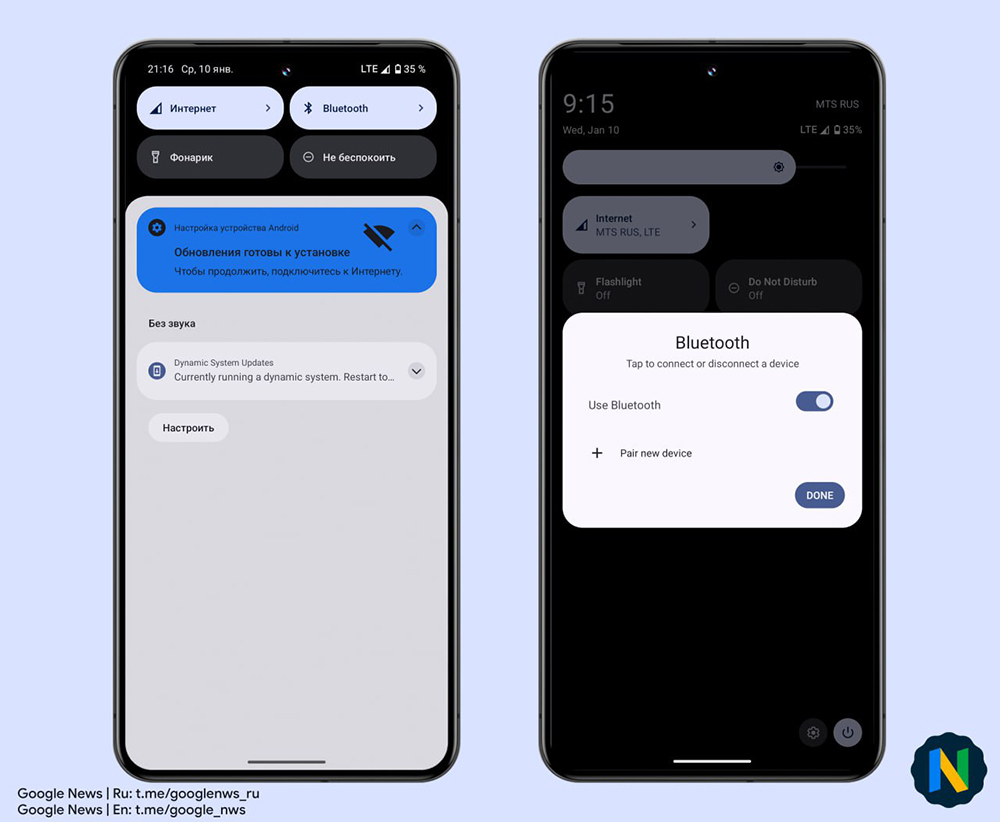
▲Image source: Mishaal Rahman
Compared with the Android system quick settings in recent years, as long as you press the Bluetooth button briefly, the connection to the Bluetooth device will be directly cut off. This new improvement introduced with the beta test will pop up a list of Bluetooth devices, and you can directly configure the connection settings for the new device from this sub-menu – but including the gear button on the back of the device and pairing settings, you still basically need to jump to the App for further use.
What is certain is that, including quickly turning Bluetooth on and off and viewing the connection status of each device, basically all can be done quickly through this pop-up window experience. It should allow old Android users to regain their original switching feel and convenience.
That is to say, since these features are still in the beta version, it is naturally impossible to rule out the possibility that the official version may disappear. But since Google has laid out two versions. Adding such a feature is actually not a particularly innovative or different feature. I believe that since it has returned, there should be a high chance that it will continue to exist, right?
I don’t know if you want this kind of quick sub-menu, or do you think a simple switch is enough? You can share your views with us.
Further reading:
Let the professionals come (teach)! YouTube will prioritize healthcare content for emergency videos
Source: KOCPC Chinese