


When the network is stuck or seems to be very slow, people will naturally use common network speed test software to test the current network speed. So do you know how fast your internet connection is? Depending on the speed measurement software you use, you may get completely different results, so how can you be sure that the speed is real and credible?

Does it matter which software you use to measure your internet speed? Are its results credible?
Different speed test reports present different results
There are many Internet speed testing services available today, including Speedtest.net、Fast.com and CloudFlare is the most popular option. Your ISP may even offer its own speed testing service. You’ll encounter some variation when running different tests on the same service, especially providers like Speedtest.net which use different servers depending on your location. Some speed testing services let you manually select a server, some leave you with no choice, and some may not even have a server within close range of your location.
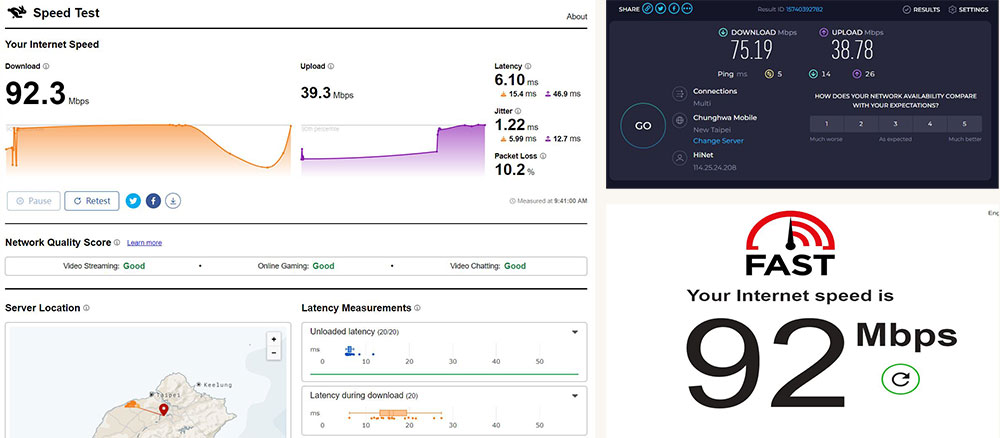
Because there are so many variables involved, different services will give you completely different results. Distance from the server seems to affect reported speeds, so you may find that servers closer to home report faster speeds (and certainly lower latency). Reports from some services are vague. For example, Fast.com only shows you your download speed until you choose to see more (where you can get upload speed and latency). CloudFlare’s speed test tool displays more information and repeats the test multiple times, plotting the results on a graph. I put these three services to the test to demonstrate their differences. To do this, I used an internet connection rated at 100Mbps, connected to the router via an internet cable. The test results obtained were very similar, but each service reported slightly different situations. The network speed reported by Speedtest is significantly lower than the other two test software.
When network speed matters
The data you receive while testing doesn’t mean much on its own. They judge the “true” speed to be between the highest and lowest results, but are only intended to provide a rough guide, and they may differ from the actual situation depending on the time and day of your test. When the author was testing at home, I saw that the network performance improved significantly during the day, but the performance was always a little worse at night.

There are some good reasons to test your internet speed regularly. The main reason is to know whether you are getting the service you are paying for. ISPs bundle plans with different speeds, so it’s worth making sure you hit those speeds to justify the cost. It doesn’t matter whether you pay for 100Mbps or 1Gbps, if you’re only getting half of what you paid for at any given time, you might as well save some money and drop to a cheaper tier. If your internet speed is consistently poor, a speed test may reveal more pressing issues with your cabling or equipment that need to be fixed.
This is especially true when it comes to packet loss, which means that a data packet was lost in transit. When trying to stream, play games, or host voice and video calls, this can lead to a painful wait and lag, and you’ll naturally want to see the reassuring “0%” next to a missing packet result. Another reason to test your network connection is to find out if your network hardware is causing a performance bottleneck. Specifically, older wireless standards can significantly slow down your connection, and while you may not notice it when browsing the web, raw download speeds and local streaming performance can be significantly affected.

That’s why I used a wired network to test the various services mentioned above. The biggest difference in the results came not from the service I used, but from the reliance on Wi-Fi. When testing over Wi-Fi a few rooms away, my speed results were noticeably slower than when plugged directly into the router. That’s why it’s so important to determine if your router is your network’s weakest link before replacing it with a Wi-Fi 6 model. The numbers are even bleaker and the speeds are even more bleak. If you want the fastest wireless performance, invest in a good Wi-Fi 7 router or run some Ethernet cable.
None of these tests will affect your actual internet speed
It’s crucial to keep things in perspective when measuring internet speed. None of these tests actually affect your network performance; they are just an interpretation of your network speed. Regardless, in practice, data transfer speeds between you and the server may vary significantly. That’s why some websites feel faster than others, why some video streaming services seem to buffer forever, and why downloading the same game from Steam, the Windows App Store, Xbox, or PlayStation Network results in completely different results.
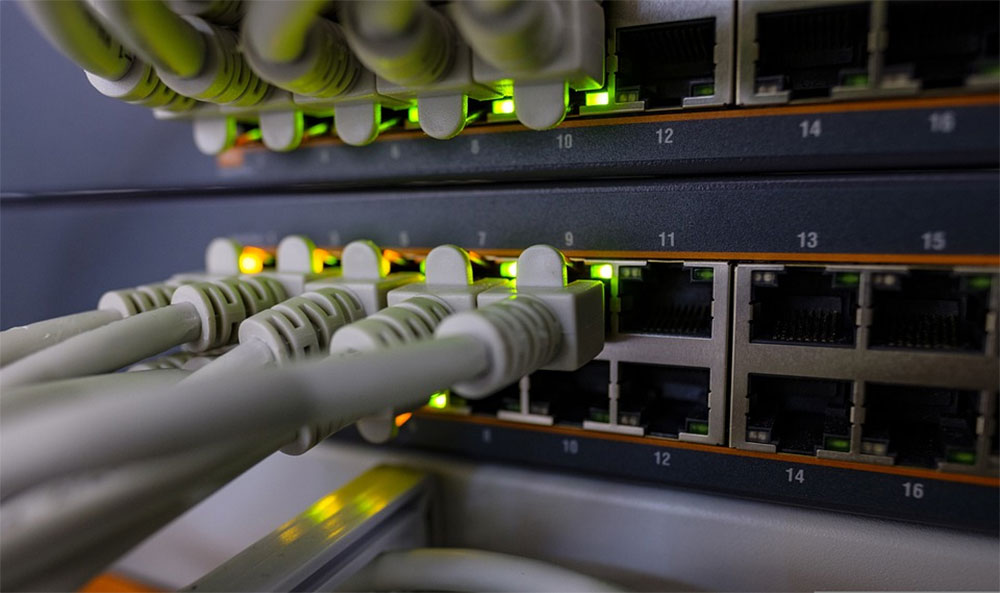
At some point, you might cross the threshold of being able to notice a faster connection in all but a handful of activities. In terms of actual web browsing performance, there’s not much difference between a few hundred megabits and a gigabit or more. Ultimately, switching to a faster DNS server will result in a better browsing experience than increasing your internet tariff package. The same is true in other areas. Netflix, for example, only recommends 15Mbps or higher for its highest-quality Ultra High Definition content. Your online gaming experience depends more on your connection’s latency (commonly known as ping) than raw speed (so choose a server closer to home with lower latency).
So which method should you choose to test your internet speed? It doesn’t matter what you use to test this. The most important thing is that you don’t care too much about the numbers shown on the books. In other words, we recommend choosing one of the services and continuing to use it to get a baseline for testing. Such numbers will have more reference value.
Source: KOCPC Chinese